Thanks again, @ComplexPoint.
After studying your code (with your assistance), I've made two changes:
-
Removed the IIFE. That's no longer needed in the the Execute a JavaScript For Automation action, right?
-
To return the macro name, rather than the UUID (Yes, I know, I changed my original question.
 ), I changed the query to:
for $x in //key["ActionUID"=text()]/following-sibling::real["%Variable%local_ActionUID%"=text()]

return ($x/ancestor-or-self::dict/key["Name"=text()]/following-sibling::string)[1]
Download: QUERY DRAFT -- Macro containing given ActionUID-rev3.kmmacros (27 KB)
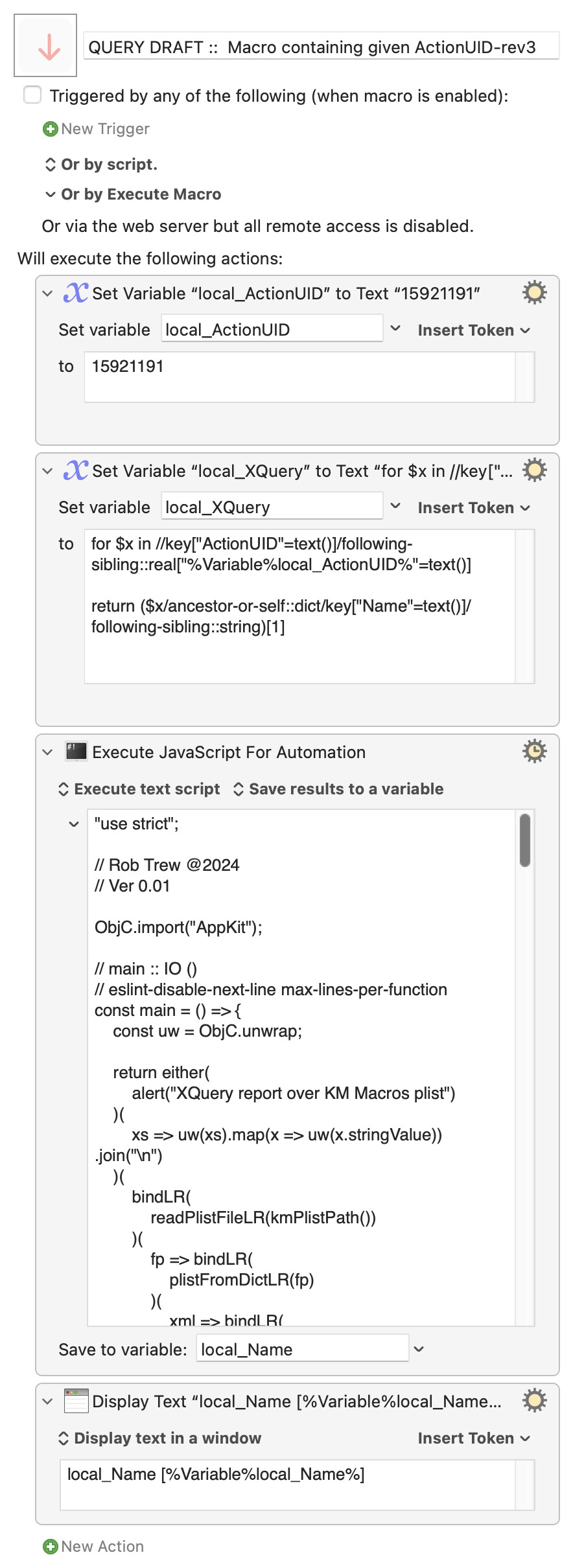
Macro-Notes
- Macros are always disabled when imported into the Keyboard Maestro Editor.
- The user must ensure the macro is enabled.
- The user must also ensure the macro's parent macro-group is enabled.
System Information
- macOS 14.4.1 (23E224)
- Keyboard Maestro v11.0.2