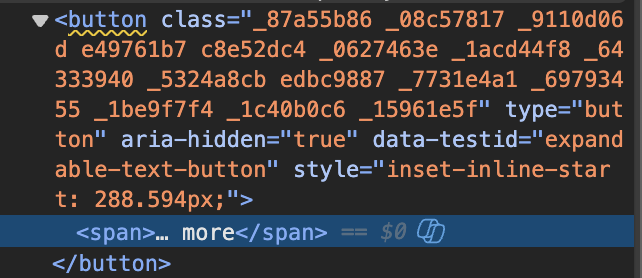
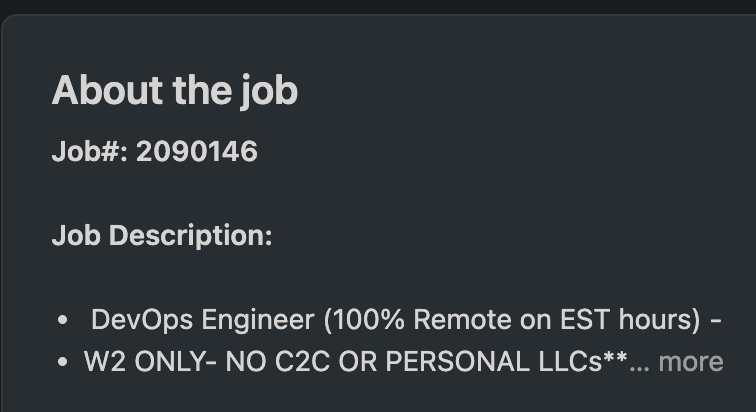
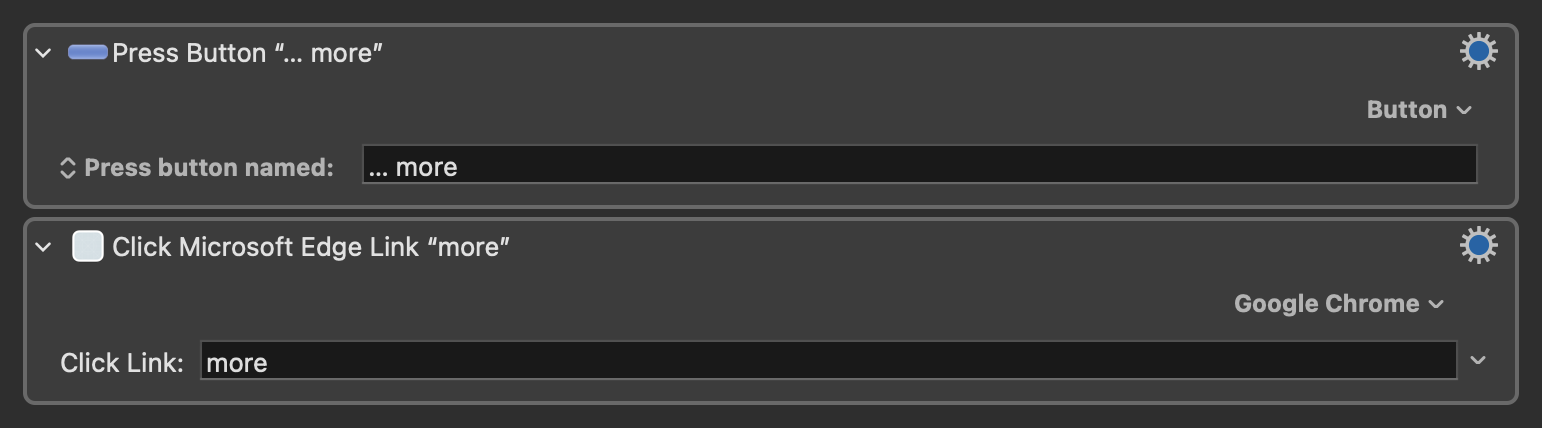
It looks like a link, but it's coded as a button. I tried both link and button actions, but neither can find ... more. Then I discovered the link action provides a list and remembered the button action can scan for buttons, but I couldn't find ... more or anything that seemed related to it in either of them. I don't have a lot of practise with this since my primary browser is Firefox.
Any job-view page on linkedin should have the ... more button(?) in the About the job section for expanding the job description.
There is no such section when I click on that link. This is likely because that website shows a different page for people who are “logged in” vs. people who don’t have an account. Since I don’t have an account, I am unable to replicat your problem so I can’t run any code to find a solution. But I can tell you right now that there’s probably a simple solution that will work most of the time. You could use a Find Image action to click on the centre of the image that contains the characters “… more”. Have you tried that approach? It will probably work.
The problem using find image here is that the page needs to be scrolled some variable amount, and I tend to run into issues trying to scroll for find image to find images. Also there's not much around it to help weed out false positives.
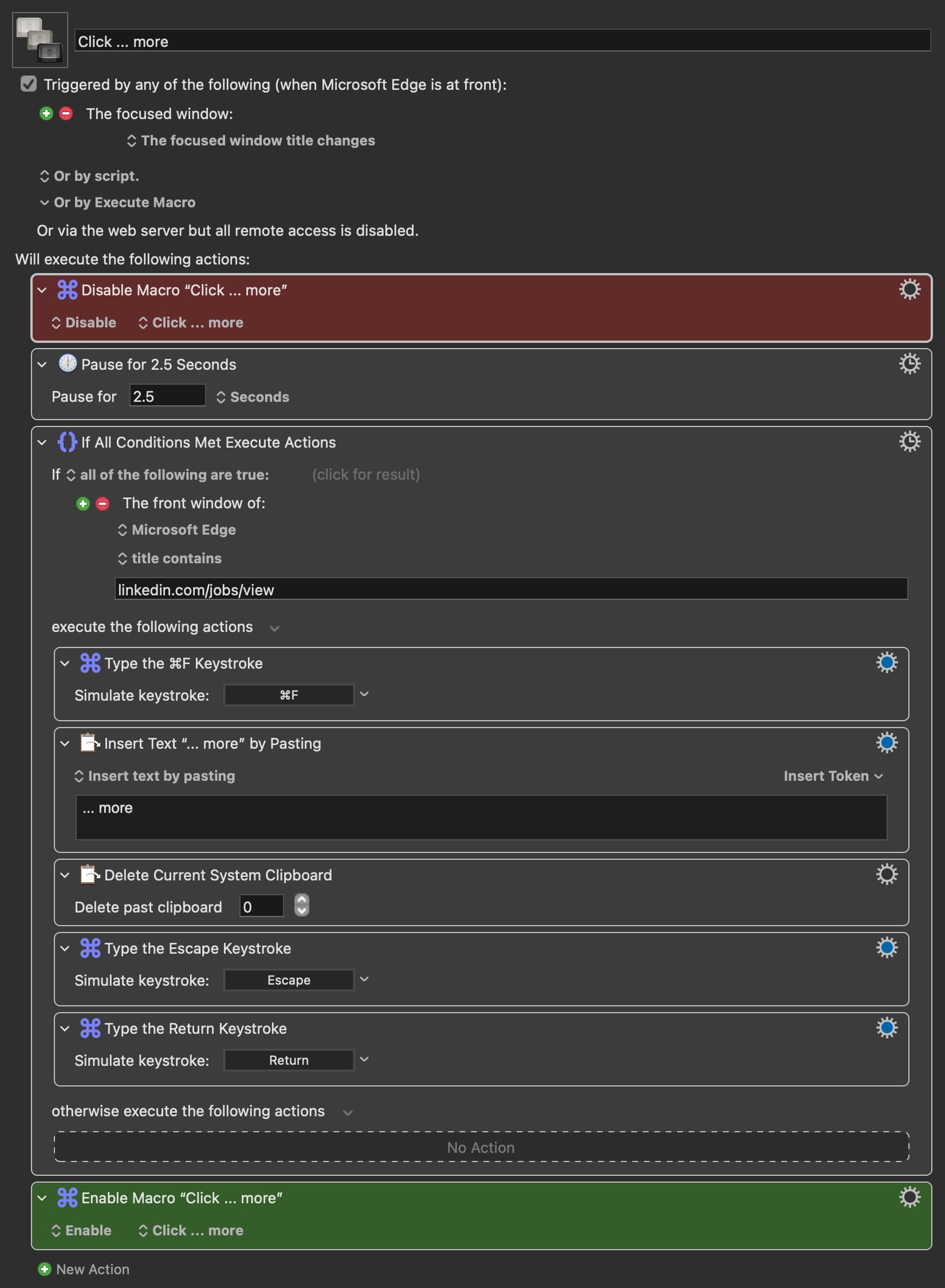
I would still be interested to know if there's a scriptable way to click the button, but for now I'm using my standard workaround of sending keystrokes, which gave me an unexpected new problem to solve because for some reason known only to Microsoft, Edge changes its window and window title twice when ⌘F is typed or sent and then twice more when the find box is closed. So the macro was just triggering constantly and even my kill all macros failsafe couldn't stop it, fortunately quitting Edge did. The solution is disabling the macro immediately after it's triggered then re-enabling it when it's done. Not the most satisfying, but at least it works.
That is a good point. But in my defense, you didn’t mention that scrolling the window was a requirement.
That’s a fair point, but you never know how good it works until you try.
As for the rest of your issue, I will have to bow out because understanding the contents of a web page, especially Javascript, is outside of my skill set.
And besides, I use Safari exclusively because that’s the best option for compatibility with Keyboard Maestro. I’m lazy, and like simple solutions, so I stick to Safari.
You need no defence. I didn't mention it because scrolling wouldn't be necessary with Press a button or Click browser link actions, which was what I was asking about and now realise that perhaps I didn't make that clear enough.
No worries. I always appreciate your input. Thanks for your suggestion.
That’s probably accurate, but if there are more than one such button, each button would need to have a different name, right? How do you plan to find the names of all the buttons?
I think you'll have to get creative -- maybe use JavaScript and query the DOM to find every button whose innerHTML matches that span. Or maybe target data-testid, if that's the only "expandable text button" on the page.
Sorry -- not a LinkedIn user so no account to test with.