Is Finder running? I have no idea how this would or would not work with ForkLift. It runs fine on two Macs here, both just using Finder. Can you take ForkLift out of the equation?
But if it's not solvable, just comment out the action that adds the comment; then you'll just have to dig into each backup folder if you want to know the cryptic name.
Also, that KMVAR_sspData isn't from this macro, so that's something else you'd have to look into—you have a massive variable that's not loading because it's too large.
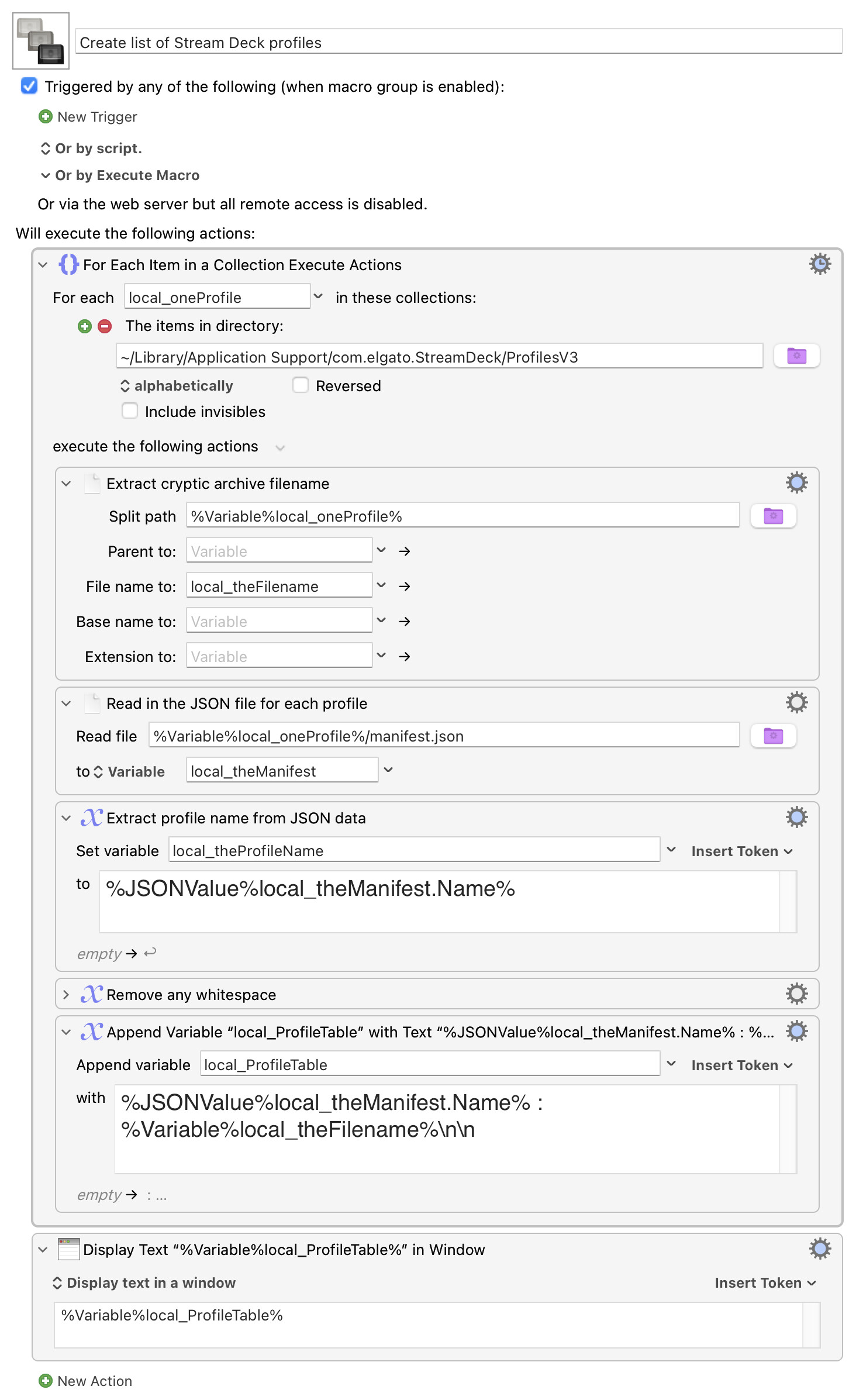
The Elgato app itself has a profile backup/restore feature, so if the issue is just knowing which inscrutably-named profile is which, a tweak to Rob Griffman’s macro does the trick. A sample of what you’ll see:
Home : 91E74895-1818-49D0-A296-1AF94F37CE65.sdProfile
@griffman ‘s macro elegantly solves the problem of the cryptic profile names by putting the profile name in the name of a folder. In terms of restoring the profiles, it’s perhaps easier not to mess with the names of profiles because as @griffman ‘s says, it complicates the restore process because you have to edit the name of each profile before restoring.
By the way, in case anyone is interested, I contacted support and they told me that the Stream Deck app backup will only backup all profiles for a specific device, not all devices.
I have an open mind and not at your levels, so there may be something that I don’t understand in your post.
@ronald No I’m not smarter - I think you’ve got it right. My Stream Deck backup method is actually just to copy the entire v3 folder of *.sdprofiles to a dated backup folder on another drive and now, with the help of @griffman 's macro as revised, I can tell which profile is which if I need to copy one back.
Interesting about the app backup only backing up one device - I ran it first with my XL and then with my Neo as the active device and the backup came out the same size - so not sure what I’m getting, but don’t have time to investigate now.
native Stream Deck backup backs up ALL profiles from ALL devices
reply from Stream Deck support: regardless of what's selected in the dropdown menu, it would backup all profiles for any device that was used on that Mac.
my testing: the backup files are zipped files. If rename backup file → zip→ unzip, I see all profiles all devices