Appreciate you testing it further.
I will dig into when I get through everything on my ever growing list.
So much to learn and so little time.
Excellent catch.
I have made the changes.
Thank you!!
Appreciate you testing it further.
I will dig into when I get through everything on my ever growing list.
So much to learn and so little time.
Excellent catch.
I have made the changes.
Thank you!!
And the mystery continues.
I am investigating the possible cause of the inconsistency and dug into things a bit more.
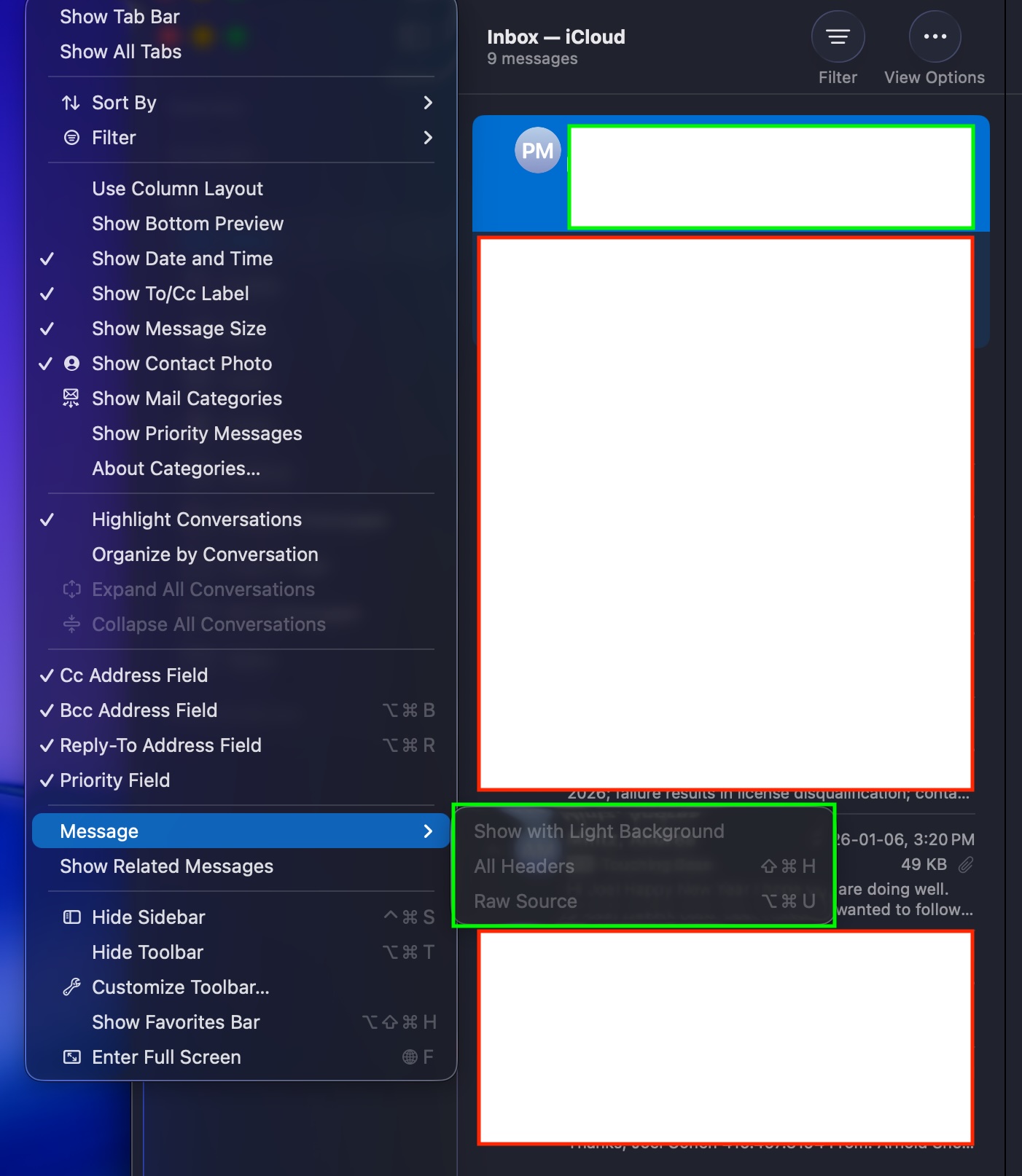
I looked into Mail's menus and noticed View > Message > Raw Source was one of the menu options.
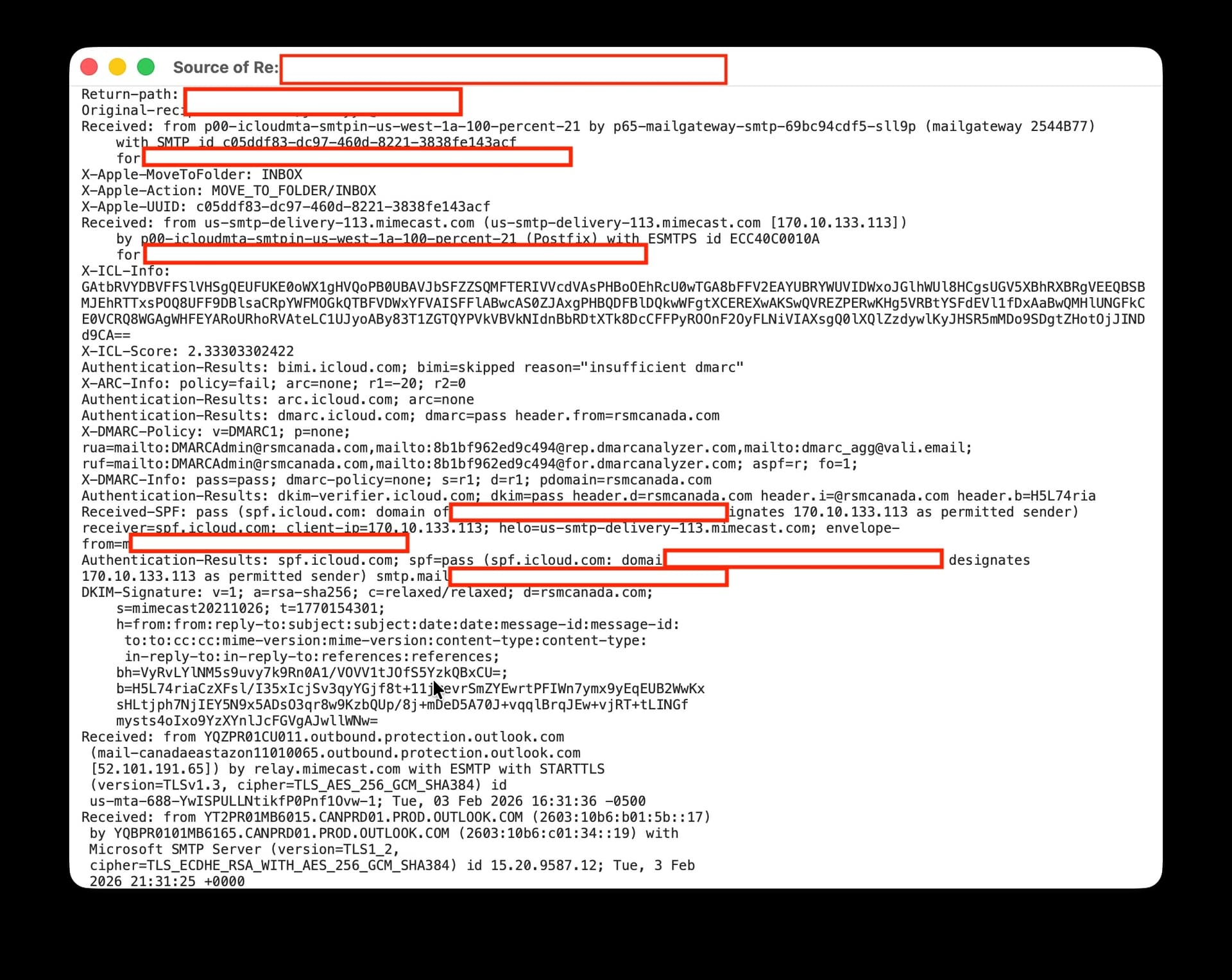
I picked one of the e-mails that was not firing and got the following results:
--- From Mail's View > Messages > Raw Source menu >>> The raw source data is present!
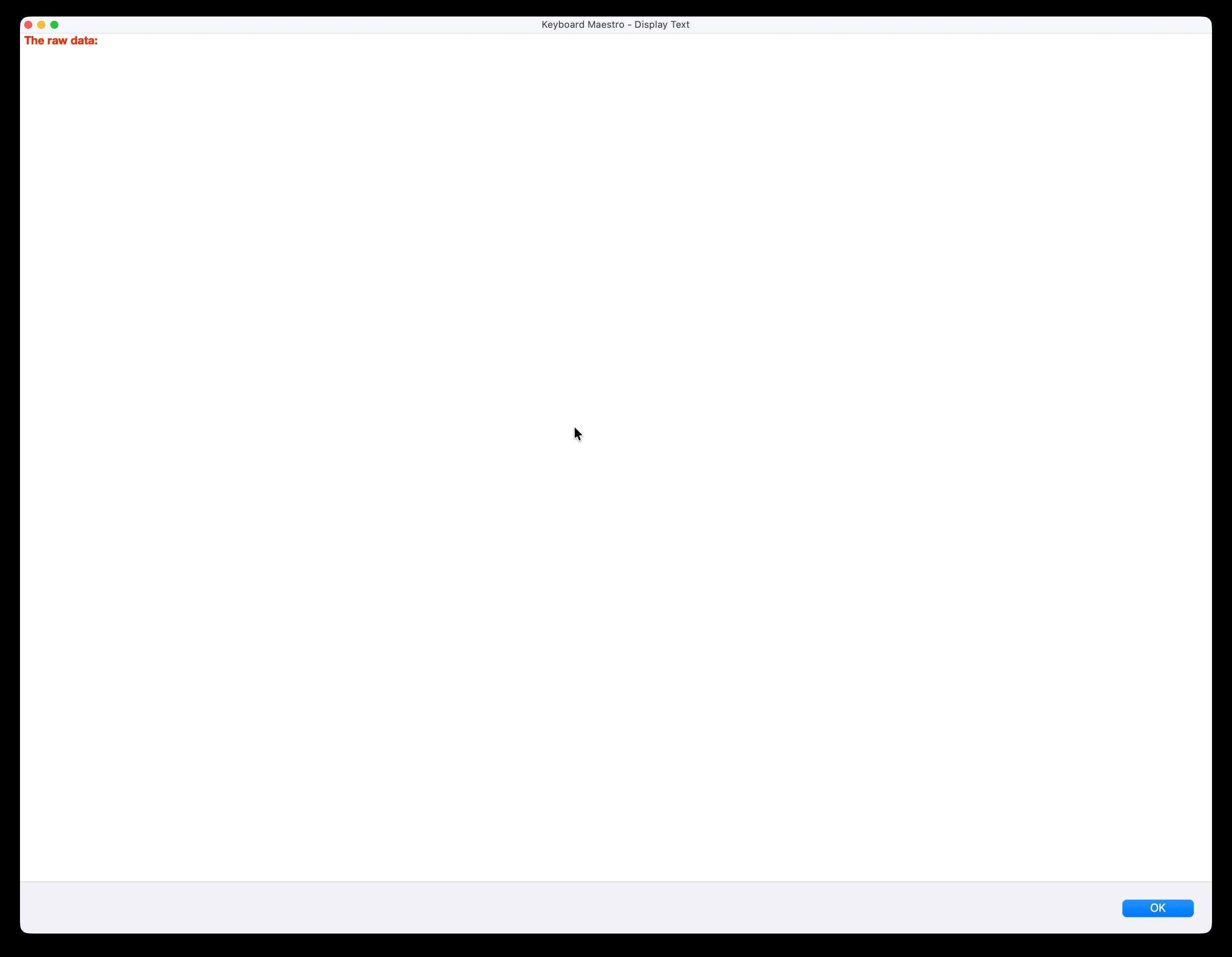
--- From the Keyboard Maestro' %MailRawSource% token >>> The raw source data is not present!
I would appreciate comments / thoughts as to how or why the %MailRawSource% is not loading the Raw Source data that is definitely present. The macro -- at least to this point -- is super simple (i.e., all the macro is doing is reading the %MailRawSource% token which should contain the existing Raw Source data).
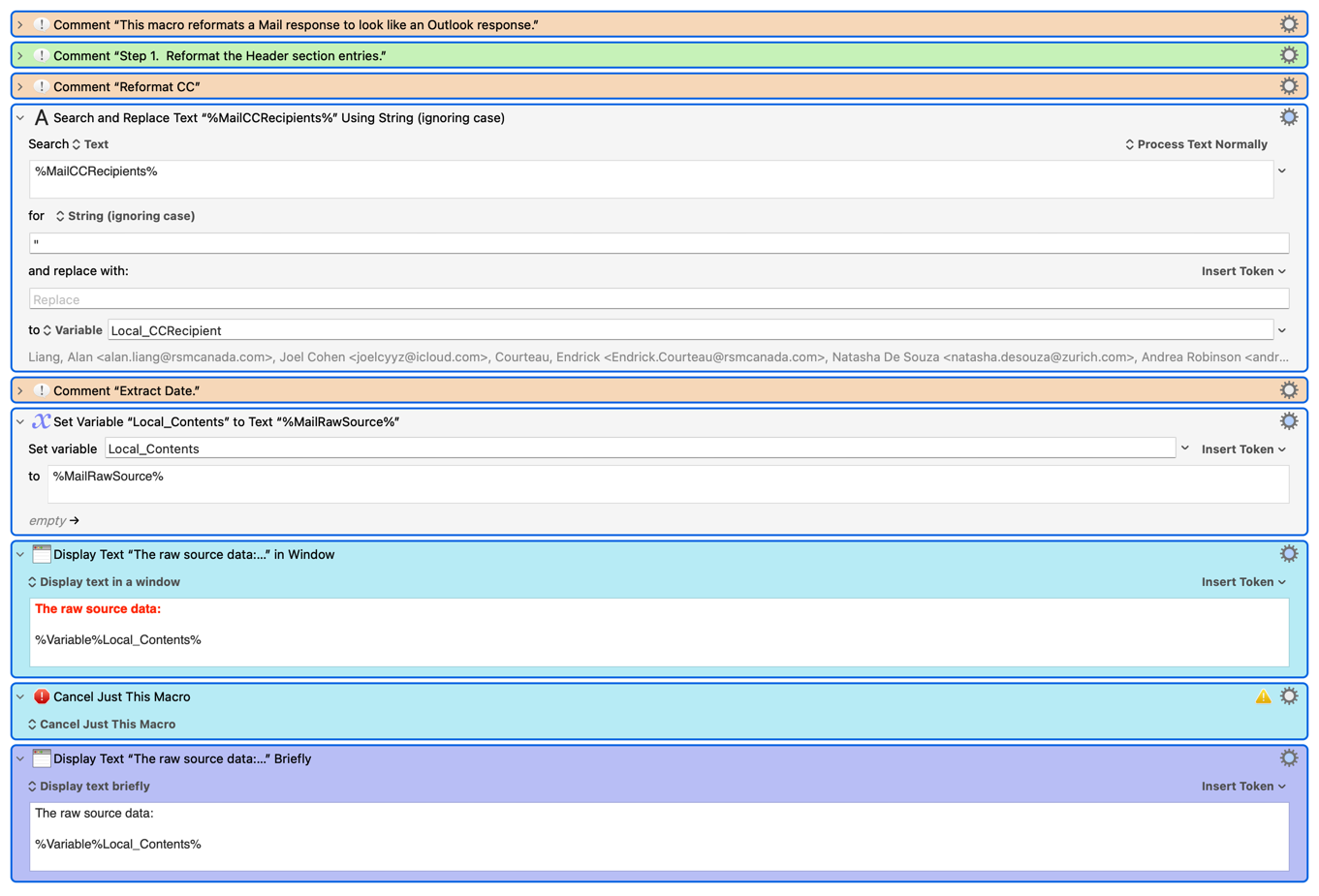
The macro appears below noting I have modified it to cancel / stop after reading the %MailRawSorce% token and displaying the Display Text window to make testing easier.
Refomat To Outlook_as At 20260122 (Test).kmmacros (29.2 KB)
Thanks in advance.
The raw source is always present - by definition. It is what is actually received by Mail.
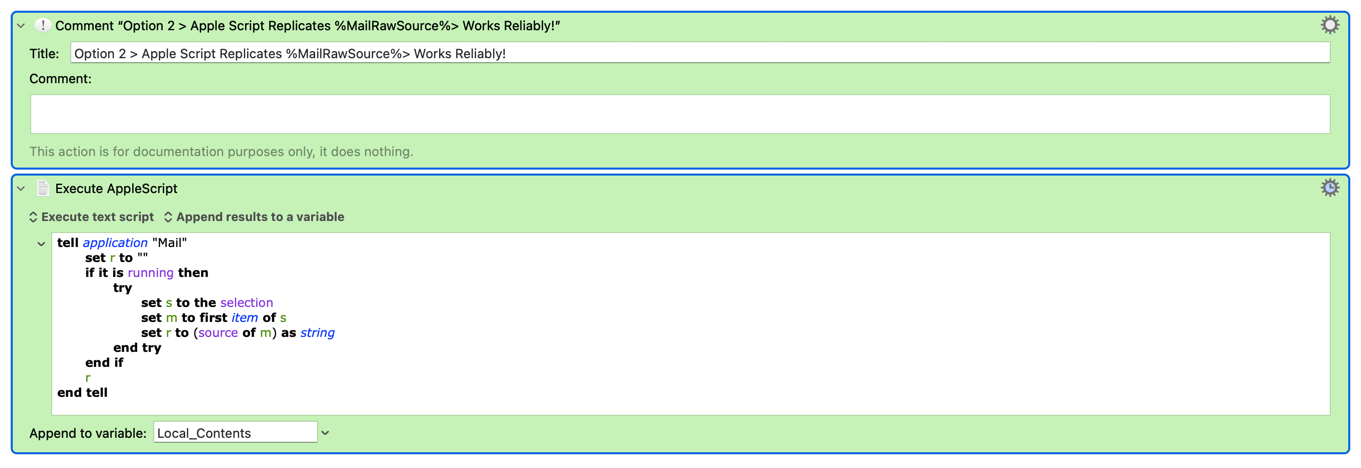
As I mentioned above, the MailRawSource token is a simple AppleScript that looks like this:
tell application "Mail"
	set r to ""
	if it is running then
		try
			set s to the selection
			set m to first item of s
			set r to (source of m) as string
		end try
	end if
	r
end tell
Whatever that gives is what you get.
When it is not working, what do you get if you run that AppleScript?
A further update that contains some observations and solutions.
As a start I noticed that when using Mail's View > Message > Raw Source menu items that it could take a few seconds for the Raw Source Data to load. This got me thinking that I am dealing with a timing issue.
I developed a few solutions as follows:
tell application "Mail"
	-- 1. Get the current selection
	set theSelectedMessages to selection
	if (count of theSelectedMessages) is 0 then return "Error: No selection"
	set theMsg to item 1 of theSelectedMessages

	set theSource to ""
	set retryCount to 0
	set maxRetries to 20 -- Will try for up to 2 seconds (20 * 0.1)

	-- 2. The Reliability Loop
	-- This forces Mail to keep trying to pull the source into memory
	repeat while (theSource is missing value or theSource is "") and (retryCount < maxRetries)
		try
			set theSource to source of theMsg
		end try

		if theSource is not "" and theSource is not missing value then exit repeat

		delay 0.1 -- Wait 100ms before trying again
		set retryCount to retryCount + 1
	end repeat

	-- 3. Return the result to Keyboard Maestro
	if theSource is "" or theSource is missing value then
		return "Error: Mail timed out trying to fetch raw source."
	else
		return theSource
	end if
end tell
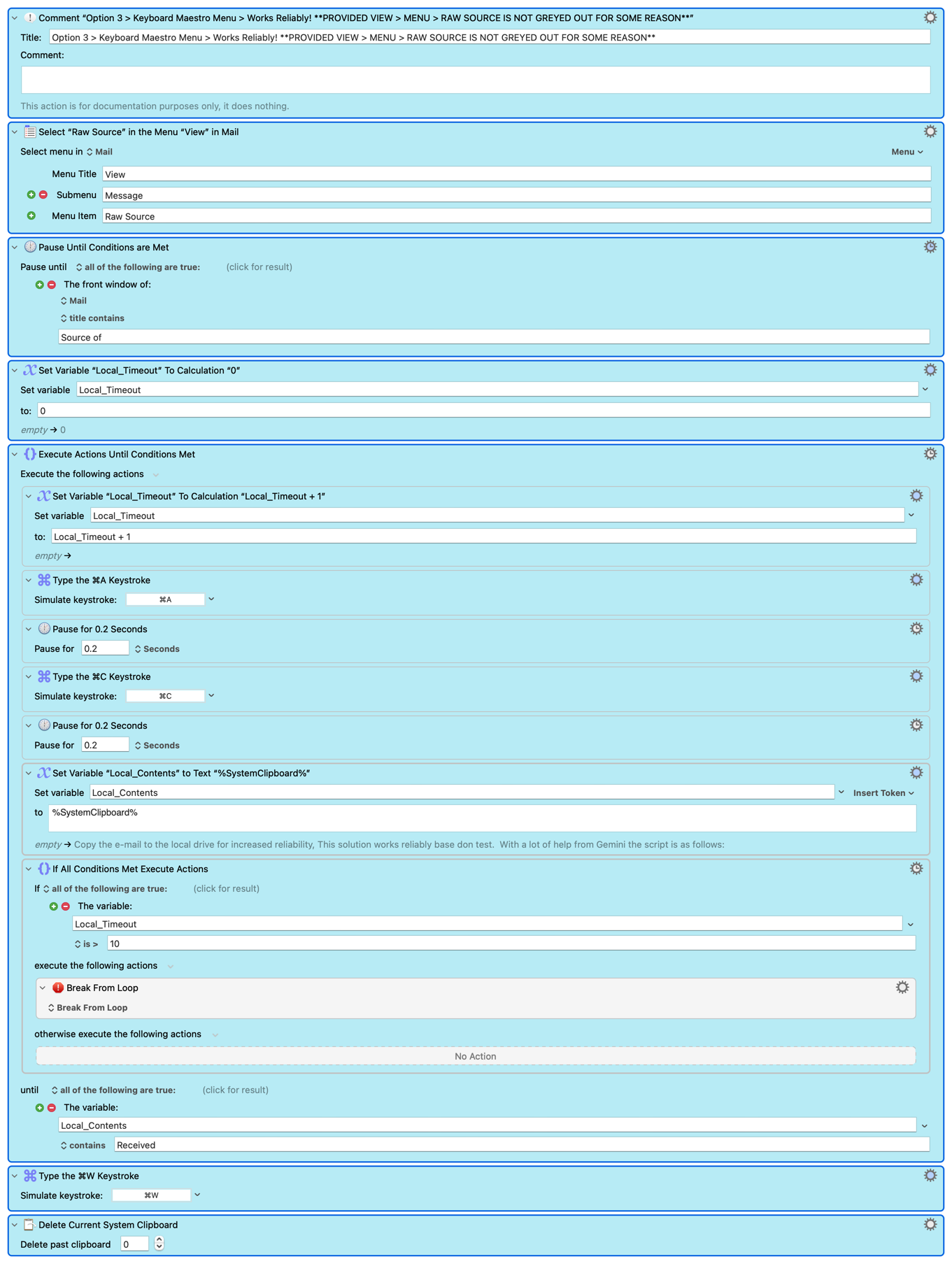
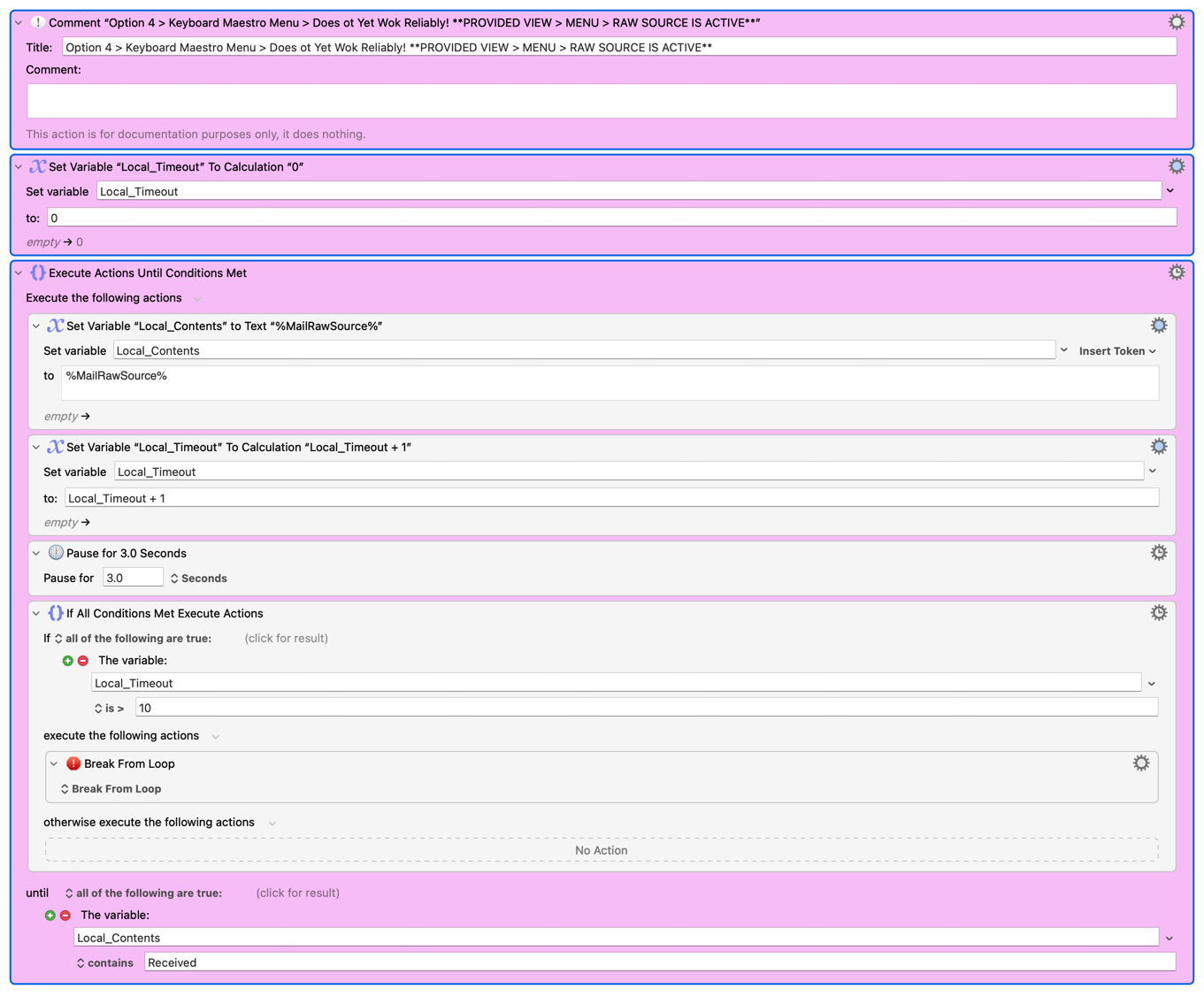
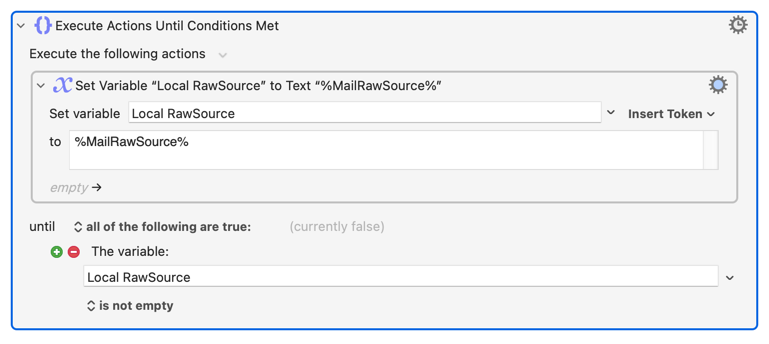
The Keyboard Maestro actions are as follows:
The Mail's Raw Source not being available is as follows (see green box):
++++++++++++++++++++++++
And to make answering my below questions easier, the following is the text macro with each of the 4 four options included therein in different colours noting only 1 of the 4 should be active at any one time for testing.
Refomat To Outlook_as At 20260122 (Test).kmmacros (45.5 KB)
+++++++++++++++++++++++
A few questions:
How -- for interest -- would one delay the loading of the %MailRawSource% using Keyboard Maestro actions (i.e., Solution 3 which I do not yet have working)?
What, if anything, can I do to reduce the delay / lag in assigning the %MailRawSource% token so that I can stick with the vanilla action:
Why does the %MailRawSource% have a timing issue while the Apple Script that replicates it does not? I would very much like to understand this?
Why doe the %MailRawSource% have a timing issue while none of the other Mail tokens do (i.e., is it the amount / size of the information)?
Why would the View > Message > Raw Source be greyed out from time to time?
Will be implementing Peter's solution as it is the most reliable and simplest (at least to me) unless somethings suggests otherwise!
Appreciate all the help and look forward to the response.
Happy to have an (partial) understanding and solution to this.
Thank you!
Peter, apologies I missed the obvious that I should try the Apple Script in place of the token and test the results. I thank you for the solution to the problem (though I am curious as to why the %MailRawSource% has a timing issue while its underlying code / source does not).
Thank you!
Tokens have to return information more or less immediately. That is the nature of tokens.
So they have a timeout of 0.9 seconds (by default).
As I mentioned, the raw source of an email is how it starts, what comes in, so there is no sane reason why it should take any length of time for Mail to provide, or why it would ever not be available for a message. But clearly Mail has found some unreasonable reason for the delay.
This would probably work (assuming it is more a caching issue than a total time issue):
If the issue is that Mail is simply taking a long time to produce the raw source (perhaps the message is very large (which it can be given it includes all the data that comes in with the message)), then this solution will not work. You could adjust the token timeout, but in that case the AppleScript is a better solution.
Peter, as a start much thanks for the post and the suggested solution noting the following:
I tried the catch loop Until action that you suggested and note that it too failed (presumably because Mail is taking too long to produce the raw source).
I will move forward with your Apple Script as it is the only approach that is reliable.
I would still love to know (as I am curious)
a. Why does the %MailRawSource% have a timing issue while the Apple Script that replicates it does not? I would very much like to understand this?
b. Why doe the %MailRawSource% have a timing issue while none of the other Mail tokens do (i.e., is it the amount / size of the information)?
c. Why would the View > Message > Raw Source be greyed out from time to time?
Thanks to all for the help!
AppleScript's default timeout on any single command is 30 seconds -- so it'll wait up to 30 seconds for
set r to (source of m) as string
...to do something before erroring. KM's Tokens expect an answer a lot quicker than that.
And remember that IMAP clients generally get message headers first and message bodies later when syncing with the server, and there is no guarantee that the raw source is, or remains, in local cache. A large email (including attachments) could mean a (relatively) slow trip to the server to get the raw source.
Headers and message content (which is different to raw source) are cached locally, so are quickly returned when KM queries for them.
Appreciated and very helpfu (so much to learn).
Two follows up:
Could / would this also explain why in some instances the View Message > Raw Source is sometimes greyed out (i.e., the raw source is not in local cache and thus not available)?
Could / would this also explain why my solution of copied the file to the hard drive worked (i.e., the copying ensured that that the raw source was available)?
Much thanks!
And on to the other observation / problem that I have noted (and the last one).
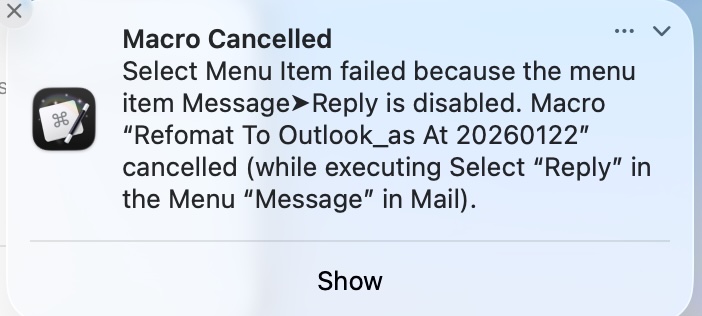
As those following this thread know, displaying the raw text in a window (which was part of the debugging exercise) resulting in the macro failing because the menu commands Message > Reply was not available per the following error message.
A video of what occurrs can be watched here:
Macro w/i menu commands Message > Reply
Although I could not figure out why Message > Reply was failing, I thought that I had found a workaround in that I could replace the Message > Reply action in my macro with the keystroke action CMD+R which is the Mail keystroke for Message> Reply.
A video of what occurred can be watched here noting that i) the CMD+R fired but ii) it acted on the display text window rather than the selected e-mail.
++++++++++++++++
Although finding a workaround is easy (i.e., closing the display text window once it has been displayed, having the raw data display as a notification, not needing / using the display text action anymore as the raw source problem has been solved, etc.), I am curious as to:
Why the Message > Reply fails to fire as the e-mail is still selected.
Why the CMD + R acts on the display text window rather than the e-mail that is still selected.
Why this is teh only instance I have encountered where a display text window interferes (i.e., what is causing the interference).
Much thanks in advance.
In a video concerning menus, it would help if we could see the menu bar 
Otherwise, I can't reproduce your issue so I can't be sure. Does it happen if you remove the "get message source" bits entirely and only "Display Text" then select the "Reply" menu item? (I'm wondering if, when Mail is already processing something regarding that message, [some] other things aren't available until done.)
Because, as discussed above, "Display Text" does take "input focus".
But try again, setting the "Type a Keystroke" Action to target Mail using the "Send To" option in the Action's cogwheel.
Because, up to now, you've been amazingly lucky
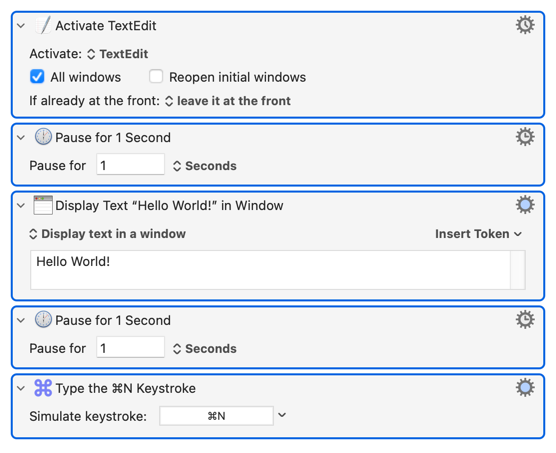
This macro will have exactly the same problem:
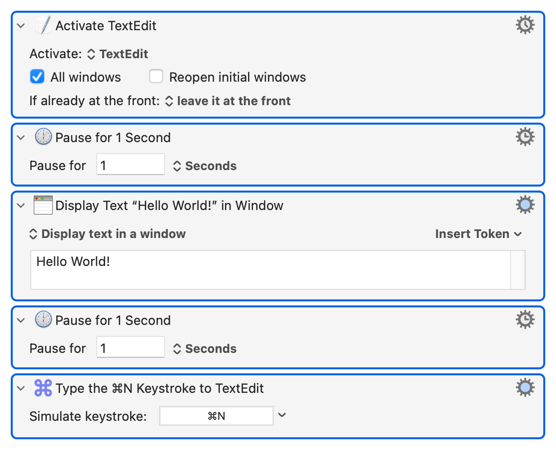
This one works as expected because the final Action explicitly targets TextEdit:
I was trying to keep it focused but noted for next time.
I am not 100% sure that I understand your ask but should your question be "does it happen with only the Display Text windows and the Raw Source data (i.e., without the CC and From fields)" then the answer is yes, it still produces the error massage that Message > Reply is disabled.
If I misinterpreted your ask please let me know and I will gladly retest.
It does raise a very interesting point, If I were to selected Rpley / Repy All / Forward as the first step then would this problem exist?
Got it!
No change, the results are teh same regardless of the cogwheel setting.
Hmmm, interesting and something to look forward to!
I will take lucky any day!!
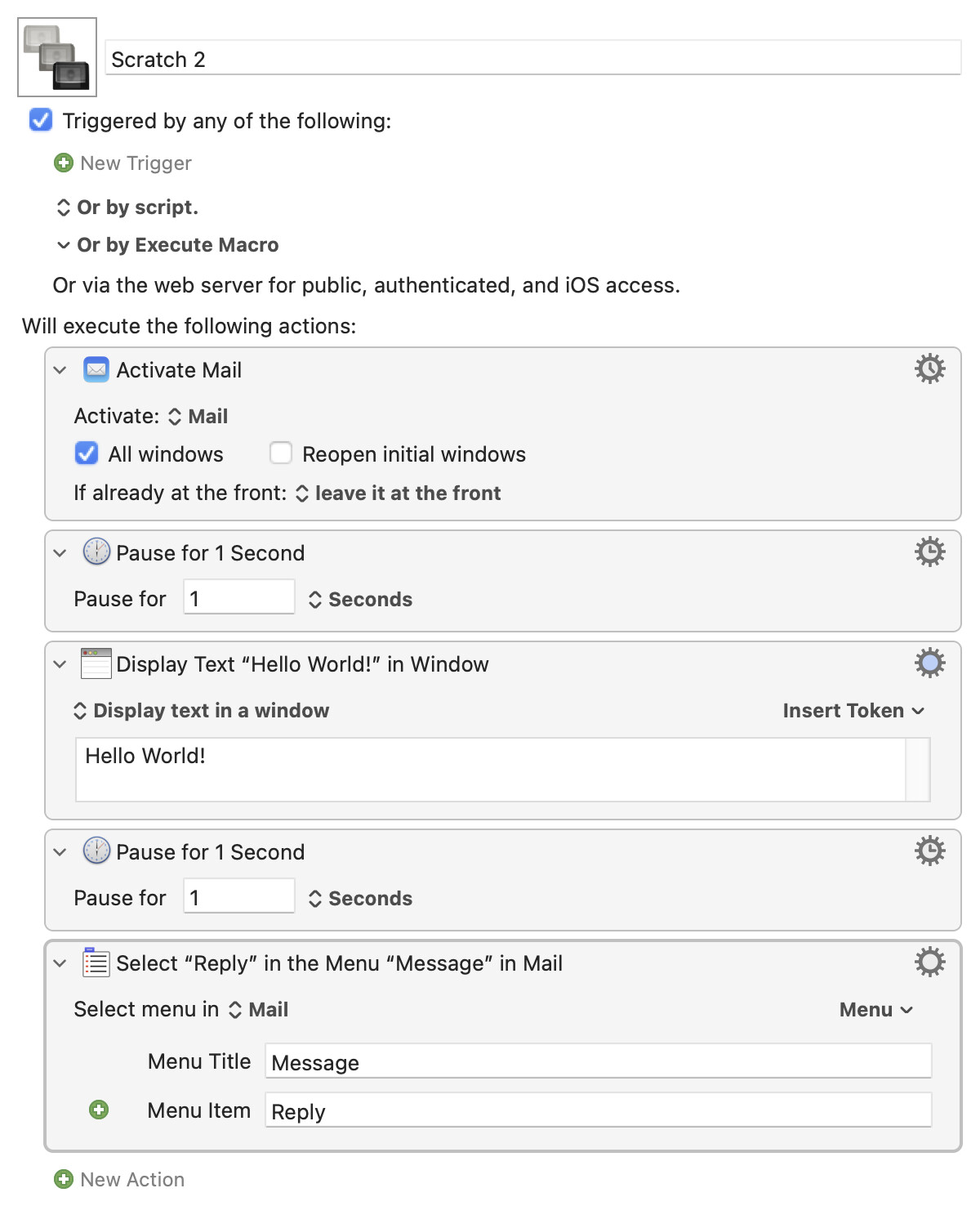
If you think that "Display Text" interferes with accessing Mail's menu item, test only that:
If that works, perhaps it's a timing issue masked by the pauses -- delete or reduce them and try again. If it still works, try changing the "Display Text" Action to include the %MailRawSource% Token.
If it doesn't work, try switching the "Activate" and "Display" Actions so you reactivate Mail after throwing the text window.
Really, though, you're on your own. This isn't a problem for most people -- I can't replicate it, and it would be all over the Forum if it was a common issue -- so probably something specific to your setup.
Appreciate the clarification and will give it a go.
Thank you.
Because tokens have a 0.9 second timeout and the Execute an AppleScript action does not (though AppleScript commands themselves have a timeout, it is much longer than 0.9 seconds).
Presumably because MailRawSource is taking more than 0.9 seconds. Perhaps Mail caches the displayed information, but not the raw source and so has to get the raw source (potentially from the IMAP server?).
No idea - you would have to ask Apple that. Raw Source is what Mail receives, so it is inexplicable to me. Maybe it's got a cached copy of the display, but cannot (for some reason) get the raw source from the server any longer?
Greatly appreciated and much thanks!