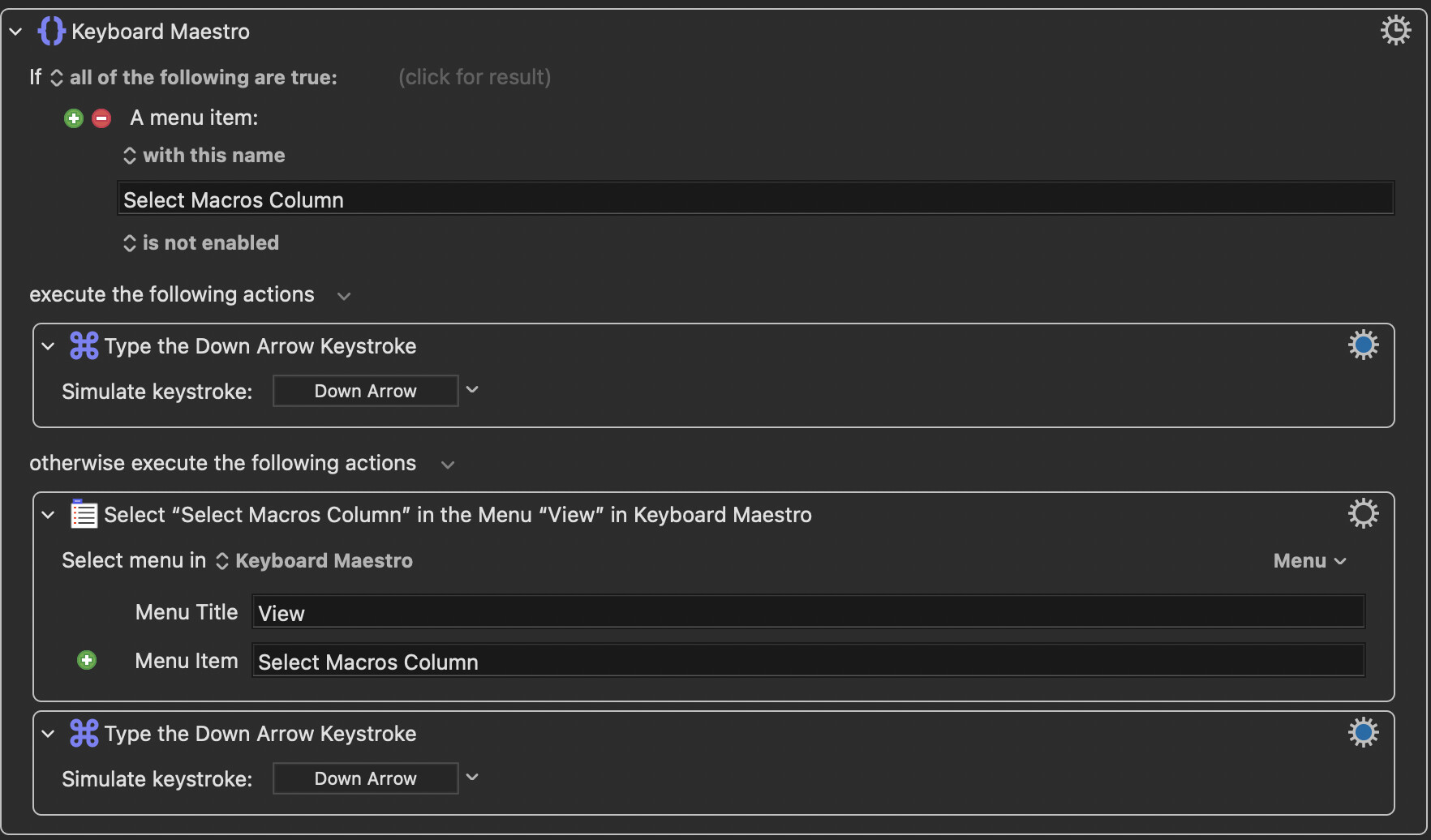
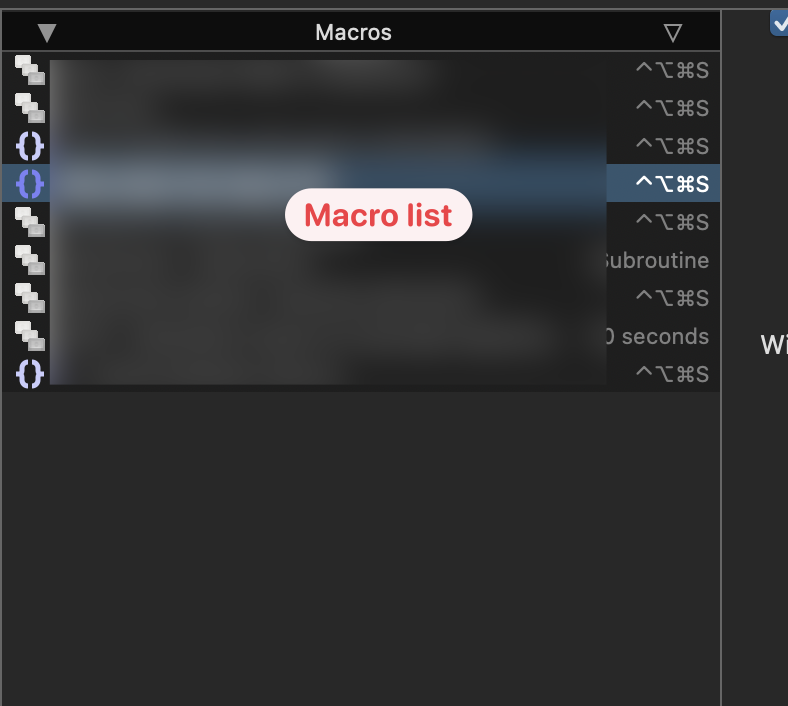
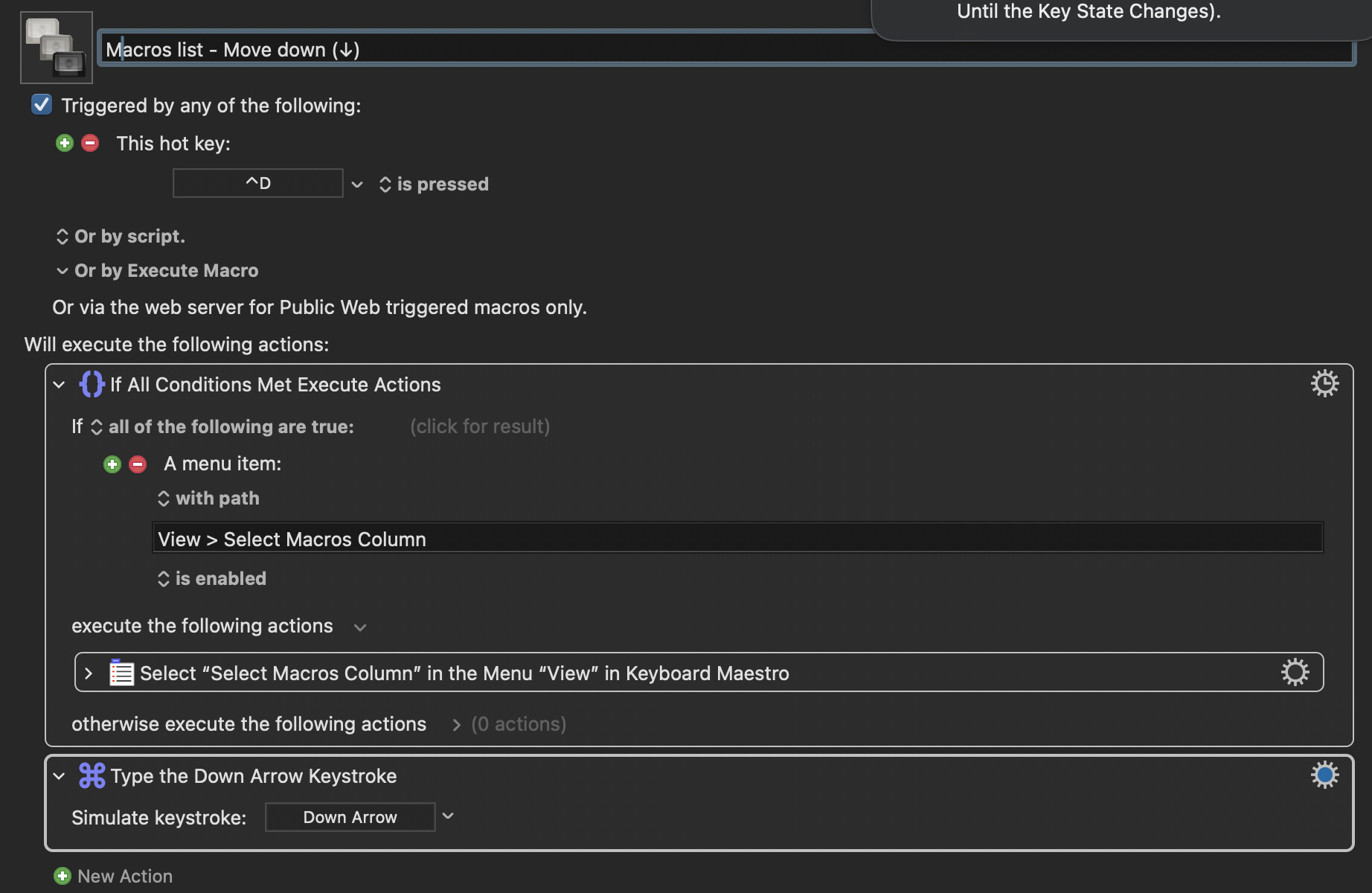
This macro allows me to use a hotkey to move down the macro list in KM. But there’s always a ~0.5s delay following the hotkey trigger. Anything I can do to make it go faster?
Move down the macro list.kmmacros (4.1 KB)
This macro allows me to use a hotkey to move down the macro list in KM. But there’s always a ~0.5s delay following the hotkey trigger. Anything I can do to make it go faster?
Move down the macro list.kmmacros (4.1 KB)
Hello @Willis 
Maybe you get the delay based of the way of your coding but I’m not sure. 
Try rebuilding the Macro this way
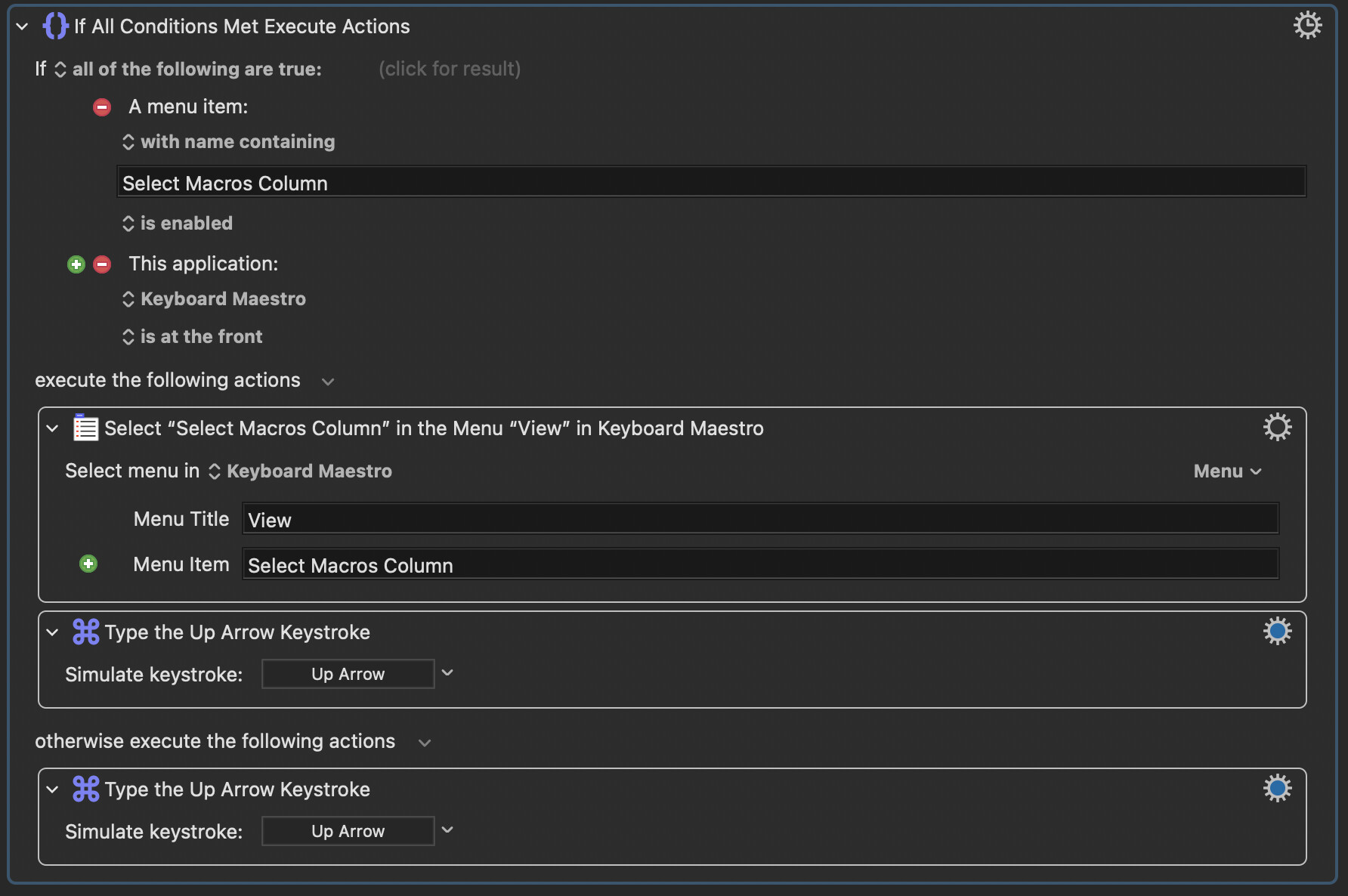
Action 1: If Menu Select Macros Column is Enabled
View > Select Macros ColumnAction 2: Keystroke Down Arrow
This way KM-Engine skips the if action completely if the Macros Column has focus.
This should work as intended.
Greetings from Germany 
Tobias
Hi Tobias! Rebuilt it like you suggested. It has the same amount of delay time I reckon.
No @Willis, you didn’t…
Look at the text again
If I were at home I would upload a working Macro - but I’m not …
I do something different…
Now you have the Macro like I suggested. The if action is only running if you trigger your macro when the Macros Column has no focus.
To make it more bulletproof deactivate the option that cancels the Macro on failure for both (If & nested Select Menu) Actions.
This is the best solution I have for you.
Greetings from Germany
Tobias
Checking a menu item's state is going to take time -- see @peternlewis's previous comments about delays in Apple's Accessibility API. Time that is grossly multiplied if you get all the menu items for the KM Editor, then check them one by one to see if match a certain string.
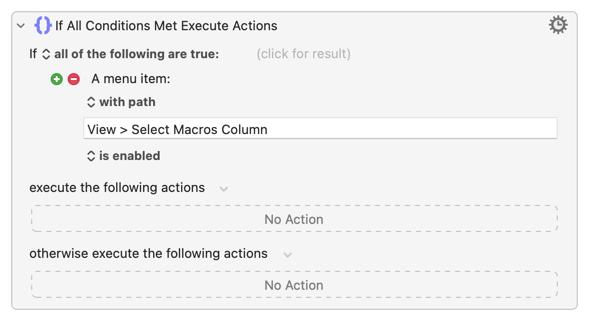
The more precise you are the quicker the test will be:
...which should only take a few milliseconds.