Nope -- but it might play nice with AS and System Events...
<tappity-tappity-tappity>
You can't "navigate the headings" -- they are either closed or disclosed, you can't select them.
The closest you'll probably get is "open the next in the list, or the first if none are open". You could do that with image detection (see your other thread), but here's an AppleScript way:
Disclose Next Pane.kmmacros (4.8 KB)
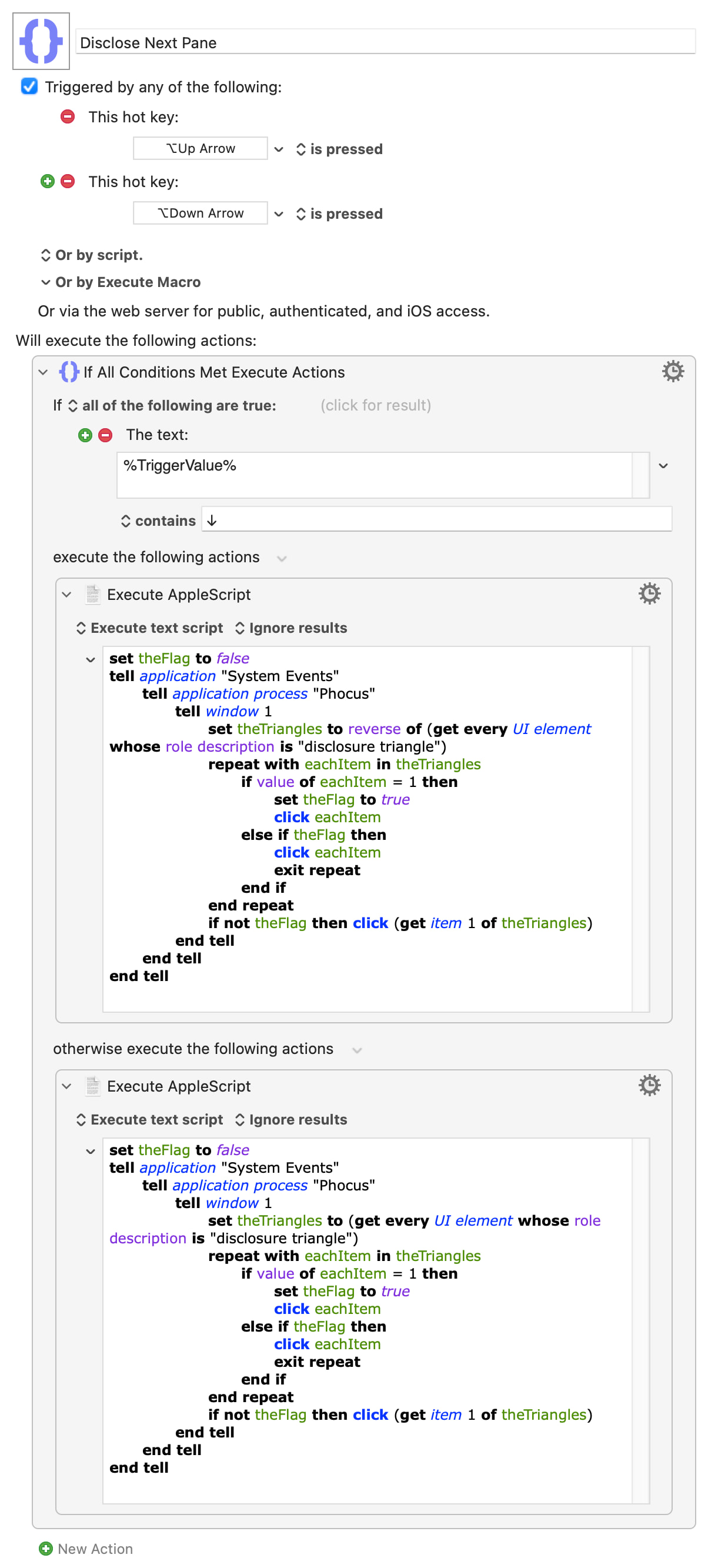
It does close panes as it goes, and relies on their reported order being the same as in the UI (which it is in my testing). It can take a couple of seconds, especially as you get lower down the list of panes (or have none open at all) -- but that's the problem with having to iterate through lots of UI elements with System Events.
How you then activate a field in the pane is another question altogether. Since many options require a point-and-click it may be easiest to start with that.
Do you realise that this is already built in for many cases? It isn't brilliant, but you can move between slider and input elements -- from a slider to the next element seems to be ⌃Tab, from an input box to a slider is Tab (add Shift to either to reverse direction).
Sliders appear to be ⌃↑ and ⌃↓ adjustable if selected by tabbing from a previous element. Numeric dialog use up- and down-arrows, add shift to x10 the adjustment.
The above makes me wonder what other shortcuts you haven't found yet (and, since none of us use the software, we've no chance of knowing about!). So hit the docs and any Phocus user forums in case there is keyboard navigation for those panes after all...