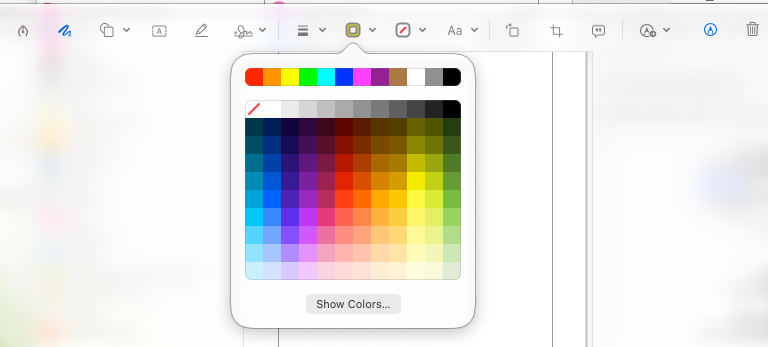
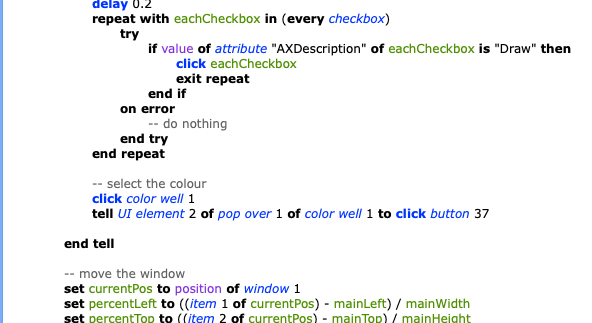
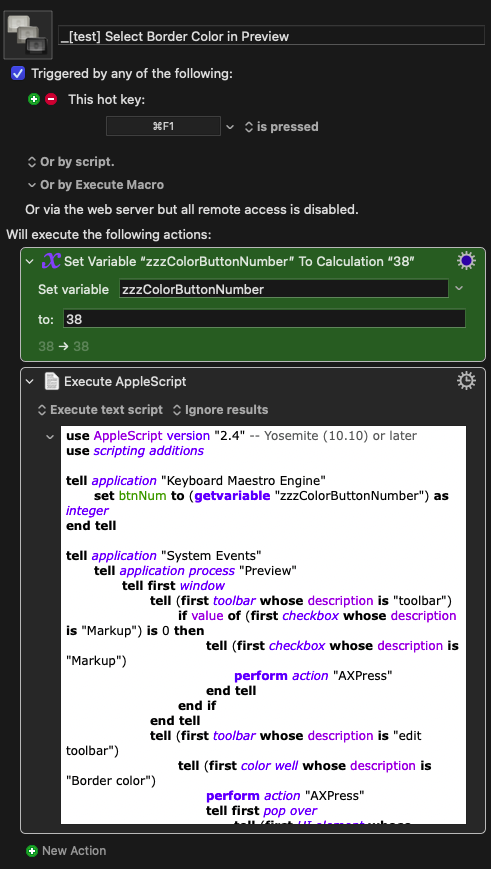
There, they added a variable "zzzColorButtonNumber" -> tell application "System Events", tell application process "Preview"...tell (first color well whose description is "border color").
hmm...how shall it be added to my scribble macro -> apple script (?)
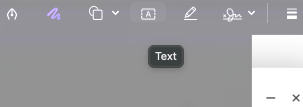
Additional note: I believe that just modifying the "Draw" to "Text" would be clicking the text option in screencapturei mini window, right? I'm pretty new to apple script. so
edit note: just tried to change the "Draw" to "Text" within the macro-apple script, but not responding, hmmm, wonder why attempt text .kmmacros (8.8 KB)
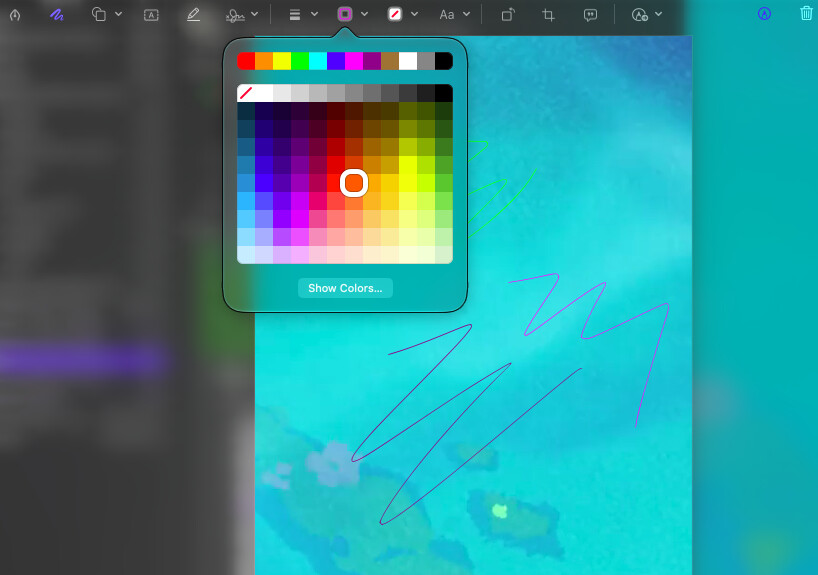
Easiest way is to target color well 1 of the window. The colour swatches are then in groups within the color well's pop over, numbered left-tonight and top-to-bottom starting with "No border" at 1 -- so you want button 67 (I think, I'm a bit too colour blind to be sure!).
So, if we aren't in the window's tell block:
tell window 1
	click color well 1
	tell UI element 2 of pop over 1 of color well 1 to click button 67
end tell
Here's the full script, with the extra bit inserted just before the "move the window" block:
Script
set inst to system attribute "KMINSTANCE"
tell application "Keyboard Maestro Engine"
	set mainLeft to getvariable "Local_mainScreenLeft" instance inst
	set mainWidth to getvariable "Local_mainScreenWidth" instance inst
	set mainTop to getvariable "Local_mainScreenTop" instance inst
	set mainHeight to getvariable "Local_mainScreenHeight" instance inst
	set secondLeft to getvariable "Local_secondScreenLeft" instance inst
	set secondWidth to getvariable "Local_secondScreenWidth" instance inst
	set secondTop to getvariable "Local_secondScreenTop" instance inst
	set secondHeight to getvariable "Local_secondScreenHeight" instance inst
end tell

tell application "System Events"
	tell process "screencaptureui"
		repeat until exists window 1
			delay 0.2
		end repeat
		delay 0.2
		tell window 1
			click button 1
			delay 0.2
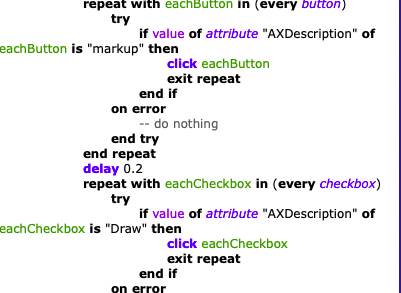
			repeat with eachButton in (every button)
				try
					if value of attribute "AXDescription" of eachButton is "markup" then
						click eachButton
						exit repeat
					end if
				on error
					-- do nothing
				end try
			end repeat
			delay 0.2
			repeat with eachCheckbox in (every checkbox)
				try
					if value of attribute "AXDescription" of eachCheckbox is "Draw" then
						click eachCheckbox
						exit repeat
					end if
				on error
					-- do nothing
				end try
			end repeat

		-- select the colour
			click color well 1
			tell UI element 2 of pop over 1 of color well 1 to click button 67

		end tell

		-- move the window
		set currentPos to position of window 1
		set percentLeft to ((item 1 of currentPos) - mainLeft) / mainWidth
		set percentTop to ((item 2 of currentPos) - mainTop) / mainHeight
		set newPos to {secondLeft + (percentLeft * secondWidth), secondTop + (percentTop * secondHeight)}
		set position of window 1 to newPos

	end tell
end tell
Because, annoyingly, "Draw" is a checkbox but "Text" is a button. So replace the repeat with each checkbox block with:
repeat with eachButton in (every button)
	try
		if value of attribute "AXDescription" of eachButton is "Text" then
			click eachButton
			exit repeat
		end if
	on error
		-- do nothing
	end try
end repeat
delay 4 -- me delaying it and trying it on separately from KM moving the window

tell application "System Events"
	tell process "screencaptureui"
		repeat until exists window 1
			delay 0.2
		end repeat
		delay 0.2
		tell window 1
			click button 1
			delay 0.2
			repeat with eachButton in (every button)
				try
					if value of attribute "AXDescription" of eachButton is "markup" then
						click eachButton
						exit repeat
					end if
				on error
					-- do nothing
				end try
			end repeat
			delay 0.2
			repeat with eachCheckbox in (every checkbox)
				try
					if value of attribute "AXDescription" of eachCheckbox is "Draw" then
						click eachCheckbox
						exit repeat
					end if
				on error
					-- do nothing
				end try
			end repeat
		end tell

		-- select the colour
		click color well 1


	end tell
end tell
coding 2 attempt
delay 4

tell application "System Events"
	tell process "screencaptureui"
		repeat until exists window 1
			delay 0.2
		end repeat
		delay 0.2
		tell window 1
			click button 1
			delay 0.2
			repeat with eachButton in (every button)
				try
					if value of attribute "AXDescription" of eachButton is "markup" then
						click eachButton
						exit repeat
					end if
				on error
					-- do nothing
				end try
			end repeat
			delay 0.2
			repeat with eachButton in (every button)
				try
					if value of attribute "AXDescription" of eachButton is "Text" then
						click eachButton
						exit repeat
					end if
				on error
					-- do nothing
				end try
			end repeat
		end tell

		-- select the colour
		click color well 1
		tell UI element 2 of pop over 1 of color well 1 to click button 67


	end tell
end tell
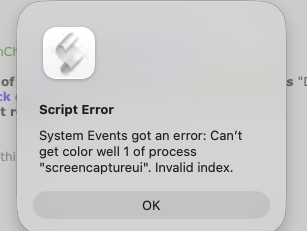
Because you have it outside of a tell window 1 block.
UI elements are nested, so you have to nest the references to them in your script:
tell application "System Events"
   tell application process "screencaptureui"
      tell window 1
         -- other stuff here
         click color well 1
	     tell UI element 2 of pop over 1 of color well 1 to click button 67
      end tell
   end tell
end tell
You can see that from your error message, where it's failing to get color well 1 of the screencaptureui process -- color well isn't a child of the process, it's a child of window 1.
Yes, I stupidly put it in the wrong place in the script above. Fixed now, and hopefully the explanation will help you when you do similar in the future -- and you will, I guarantee it
ty for the script on the color wheel. I got an issue after running the script, looks like it only opens the color window wheel rather than already selecting a preferred color.

 .