Need? No. But it is certainly helpful, and another tool in your toolbox. But time is limited, and learning something you'll rarely use means less time for the useful things...
To @Airy's excellent summary I'd add:
While Apple's default shell in Terminal is zsh, that doesn't stop you from using other shells. The KM "Execute Shell Script" action's default shell is sh (actually bash in sh-emulation mode) -- but, again, you can shebang to use any shell you have installed.
Many people write in bash, or even sh, for maximum portability since those shells are installed by default in the vast majority of *nix distros.
Many bash tutorials and scripts you'll find on the web will assume bash version 4 or even 5 (current is 5.3) -- but macOS still ships with version 3! So watch out for that... True macOS bash devotees will install the latest version via homebrew or similar -- again, that will reduce portability so you need to mention such if uploading shell script-using macros to this Forum.
Many of the commands @Airy listed are actually built-ins and so can vary by shell -- echo is one that always catches me out  Again, something to be aware of rather than write a thesis about.
Most shells have the same constructs, even if they implement them differently. zsh is based on bash so does things mainly the same except where it does them better. If I was starting from scratch and considering a future using macOS I'd go with zsh as it is the "modern default-installed shell" -- if I was using a Mac to learn how to shell script on other platforms (maybe considering a move into *nix administration) I'd grab bash v5 from homebrew and learn with that.
But for occasional macOS command line and KM shell scripting? It really doesn't matter because you only need to know what's available so you know the question to ask  Just remember to include the shell in the question -- "How do I do an if in bash", "How do I loop through a range of numbers in zsh" -- in case it makes a difference.
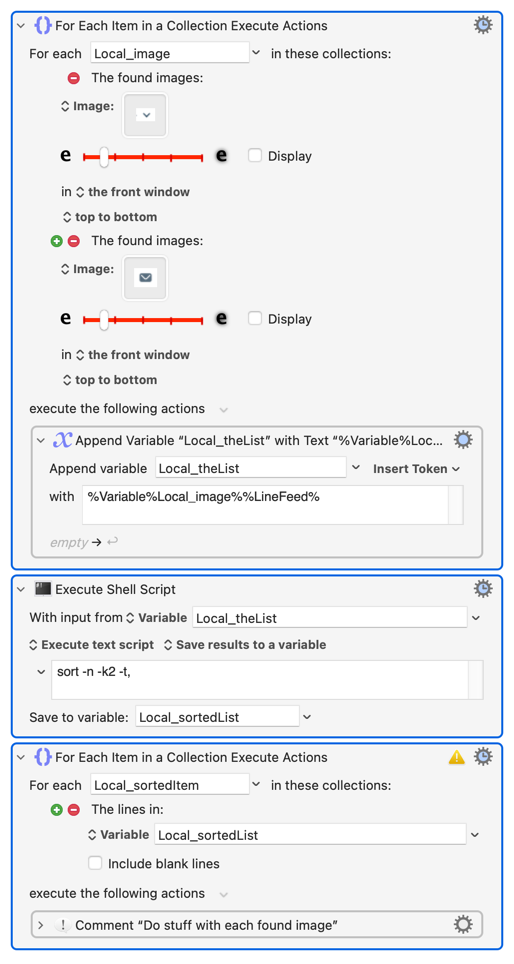
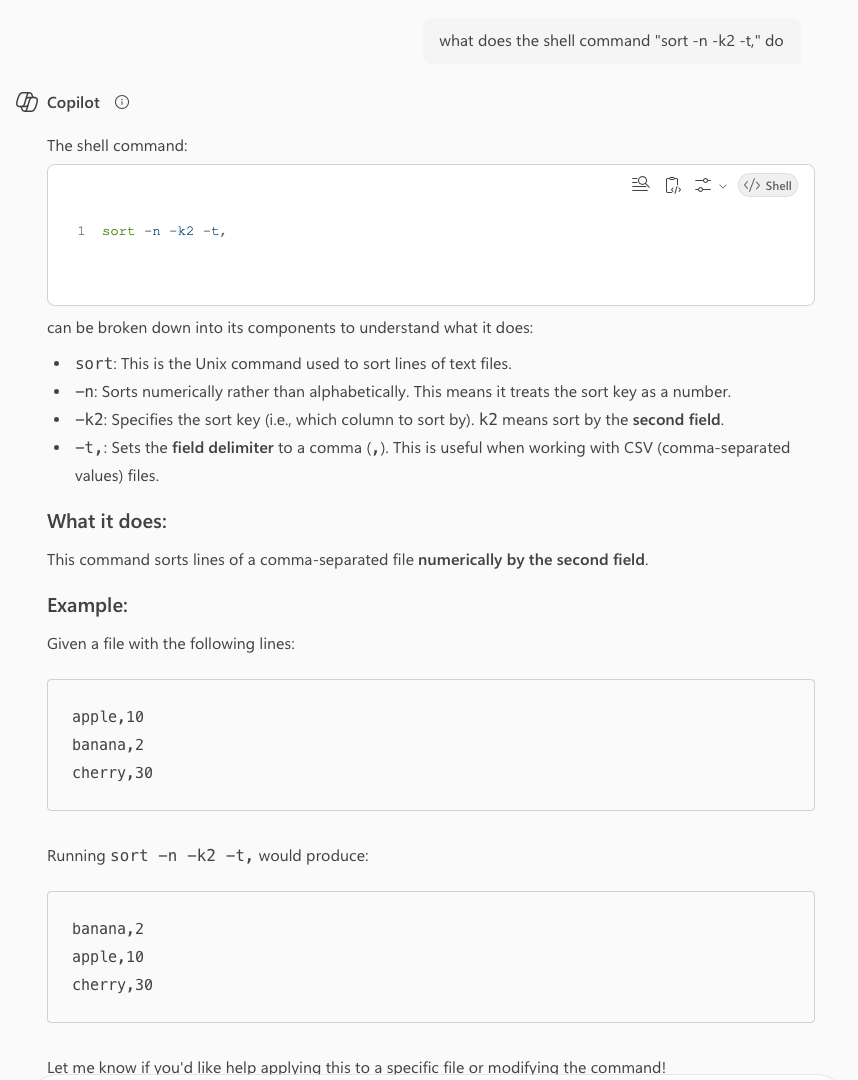
And for understanding scripts you see here you can go the other way -- "what does the shell command "sort -n -k2 -t," do". LLMs are quite good for that, particularly if you break longer scripts into smaller chunks to see what each part does. For example (my second ever use of Copilot -- go me!):
Perhaps most important for us -- bookmark, read, and try to get your head round the "Execute a Shell Script" Wiki page. How to use KM variables, quoting strings, using paths, not having the correct entries in KM's ENV_PATH Global variable -- all "gotchas" that crop up time and again in the Forum, so understanding that page will give you a huge head start.
Sorry, that's a lot of disconnected blather -- hopefully you can pull something useful out of it!