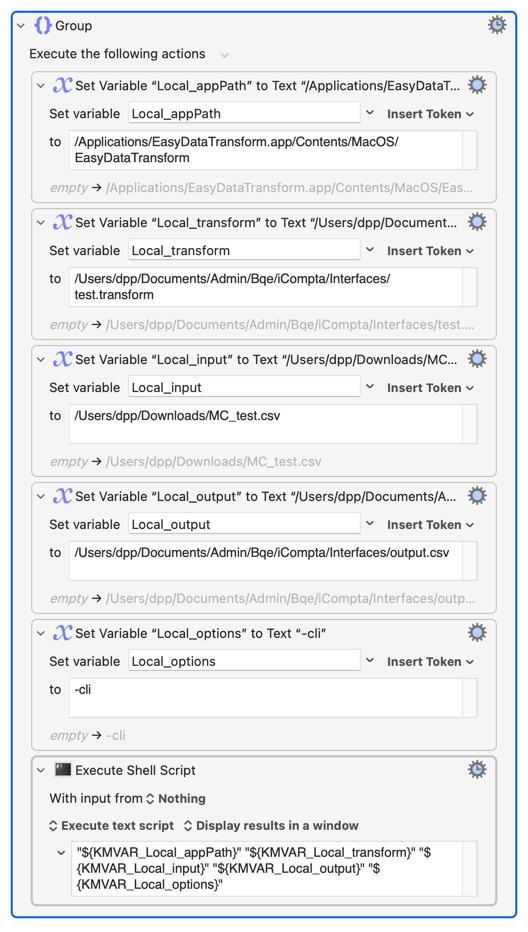
My basic rule for working with shell scripts in Keyboard Maestro is to only use variables when absolutely required. If you can enter a path directly, you'll avoid the pitfalls of quoting. So you need the things to be worked on/saved as variables, but the application itself is at a static location, so just reference it directly.
I had chosen to work with variables because I intended to use the application in different cases, each time with a different model (the .transform file), input and output.
That doesn't help -- but the main problem is that the shell uses the space character as an argument separator. You stop that from happening by enclosing things in double-quotes. That's useful when you want to go to
/Users/nige/My Documents
...because that becomes a single string rather than the two arguments /Users/nige/My and Documents.
But for your "Batch" you want three arguments -- application path, file path, command options -- and treating the whole string as a single path results in "file not found".
You can happily put your app path, file path, and options into KM variables -- you just have to use them separately in the "Execute a Shell Script" action: