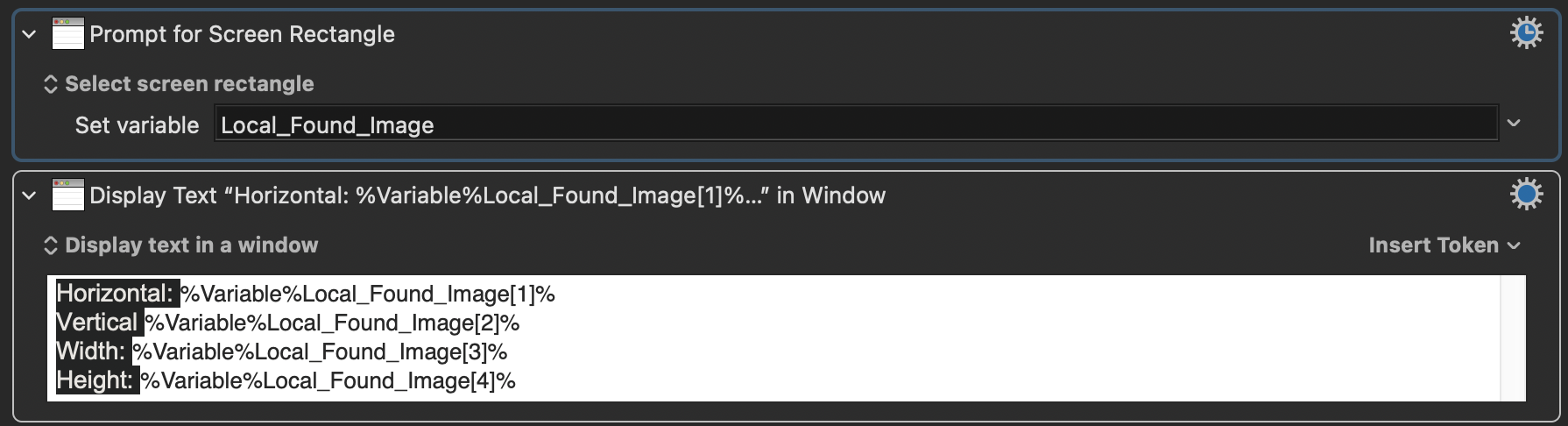
Did not know these tricks! But it seems that all of them only show the horizontal and vertical position of the mouse? What if I want to get the width and height of an area too? (I mean I can get the top left corner and bottom right corner coordinate then do some subtraction to get the width and height but that seems even slower).
hehehe, busted! Though I did try out your code when you showed me this macro the first time in another post. And I did look at the macro again when you showed me it here. I said I want to cut myself (just kidding!) because I already didn’t know what’s going on in the first action of the macro, making the rest of it not making too much sense to me. I’m taking about the “dictionary” thing. I did a quick search about it and this “key-value“ thing just confused me even more! And I didn’t really want to dig too deep into it when I’m learning about OCR
So, if you would be so kind and let me know what’s this “tricky technique” in the macro plsss? Thx.
That’s why I think I would prefer OCR in situations where I don’t need to click on that text it recongized.
Umm, maybe that’s the “tricky technique” you were implying? I think you saved that text you want to detect into a variable and use that variable in the “click” action? AHHH i don’t know!!
The "tricky technique" was using ".x", ".y", ".midx" and ".midy" in my actions, when I hadn't defined any of them. I figured you would understand what the first two meant, but I didn't think you would understand what the last two meant or where those values came from. If you copy my sample code and try to use it in a macro, I think you will realize what this all means.
That's not entirely true. The KM Mouse Inspector allows you to click on a window corner, and if you do that, the numbers that are displayed are relative to the window's upper left corner, which means the numbers represent the width and height of your pointer.
But yes, sometimes I do some rectangle math in my head. And sometimes I audibly ask Siri to do some math for me. E.g., "Hey Siri, how much is 1024 subtract 820?" (And as I'm asking that question I'm moving the mouse on the screen to read out each numeric location.) Siri replies with the difference of those two values.
If you want to get all four values at the exact same time, I think you have to use the KM action that you cited above. (There may be other ways, using advanced actions like Custom HTML Prompt, but I don't think anyone has tried that yet. Actually this might be a great idea. The Custom HTML Prompt window can be transparent, and you can resize it to your heart's content, and it should return the coordinates of the prompt window when you close it. I like that idea. I may try writing it. The more I think about it, the more I like this idea. EDIT: I can't believe I did it! I'm so happy! I'll post my solution in a new thread.
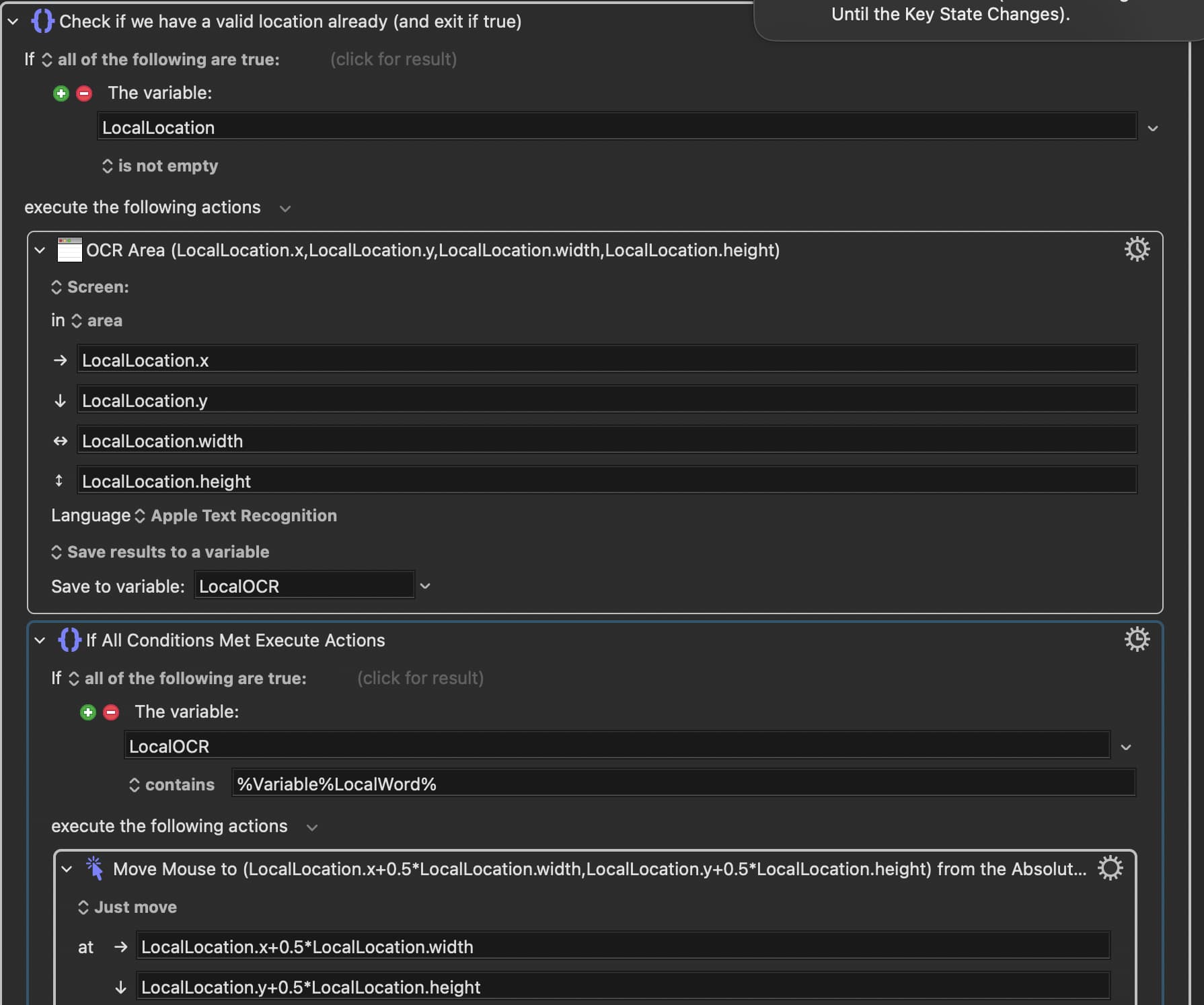
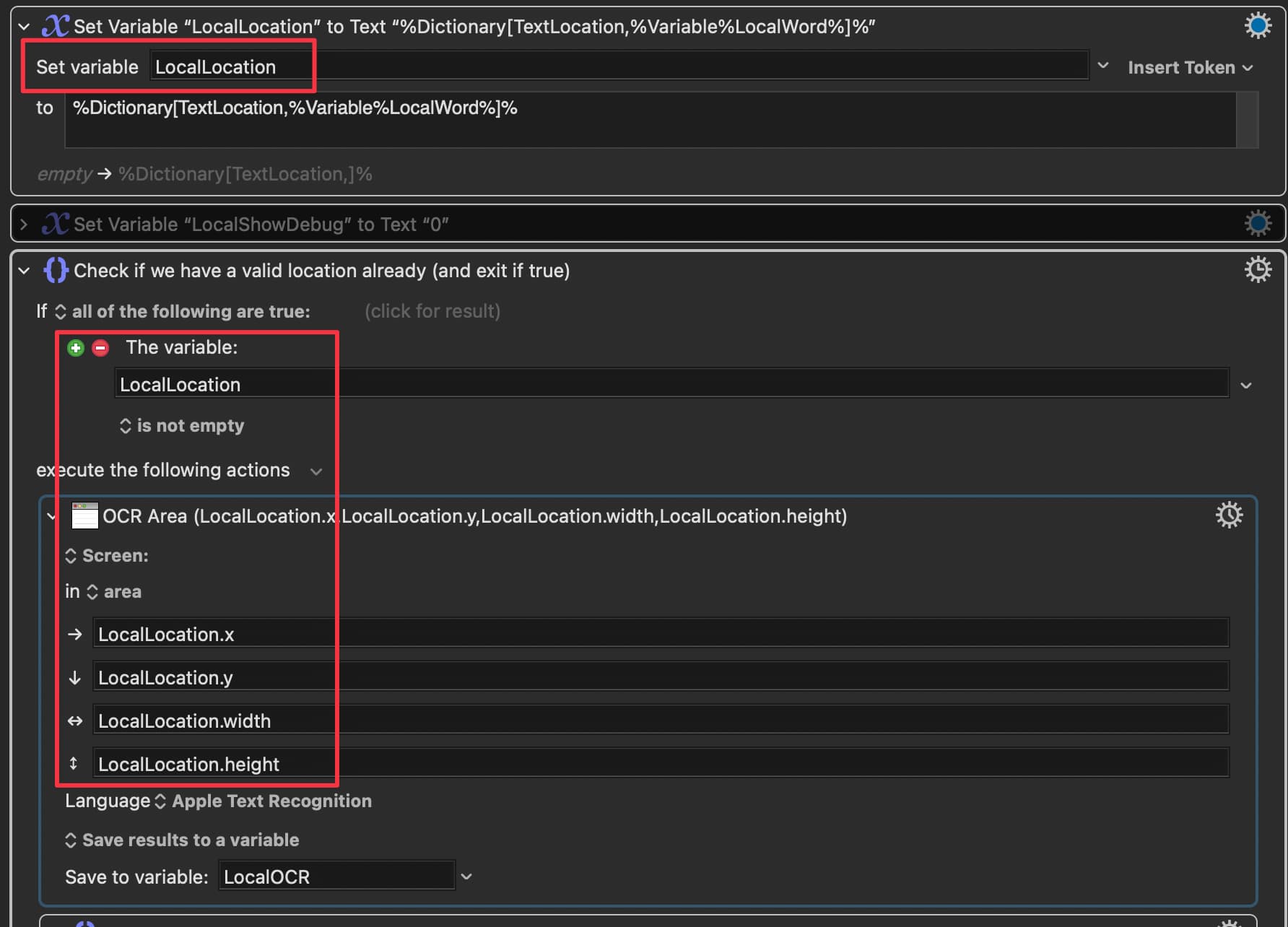
Hmmmm…I don’t quite follow. By “hadn’t defined any of them“ I assume that means “hasn’t saved them into variables first“?? But it looks to me you did “define” it first?:
Yayyy! Im happy you are happy . Yup, tried it, works! I don’t mean to rain on your parade, but isn’t using the “prompt for screen rectangle” action much simpler and achieve the same thing? Or is it more of a proof-of-concept kind of thing?
It gives the same result, but it gives you more time to place the rectangle, review it, and think about your placement. So that's an advantage to my macro. And my macro will work much better if you are trying to catch an image on a moving target, like a video, which is something you yourself were trying to do in another post. How well do you expect the "prompt for screen rectangle" to work if your image is moving?
I wasn't talking about the MoveMouseToWord macro, I was talking about the code snippet I gave you above in post 18. If you look at that tiny snippet again, tell me what the value of "LocalButton.midx" is, or ask me if you can't figure it out. That was the "trick" I was referring to. I was expecting it (perhaps) to confuse you.
Not well at ALL! I was trying to prompt for screen rectangle with the shrinkable palette, and it opens up as soon as I touch the border, so I had to do it a couple of times before I got an accurate area for each one.
Thx for that macro. I will add that to my arsenal.
Ohhhh, sorry my bad!
If I’m not mistaken, midx/y are the most centered position of the area, therefore the value of the mid.x/y can be simply calculated as follows:
LocalButton.midX = x + width / 2
LocalButton.midY = y + height / 2
This allows to click on the center-most position of the area of “LocalButton“ (1585,432,70,30)
Yes, you got it right. The "trick" is understanding that the KM Engine does those calculations for you. They may be your variables, and they don't contain any "midx/midy" data, but the KM engine lets you use those strings to make it do the necessary calculations. I'm sorry for thinking that you might miss that, perhaps I should have had more faith in you.
Well historically I was asking all sorts of dumb questions, so you are right to think I might not know that. Thx to you and the nice ppl on this forum, I am getting less stupid one step at a time.






 . Yup, tried it, works! I don’t mean to rain on your parade, but isn’t using the “prompt for screen rectangle” action much simpler and achieve the same thing? Or is it more of a proof-of-concept kind of thing?