OK, as with most things I do here … version two is so much better than version one that version one never should have existed :).
━━━━━━━━━━━━━━━━━━━━━━━━━━━━━━
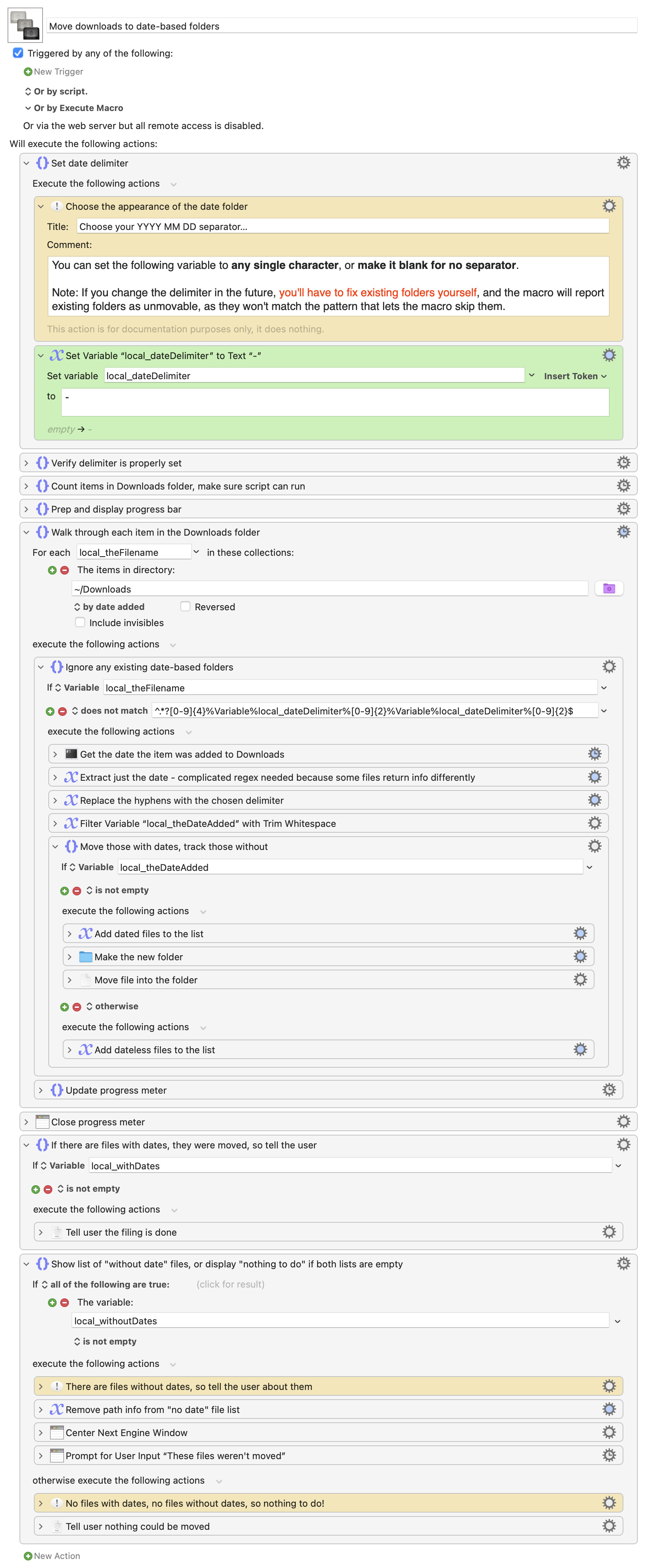
Move downloads to date-based folders.kmmacros (29 KB)
━━━━━━━━━━━━━━━━━━━━━━━━━━━━━━
This version has the following features:
-
Now acts on Date Downloaded, which I didn't even realize was a viable Spotlight field. This makes it easy to undo and redo filing, as you can move things back to the top level, and the macro will then happily move them back to the right spot.
-
User-settable YYYY MM DD separator, including no separator. (I added this because I prefer a separator, and testing it without one was driving my OCD crazy
 ). Please read the note on the macro about this, as if you later change your delimiter, you'll have to do a bit of work on your own (see next bullet).
 -
The macro won't try to move any folders that match its naming convention, for two reasons. First, I skip them based on a regex match. But if that fails, they also don't have a downloaded date field, so they won't move anyway. (See above, though: If you change the delimiter, the regex check will fail for existing folders, so they'll constantly show up in the next bullet's output, unless you rename them.)
-
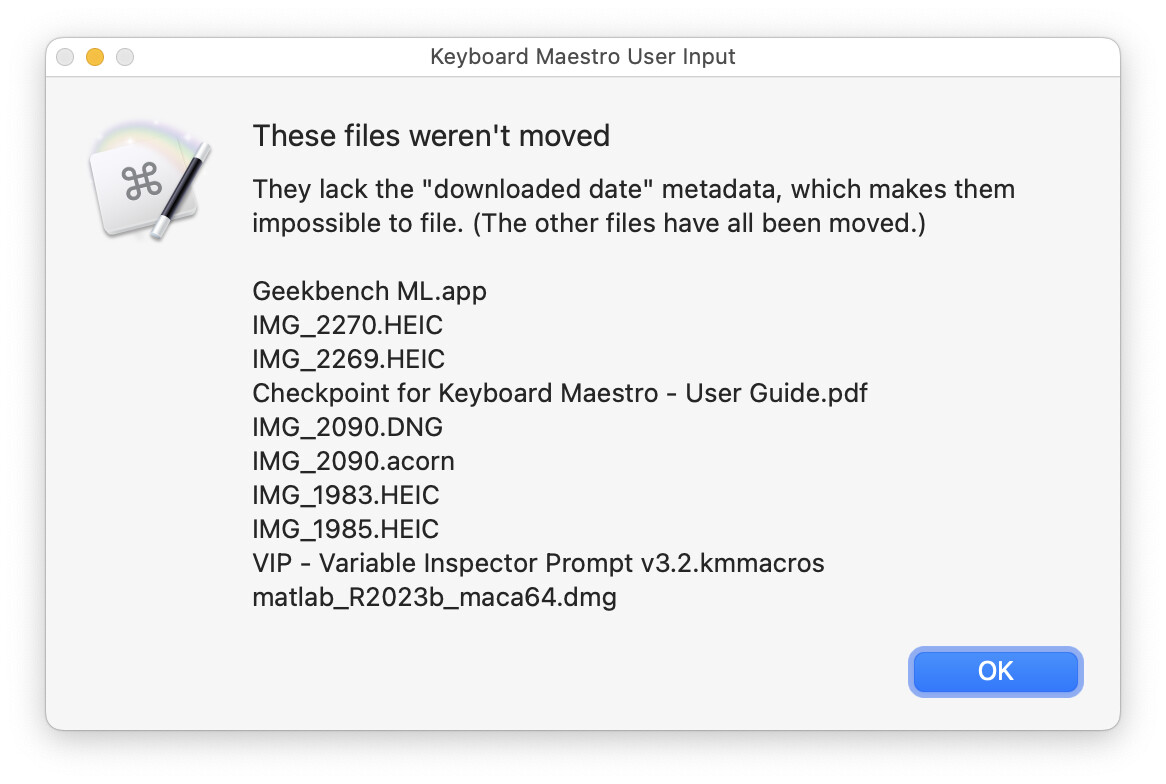
Not every downloaded file gets the downloaded date metadata. Things transferred from your phone or via AirDrop, for instance. (I also noticed it on a couple files I did download from the web, so I'm not sure of the cause.) The macro tracks these files, and shows them in an end-of-run dialog:
-
There's a progress bar during filing operations, just so you know the macro's doing something.
-
End-of-run logic makes sure that all cases are covered: files that moved, files that can't move, no files to move.
Please give this one a shot, and let me know how it goes; it's working quite well here in testing.
-rob.