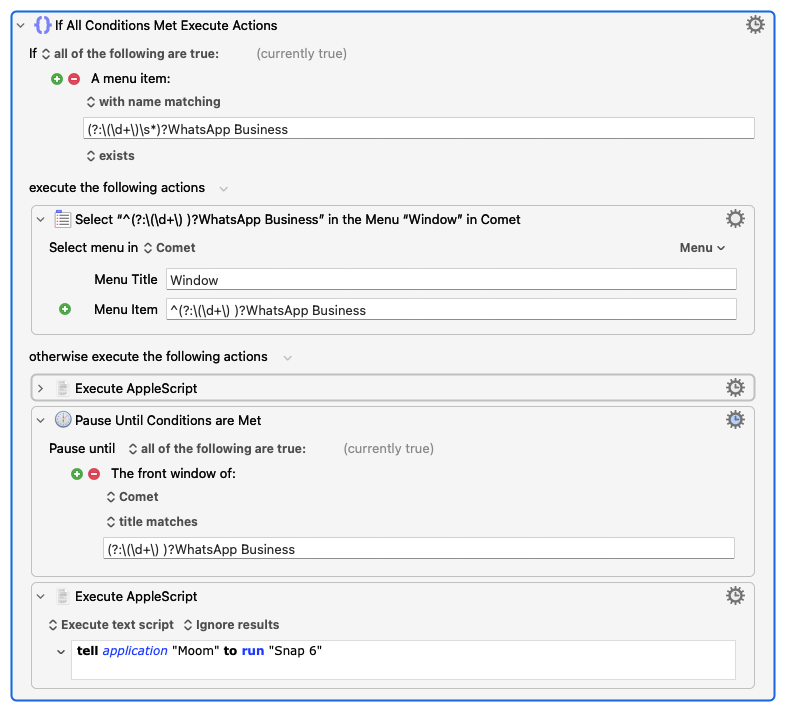
I'm working on a macro where I want to switch to a specific window in the Comet browser if it already exists—otherwise, open a new one. The catch is that the window title changes based on unread messages in WhatsApp (like "(3) WhatsApp Business"), so I'm using a regex to check if it exists. The problem is, a similar item shows up in the History menu too, and Keyboard Maestro evaluates the menu as existent. However, when I try to select it under Window, it doesn't exist.
I know you can specify menu paths for menu item checks (like "File > Close Window"). But can you mix that with regex? If so, what's the best way to set it up?
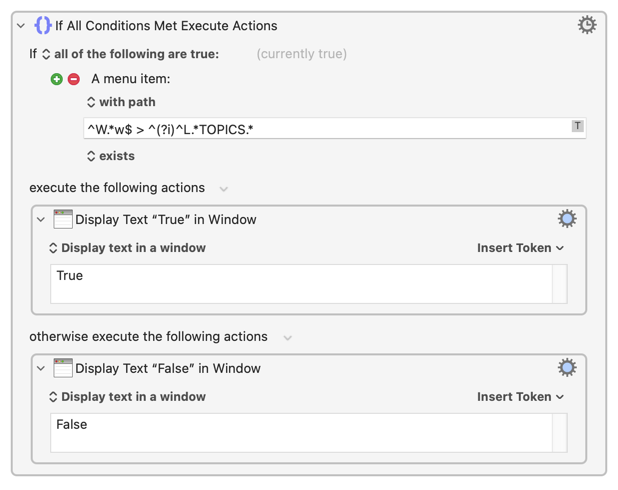
I was going to say "No" -- but it turns out you can! I think that the trick is that each part of the path is separate string and can have its own separate regex, so if you wanted to match this Forum's "Latest topics - Keyboard Maestro Discourse" entry in the Window menu you can use:
Window > ^Latest topics.*
...or:
Window > ^.*topics.*
...etc.
You can even take this a step further:
^Wind.. > ^.*topics.*
...and go crazy by including regex flags, anchors...
Hello @Nige_S. Thanks for your amazing contribution! From your reply I found out I was selecting the wrong option in “a menu item”. I had ‘with name matching’ instead of ‘with path’.