Yeah I know it should be done in mouse focused applications like BetterTouchTool, just wondering is it possible to do it in KM? I tried looking for some AppleScript, but I didn't find anything.
OK, I shall retype everything, because, the editor just deleted my first attempt, on the grounds that “undefined is not an object (evaluating 'e.type’"). The new version of Discourse has apparently also broken the use of [Edit, 2025-10-29: to get that to work, you have to make sure you are using Markdown mode, which is no longer the default].kbd class=”__keyboard" to show images for keycaps but we shall manage without! (@peternlewis ).
I had to look up what “smart” zoom was. For those who don’t know, it is the ability to tap twice on a trackpad to zoom in or out.
@ayrtbh , you could just have, e.g. to zoom in, a Select or show a menu item action for “Safari > View > zoom in” and embed that action in a Repeat action set to 4 or 5 repeats (“smart zoom” seems to be the equivalent of about 4 ½ repeats!).
Me, I would just either hit ⌘-+ a few times to zoom in, or use the trackpad gesture by setting up options under System Settings > Accessibility > Zoom (that’s where it is hidden in MacOS 14.8 Sonoma, but it might well have been moved a couple of times since because Apple).

Edit… In fact..! Yes! Of course there is that ⌥⌘8 toggle, which I think is identical in effect (but not scope) to the “smart zoom”. So that is probably all you need if you want to trigger zooming in an out with the keyboard and provided you don’t mind zooming in and out the whole screen and not just the Safari window.
Hi kevinb,
Thanks for the reply! It seems that "Smart Zoom" (a dumb name) zooms in to the width of the div under the mouse cursor. I suppose it first zooms in to the necessary level, and then scrolls the page to the cursor position. Also, most web pages, for example this forum page, change their CSS layout when you select "Zoom In" from the Safari view menu. It reduces the number of columns when zoomed in, which is different from "Smart Zoom".
The Accessibility Zoom feature enlarges the entire computer display. At some zoom levels, text will be distorted. I mainly use the "Smart Zoom" feature to read text on webpages.
I thought there was a specific function for it in AppleScript, but it turns out there isn't. "Smart zoom" is a feature commonly found in mouse-related software, such as Logitech's and BetterTouchTool. I'm curious how do they do it. I must be missing something.
1 Like
Smart Zoom is a Trackpad, rather than an Accessibility, feature:
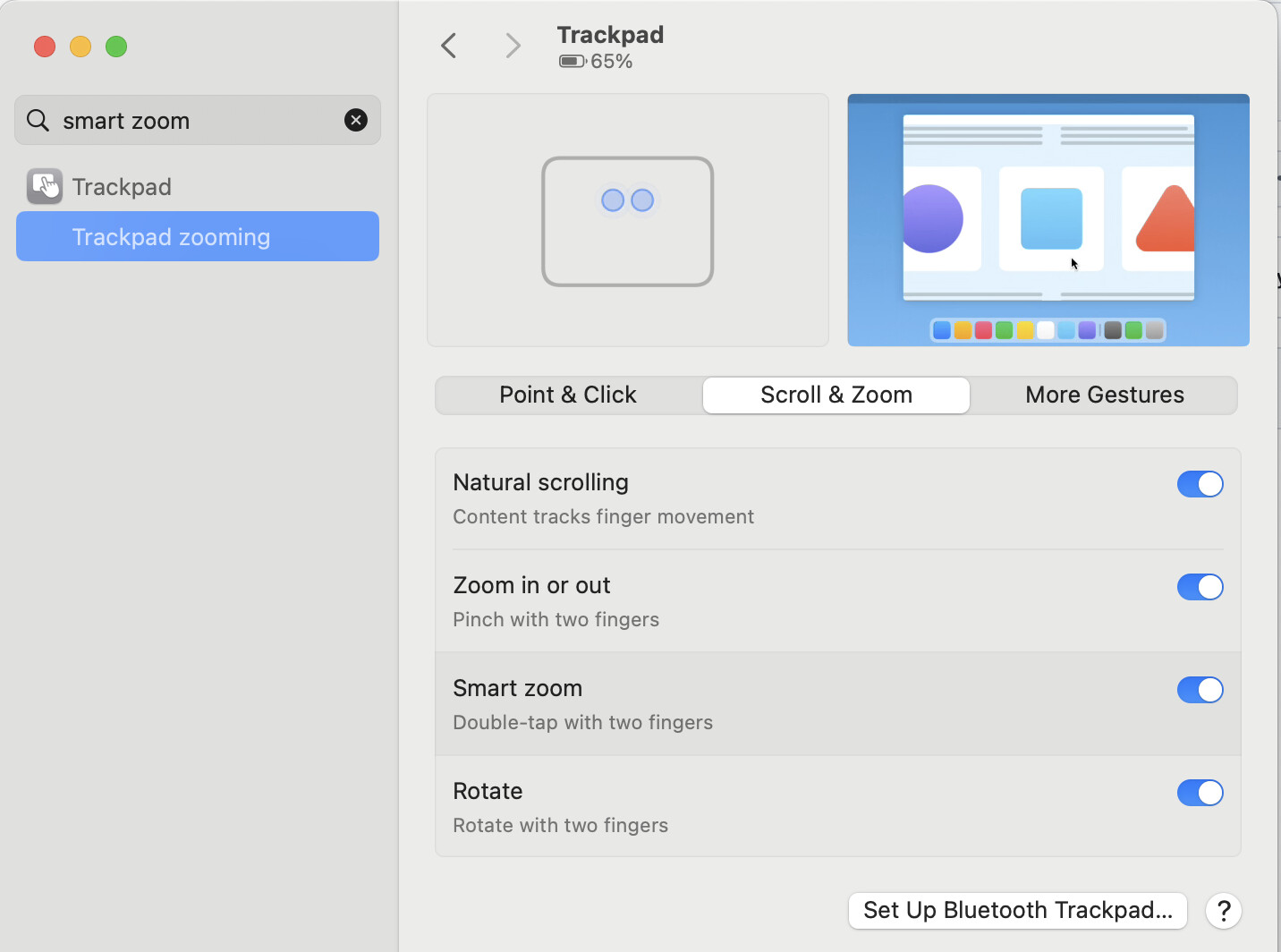
I suspect they're either acting at the hardware level (Logitech) or using private APIs. So your best bet is probably to use BTT, even if you trigger the BTT macro via KM (insert usual caveat that anything using Apple's private APIs can be broken at any time by an Apple update).
Thanks for the reply. Yes, I used to trigger BTT via KM, but recently BTT had a problem where it would trigger a disabled macro. So I was thinking of doing everything in KM.
1 Like
Yes, but I moved on from strictly addressing “smart zoom” in my reply because KM cannot directly control such tapping actions, and of course we always want to avoid the old X-Y problem, don’t we!
By the way, it always seems odd to me how Apple considers that certain useful options are of overriding relevance to accessibility difficulties, and furthermore that such options should be gathered in a special section, and with no linking between “accessibility” and “non-accessibility” sections for those functions (think along the lines of aliases, Apple?). I have further thoughts on the matter but I have gone far enough off-topic already… 
Which is why I didn't (I don't think!) reply to you. It sounds like an Accessibility feature but isn't -- and I thought anyone playing along at home should know that, as a Trackpad feature, they'll only find it in System Settings if they have a trackpad connected.
That may also mean it's only available through BTT if a trackpad is connected...
I see, right. That opinion is context that was not apparent to me before.
Refrains from further comment about Apple design decisions