Built this back in January and never got around to posting it.
I have over a thousand macros and about 20 of them just open Chrome. I got tired of editing those by hand, so I made this. You tell your AI client what to change and it edits the macros where they live.
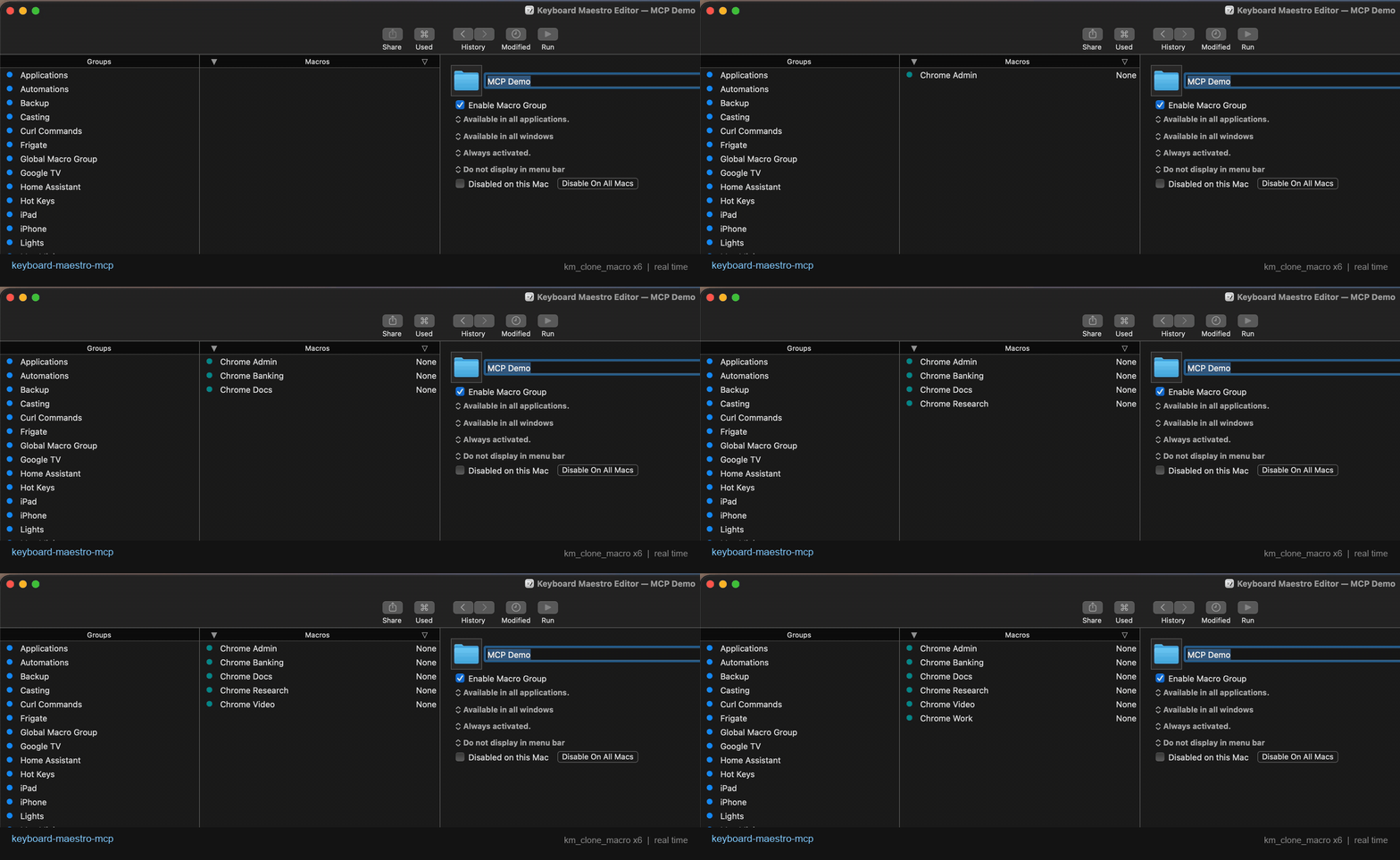
That's a real capture. One macro cloned six times into a group through the server. No export or import step, and the clones come back enabled.
It's an MCP server, so it works with Claude Code, Codex, Cursor, VS Code, Windsurf, whatever speaks MCP. 34 tools. Search, read the XML, create, clone, move actions around, edit triggers, mess with variables and groups, run stuff, read the engine log when something fails.
Install is the usual:
git clone https://github.com/saihgupr/keyboard-maestro-mcp.git
cd keyboard-maestro-mcp
npm install
npm run setup
Thank you for building and sharing this. I've been driving Keyboard Maestro from Claude for a while through a small bridge of my own that can run and list macros, but every change still went through generating a .kmmacros file and importing it. Editing a macro where it lives is the piece I was missing, and writing the XML to a temp file and reading it in from AppleScript is a neat way around the "set xml" refusals I kept hitting.
Before connecting it I read through the source, and two things gave me pause. I'm passing them on in case they're useful:
The delete tools have no safety net. km_delete_macro, km_delete_action, km_delete_trigger and the delete action of km_manage_group run straight away, with no confirmation and no backup. An AI client that gets the wrong idea can remove something that isn't easy to get back.
Macros are matched by name or UID with "first macro whose name is ...". If two macros share a name (easy to do with a large library or synced macros), a name can hit the wrong one. The names are also put into the AppleScript unescaped, so a name containing a double quote breaks the call.
What I did locally, without changing your code: a small stdio wrapper in front of the server that
leaves the delete tools out of the tool list and refuses them if called,
requires a UID, not a name, for any tool that changes something (read-only tools still accept names),
copies Keyboard Maestro Macros.plist to a dated backup before the first change in each run.
Ideas that might fit the project itself: an optional read-only or no-delete mode, a backup or export before destructive calls, identifiers resolved to a UID first with a refusal when a name matches more than one macro, and quote-escaping for names in the AppleScript.