It's all sorted now if you wanna crack on. Anything I add/change from here on will be cosmetic/additive. No more base-level function changes.
1 Like
I've never ever said anything like that, then later had to go back on my word. Nope, never. Well, not today as of yet, anyway. 
-rob.
3 Likes
Ha! Well... That's my intention anyway. I've managed it with the main app, and I'm at a similar stage with this one, where the URL stuff is all sorted, so I can't see why it would need to change.... Today... 
I got stuck here. How do I "create a grid" for KMDeck?
Maybe I rushed that a bit in the video, but it is there. Here's another one with me doing things a bit slower:

Thanks. I didn't see how you get to that screen until I clicked on "Visit KMDeck on your Mac."
I did create a deck with two macros I often forget to run when I leave my Mac and both ran [hurray].
But now I'm a bit confused about where this HTML deck of mine is. The URL says it's on abmymix.com (which is you, I presume). Are you hosting these? Or am I supposed to move the HTML to my own server? Or?
I see there's an option for a password to the deck but the general security concerns me.
[BTW, really nicely done. Attractive and functional. I'm just a bit off the bubble at the moment, so I appreciate your indulgence.]
1 Like
It's in the instructions. I tried to be clear but I guess I'm used to this concept as I've been working with it for months with the other web app (ABmyMix).
No.
The URL is encoded with LZString and shortened using TinyURL. That way, nothing needs to be stored anywhere. I developed this idea for ABmyMix, because it was important that none of the audio files or other data were uploaded anywhere, for data security reasons.
The password is there as a remedy for the potential security issues associated with Keyboard Maestro's Remote Trigger. If, for some reason someone got access to your Deck URL, they'd be able to trigger your macros. The password protection encrypts your Remote Trigger's Unique ID, and without it, nobody can use your Deck but you.
Not at all. These are really good questions that get to the core of the implementation. In short, your deck exists on your drive or as a link that only you have, and can protect with a password if need be. It exists nowhere else.
2 Likes
Update:
- Custom colours:
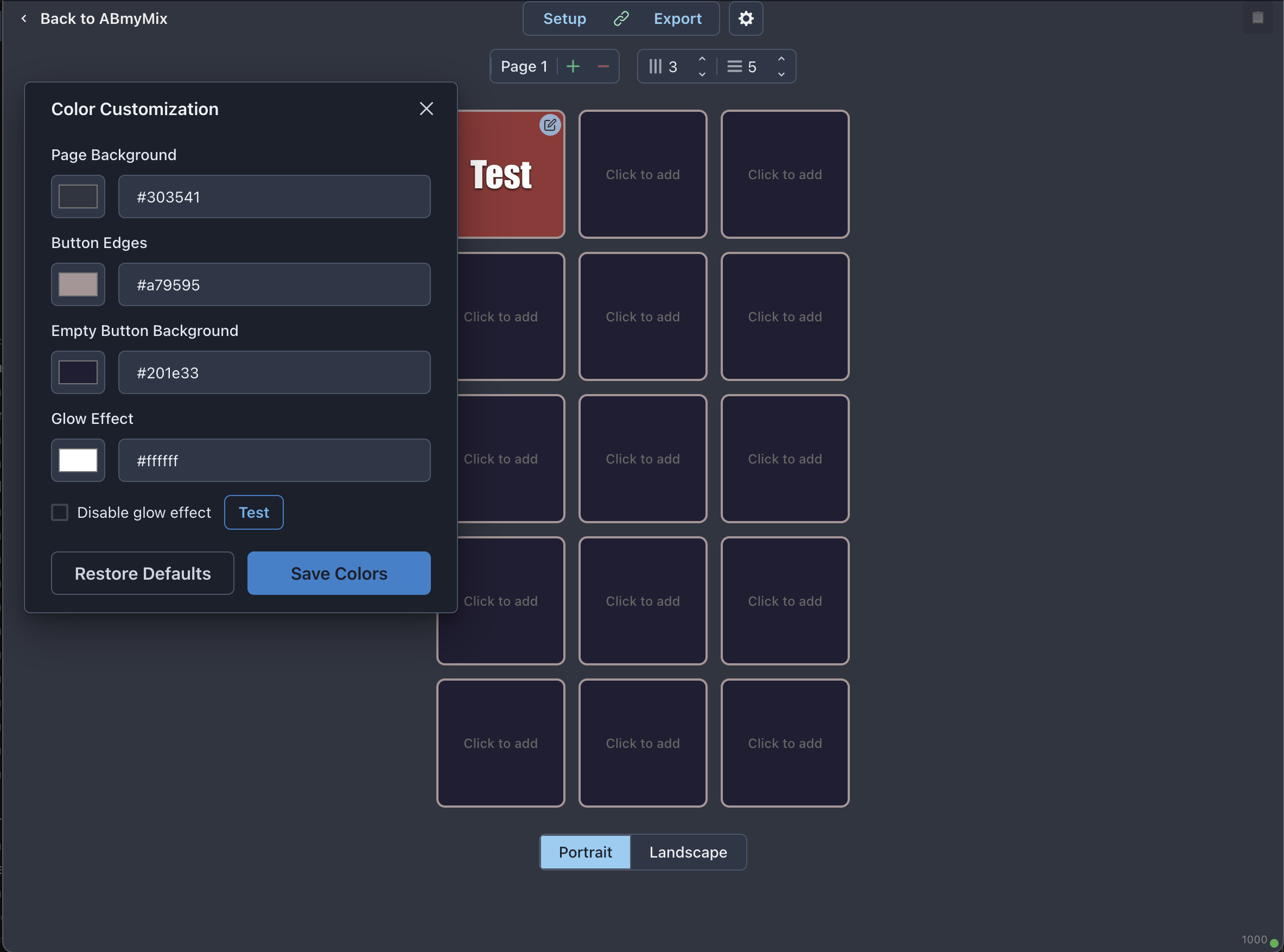
- Switched from iframe-based triggers to direct
fetch()calls to reduce trigger latency.
Maybe I'm doing this wrong, but after I edit my setup, I click on the Link tool to generate the TinyUrl version of the URL and get a flashing box but no TinyUrl. I suspect I don't have to click on the link at all, though, because my changes seem to be remembered (so far).
Try now. You may have been trying it while I was testing the new colour themes code.
It's only remembered while you're on the page, so grab the link or export to a saved file for loading later.
Same issue just now generating the TinyUrl link, which never appears for me.
I have exported the JSON but don't see where I can import it.
(I'm just playing with button colors at the moment, nothing substantial, so the deck still does what I need even if I can't figure out how to revise it.)
Have you been working on the same deck since yesterday without refreshing the page? Try a refresh, import the json and try the link button again.
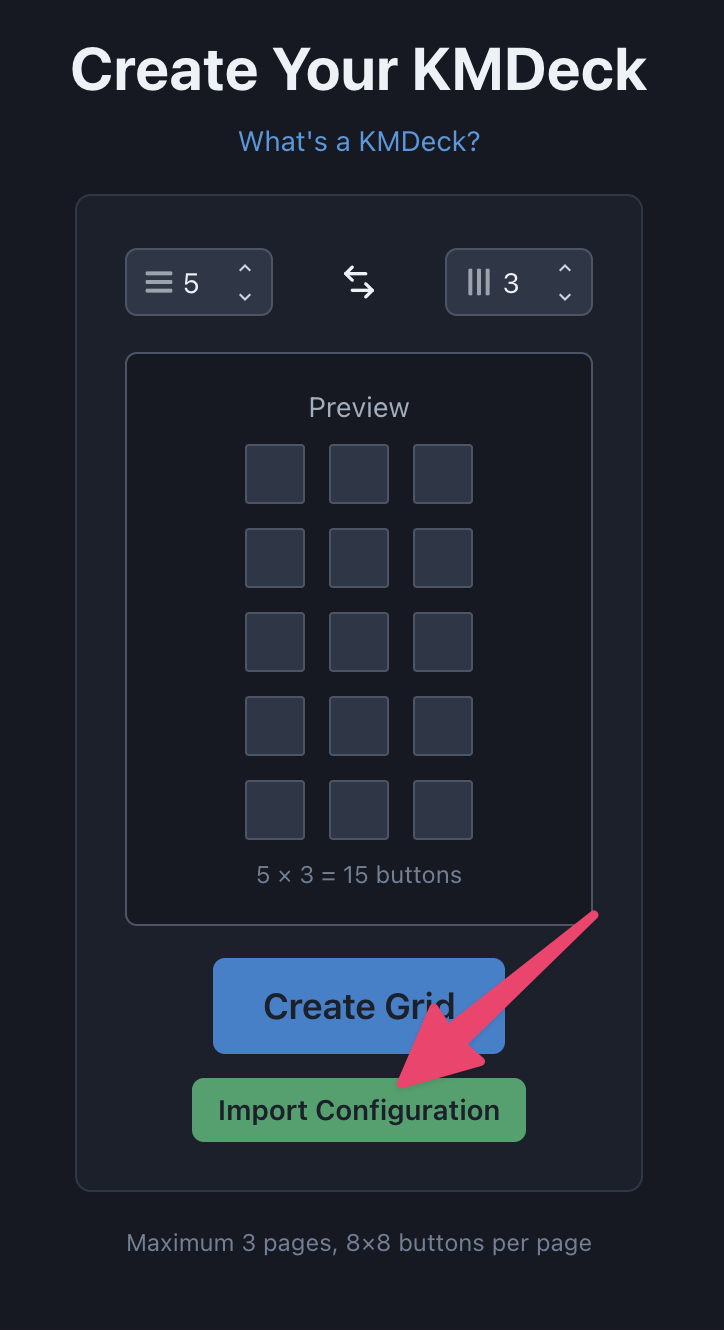
Yes, that's what I was doing (editing the same deck). So I have to return to ABmyMix - Audio Comparison Tool to work on what my TinyUrl references and in that case I have to have the JSON to import. I need both URLs (one to edit my deck and one to create the TinyUrl from the exported JSON). That worked. Thanks.
I'm not totally sure what you’re saying, but take a look at the "Pro Tips" bit of the original post. I mention that you can edit a Deck and then create a new share URL. So you don’t have to import it as json every time. The json method is mostly intended for backups. It's easier to have a folder full of files than lots of URLs to keep track of.
1 Like
Here's a nifty little workflow:

It uses this iOS Shortcut.
You just need to edit the Shortcut on your iOS device and tap this field to select the iCloud folder containing your json config exports.
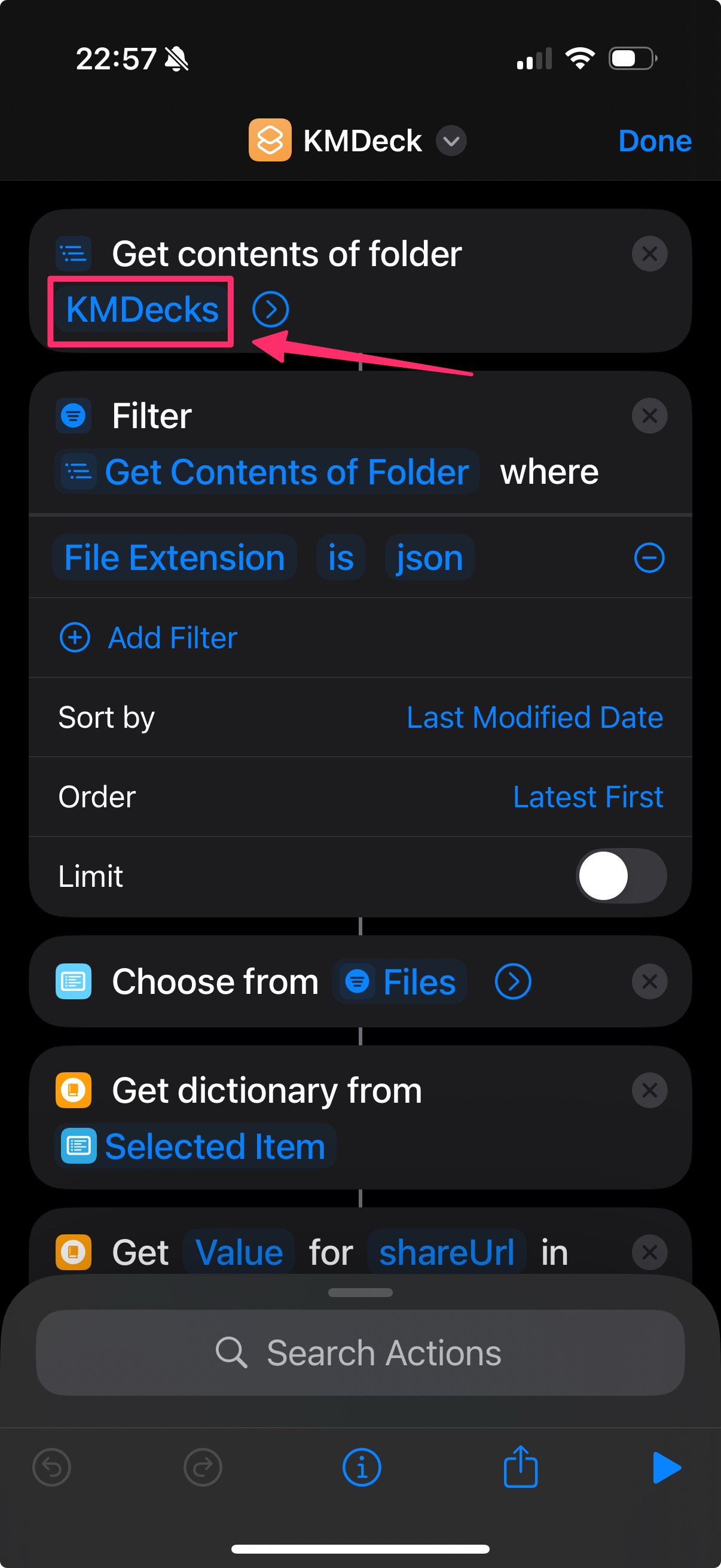
Why is this nifty?
Because it means you can access all your KMDecks by tapping a single homescreen Shortcut icon (see video above). Any time you update a Deck, export it to the iCloud folder and it will be available and up-to-date right away on your iOS device.
1 Like
This is amazing  . I look forward to setting up with my Logic setup!
Thank you for the hard work!
Hi, @noisneil. KMDeck is super creative and useful.  Thanks for sharing your handiwork!
One observation and one suggestion...
With iOS 26 (build 23A341) and macOS 26 (build 25A354) Apple has broken the Get Contents of Folder action, thus the shortcut you shared does not work as expected. I reported this bug to Apple via: Feedback - iPhone - Apple
It would be really nice to create a post in this thread with a table of button icons. For example, from one of your screenshots above, I found:
| Button | https://i.imgur.com/ |
|---|---|
 |
VTTuD3A.png |
Hey Jim. Thanks for letting me know. That's a drag! I'm actually working on something that might make the shortcut unnecessary... We'll see.
If you liked this, you'll love THIS.