Nothing to learn for @Nige_S' experiment: Launch Script Editor, copy and paste his code, and click Run. See what happens.
-rob.
Nothing to learn for @Nige_S' experiment: Launch Script Editor, copy and paste his code, and click Run. See what happens.
-rob.
Launch Script Editor, paste that code into the window, select "Run" from the "Script" menu, see what happens.
This is just to see if the same happens in other programs that expect to be notified when they have finished activating Calendar. And I suspect they will and that this isn't a KM-specific issue -- as mentioned above, what you're having trouble with is working fine for me.
Sounds like Calendar is not being full activated.
As to why, I have no idea.
I did this. Calendar came to the front. There was no timeout error.
I asked earlier if it was the "Calendar window" that came to the front or did the System Menu at the top of your screen also say "Calendar" instead of Mail. I don't see a reply from you. This could be the cause of your problem.
Calendar does come to the front. The System Menu says "Calendar".
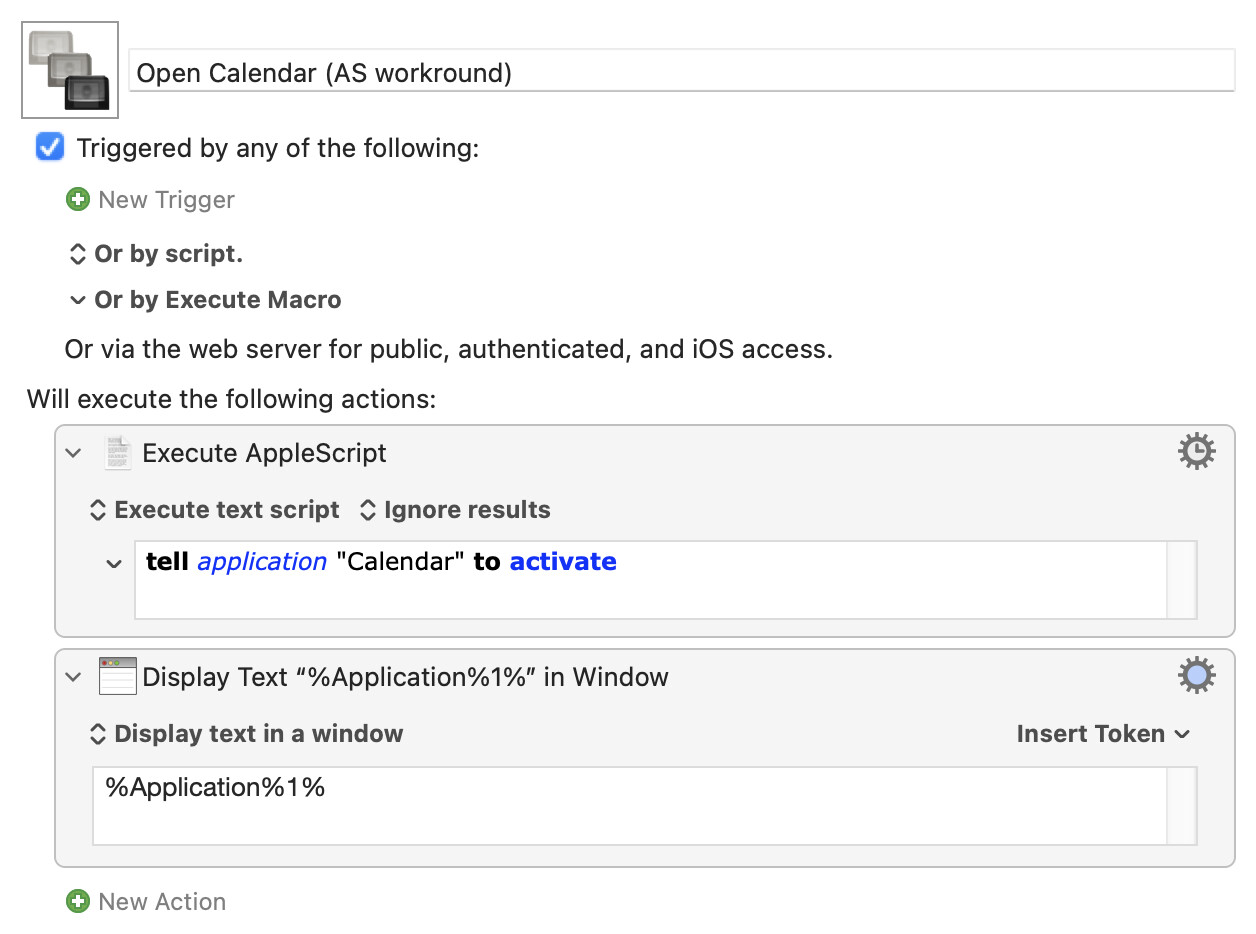
OK -- so that doesn't help us find the cause of the problem. It might, however, give you a workaround if you need it -- use a KM AppleScript action to activate Calendar.
Try this -- does the KM "Display Text" correctly report Calendar as frontmost?