Update:
I think I have managed to work around the "environment too large" issue. Cleaning some stuff up, and I'll post a new version later that should work for an unlimited number of macros!
-rob.
Update:
I think I have managed to work around the "environment too large" issue. Cleaning some stuff up, and I'll post a new version later that should work for an unlimited number of macros!
-rob.
I just posted v2 of Recent Macro Browser Plus in the first post. As far as I can tell, this version has no limits on how many macros it will return. I "only" have 1,210 macros, and it returns them all in about two seconds. Super fast! (It also now shows the actual number of macros found in the header text; this will be the lower of the limit you set or the number of macros it found.)
So how'd I work around the "environment too large" problems? Almost everything in the macro that involves any data at all now works on files on your drive, instead of in variables in RAM. The macro works with the /tmp directory, which has no access restrictions, so this should work for everyone.
Each step of the macro saves its progress to files in /tmp, and then at the end, those files are all pulled together into the final HTML code, saved in another file. That file is then displayed in Keyboard Maestro's Custom HTML Prompt action. All files are deleted when the macro ends. (And because they're in the /tmp folder, they'd be automatically deleted in a bit even if the macro forgot to do so.)
The macro uses a few temporary globals, because the processing macros run in asynchronous mode. These are stored with the prefix zzTempRMBP_, and all should be deleted when the macro exits.
This version will need some real-world testing, but it works well for me here, and I didn't run into any glitches. Please let me know if you do.
-rob.
V2 is just great.
2,088 macros listed in a couple seconds!
Love the sort by last used…
Hello Rob (@griffman) 
Downloaded the Version 2 of your Plus Edition. It’s running quite fast on my iMac 2020 but I’ve a very smallish HTML Window
I’ve no clue what’s going on there.
Greetings from Germany 
Tobias
Which view are you using, and can you post a screenshot showing its size?
-rob.
Hey Rob (@griffman)
I’ve not set anything up in the dedicated action(s) of the Macro. I left it exactly as it was installed before executing it the first time.
So the question about which view is maybe not relevant … it should use the data provided in the dedicated section of Macro but this doesn’t happen.
It seems to me that the HTML Prompt is kind of messed up somehow.
Greetings from Germany
Tobias
Okay after I had some time I read this thread completely from the top to my reply and I maybe found the issue:
I’ve got a lot of macros which contain at least
space colon colon space combination orspace dash dash greater than space combination in their Names.Maybe this causes the Prompt to kind of crash and not showing up in the size that is defined.
I hope this helps …
Greetings from Germany
Tobias
Can you provide me with a few example macro names you use, so I can try to see if I can work around them?
-rob.
Hey Rob (@griffman)
Yes … but as mentioned in my last reply to your newest Project you’ll have to wait until Thursday or Friday for an update on this list. Maybe even Saturday or Sunday when I am able to accomplish this quick. Because I have to scan nearly 5800 Macros for this list, it will take quite some time.
I’m sorry about that.
Greetings from Germany
Tobias
Thank you for this, I downloaded version 2 after using version 1 and realized today that @ComplexPoint was showing macros that were updated on another computer and version one wasn't.
I noticed version 7 was included and collapsed, thanks to your announcement. I really appreciate you posting that in the thread and all your hard work on this. Having 500 is fantastic and will save me so much trouble with lost macros and syncing issues. The toggles between Created, Edited, and Used are awesome—I love it! Thank you very much.
It’s probably unnecessary at this point, but just in case, here are a couple of macros I used to mark the last macro I worked on and retrieve it later. This helped ensure I was working from the most up-to-date Keyboard Maestro file. It's a manual process but still might benefit someone.
-Example Macros Macros (v11.0.3)
-Example Macros Macros.kmmacros (4.5 KB)

Hi, @griffman. This macro is incredible! I'm sure that it will become one of my most frequently used.
Thanks you so much for all of your hard work as you have developed this macro, welcomed feedback, and improved each version.
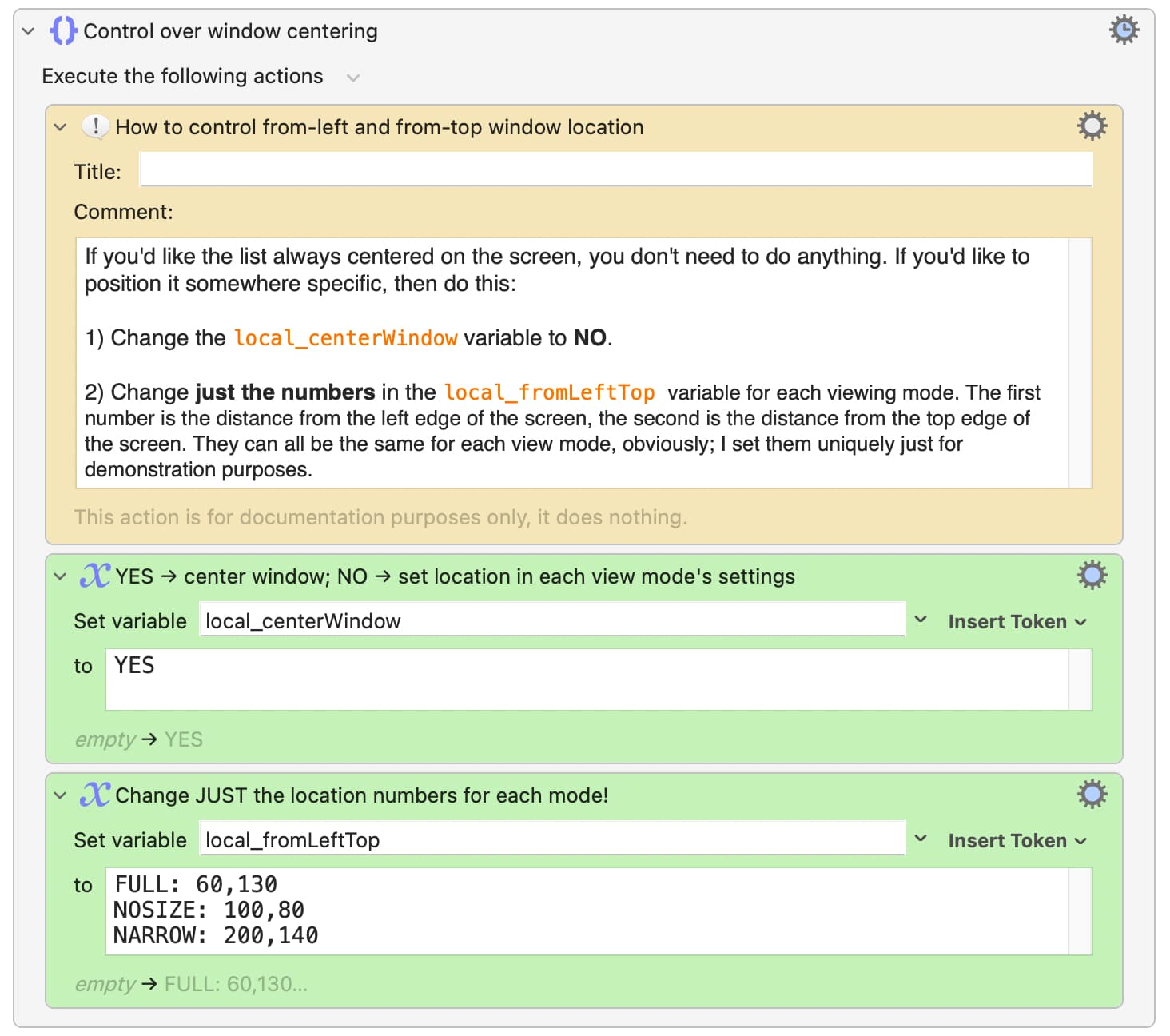
I just posted v2.1 of Recent Macro Browser Plus in the first post. The big news in this one is—thanks to a question from @_jims—control over window centering:
The list will center (on the display with the frontmost window) by default, but if you set the first variable to NO, you can then set specific "from left" and "from top" distances for each viewing mode in the next variable.
-rob.
awesome work as always @griffman tyvm
That's great thanks, I have used this many, many times since you have made it and was just thinking about it this morning and how to make the window resize. I maximized it to the full size of my laptop so it at least fills up the screen and is small on my syncing desktop screen. Such a great macro and one of my new favorites as I write maros to make sure they sync and are not lost.
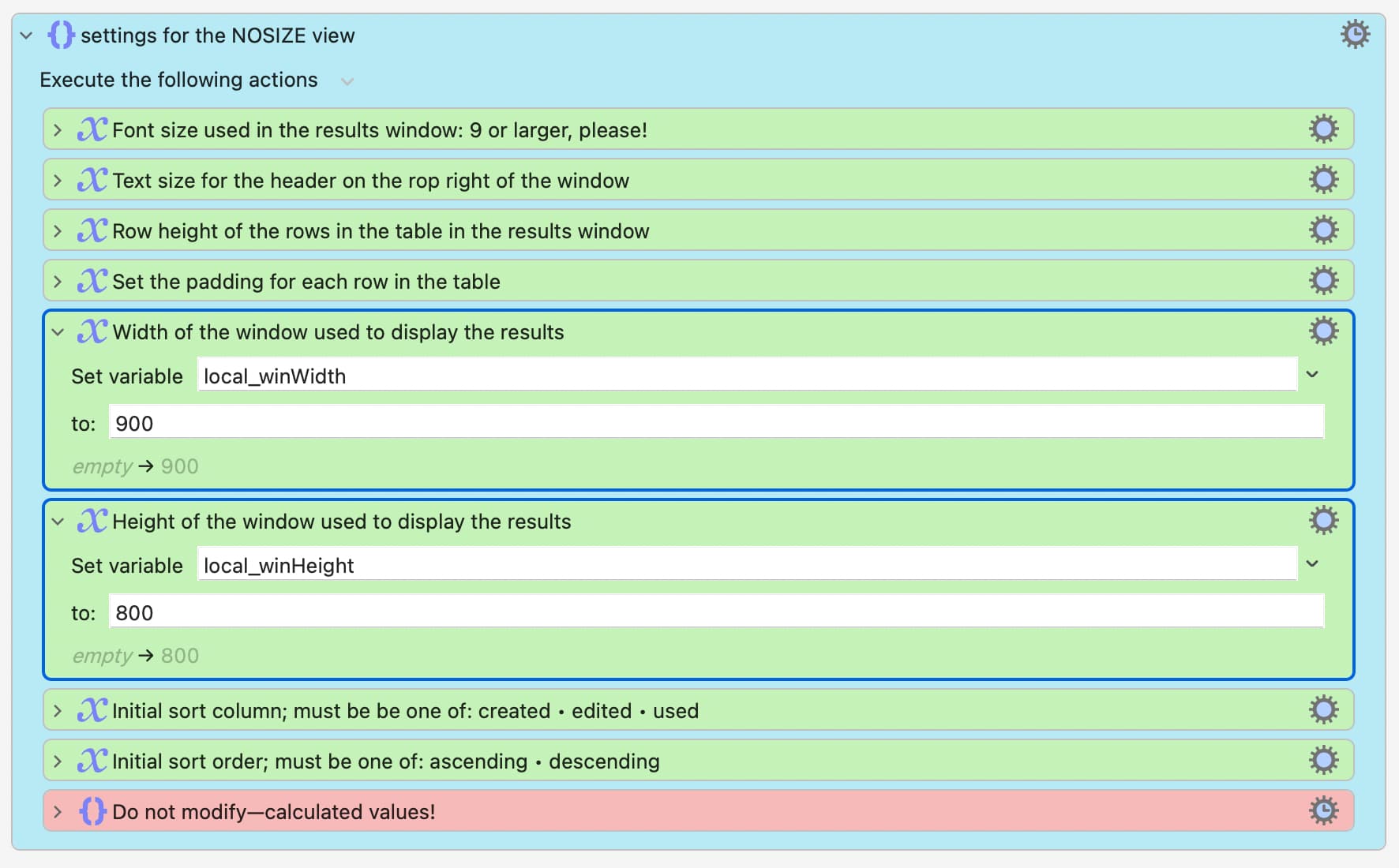
You've been able to do that for a while, but not control the centering. The window size controls are in each view's settings section:
-rob.
You just can't resize it with the mouse so I maximized it to the full resolution of the smallest display on my laptop. Rather than make two one for my desktop and one for my laptop. Thanks for making it adjustable.
It shouldn't be mouse-resizable at all, at least not v2. Not sure about the original version.
-rob.
Thanks, @griffman. It works like a charm! Thanks for building this in.
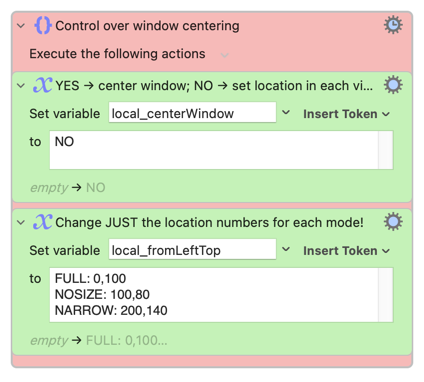
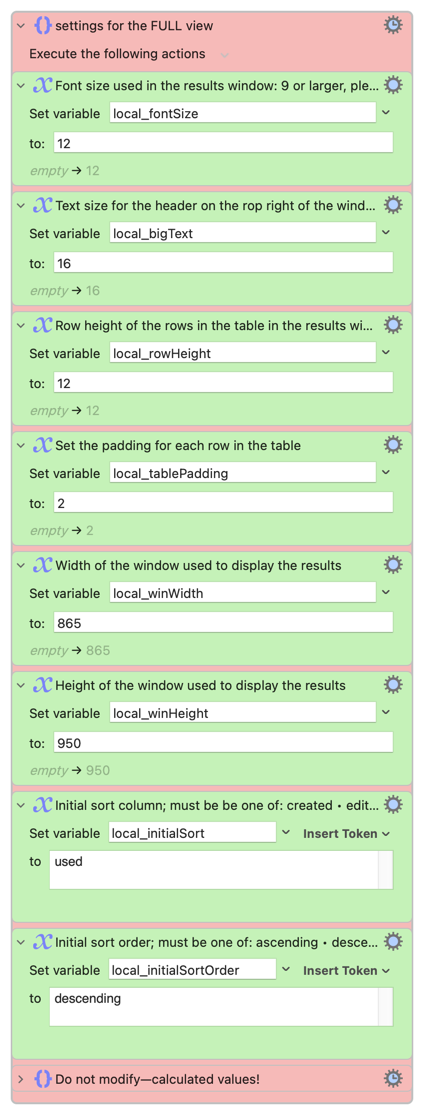
Probably a small subset of users, but for those that are using a 16" MacBook Pro at default resolution (or something close–I use a notch-less resolution), then these settings work quite nicely if you want to edit a macro on the right half of the display and view the Recent Macro Browser Plus window on the left half.