Thanks for the heads up, @Ralph.
Using the applenotes:note/ syntax I've cobbled together a macro that can be used to create a text-only and rich link for the selected note. See the macro comment for more information.
2026-01-15 Update: Macro below modified to v1.3.
This macro populates the clipboard with multiple favors so that a pasted note link is context sensitive.
As before, hyperlinks are pasted into rich text editors.
With v1.3, markdown links are pasted into plain text editors.
[Note Title](URL scheme)
With prior versions, the URL scheme only was pasted into plain text editors.
Download: Create Apple Note Link.kmmacros (30 KB)
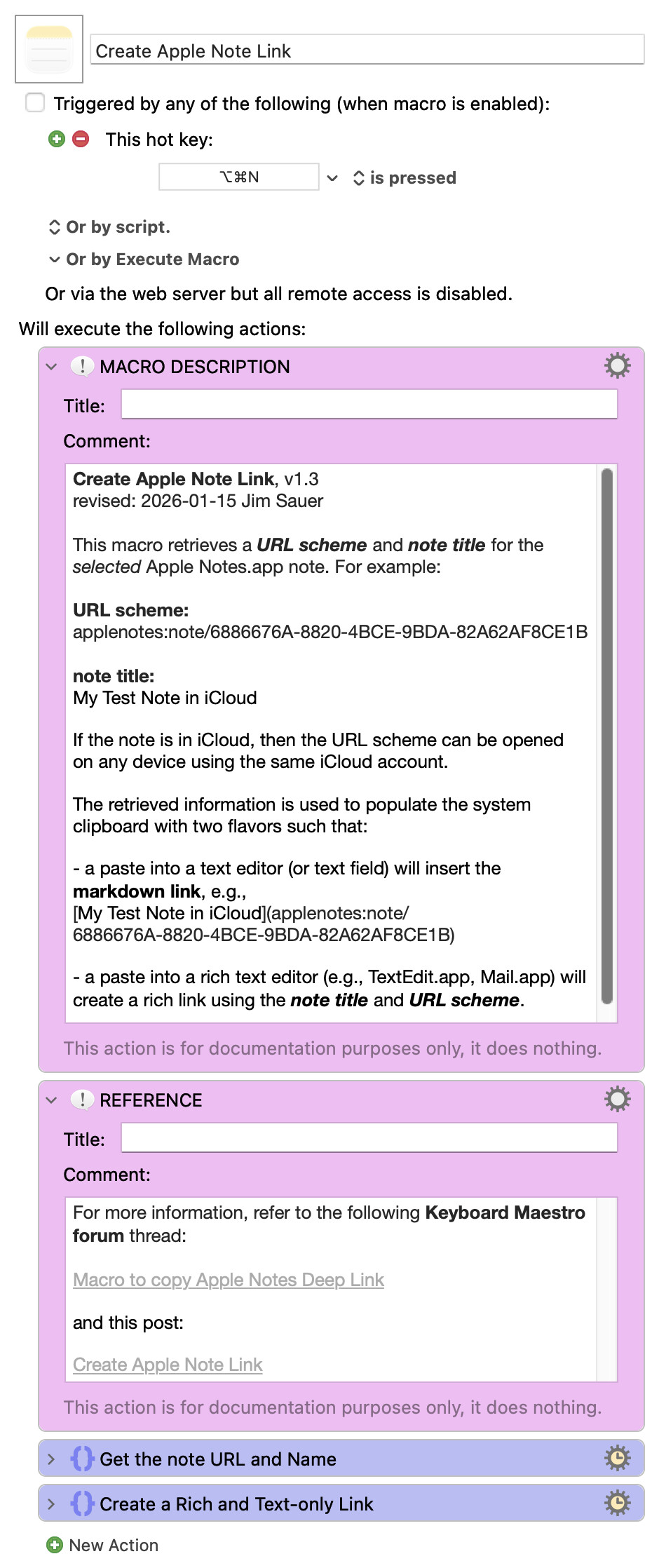
Macro-Notes
- Macros are always disabled when imported into the Keyboard Maestro Editor.
- The user must ensure the macro is enabled.
- The user must also ensure the macro's parent macro-group is enabled.
System Information
- macOS 26.1 (25B78)
- Keyboard Maestro v11.0.4