Hey Dan
I can confirm that - Everything is working again … thanks a lot for that quick fix.
Greetings from Germany 
Tobias
Hey Dan
I can confirm that - Everything is working again … thanks a lot for that quick fix.
Greetings from Germany
Tobias
Thanks! I'll have to fire my QA department. 
Hey Dan (@DanThomas)
What do you think about enhancing VIP to not Cancel the running Macro you’re using it on to inspect Variables and or Dictionaries?!
Sometimes you may want to inspect more places in a Complex Macro but you have click ok to continue to the next instance of VIP or disable the Groups in the Macro that you don’t need.
It would be nice to call VIP with a dedicated Parameter that allows cancellation of the Instance but continuing the Macro that is inspected to continue up to the next VIP instance.
Maybe it is possible, maybe not … but I think it might be a very good thing to implement because it can save a lot of time using VIP.
Greetings from Germany
Tobias
It already supports this. Look at macro "25)Inspect All Global Variables & Dictionaries" for an example.
If you have questions, please let me know.
Hey Dan
Thanks for this pointer … I’ll have a look
Of course - I’ll keep you posted on questions 
That's exciting!
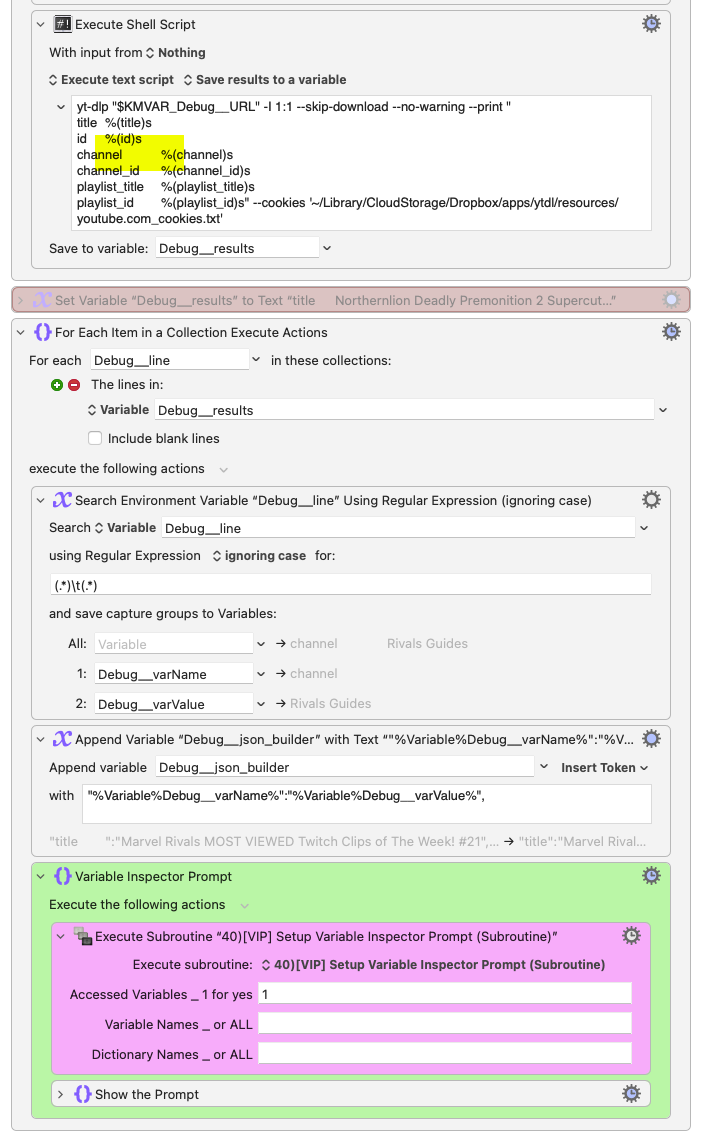
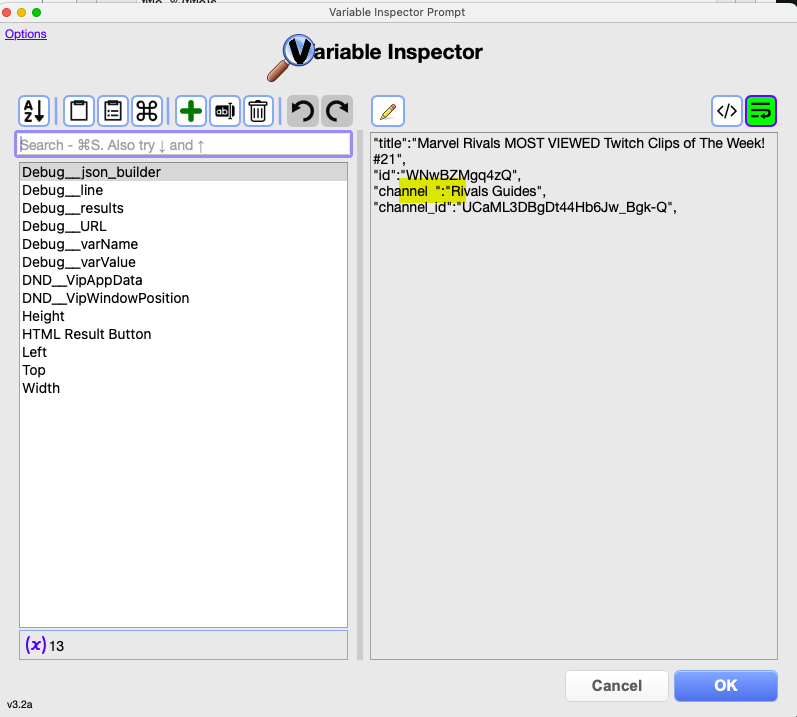
Semi sorry to bump--though every day, somebody's born who hasn't seen the Flintstones--but a quick thanks again to Dan for a great tool that just put a firm end to the last hour's head scratching! Something had changed since this WIP was "working" last night... but I couldn't tell what.
I had (added?) one errant TAB delimiter that my eye couldn't see, but adding the VIP to the end of each loop and stepping through one at a time made it immediately clear what had happened.
To anyone who hasn't seen or tried @DanThomas 's VIP it is IMO a must-have tool.
@DanThomas, you do amazing work!
I do have a minor quibble below, but first:
I just discovered this yesterday, and I love the dictionary editor. I've always liked the dictionary concept, but I pretty much stopped using them a few years ago due to my own difficulties in managing them. I think your dictionary editor will revive my interest.
Now the quibble. I discovered an old logging dictionary that was over 4 MB. That part was great! But, when I first selected it for inspection, the UI froze for quite a long time, certainly more than 10 seconds, possibly 20, though I know I'm not a good judge of this. I also had not ordered things by size before doing this, and thus had no idea it was so big. So, it would be wonderful, if possible, to display the spinning beach ball in situations like this.
Thanks again for another wonderful tool.
Gerrie
Thanks!
Probably not going to happen anytime soon, but I understand the issue.
You would know better than I, but I thought that the spinning beach ball is displayable only by macOS, not by any app that runs on macOS.
Normally when I want to show "delays" I use the Display Progress Bar action, which can show a lot more information than a modified pointer can show.
This is a Custom HTML Prompt, so I would actually show some sort of HTML spinner.