You may, or may not, actually need a macro.
Have you tried using the services built-in to your Mac?
- Select a word or phrase, and right-click on it, and then click on "Look up ..."
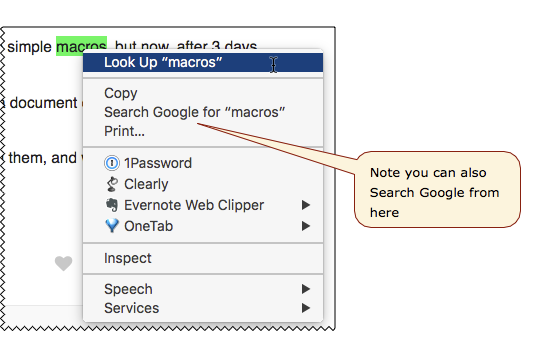
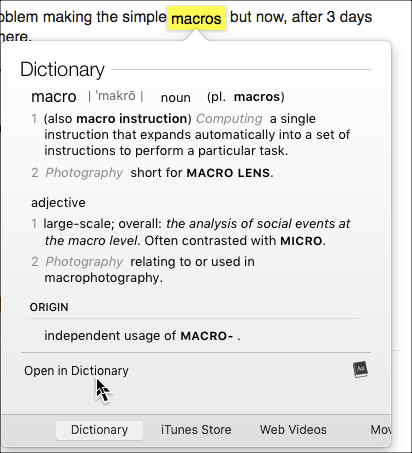
- Now you will see various options, with the "Dictionary" selected.
.
.
3. Now click on "Open in Dictionary", and you will see even more options:

Here is a simple macro that automates the right-click on whatever your mouse is hovering over, then goes to the top of the menu. You can choose the menu item by pressing the SPACE bar, or move to other items with the arrow keys. You may, or may not, find this more useful than just manually right-clicking on the select text. I wish there was a way to invoke the right-click context menu for the selected text without using the mouse.

and don't forget you can always run the macOS Spotlight search, which will first search your local drive for any kind of document (notice the Evernote documents in my example) whose name or body contains the text. Then you will see external sources like Wikipedia.

If none of those give you what you want then you could run a macro like the one @gglick suggested.
OR
See SearchLink - BrettTerpstra.com for a very interesting and useful tool.