OK, I’m beginning to see some usefulness for all that 
So, here another version.
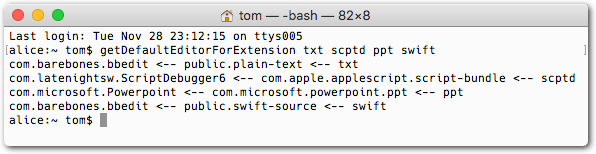
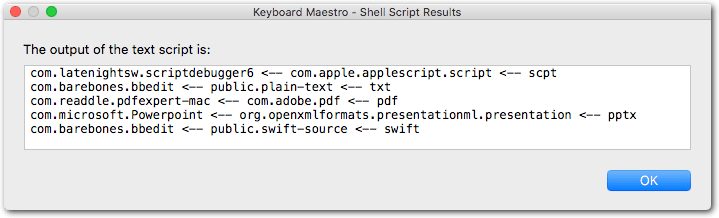
It allows you to enter an Extension (txt, scpt, etc.) and the script will tell you the Content Type and the Default Editor for that.
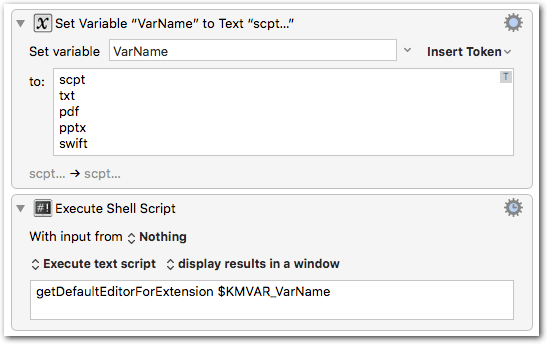
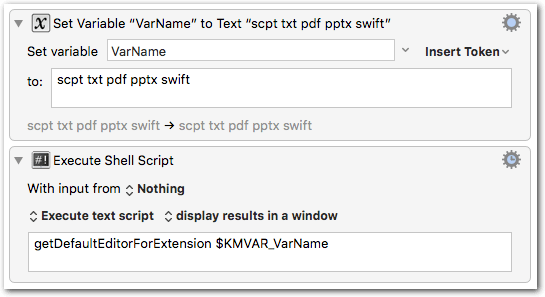
As with the previous script you can enter multiple extensions.
For example in the Terminal:
Or with KM:
Or:
Here the compiled script:
getDefaultEditorForExtension.zip (21.3 KB)
--> --> Put the file somewhere in your PATH <-- <--
The source:
import Foundation
let arguments = Array(CommandLine.arguments.dropFirst())
for arg in arguments {
	let ext = arg as CFString
	let contentType = UTTypeCreatePreferredIdentifierForTag(
			kUTTagClassFilenameExtension, ext, nil)?.takeRetainedValue()
	if let myApp = LSCopyDefaultRoleHandlerForContentType(contentType!, LSRolesMask.editor) {
			let bundleID = Unmanaged.fromOpaque(myApp.toOpaque()).takeUnretainedValue() as CFString
			print ("\(bundleID) <-- \(contentType!) <-- \(ext)")
	} else {
			print ("[No default handler]  <-- \(contentType!) <-- \(ext)")
	}
}
###Please note:
Since one Extension can have associations with more than one Content Type (there is something like a Content Type Tree), this script does not do exactly the same thing as the above script where you have to enter the Content Type.
###PS (2017-12-06):
Since I’ve seen that this post got some likes:
There is a more complete version of this macro in the Macro Library of the forum:
It combines the extension query with the UTI query and contains both scripts in one download.