Here's a whole new approach. It works on all applications. It does have one deficiency, which I will explain later, but I think that can be addressed. For now, let me show you my approach. My approach requires three macros.
The first macro looks like this:
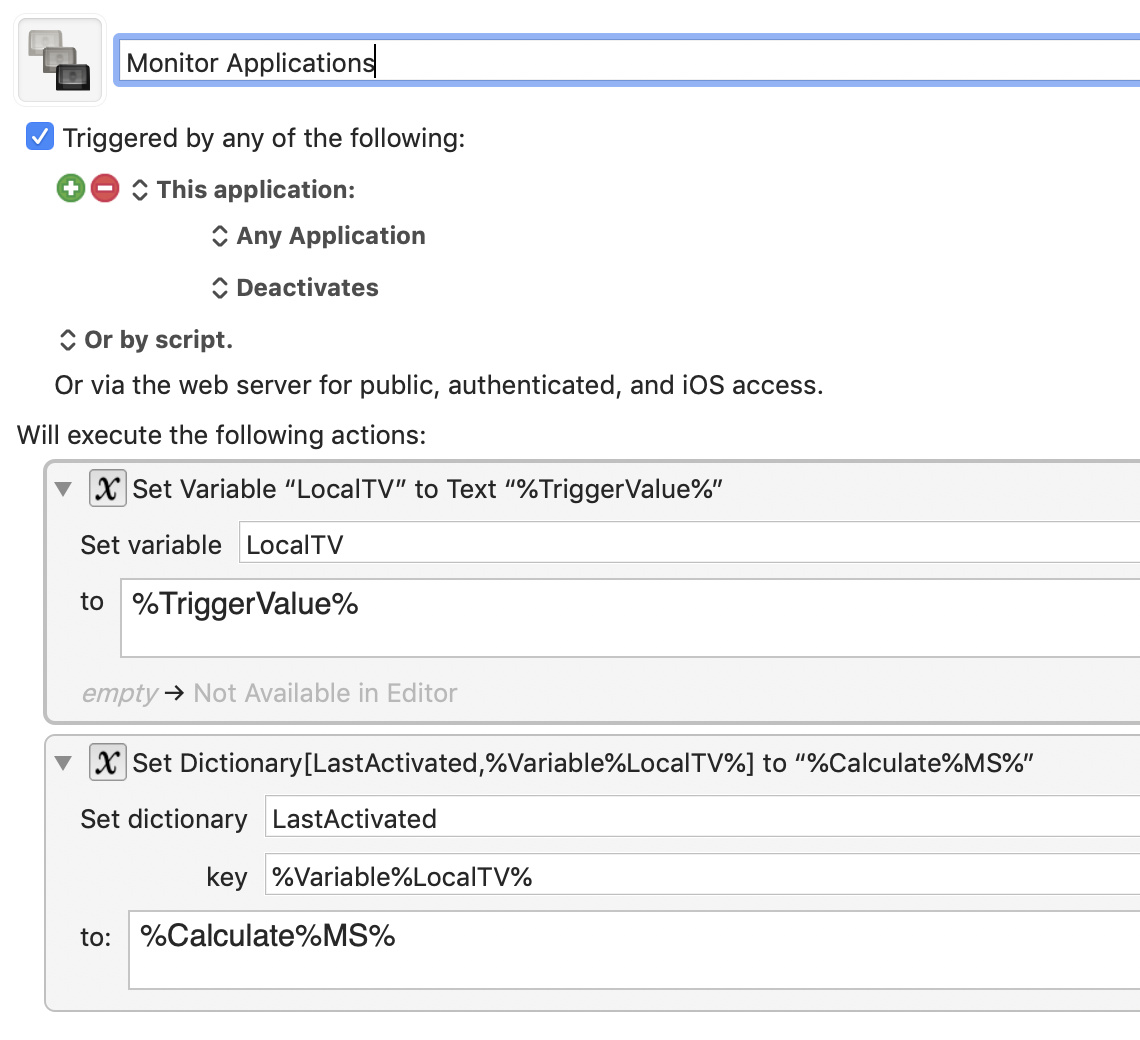
Examine it carefully. That macro stores the current time, in milliseconds, (Edit: change that to TIME, not MS) of any process "that's deactivated", into a dictionary. They key for the dictionary entry is the full path of the app. I think that's exactly what we need. What a great idea.
The second macro removes the item from the dictionary any time the process is activated. It will look almost the same but instead of "Deactivates" it will be "Activates" and instead of setting the dictionary value to MS it will set it to an empty string. (Correction, it needs to be TIME, not MS, since MS resets at midnight.)
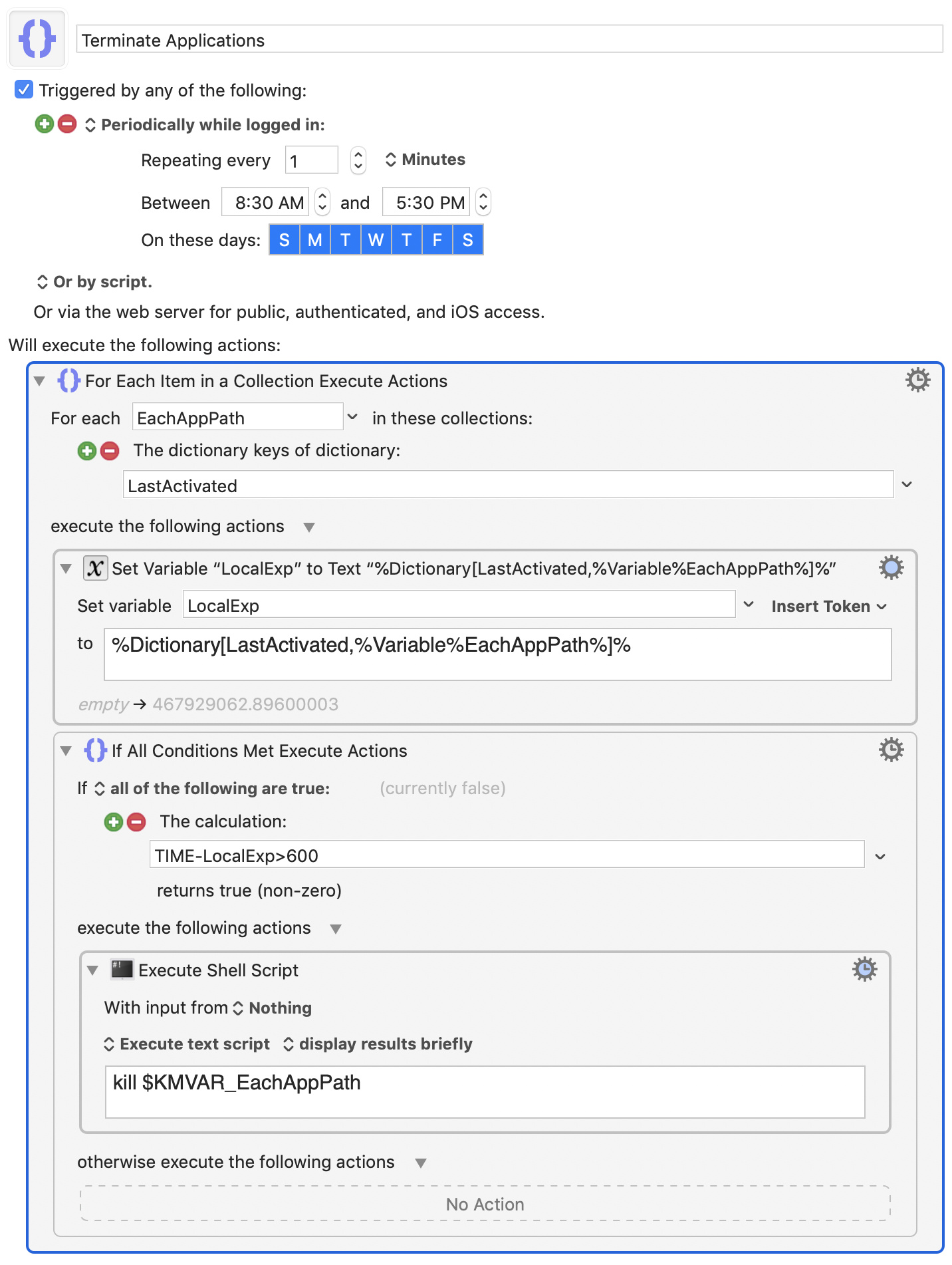
The third macro is to occasionally (perhaps every minute, or less often) loop through the dictionary to find out if the last time it was deactivated was over ten minutes ago. If it was deactivated over ten minutes ago then the app, whose path is the key, is to be terminated. However the termination can't be performed using KM's action because KM's action requires that the app paths be hidden, so we will have to use an Execute Shell Script action.
However I refuse to upload a macro that contains a kill command since this is a very dangerous command that could easily kill KM itself, or do a variety of other nasty things. It will be up to you to fix the syntax. But this screenshot should give you the general idea. If you don't know the correct syntax for killing a process by name you can google it. But it's your neck on the block if you make a mistake.
Again, this set of macros, while very good, does fail to take action on any process that has never been activated (which may be exactly what you want!) And it will also fail to take action on the current process since by being activated its counter has been reset to zero. However this last issue is easily fixed if you want to fix it. I'll let you ponder how to do that.
Overall I think this is one amazing little collection of macros. However bear in mind that I didn't test it. I'm not interested in testing something that kills processes on my computer.