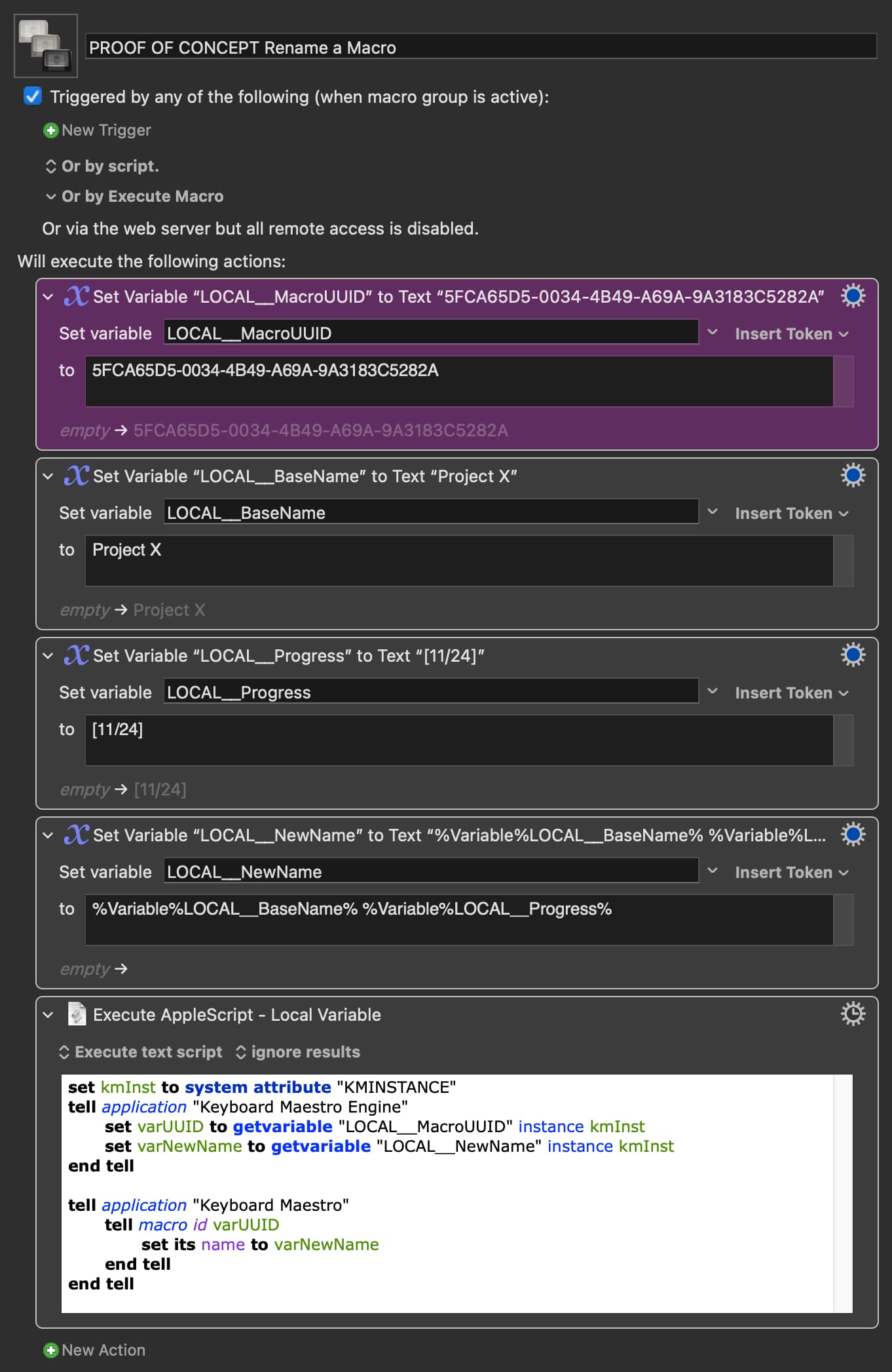
You can use AppleScript to rename an existing Macro.
A Macro has both a name and a unique UUID. The UUID remains the same even if the name is changed so, referencing a Macro by its UUID is probably the way to go if you want to rename it several times.
To get a Macro's UUID, right-click on it and choose Copy As>UUID
You will get something like this in the Clipboard:
0D76829A-F274-48C0-8C13-2214BD1C630F
Once you have this unique UUID an AppleScript can rename the Macro to anything you want. And you can keep renaming it as the UUID won't change.
Here is a proof of concept (change the actual UUID in the Magenta Action to a UUID of a Macro you want to test rename).