Hey Al,
See this link for somewhat more detailed instructions on how to acquire the image-to-find.
Drag Finder selection to “Found Image” in Chrome Browser window
I've used both GraphicConverter and SnagIt for zooming and cropping the image very carefully, and I can get an image of the selection-color plus a little outline such that my macro works (on my machine) for both icon and list view.
I just tested Preview for this, and it works fine as well.
Using a For Each action in the Found Images Collection is more robust than what I've done above, because the image you use doesn't need to be as unique.
NOTE – These are ACTIONS and will open in the macro currently being edited in the Keyboard Maestro Editor.
For Each.kmactions (14 KB)
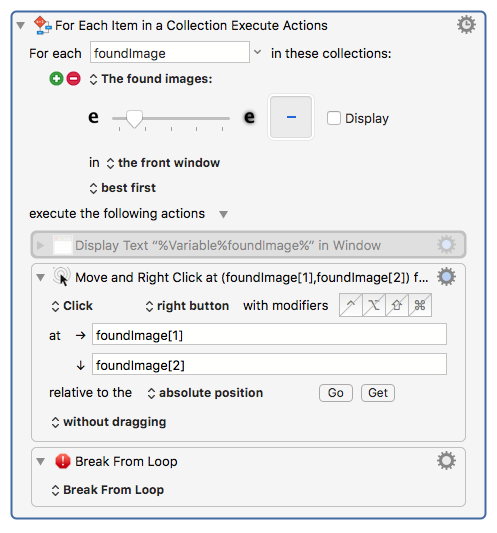
See how I've broken out of the loop after the first iteration?
So all I need is a decently sized swatch of the Finder Highlight Color that's still small enough not to be interfered with by Finder-names and other bits of GUI.
This is robust and quite fast even on my old 17-inch, Mid 2010, i7 MacBook Pro.
-Chris