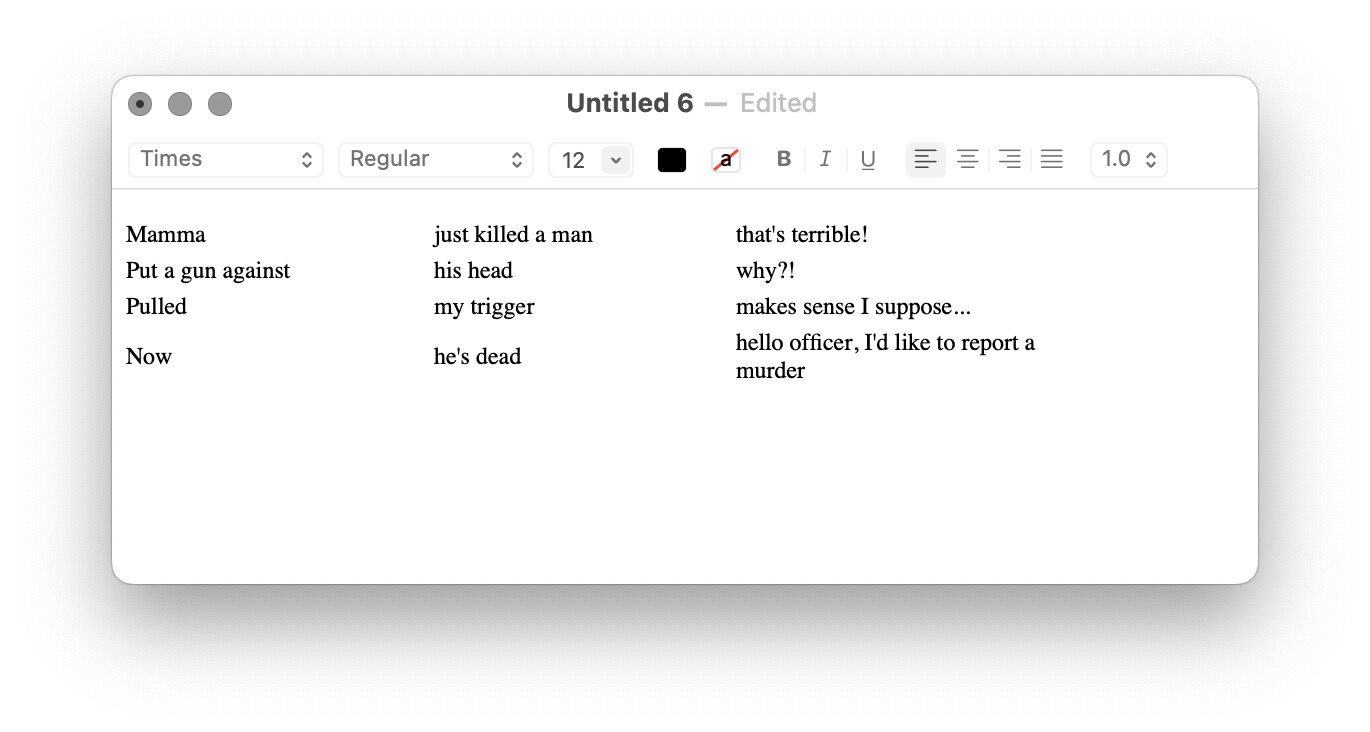
Rough sketch (you could refine the intermediate HTML markup for fonts, alignments etc), and you might prefer textutil for the HTML -> RTF conversion, but here in a JavaScript for Automation version:
Expand disclosure triangle to view JS source
(() => {
    "use strict";

    // Rob Trew @2023
    // Draft 00.01

    ObjC.import("AppKit");

    const columnDelimiter = ":";


    // Column delimited lines copied as RTF table
    // (via HTML markup)

    const main = () => {
        const kmv = kmValue(kmInstance());

        return either(
            alert("Delimited rows copied as RTF table")
        )(
            copyTypedString(true)("public.rtf")
        )(
            rtfFromHTML(
                htmlTable(
                    lines(
                        kmv("local_ColonDelimitedLines")
                    )
                    .map(x => x.split(columnDelimiter))
                )
            )
        );
    };

    // ---------------- KEYBOARD MAESTRO -----------------

    // kmInstance :: () -> IO String
    const kmInstance = () =>
        ObjC.unwrap(
            $.NSProcessInfo.processInfo.environment
            .objectForKey("KMINSTANCE")
        ) || "";

    // kmValue :: KM Instance -> String -> IO String
    const kmValue = instance =>
        k => Application("Keyboard Maestro Engine")
        .getvariable(k, {instance});


    // ----------------------- JXA -----------------------

    // alert :: String => String -> IO String
    const alert = title =>
        s => {
            const sa = Object.assign(
                Application("System Events"), {
                    includeStandardAdditions: true
                });

            return (
                sa.activate(),
                sa.displayDialog(s, {
                    withTitle: title,
                    buttons: ["OK"],
                    defaultButton: "OK"
                }),
                s
            );
        };


    // copyTypedString :: Bool -> String -> String -> IO ()
    const copyTypedString = blnClear =>
    // public.html, public.rtf, public.utf8-plain-text
        pbType => s => {
            const pb = $.NSPasteboard.generalPasteboard;

            return (
                blnClear && pb.clearContents,
                pb.setStringForType(
                    $(s),
                    $(pbType)
                )
            );
        };

    // ---------------------- HTML -----------------------

    // htmlTable :: [[String]] -> HTML String
    const htmlTable = rows => {
        const
            thead = "<thead></thead>",
            htmlrows = rows.map(
                row => `<tr>${row.map(x => `<td>${x}<td>`)
                .join("")}</tr>`
            )
            .join("\n"),
            tbody = `<tbody>\n${htmlrows}\n</tbody>`;

        return `<table>\n${thead}\n${tbody}\n</table>`;
    };

    // rtfFromHTML :: String -> Either String String
    const rtfFromHTML = strHTML => {
        const
            as = $.NSAttributedString.alloc
            .initWithHTMLDocumentAttributes($(strHTML)
            .dataUsingEncoding($.NSUTF8StringEncoding),
            0
            );

        return bindLR(
            "function" !== typeof as
            .dataFromRangeDocumentAttributesError ? (
                    Left("String could not be parsed as HTML")
                ) : Right(as)
        )(
        // Function bound if Right value obtained above:
            htmlAS => {
                const
                    error = $(),
                    rtfData = htmlAS
                    .dataFromRangeDocumentAttributesError({
                        "location": 0,
                        "length": htmlAS.length
                    }, {
                        DocumentType: "NSRTF"
                    },
                    error
                    );

                return Boolean(
                    ObjC.unwrap(rtfData) && !error.code
                ) ? Right(
                        ObjC.unwrap($.NSString.alloc
                        .initWithDataEncoding(
                            rtfData,
                            $.NSUTF8StringEncoding
                        ))
                    ) : Left(ObjC.unwrap(
                        error.localizedDescription
                    ));
            }
        );
    };

    // --------------------- GENERIC ---------------------

    // Left :: a -> Either a b
    const Left = x => ({
        type: "Either",
        Left: x
    });

    // Right :: b -> Either a b
    const Right = x => ({
        type: "Either",
        Right: x
    });


    // bindLR (>>=) :: Either a ->
    // (a -> Either b) -> Either b
    const bindLR = m =>
        mf => m.Left ? (
            m
        ) : mf(m.Right);


    // either :: (a -> c) -> (b -> c) -> Either a b -> c
    const either = fl =>
        // Application of the function fl to the
        // contents of any Left value in e, or
        // the application of fr to its Right value.
        fr => e => e.Left ? (
            fl(e.Left)
        ) : fr(e.Right);


    // lines :: String -> [String]
    const lines = s =>
    // A list of strings derived from a single string
    // which is delimited by \n or by \r\n or \r.
        0 < s.length
            ? s.split(/\r\n|\n|\r/u)
            : [];


    return main();
})();
It should just copy to clipboard if that's what you mean.
No dependencies, but I would try the JS code on its own,
(i.e. build your own macro) with a variable name of your own at the point where I have written:
kmv("ColonDelimitedLines")
whereas I notice that the variable in the macro is local_ColonDelimitedLines
mea culpa
I'll correct the macro and source listing above in a minute.
Done.
Working here with macOS 13.5.2
The RTF source should be writable to an .rtf file yes. I'll sketch an approach later.
Here's a copy of the source which writes to a local file as well as copying to a public.rtf pasteboard item (again, adjust line 30 to match a KM variable name of your own) e.g.
kmv("ColonDelimitedLines")
Expand disclosure triangle to view JS source
(() => {
    "use strict";

    // Rob Trew @2023
    // Draft 00.02

    ObjC.import("AppKit");

    const columnDelimiter = ":";


    // Column delimited lines copied as RTF table
    // (via HTML markup)
    // Also written to local file in this copy.

    const main = () => {
        const kmv = kmValue(kmInstance());

        return either(
            alert("Delimited rows copied as RTF table")
        )(
            rtf => (
                copyTypedString(true)("public.rtf")(rtf),
                writeFile("~/Desktop/tabular.rtf")(rtf)
            )
        )(
            rtfFromHTML(
                htmlTable(
                    lines(
                        kmv("ColonDelimitedLines")
                    )
                    .map(x => x.split(columnDelimiter))
                )
            )
        );
    };

    // ---------------- KEYBOARD MAESTRO -----------------

    // kmInstance :: () -> IO String
    const kmInstance = () =>
        ObjC.unwrap(
            $.NSProcessInfo.processInfo.environment
            .objectForKey("KMINSTANCE")
        ) || "";

    // kmValue :: KM Instance -> String -> IO String
    const kmValue = instance =>
        k => Application("Keyboard Maestro Engine")
        .getvariable(k, {instance});


    // ----------------------- JXA -----------------------

    // alert :: String => String -> IO String
    const alert = title =>
        s => {
            const sa = Object.assign(
                Application("System Events"), {
                    includeStandardAdditions: true
                });

            return (
                sa.activate(),
                sa.displayDialog(s, {
                    withTitle: title,
                    buttons: ["OK"],
                    defaultButton: "OK"
                }),
                s
            );
        };


    // copyTypedString :: Bool -> String -> String -> IO ()
    const copyTypedString = blnClear =>
    // public.html, public.rtf, public.utf8-plain-text
        pbType => s => {
            const pb = $.NSPasteboard.generalPasteboard;

            return (
                blnClear && pb.clearContents,
                pb.setStringForType(
                    $(s),
                    $(pbType)
                )
            );
        };

    // writeFile :: FilePath -> String -> IO ()
    const writeFile = fp => s =>
        $.NSString.alloc.initWithUTF8String(s)
        .writeToFileAtomicallyEncodingError(
            $(fp)
            .stringByStandardizingPath, false,
            $.NSUTF8StringEncoding, null
        );

    // ---------------------- HTML -----------------------

    // htmlTable :: [[String]] -> HTML String
    const htmlTable = rows => {
        const
            thead = "<thead></thead>",
            htmlrows = rows.map(
                row => `<tr>${row.map(x => `<td>${x}<td>`)
                .join("")}</tr>`
            )
            .join("\n"),
            tbody = `<tbody>\n${htmlrows}\n</tbody>`;

        return `<table>\n${thead}\n${tbody}\n</table>`;
    };

    // rtfFromHTML :: String -> Either String String
    const rtfFromHTML = strHTML => {
        const
            as = $.NSAttributedString.alloc
            .initWithHTMLDocumentAttributes($(strHTML)
            .dataUsingEncoding($.NSUTF8StringEncoding),
            0
            );

        return bindLR(
            "function" !== typeof as
            .dataFromRangeDocumentAttributesError ? (
                    Left("String could not be parsed as HTML")
                ) : Right(as)
        )(
        // Function bound if Right value obtained above:
            htmlAS => {
                const
                    error = $(),
                    rtfData = htmlAS
                    .dataFromRangeDocumentAttributesError({
                        "location": 0,
                        "length": htmlAS.length
                    }, {
                        DocumentType: "NSRTF"
                    },
                    error
                    );

                return Boolean(
                    ObjC.unwrap(rtfData) && !error.code
                ) ? Right(
                        ObjC.unwrap($.NSString.alloc
                        .initWithDataEncoding(
                            rtfData,
                            $.NSUTF8StringEncoding
                        ))
                    ) : Left(ObjC.unwrap(
                        error.localizedDescription
                    ));
            }
        );
    };

    // --------------------- GENERIC ---------------------

    // Left :: a -> Either a b
    const Left = x => ({
        type: "Either",
        Left: x
    });

    // Right :: b -> Either a b
    const Right = x => ({
        type: "Either",
        Right: x
    });


    // bindLR (>>=) :: Either a ->
    // (a -> Either b) -> Either b
    const bindLR = m =>
        mf => m.Left ? (
            m
        ) : mf(m.Right);


    // either :: (a -> c) -> (b -> c) -> Either a b -> c
    const either = fl =>
        // Application of the function fl to the
        // contents of any Left value in e, or
        // the application of fr to its Right value.
        fr => e => e.Left ? (
            fl(e.Left)
        ) : fr(e.Right);


    // lines :: String -> [String]
    const lines = s =>
    // A list of strings derived from a single string
    // which is delimited by \n or by \r\n or \r.
        0 < s.length
            ? s.split(/\r\n|\n|\r/u)
            : [];


    return main();
})();
The final JavaScript was shared, in post #25. You should be able to copy/paste that into the JavaScript block in the full macro in post #21, replacing what's there.
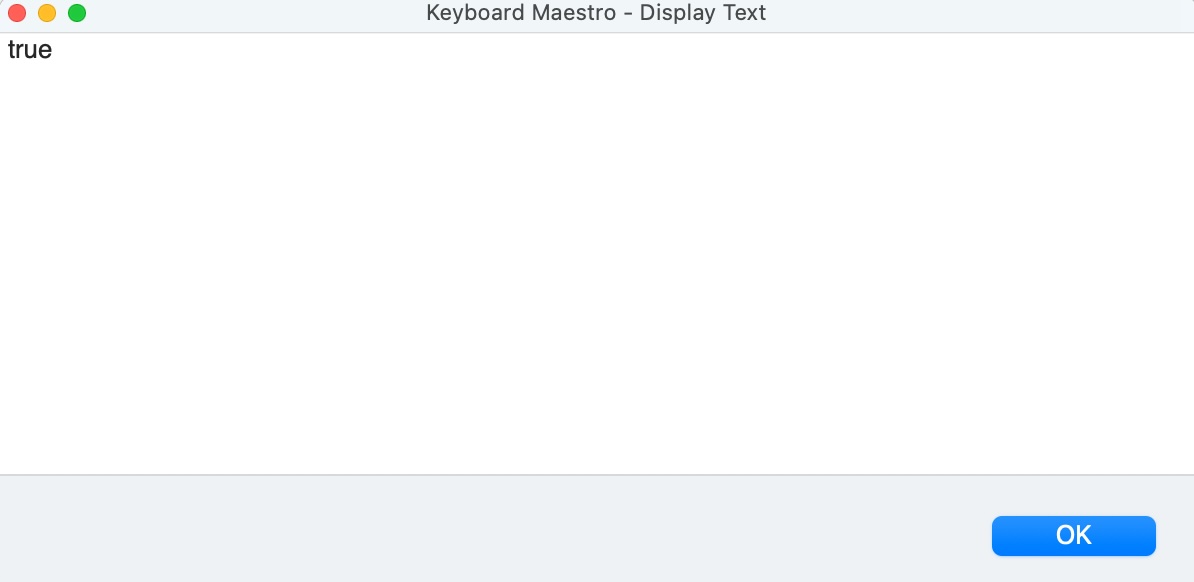
Apologies (as the non-programmer here), but I downloaded the macro from Post 21, replaced the Java Script with the Java Script on post 25 and the only the was "true".
It was written in 2023 before the (default) Modern Syntax option was introduced (and when I get back from the bush to a macOS machine next week I can update it) but in the meanwhile the simplest fix is probably to uncheck the Modern Syntax option (see the link below for details).
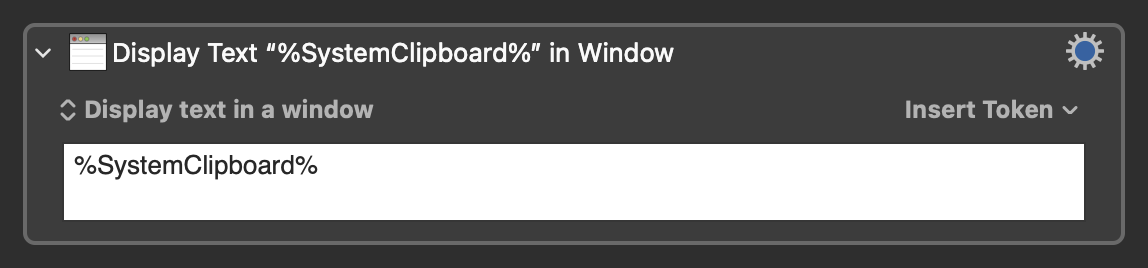
I expected it to out a display text window with formatted out rather that a display text window with which read "true" per the below as well as a file on my desktop titled tabular.rtf which is blank.
I note that the name I assigned is identical to the one that appeared in the Set Variable action that was i) in the original macro and ii) I disabled to feed it a file.
I will test late tonight when I am back from a meeting. Thank you!