I think that what you need to do is draw a flow diagram -- this has gone well beyond the subject line's simple "execute once, however many instances get triggered".
A flow diagram will help firm up the logic, show the various context-dependent execution paths, reveal what states need to be tested/saved to variables. And, importantly, is a lot easier to understand than paragraphs of text!
And I've just re-read your final paragraph -- great minds think alike!
That's what an "insta-quit" Semaphore does. If you only want it to run once, why does it matter if there was an attempt to run it a second time? The answer to that may determine the best way to go about things.
A Semaphore lock is generally used to form a "first in, first out" (FIFO) queue for a particular "resource". Run this demo by clicking the Editor's Run button 3 or 4 times, then deliberately press and release (not quick-tap) the ⌘ key. With the Lock Action disabled all instances execute together, as you can see from the MILLISECONDS() value.
Now enable the Lock Action and repeat the test -- this time you'll get one instance running to completion for every press-and-release of the ⌘ key. We've formed a FIFO queue for the "has the ⌘ key been pressed and released" resource.
FIFO demo.kmmacros (4.1 KB)

If you then change that first Action's timeout settings to "1/100th seconds, abort, don't Notify" you'll have the commonly-used "multiple trigger events, only one execution" -- probably the most common use of Semaphores in KM:
FIFO Insta-Quit demo.kmmacros (4.2 KB)

There is no "Semaphore name is locked" Condition (though, IIRC, @Airy made a feature request which got a positive response from @peternlewis ). But that doesn't mean we can't make our own! A "Semaphore" Action can be used to abort a macro, a "Try/Catch" Action will let us Catch the abort and do something else instead. Click Run once and you'll see KM spinning its menu bar icon, waiting for the ⌘ keypress. Click Run another couple of times and those instances will execute to completion immediately. Press the ⌘ key and the first-triggered instance will now complete.
Bypass Queue Demo.kmmacros (6.6 KB)
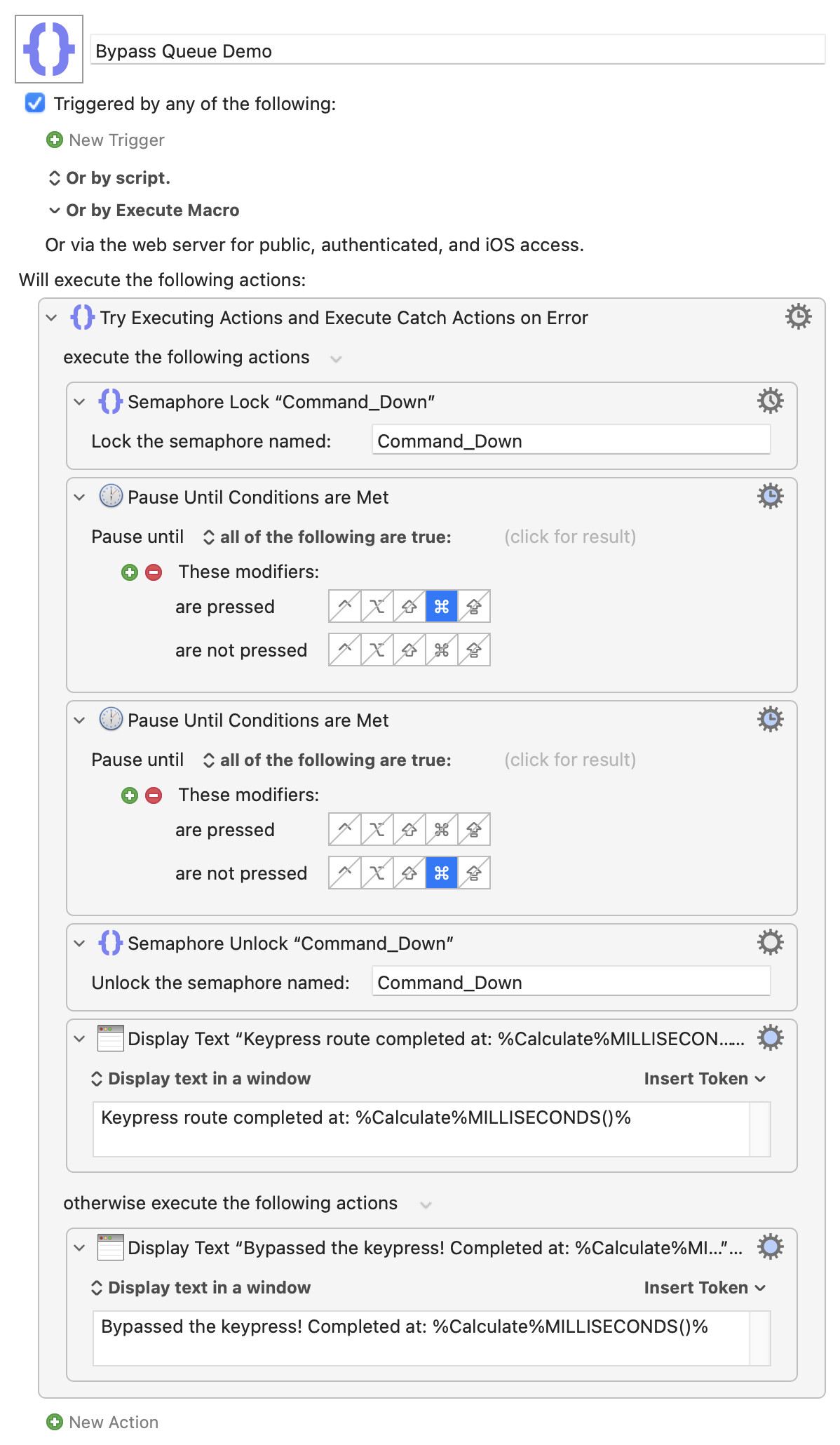
And if you'd like something more "If... Then... Else", use the same trick to set a variable then test that and branch accordingly:
Semaphore If-Then-Else Demo.kmmacros (8.4 KB)
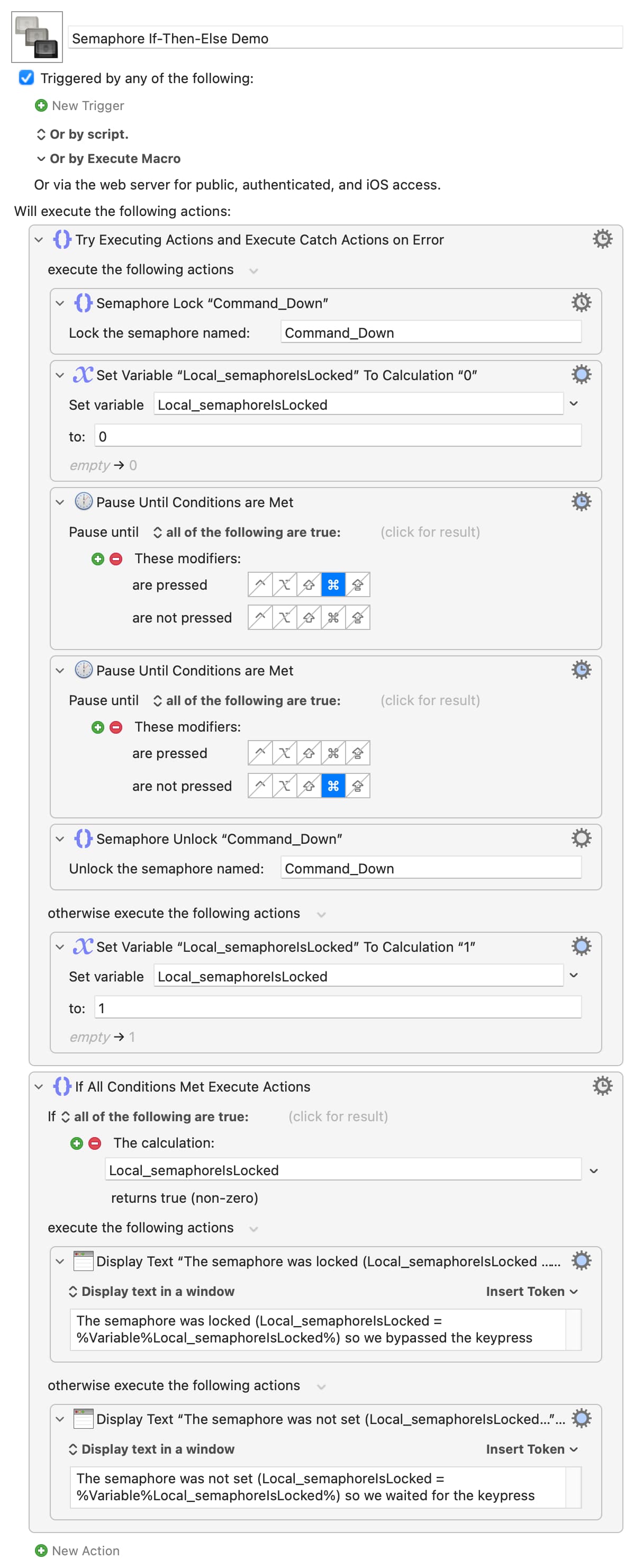
And, obviously, this can all be put together as you need -- a separate macro for each trigger, using the same Semaphore, with their "shared code" hived out into a submacro whose execution is in an "If" conditional on Semaphore state, for example.
Hopefully the above will help clear things in your mind -- but if all I've done is muddy the waters further, my apologies! Ask away if anything doesn't make sense.