Without wading through the subroutines -- it would help if you narrowed things down a bit! -- I'll hazard a guess that yes, it's the AppleScript.
Finder's AS Dictionary doesn't support tabs in windows. And a window's title is named for the currently active tab, so you can only match by title when the tab you want is active.
You have to use System Events:
-- tab name here
set tabName to "For Forum"

tell application "System Events"
	tell application process "Finder"
		repeat with eachWindow in (get every window)
			tell eachWindow
				try
					tell tab group 1
						click item 1 of (every radio button whose name is tabName)
						return
					end tell
				on error
					-- do nothing
				end try
			end tell
		end repeat
	end tell
end tell
Problem is, System Events doesn't know about window indexing so can't front the window. Luckily the window will now have the "correct" name so you can use KM.
Putting everything together:
Front Particular Finder Tab.kmmacros (3.5 KB)
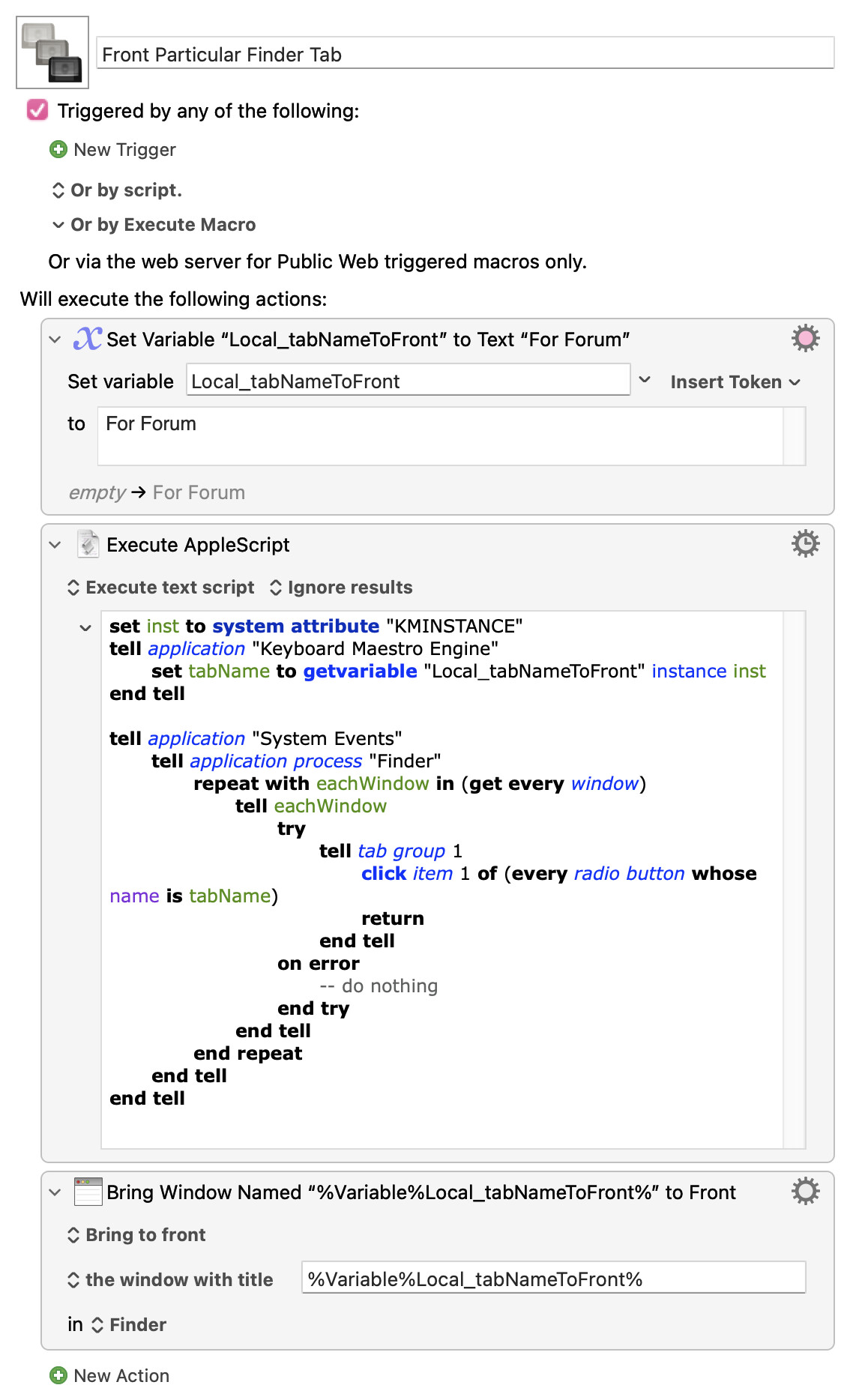
Tested in 27.2 and written in a way that should make it easy to turn into a subroutine.
 I also wasn’t sure whether it was actually the AppleScript, or something random I’d missed with KM Actions in the next subroutine (for actually opening the Finder window).
