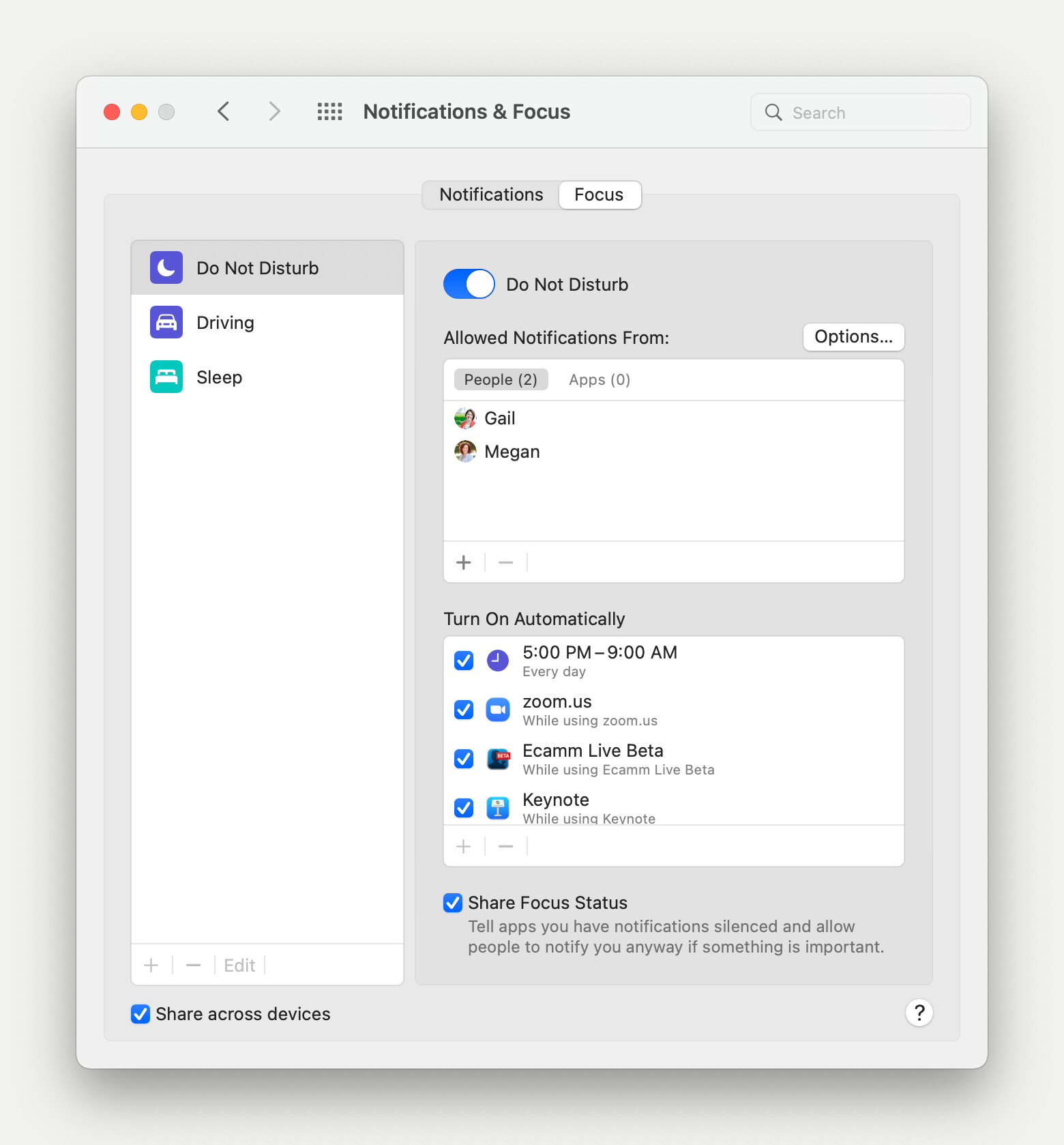
Actually, I found a solution that doesn't require Keyboard Maestro. macOS Monterey makes it super-easy.
-
Load System Preferences.
-
Click on Notifications and Focus, then click on the Focus tab.
-
Now, under Turn on Automatically, click the + sign and add your live streaming apps (e.g., Ecamm Live and Zoom).
Now, whenever you load those programs, your Mac will automatically turn Focus mode on. The best part is that this turns it on across ALL your devices, including iPhone and iPad. When you unload these apps, your Mac will automatically turn Focus mode off.