I’m trying to automate scroll direction switching when using DaVinci Resolve on macOS.
The idea is simple:
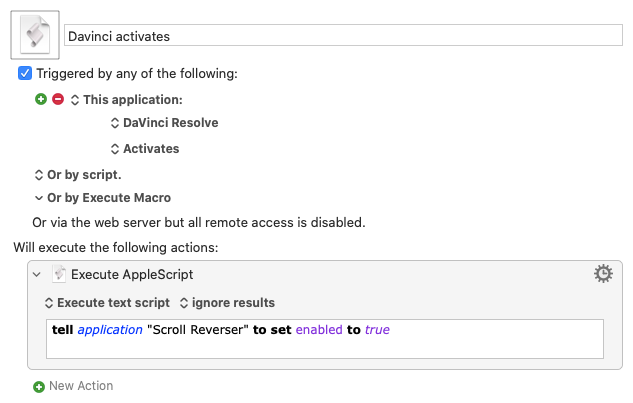
When DaVinci Resolve activates → launch Scroll Reverser (to invert the mouse scroll).
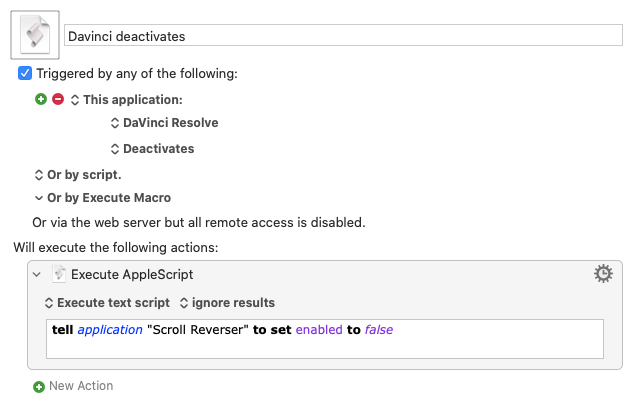
When DaVinci Resolve deactivates → quit Scroll Reverser (to restore normal scrolling).
Here are my two macros:
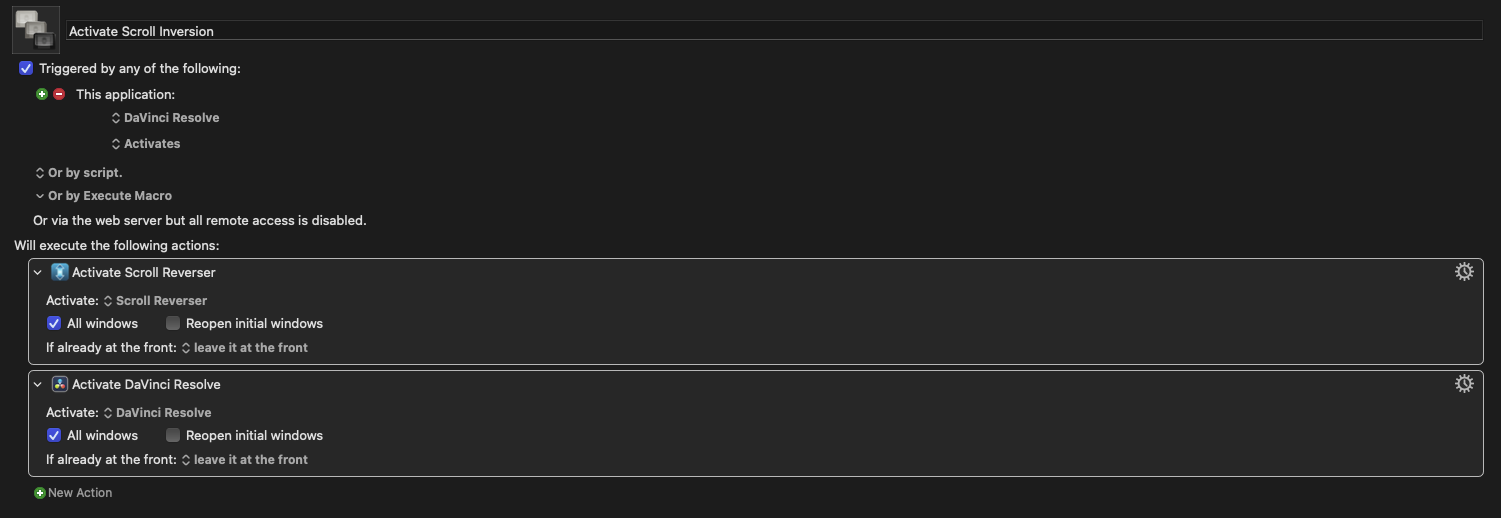
Macro 1 – Activate Scroll Inversion
Trigger:
This Application → DaVinci Resolve → Activates Action:
Activate “Scroll Reverser”
→ All windows, leave it at the front
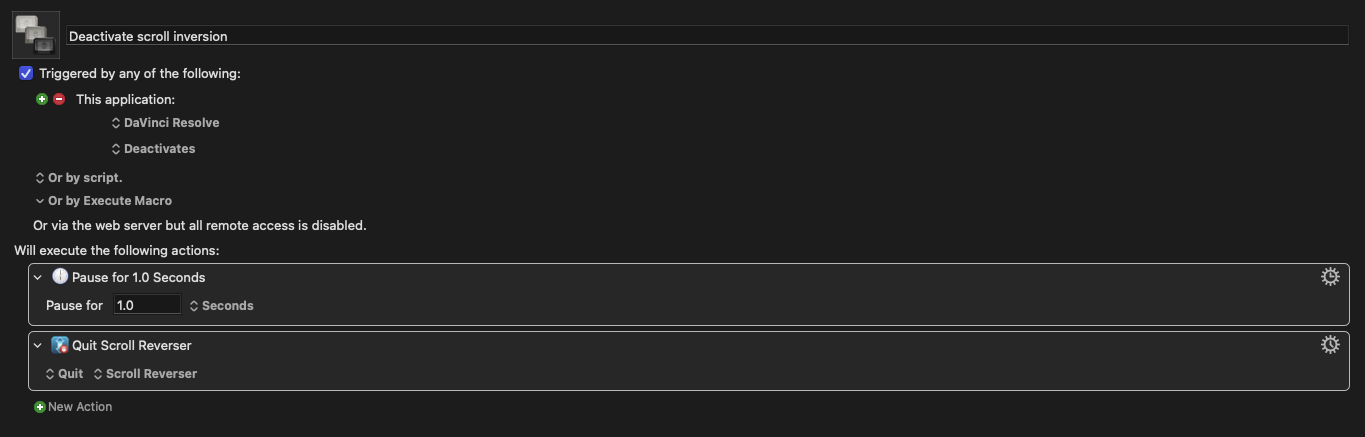
Macro 2 – Deactivate Scroll Inversion
Trigger:
This Application → DaVinci Resolve → Deactivates Actions:
Pause 1 second
Quit “Scroll Reverser”
When DaVinci Resolve is in focus, Scroll Reverser keeps flickering — it opens and closes every second.
Apparently, Resolve triggers multiple Activate/Deactivate events internally whenever switching between panels (e.g. Color, Edit, Deliver), and Keyboard Maestro treats them as app focus changes
Just looking at your macros: When Resolve activates the first macro fires, which activates Scroll Reverser. That means Resolve has been deactivated, which fires the second macro, which Quits Scroll Reverser. Presumably Resolve is now the frontmost app, i.e. it's been activated, which fire the first macro again, etc, etc.
A simple check would be to swap those "Activate" actions for "Display briefly..." ones, then do the panel switching -- if you get Notifications on each switch then Resolve is indeed playing silly b's. But I think you'll find the macros don't trigger...
Do you mean that it doesn't display when switching panels in Resolve, but does when switching between Resolve and another app? If so...
The issue is that you are activating Scroll Reverser in your first macro!
Does the utility have a way of turning it on and off without launching it? If so, use that.
Otherwise you need to determine how Scroll Reverser behaves after activation -- does it remain frontmost and you have to manually activate Resolve again? Or does it launch and then switch to the background so Resolve remains the front app?
One way round the problem might be:
In the first macro, follow the "Activate Scroll Reverser" action with an "Activate DaVinci Resolve"
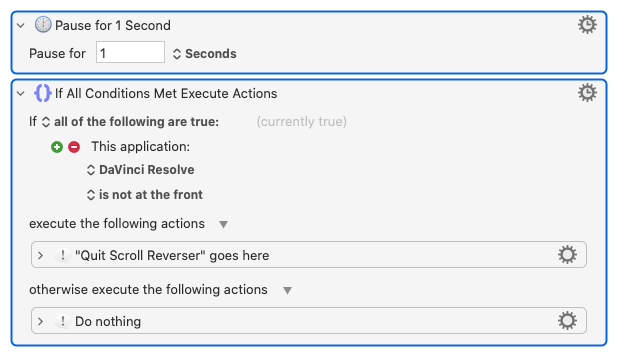
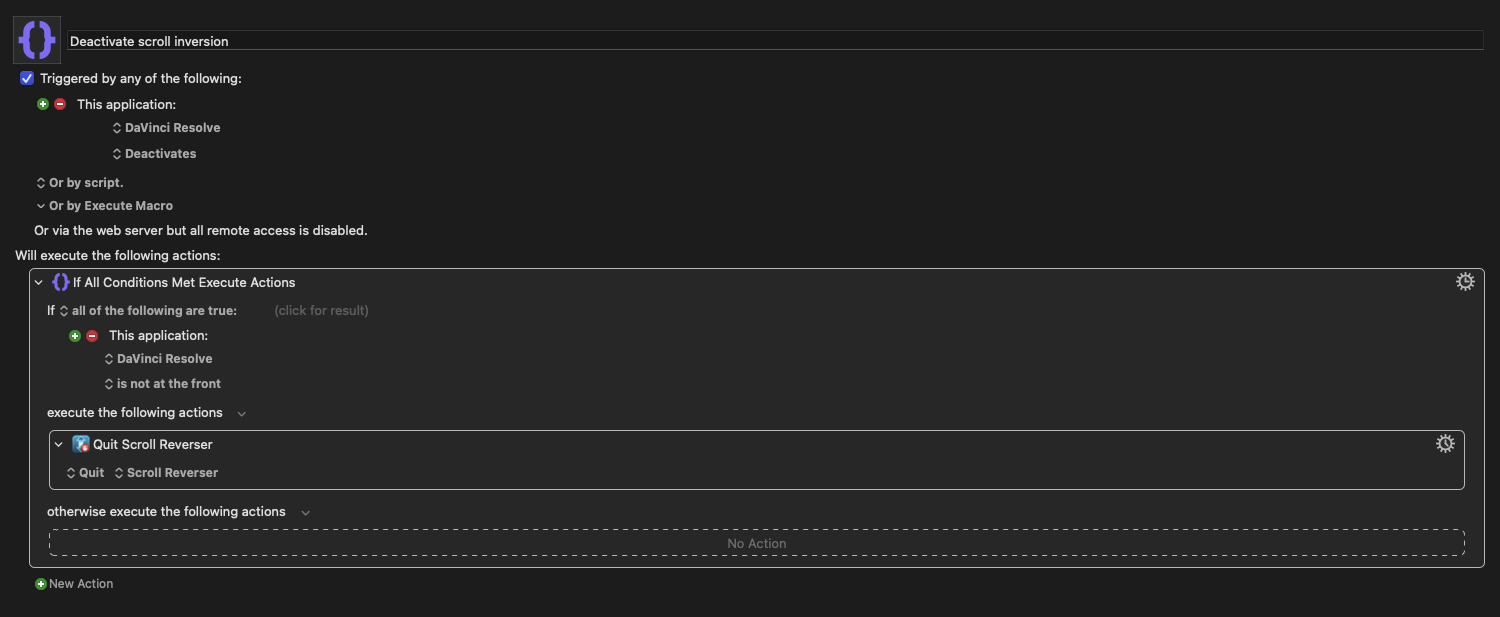
In the second, put the "Quit" action inside an "If... Then... Else..." action so Reverser is only quit if Resolve is not the active app. So you'd have:
Sooo much cleaner! And if you set Scroll Reverser to not launch at login you want have unexpected behaviour in your apps before you launch Resolve -- Reverser will launch when you first run Resolve.
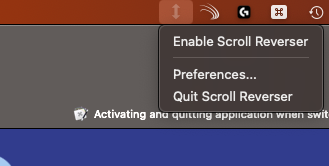
I’m not a programmer so I was trying to get the enable/disable command from the menu, but the application is in the menu bar on the right and I couldn’t figure out how to direct the keyboard maestro command to there (see screenshot).