Any interest in a personal "useful forum macros" collection tool?

Yes, exactly…

While it was set up to be closed automatically - it didn’t happen the way it’s supposed to. (Testet this ten times - every time it failed.)

By setting up some actions to help bringing the focus back (and probably using the window id feature as well … ) it got closed every single time. Every time a complete remove of all data and files and Reinstall of the Macro from my downloaded copy in my Dropbox folder.

I’ve testet this on my daily driver - which is macOS Monterey with KM v10.2

And on VM (macOS Big Sur, Ventura & Sonoma) with KM v10.2 trial and v11.0.3 trial

It might not happen on all Macs what happened on my iMac 2020 but in case I would go this route to ensure it will definitely work.

Besides that … thanks again for your hard work on this project.

I’m out for today my pills are nocking me out.

Greetings from Germany :de:

Tobias

There is zero code in the setup macro to close that window, absolutely none—it simply closes when the macro ends. And given the macro now requires v11 (for Snippet use), and I'm going to rewrite that section of it anyway, I'm not going to worry about it :).

Get that shoulder better!

-rob.

Actually, that's the correct location for the lock file—it needs to be at the same level as the database, so that part is working.

I've checked your paths, and they look fine, and I then double-checked that the calcs to set the lock file path and name work, and they do.

If you manually delete the lock file, then run the macro, how far do you get before you see the error message? Have you done anything yet?

-rob.

Thanks to @BernSh and a very useful screen sharing debugging session this morning, we found the mistakes I made in the last version that prevented it from working for anyone who hadn't previously run it. This version fixes that issue—I really really hope! :slight_smile:

— KMFᴀᴄᴛs - v0.8.2 Macros.kmmacros (346 KB)

(.8.2 fixes an issue with unquoted quotes in article titles.)

There are no other changes from the prior version.

-rob.

2 Likes

— KMFᴀᴄᴛs - v0.8.5 Macros.kmmacros (388 KB)

Version 0.8.5 is out, with a ton of changes-see the "What's new" macro in the macro to get a full list, but the highlights are that the data collection (storing) side is hopefully done. Data viewing has a new Prompt With List macro, and the HTML version is still there, though neither one is yet fully functional for editing, etc.

There's also a new automatic data export macro that will dump the database to a text file on a recurring basis—it's disabled by default, but look at the "02 - Run scheduled data export to text file" macro for details.

If you are going to test this version, please delete your database (there were some database changes), delete your existing rg_KMFacts global variables, and delete any downloaded macros before running this version.

Invoke the macro (either for browsing or collecting) and the new setup routine should run, creating the database and macro library storage folder.

The collection side is working very well now; next up is browsing, editing, and searching.

-rob.

2 Likes

No updates for a bit, because I basically tossed all the work I'd done on the data collection side: I didn't like the Snippet model because it added too much overhead to storing the data, which is what I really want to be as quick and as easy as possible.

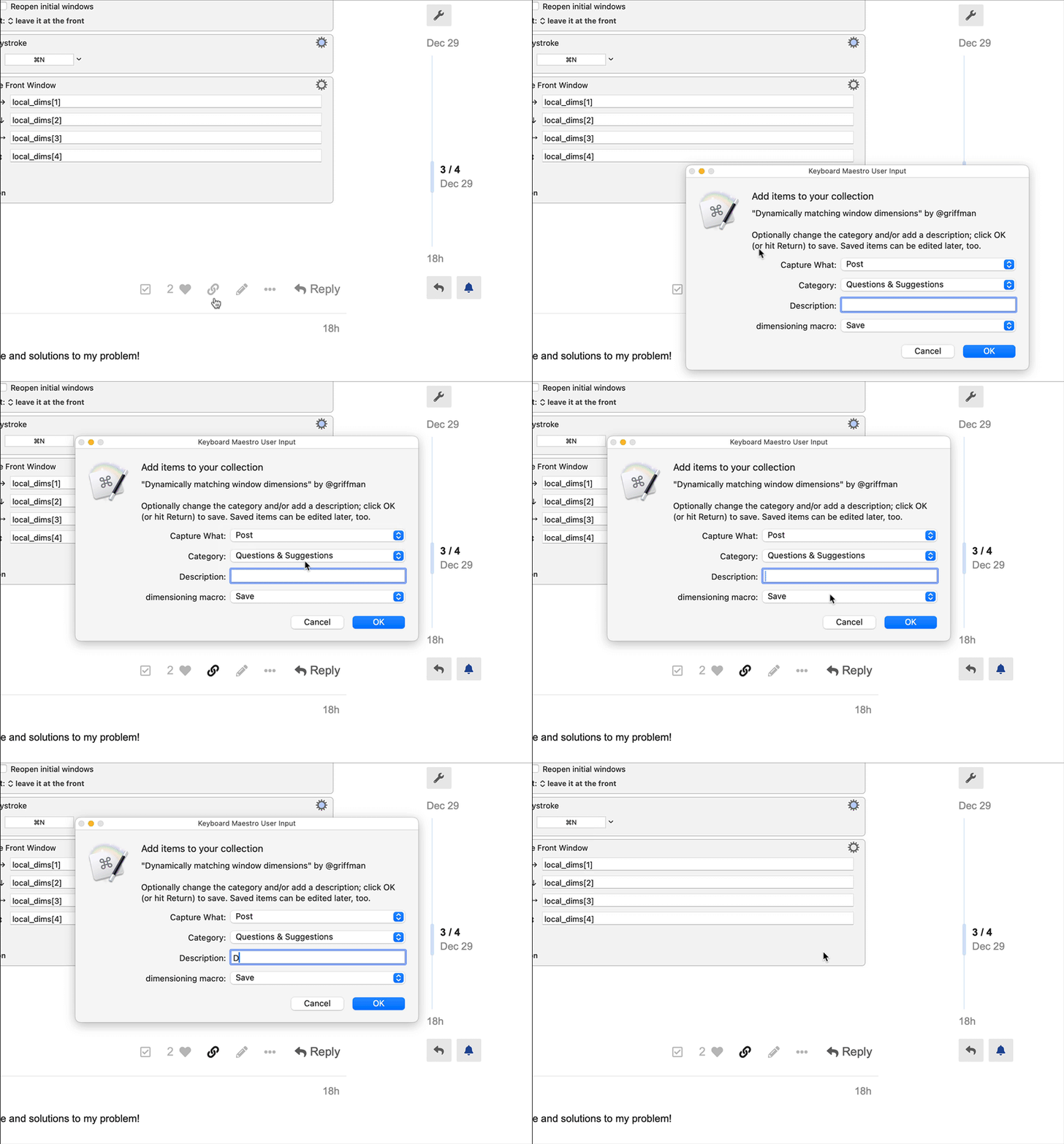
So I rethought the whole approach, and in the end, I've leveraged a Discourse feature to make data collection as simple as click, wait a second, (optionally type a description), then press Return to save the data. A very brief preview…

An animated GIF hides within

capture

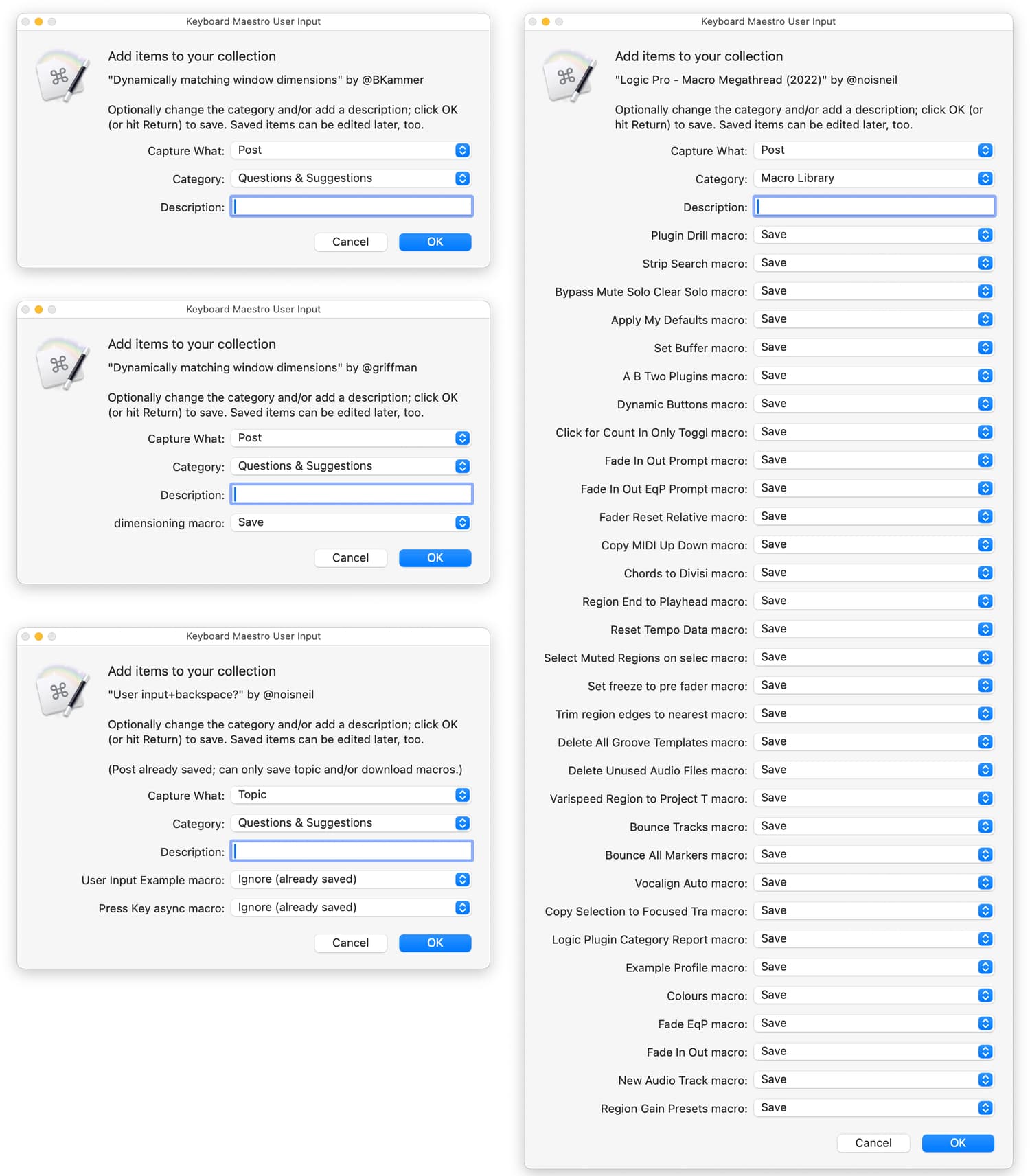
It's not quite ready for testing yet, hopefully tomorrow. But I really like the way this came out, especially as it's using dynamic Prompt for User Input boxes that automatically handle however many macros are in a post—yes, if you have a tall enough screen, even in @noisneil's Logic Pro Megathread:

Getting those working was quite tricky, so a big shout-out to @Nige_S for some help with figuring out why my variables weren't getting set—double percentage sign wrappers were the key to success.

Even though I invested quite a bit of time in the Snippet version, this is what I wanted to build from the get-go, something where storing my favorite posts and macros for easy future reference was as easy as possible.

-rob.

6 Likes

Looks incredible.

3 Likes

wow!!

And here's version 0.9.3:

— KMFᴀᴄᴛs - v0.9.3 Macros.kmmacros (417 KB)


Note: If you downloaded the macro before 3:23pm Pacific time on Dec 31, download a new copy—thanks to @_jims for finding two issues. One, Arc isn't supported, sorry :(. And two, there was an issue with blank descriptions. Both are fixed in the new upload.


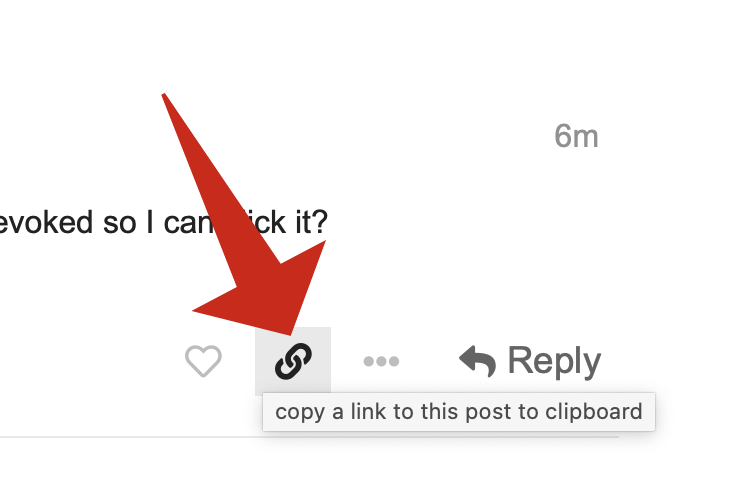
The main thing to test in this version is the new data collection—the browsing stuff may work to some degree, but it needs some major work. See the GIF in my prior post for how it works; just click on the "Copy Link" icon on any post here in the forums, as long as your'e in a supported browser:
image

Prior versions did the browser check at run time, but now that the macro is triggered on clipboard change, I wanted to avoid needless macro triggering, so the macro is now only available in the supported browsers. (The macro quits very quickly if you don't copy a post link—0.017 seconds. So there's little overhead to worry about.)

To use, even if you've never used it before, just hover and click on a Copy Link icon. If it's the first time you've tried the macro, you'll be walked through a two-step setup process. (You'll then have to click the icon again; I don't yet catch the click and restart the process at the end of setup. That will probably change before release.)

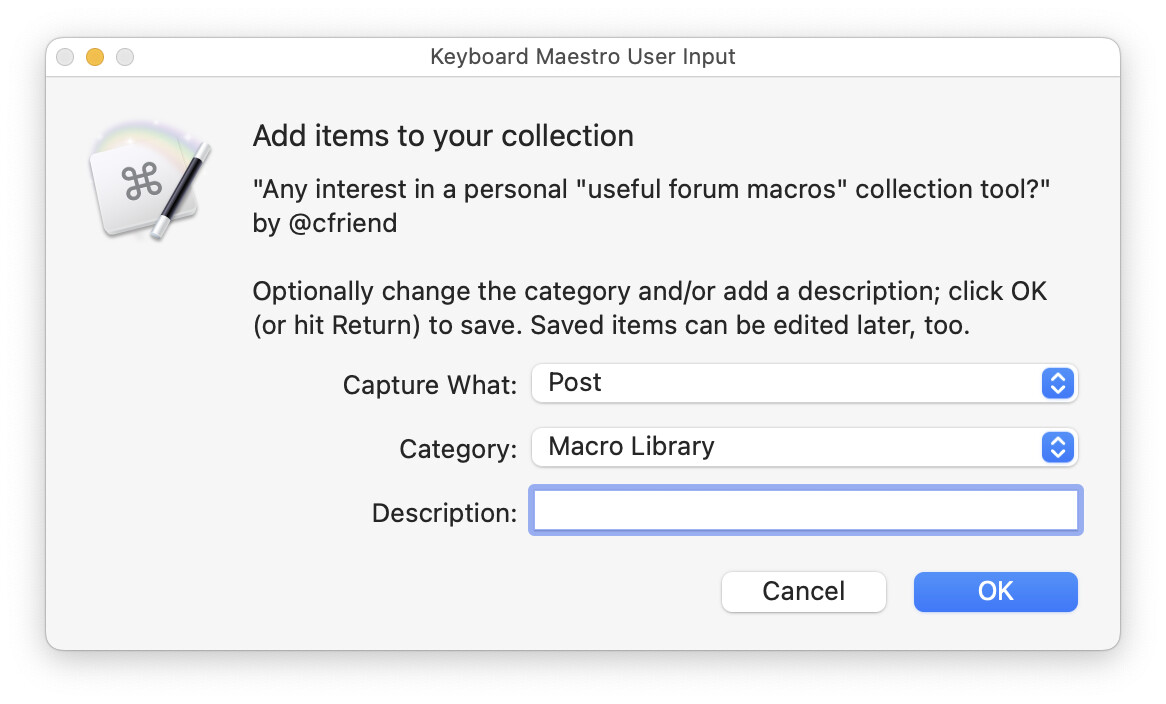
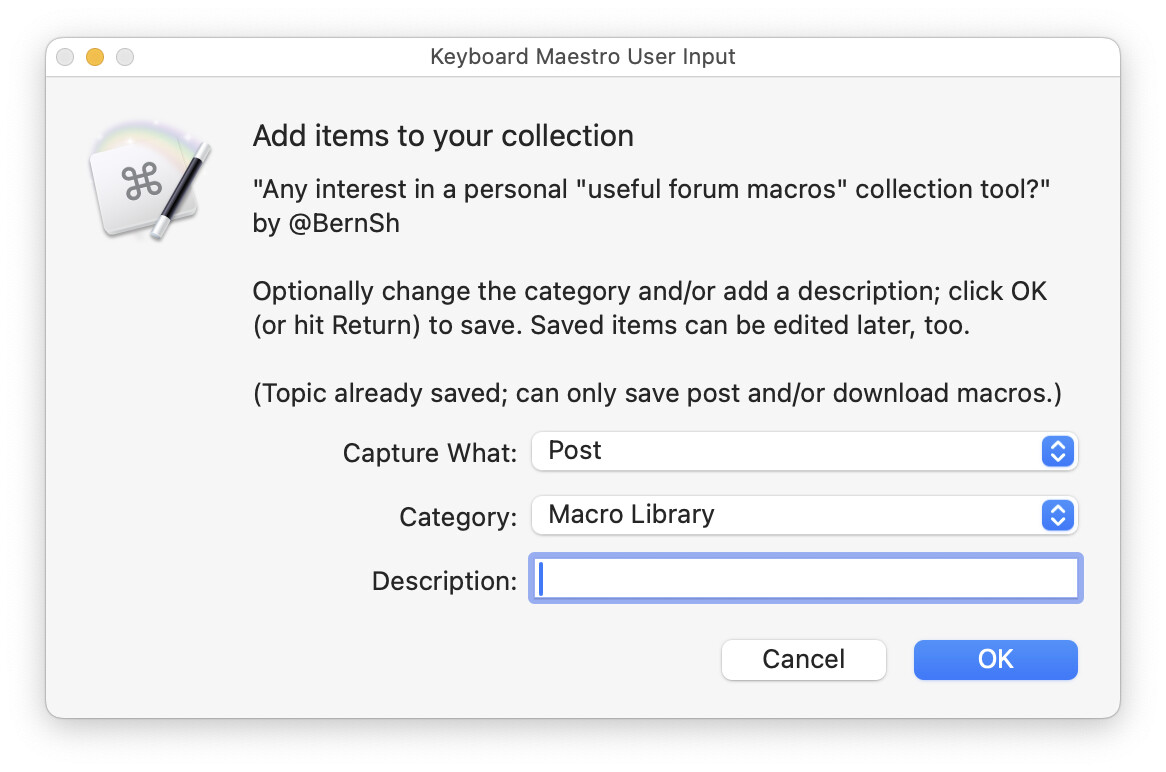
Assuming setup is done, you'll see the collection dialog in a second or so:


Aside: There's a lot happening while you're waiting for that dialog…
     0.017: Save copied URL
     0.024: Confirm forum post was copied link
     0.082: Run initial setup check and set key variables
     0.039: Processing of cancellation options
     0.023: Extract post number
     0.190: Javascript to build SQL to capture post and topic data
     0.035: Run SQL to add records to holdingtank
     0.040: Process duplicates
     0.072: Prepare macros for use in input prompt
     0.039: Prepare name, category, and author for XML use
     0.022: Set variable that will hold returned data from user input
     0.041: Prepare category list for pop-up menu
     0.024: Prepare the dynamic user input prompt
     0.019: Unallocated time
─────────────
     0.667: TOTAL TIME

The speed of Keyboard Maestro always amazes me...


The collector defaults to capturing the post, using the current forum category, and if there are macros, to saving their info in the database. This means that I can add something to the database in just a few seconds by clicking the Copy Link icon, adding a description, and pressing Return, as I rarely want to change the defaults. (The release version will probably offer control over these defaults.)

But you can select a different category, and create new ones—that should be fully functional. And I know the description box isn't huge; that's the one downside to moving to the Prompt for User Input action. But it will save whatever you type, and in the browser, you'll be able to edit in a much larger box.

If you want to browse what you've collected, use the HTML browser macro, not the prompt with list version. It's not fully functional, but it'll at least let you see what you've collected.

If you try it, please let me know—I've tested it as a "new user" on my laptop, and it all went smoothly, but there are often things that don't go wrong until I share a macro :).

-rob.

3 Likes

Version 0.9.4 is out tonight, and it's getting close to releaseable, I think.

— KMFᴀᴄᴛs - v0.9.4 Macros.kmmacros (493 KB)

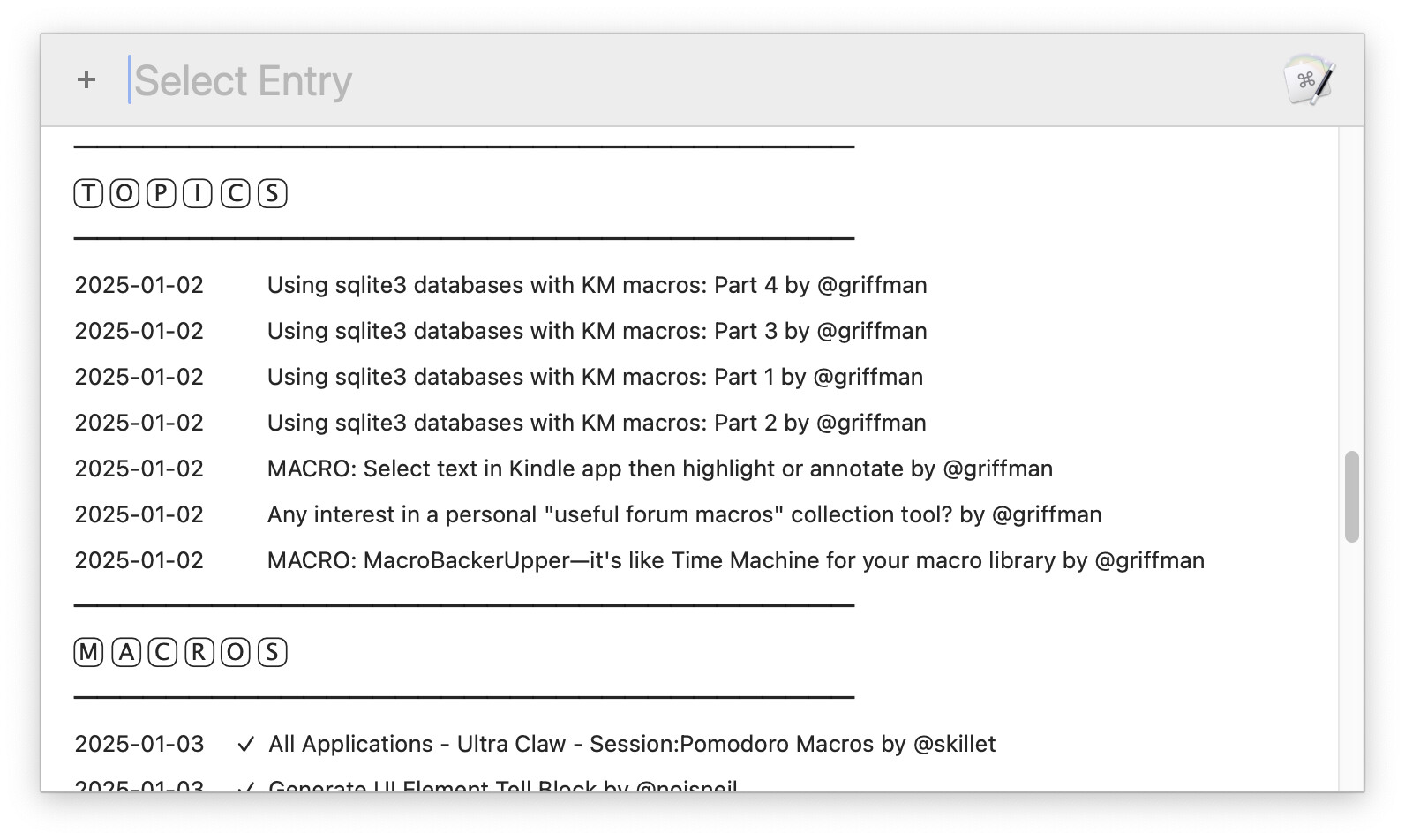
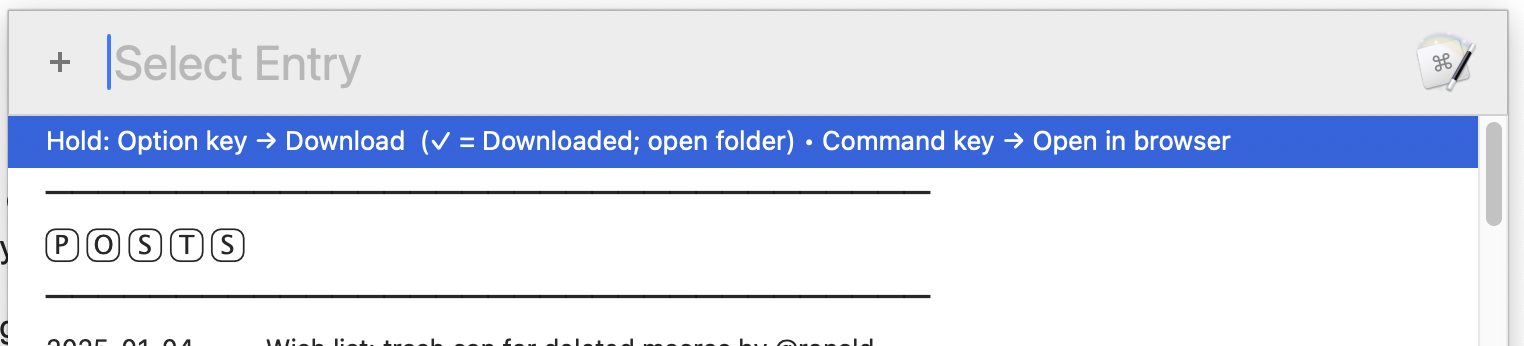
I spent the last few days rewriting the Prompt With List browser/editor, just so there'd be a way to see and edit database records. This isn't intended to be the primary interface; that will be a much nicer HTML version. But this version is done now, and works quite well; press Shift-Control-E to see it:

Open the web page for any entry by holding Command before double-clicking (or pressing Return). If you select a macro and hold the Option key down, the macro will be downloaded (or the folder opened, if already downloaded—a checkmark by a macro indicates it's already been downloaded).

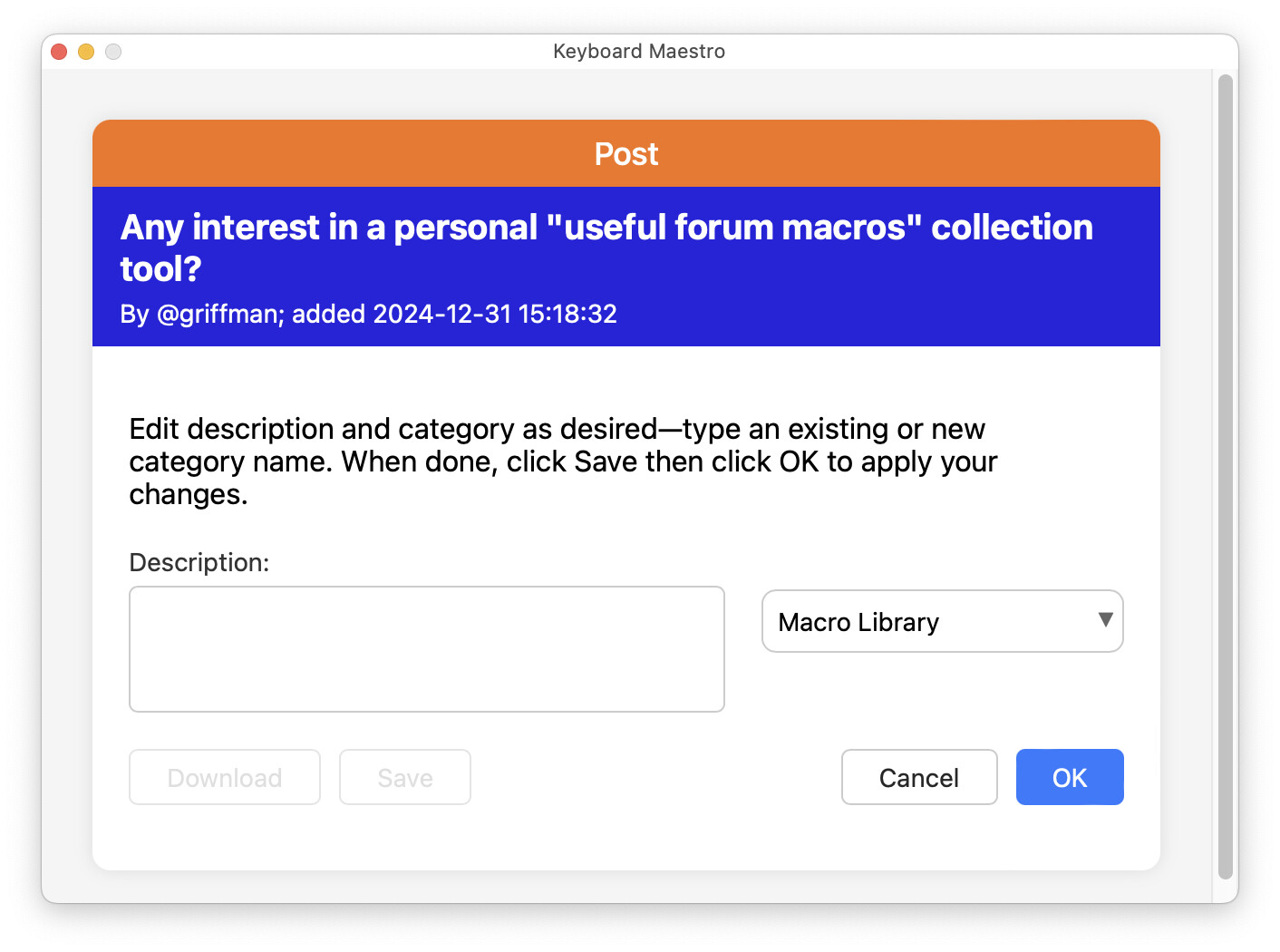
To edit an entry, just highlight one and double-click or press Return. When you do, the edit card will open:

Add/change the description and/or change the category, then (very important!) click Save, then click OK, and your changes will be written to the database.

Note: You're not stuck with the colors I chose for the header areas (the orange and blue in the screenshot). Near the top of the "Browse KMF Collection" macro, you'll find a green box; expand it to see a number of settable colors. The release version may offer more control, though it's tougher to offer font size controls here, given the layout issues changing sizes can cause.

There's still not yet a way to delete records from the database; that's coming, but not here yet. I fixed/changed quite a bit more, too; check out the What's New macro to see all the details.

Major to-dos before release are finishing/polishing the HTML database browser, adding the ability to delete records, documentation, and some general cleanup. But the end is in sight!

I'm really liking how well this works; click an icon and a few seconds later, I've got a local, permanent, and easily-found reference to all the useful information on the Keyboard Maestro Forums.

-rob.

2 Likes

Sorry, this is DOA. Do I need to uninstall prior version before installing this one?

I'm in the forum, have copied a link to a macro and, nada. I press Shift-Control-E and dialogue says no data to display.

AM I misunderstanding how to trigger this macro? Isn't it when the clipboard changes?

"Open the web page for any entry by holding Command before double-clicking (or pressing Return)." I know you know what you mean by this but I'm clueless.

Open a forum web page while holding the command key down?!? then double-click what??? Write it out for a four year old, please.

It's triggered specifically by clicking the "Copy Link" icon:

image

Then you should see the data collection screen:

If you click OK, then it's added to the collection. Then you can use Shift-Control-E.

This was specific to browsing the collection, and how the modifier keys work there. It's also at the top of the list each time you invoke it:

This is a pre-release macro; it's posted here for testing and feedback. As such, it's lacking detailed instructions because I'm still changing a lot of code every single day. But it's really as simple as: Collect data by clicking the Copy Link icon. Browse data by pressing Shift-Control-E.

The official release version will have much more detailed help, of course.

-rob.

Ok. How does the dialog with the "Copy Link" icon get evoked so I can click it?

You click the highlighted icon in the prior post, i.e. this one:

-rob.

Got it. Thanks.

Took some poking around to discover that enabling JavaScript in the Security settings was insufficient and that I also needed to enable JavaScript in the Developers section in Safari preferences after enabling that Developers section in the Advanced section first. Talk about burying the lead :roll_eyes:.

Thanks for your patience.

Sorry, I sort of assumed anyone mucking around with my test macro would have that setting enabled already. In the release version, it will be clearly documented—it's explained on the web browser automation wiki page. I'll also see if I can detect the status of that setting, so that I can put up a dialog box.

My bad for not making it clearer that it was required, even in this test version. (The macro uses a lot of Javascript in Front Browser Window to do its magic.)

-rob.

1 Like

It'd probably be smarter for me to not muck around as much as I do with what little I know. Still, how do you learn if not by breaking stuff :man_shrugging:

Keep up magic-ing :tada: after all, :magic_wand: is part of
Keyboard Maestro Icon

2 Likes

The name of this product in emojis could be either:

  • :musical_keyboard::magic_wand:
  • :keyboard::magic_wand:
2 Likes

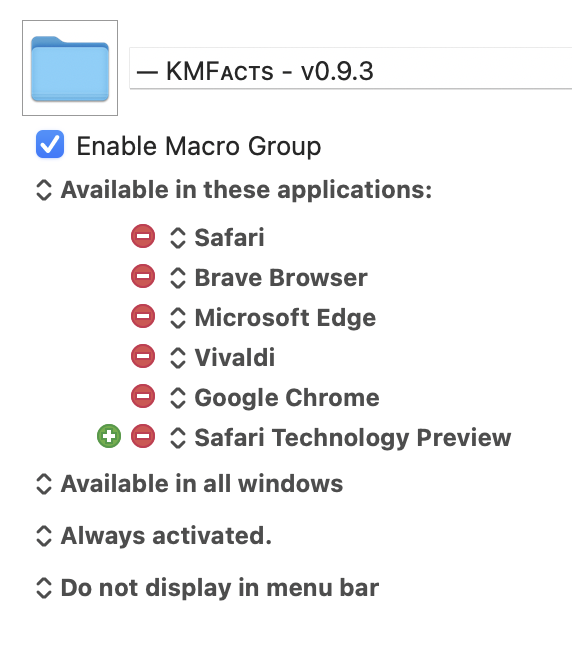
Coming in v0.9.5 ...

That will appear if remove Javascript isn't enabled, and links directly to the wiki page—thanks for making me think about that a bit! :).

-rob.

1 Like

Looking really great, @griffman. Thanks for the updates.

I know you have plans to employ the Custom HTML Prompt action on the reporting side, but I'd find it helpful if you continued support for the Prompt With List version. With that, I suspect users would be able to easily add custom functionally. For example, I'd love to generate a markdown link based on the content of an entry.