Here’s what I’d like to do but can’t figure out, perhaps because it’s impossible.
I have an important file, that change all the time and I’d like to periodically copy it to an “archive” folder then change the name to a base (eg LP) with a time stamp.
Something like LP YYMMDD HHMM.xyz
I seem to be able to copy the file to the correct directory but can’t change it’s name (although that’s probably solvable) and cannot figure out how to append the date and time.
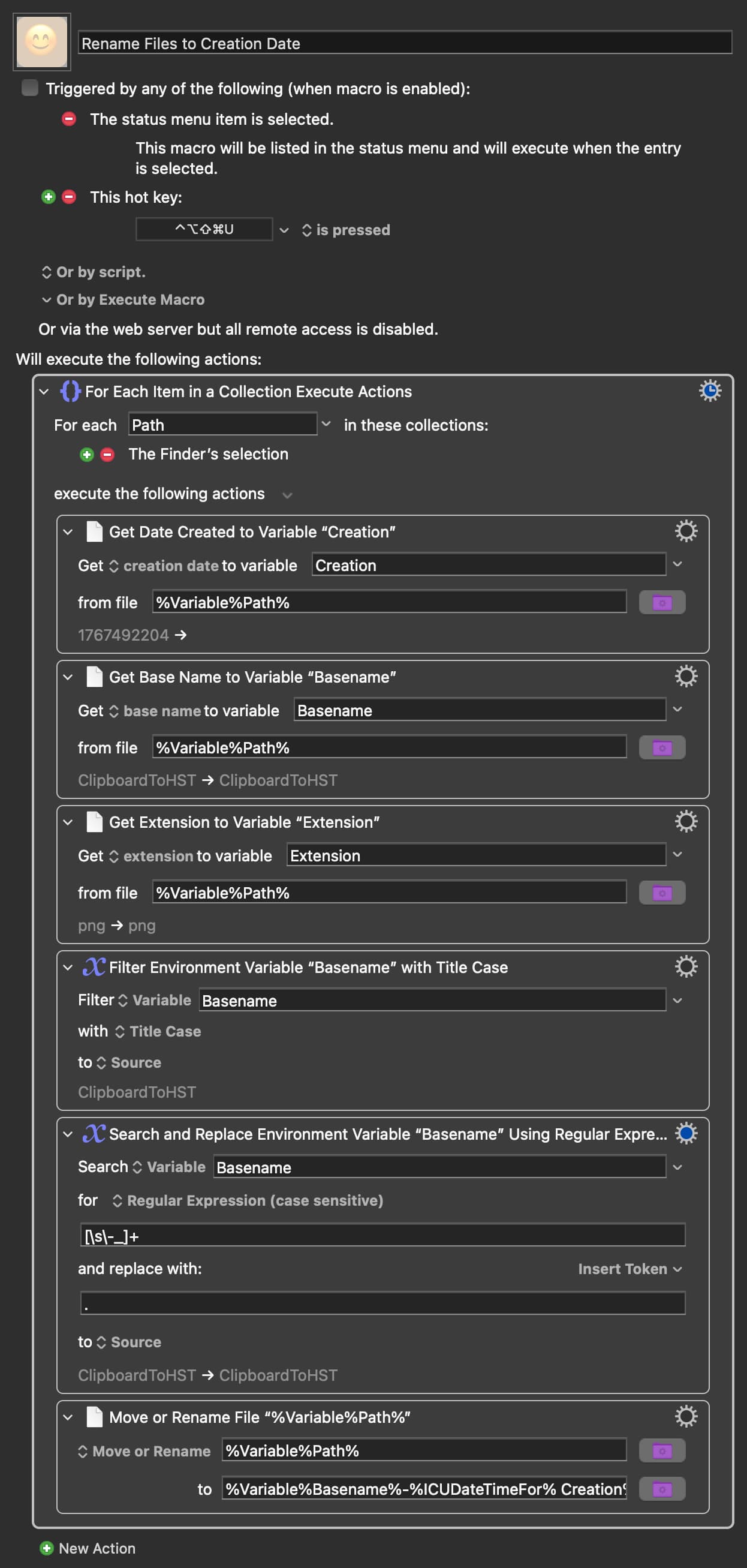
One of these is the “Rename Files to Creation Date” macro. With some minor modifications to his macro you will have a robust tool to address your use case.
I expect that the answers here will have been correct in assuming that “the date and time” refers to the date and time at which you are renaming the file. I shall just mention however that in case you wanted to use the file creation date or file modification date, the easiest way to access these is by using the Get file attribute action.