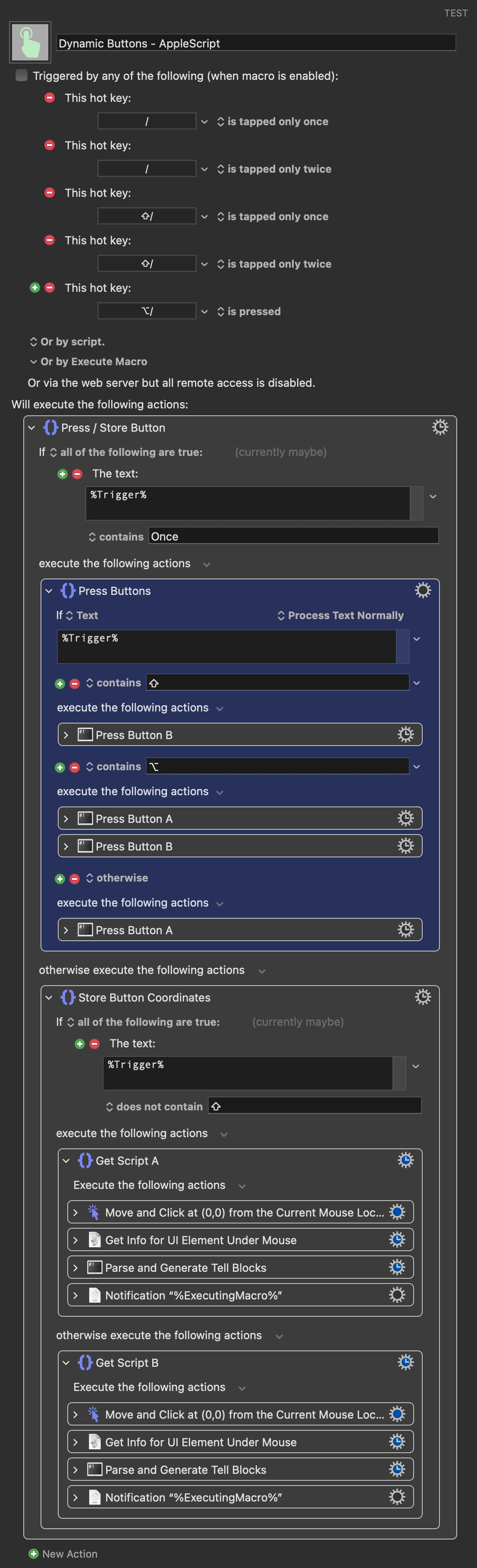
I'm trying to make a macro that will identify two UI elements and store an AppleScript tell block for each that can be used later to click those elements. Specifically, it's for clicking Mute/Solo buttons in Logic Pro for tracks other than the one currently selected.
Here's what's confusing:
I store tell block A and it works when triggered.
I store tell block B and it works when triggered, but now tell block A no longer works.
I recapture tell block A and can see in the Variable Inspector that it has not changed, but now it works and tell block B doesn't... and so on...
If I store both tell block Aandtell block B as the same UI element (the same solo/mute button, in my case), then they both work.
Try it in eg Script Editor. If I store the "Record a Script" (A) and "Stop a Script" (B) buttons, both work for me later. So I think your macro's logic is sound, but Logic's logic may not be.
activate application "Logic Pro"
tell application "System Events"
tell process "Logic Pro"
click checkbox 3 of UI element 1 of group 1 of scroll area 1 of splitter group 2 of splitter group 1 of group 2 of group 3 of window "Untitled - Tracks"
end tell
end tell
B:
activate application "Logic Pro"
tell application "System Events"
tell process "Logic Pro"
click checkbox 3 of UI element 2 of group 1 of scroll area 1 of splitter group 2 of splitter group 1 of group 2 of group 3 of window "Untitled - Tracks"
end tell
end tell
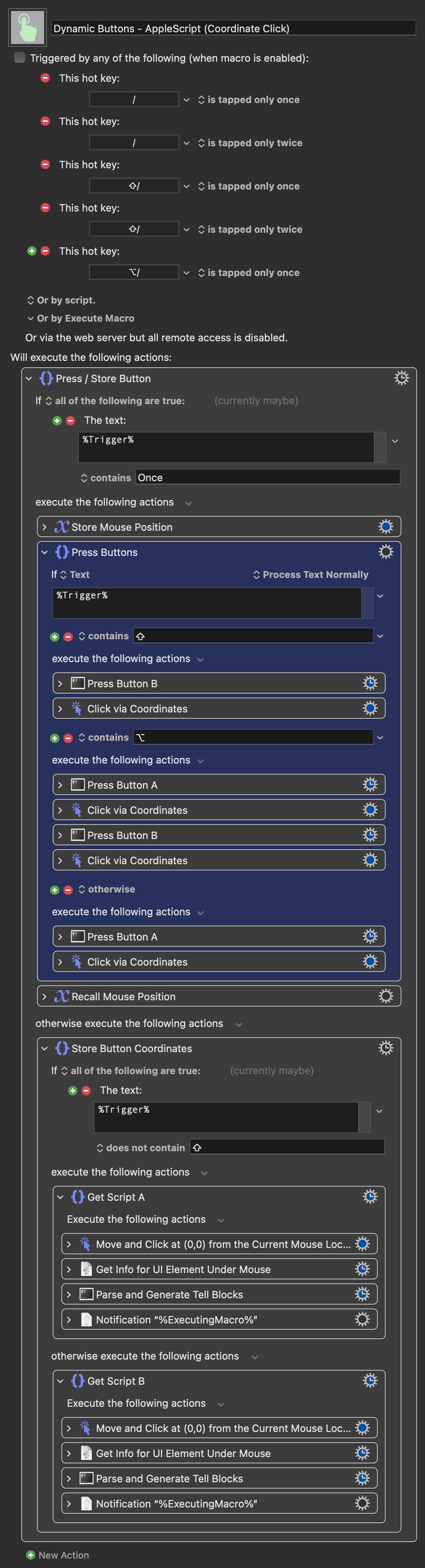
Interestingly, capturing the element coordinates instead, and then clicking, does work reliably. All's well that ends well I suppose.
For the original problem -- the only think I can think of is that Logic, with its love of building its interface on the fly, is changing the reference depending on whether the element is selected. I notice that both your "getters" start with a "Click" action, selecting/setting the element, which from the look of the subsequent code may not be necessary because you're using current pointer coordinates.
Of course -- if I'm right, collecting the blocks without the click will break when the element is selected/active...
That's what I thought was happening, but the tell block remains unchanged when recaptured. It's very odd.
The 'getters' perform a non-optional click as part of the UI Element info retrieval procedure, which means the solo or mute button will be clicked. As such, I have to add a second click to return them to their starting state. Not necessary for all applications but it is for this one.
Because when you recapture your macro does a "click"?
But also means that they will always have their references collected in the "this element has just been clicked" state. So collection will be consistent -- it's the references to any non-selected elements that may be broken.
So I'm thinking that if you collected A, then collected B, A would not work. But if, without re-collection, you then manually selected and deselected A -- A would work again but B wouldn't...
Even if I remove the explicit click, the result is the same. Of course, there's still another click in the UI Element info retrieval, but that's unavoidable.
Is there a difference? The element tree doesn't change when a solo/mute is clicked. If it did then the macro would never work at all, as it can be used to repeatedly click an element, toggling its state, click somewhere else and then click it again.
I think this might be the point of confusion. A solo/mute is never 'selected'. It's just toggled.
That said, there must be a reason it's failing, so maybe you're pulling at the right thread. I have no idea!
As I understand it, you're trying to target one of multiple solo/mutes. I wouldn't put it past Logic to change the order of those, and therefore the references to them, as you click on different ones.
TBH, I wouldn't put much past Logic at all
It doesn't really matter since you've a solution, but if you want to keep pulling try seeing what UIElementBrowser or similar (you've got the posh utility, IIRC, but its name escapes me) tells you for any particular solo/mute element as you click it and then others.
Have you tried using perform action "AXPress" instead of click to interact with the checkbox? I usually test both, since AXPress can sometimes be more reliable, especially when dealing with timing issues or unexpected UI states. However, some UI elements have custom behavior tied to the click event that AXPress may not trigger (which can be an advantage or not).
Yeah, as I said that's not the case. I'm using a module from my fancy "UI Browser Lite" macro that does this:
That's what creates my script. It doesn't change when the element is recaptured, which confirms that the button's element tree is static in both toggle states.
Is that an option? I use this script to get the UI Element info.