I use the “Speak Text” action to give verbal updates on where my macros are at all the time. It works great but I have noticed the script doesn’t continue until the speaking has finished. Could we get an asynchronous mode for this action please?
I will note it down.
In the mean time, you can create a macro and place the Speak Text action in there, and then use the Execute a Macro action configured asynchronously.
2 Likes
Thats a good idea, I had been using subroutine with parameters but it doesnt return any thing so I can totally replace it with that. Thanks!
1 Like
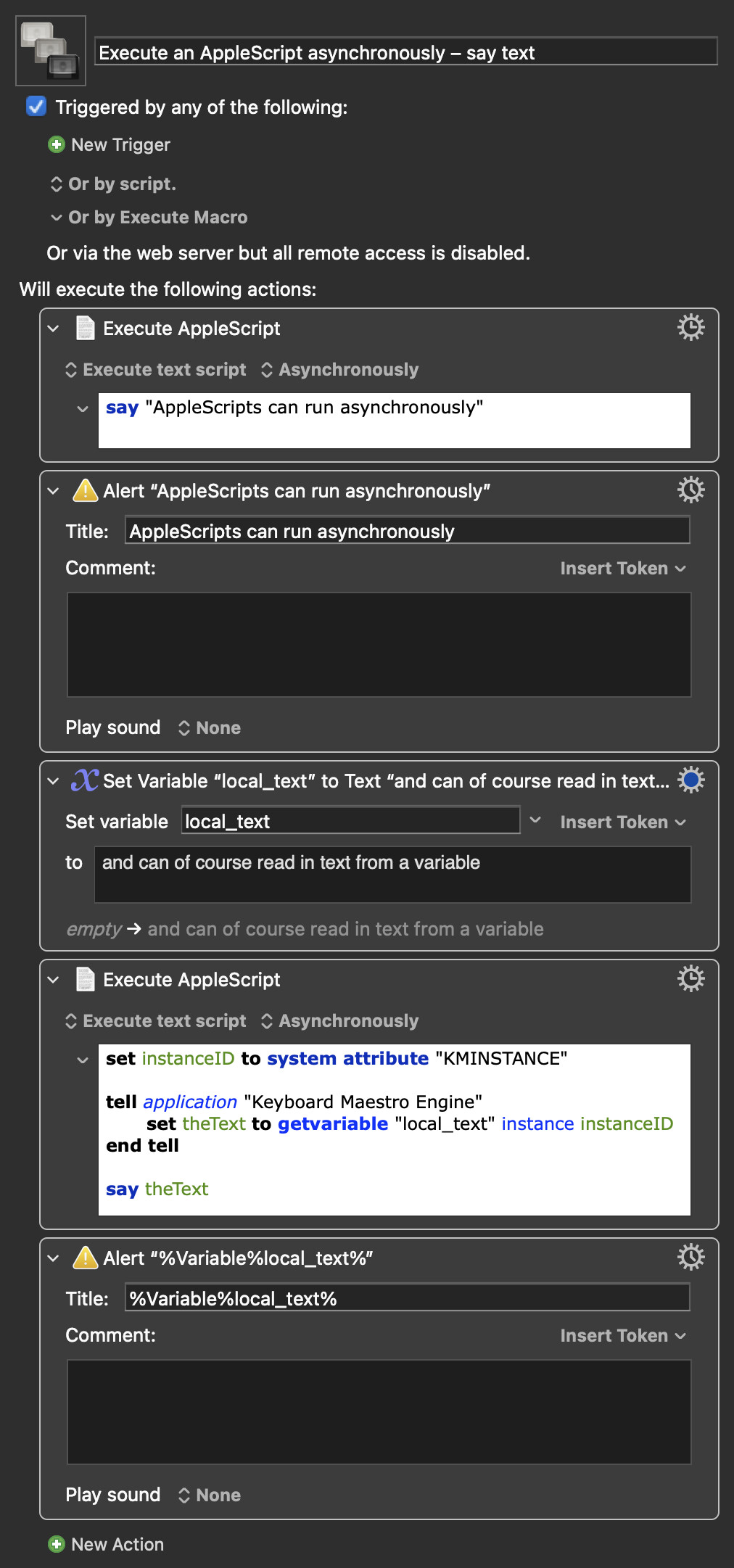
An asynchronously run AppleScript could be another workaround
Execute an AppleScript asynchronously – say text.kmmacros (17 KB)
1 Like
Does that allow for volume control?
Yes, a number from 0 to 1, where 1 is your current maximum volume. You can also set voice, pitch, and so on -- launch Script Editor then File->Open Dictionary..., choose "Standard Additions", and search for the "say" command to see the options.
You can also use say in an "Execute a Shell Script" Action, but that doesn't provide as much control.
1 Like
With parameters for volume and voice it could look something like this:
set speakTestVolume to 0.3 -- 0.0 to 1.0
set speakTestVoice to "Daniel" -- leave blank to use default system voice

set instanceID to system attribute "KMINSTANCE"

tell application "Keyboard Maestro Engine"
	set theText to getvariable "local_text" instance instanceID
end tell

if speakTestVoice is "" then
	say theText volume speakTestVolume
else
	say theText using speakTestVoice volume speakTestVolume
end if
Or simply:
set instanceID to system attribute "KMINSTANCE"

tell application "Keyboard Maestro Engine"
	set theText to getvariable "local_text" instance instanceID
end tell

say theText using "Daniel" volume 0.3
2 Likes
Interestingly, you can always include the using option, and if that's an empty string it'll use the default voice -- no need for the if block.
Amazing what you find out when you mis-type something 
2 Likes
Ah, nice! Wouldn't have thought that would work
1 Like