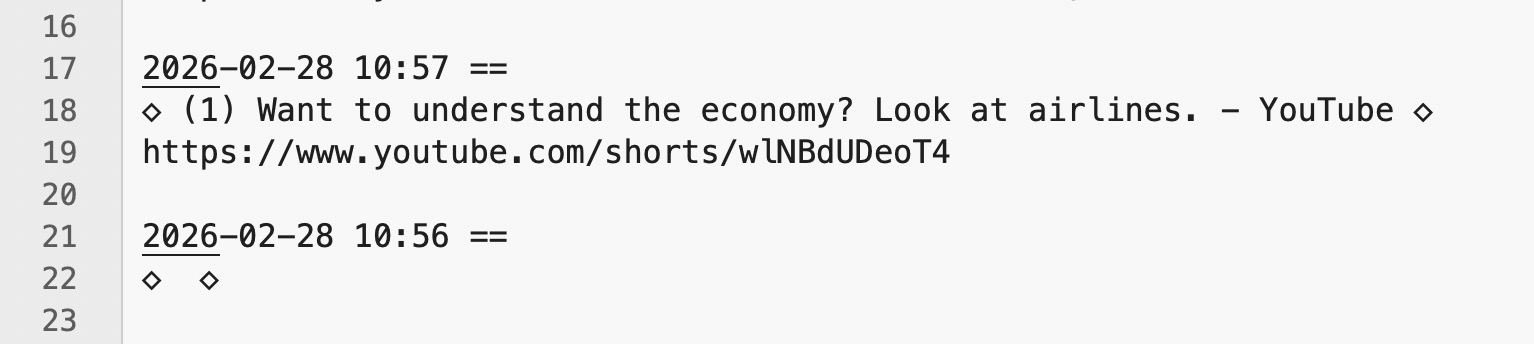
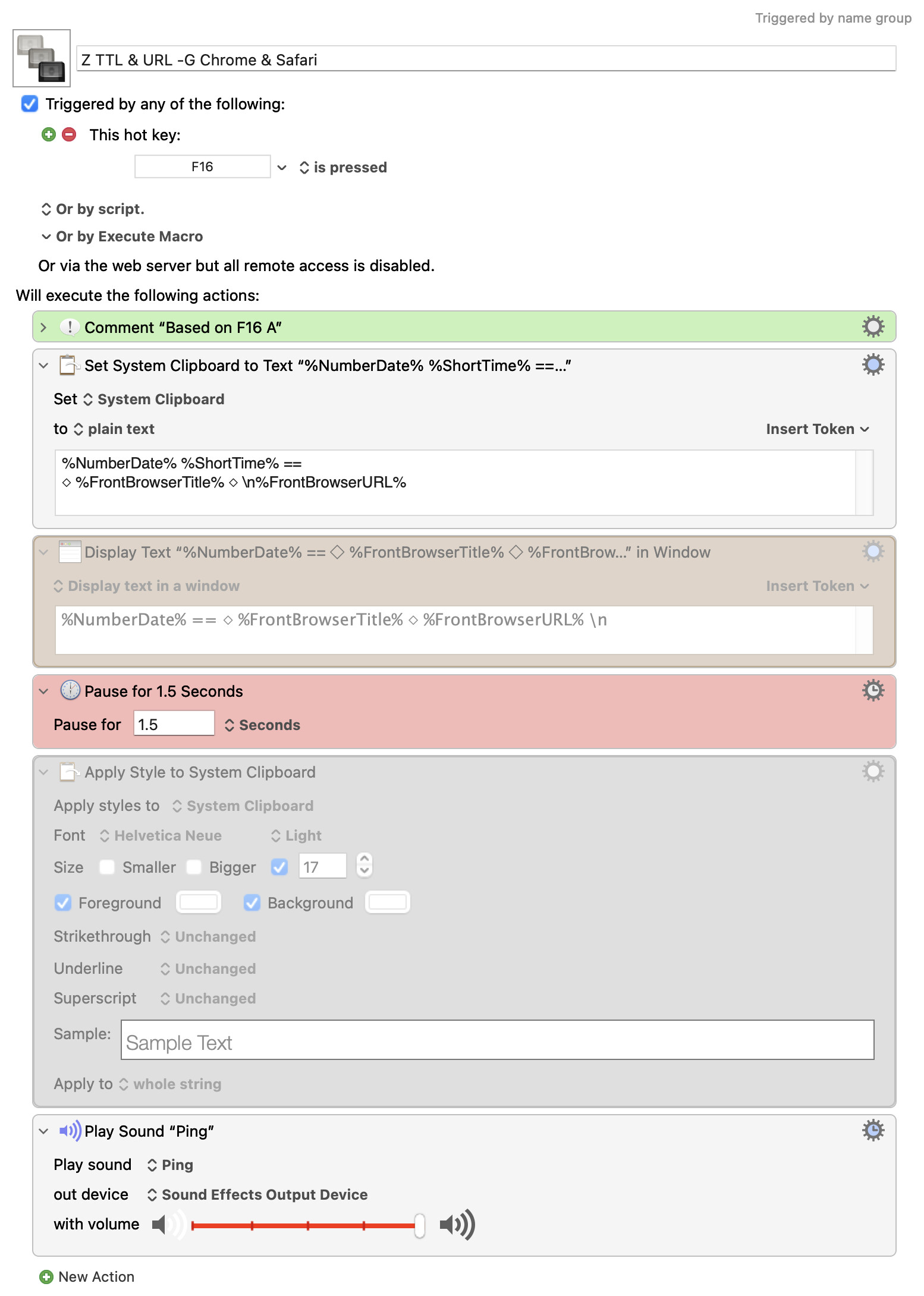
Every time that macro runs it will set the system clipboard to include the date and time and whatever is reported by the front browser as the title and URL.
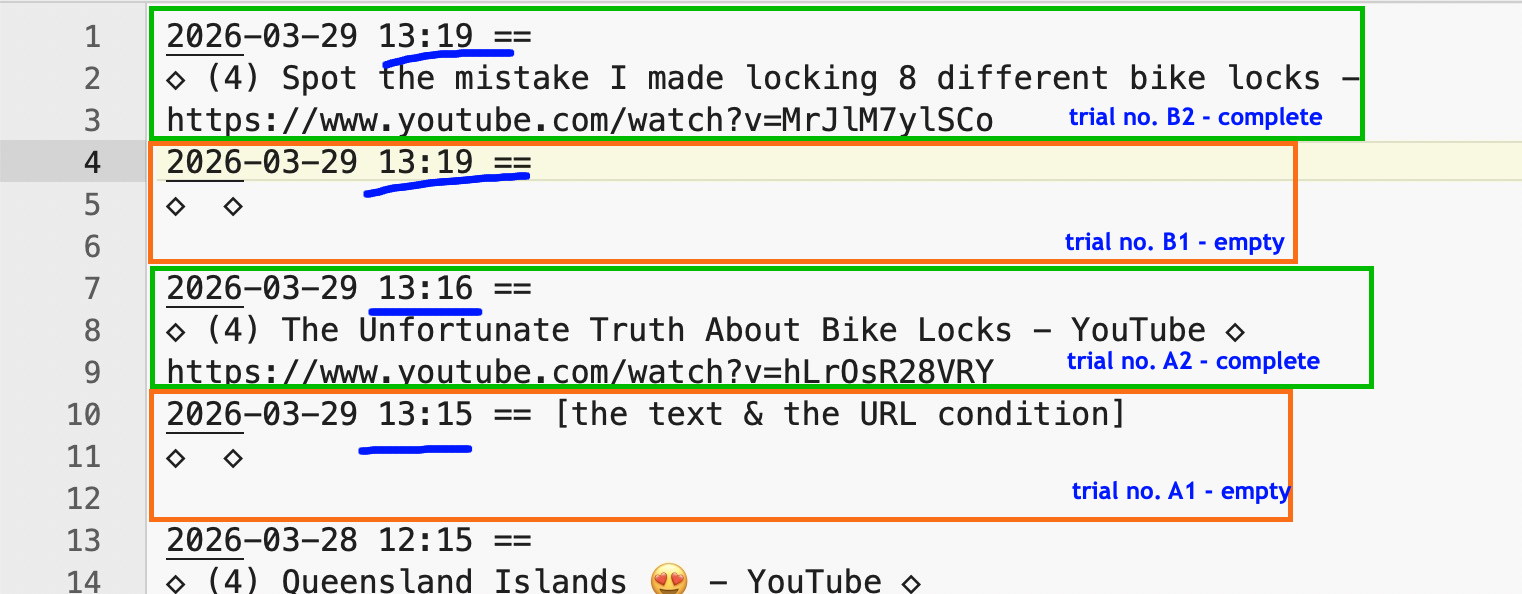
So when it fails for you, how does it fail? What is different from expectations.
Browsers display web pages before the page has finished loading -- that's why we're told to always include width and height in our img tags, so the browser knows how much space to leave on the page while it continues to download the image.
Even after the page has fully loaded, if the browser is "busy" it may take longer than KM's 0.9 second "timeout" to respond to the Token request. That "business" may even be because the browser is reloading page elements.
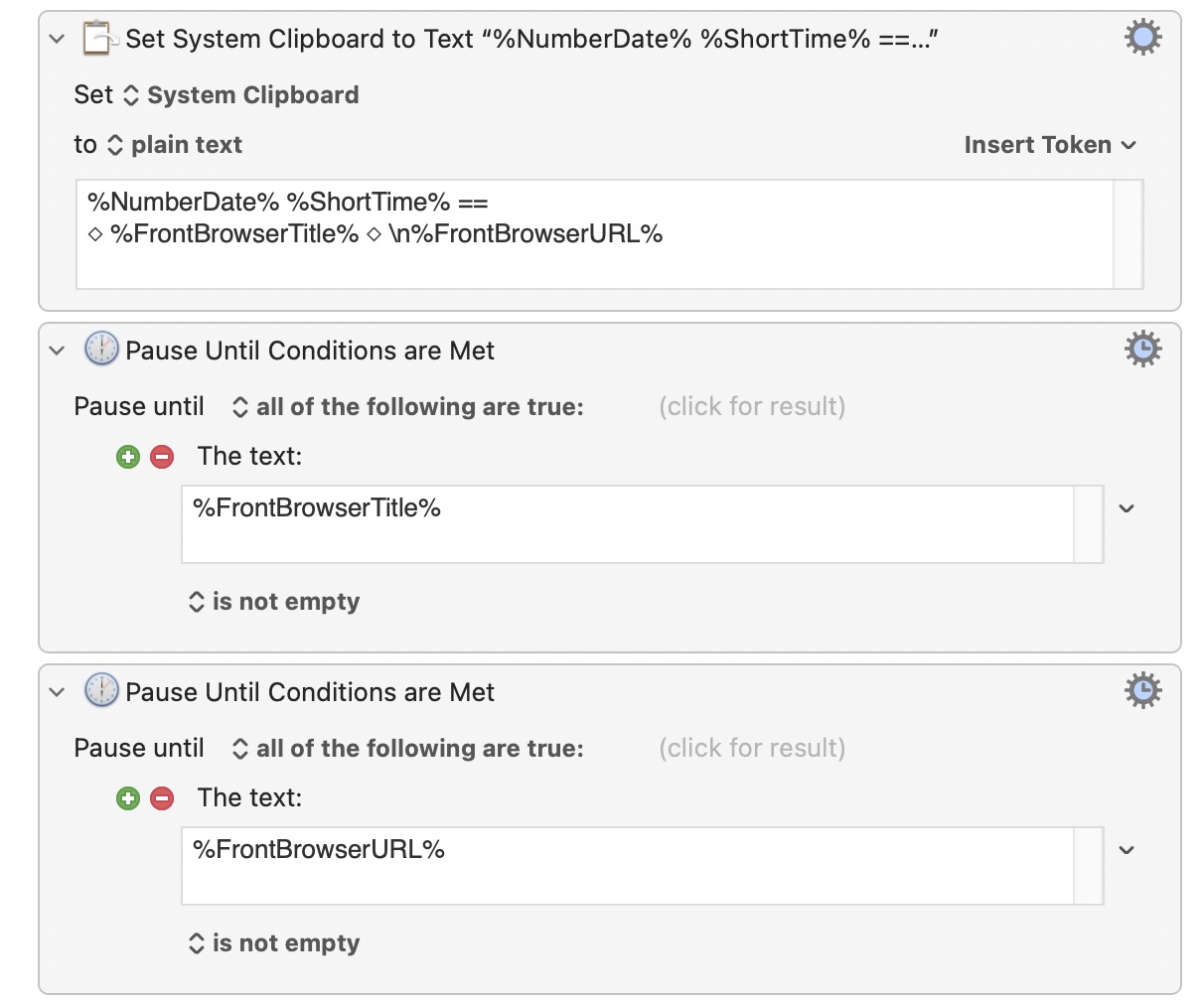
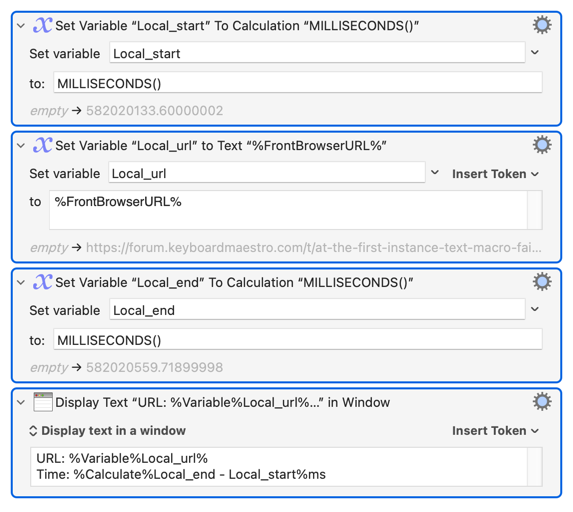
Try putting this in as the first Action of your macro:
Also:
The pause is in the wrong place -- it needs to be before the "Set System Clipboard" Action. Try that if the wait-for-loading method fails.
You could likely just Pause Until action the Text condition FrontBrowserTitle token is not empty (or check both), or contains something you expect (the parts that don't change in the title/URL for example, if there are any).
Is there maybe a time-out of sorts? Can the time for the macro to find TTL / URL / TEXT be increased somehow?
Since upgrading to macos 26.1 (now 26.3) the Mac mini is - sometimes - not always - sluggish, with the famous beachball. (I've tried to adjust some macos settings.)
If it is a Token timeout issue you'll see that when a URL is displayed the time will be considerably less than 900 milliseconds, but when the URL is empty the displayed time will be just over 900ms.
(I don't know if %ActionResult% works here -- the Action itself may be "OK" even if the Token evaluation within the Action fails. And I can't force a Token timeout to find out!)