Autoclick

Here’s a new feature idea that I think would make KM even more powerful, especially for repetitive web navigation tasks.

The idea:

Imagine being able to enable a temporary “autoclick mode”, where Keyboard Maestro watches the screen for a list of predefined images (e.g., buttons or links the user has captured), and clicks them as soon as they appear — all automatically, and within a bounded time window.

Example use case:

When logging in to some websites (like banks or other secure systems), there are often 3–5 buttons or links that have to be clicked in sequence: “Login”, “Continue”, “Verify”, etc. These UI elements are usually static and visually distinct. Setting up individual image-click actions works, but is a bit tedious for multi-step flows. And sometimes timing or animation makes it tricky.

How it might work:

The user configures autoclick with a set of screenshots of buttons from their banks’ websites. Then, when they go to log in:

  • The user activates autoclick

  • For, say, the next 10 seconds, KM watches the screen.

  • If any of the images appear, it clicks them — in any order — as they show up.

  • If nothing is clicked for 3–5 seconds, the mode exits automatically (or the user can hit Escape to cancel).

Why this would be useful:

  • It would make multi-step web navigation feel magical.

  • No need to hardcode timing or order — KM just clicks what it sees.

  • Great for handling semi-variable sequences of clicks (e.g., MFA screens, extra pop-ups, etc.).

Naming thoughts:

It could be called something like “SmartClick” or “ImageClick Sweep” or just “Autoclick”.

Thanks for considering it! Would love to hear if this might be feasible or if something similar already exists.

If I read your request correctly, something like how I've shown below should get you quite close.

Autoclick.kmmacros (20 KB)

Macro Image

But this is just a very crude demonstration. And it would continue to click the same image over and over if still present on the screen.


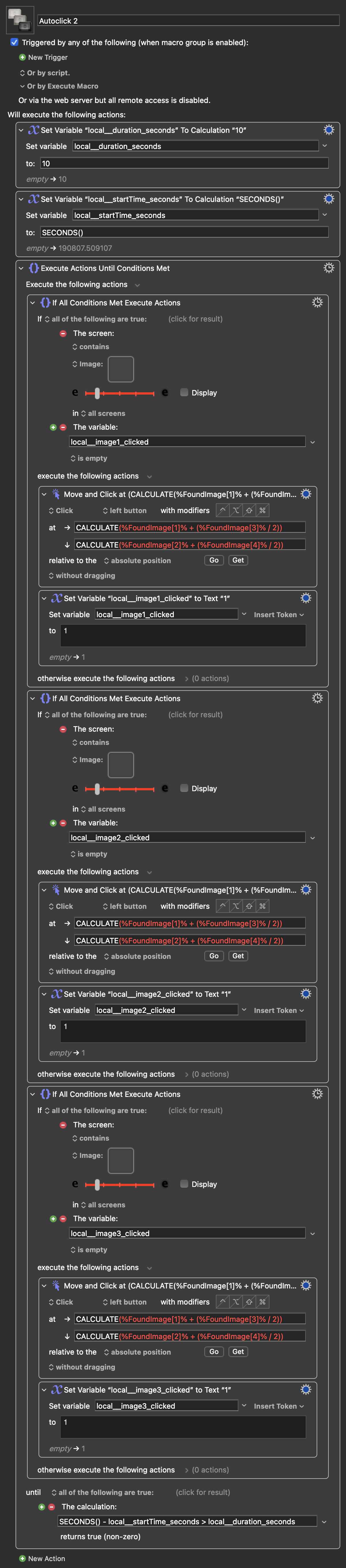
So maybe something like this would be better. It cycles through looking for images, once clicked it will not click that same image again.

Autoclick 2.kmmacros (25 KB)

Macro Image

You don’t need a “new” feature to accomplish what you are asking for. Keyboard Maestro already supports this functionality. You can implement an "autoclick mode" using built-in image detection actions or, more reliably, through JavaScript. The programmatic approach is often superior because it can simulate clicks or form submissions even if the page is not currently visible or in the foreground.

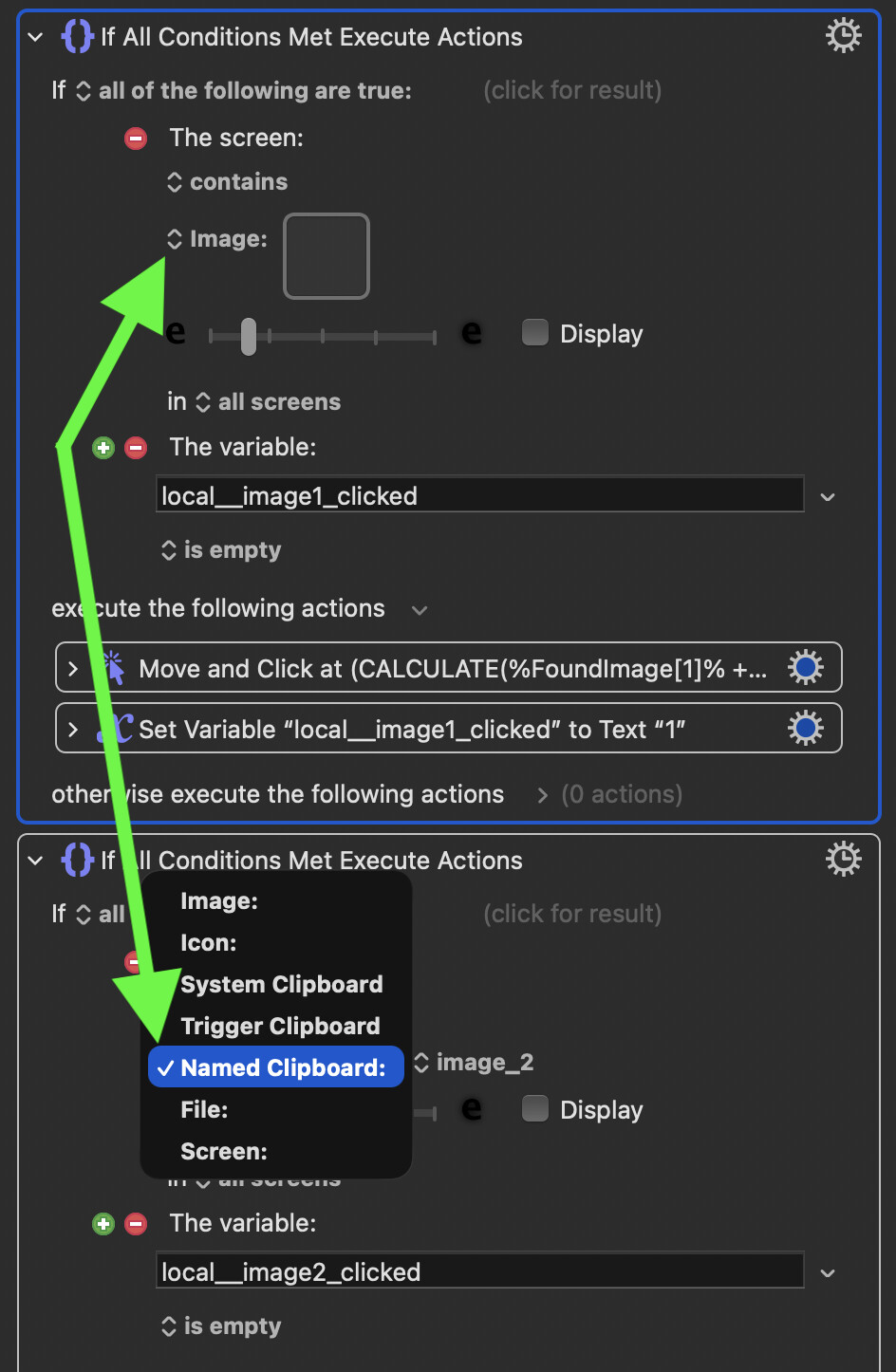
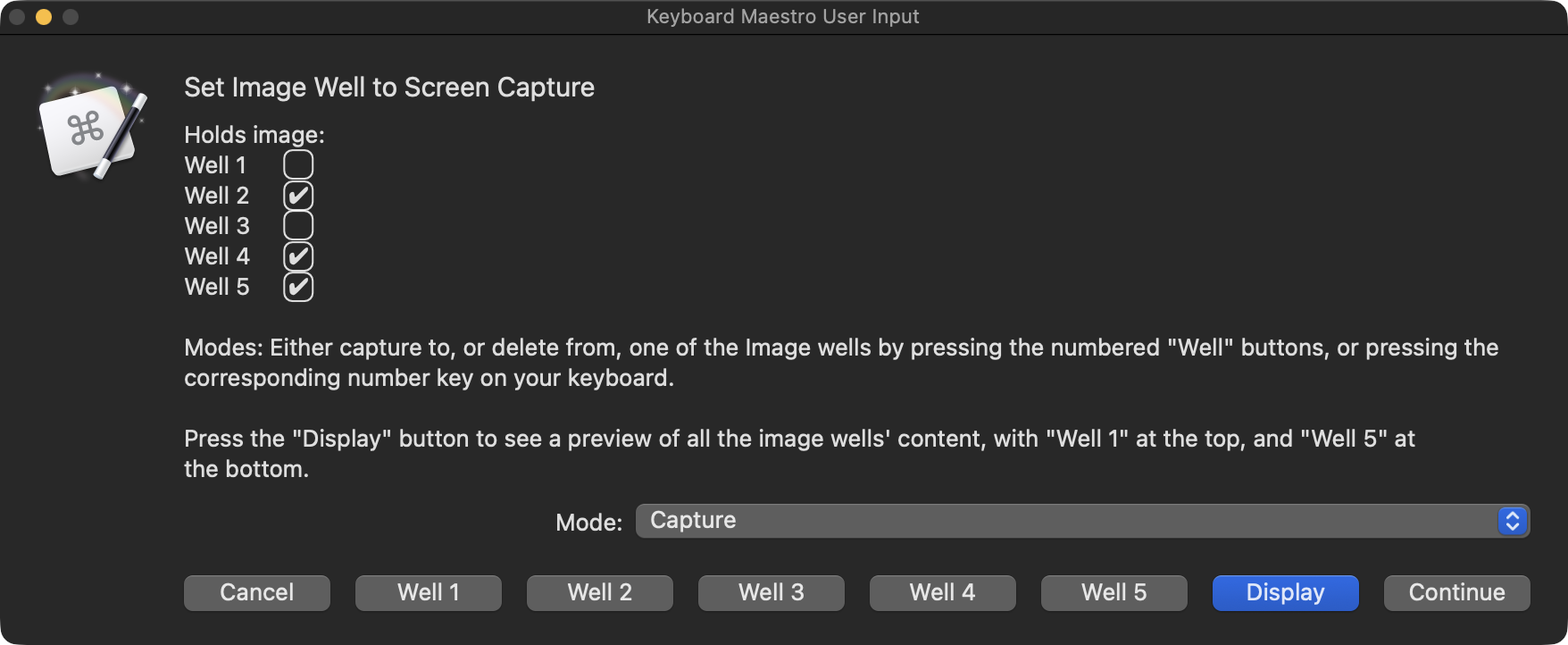
Click at Found Images:

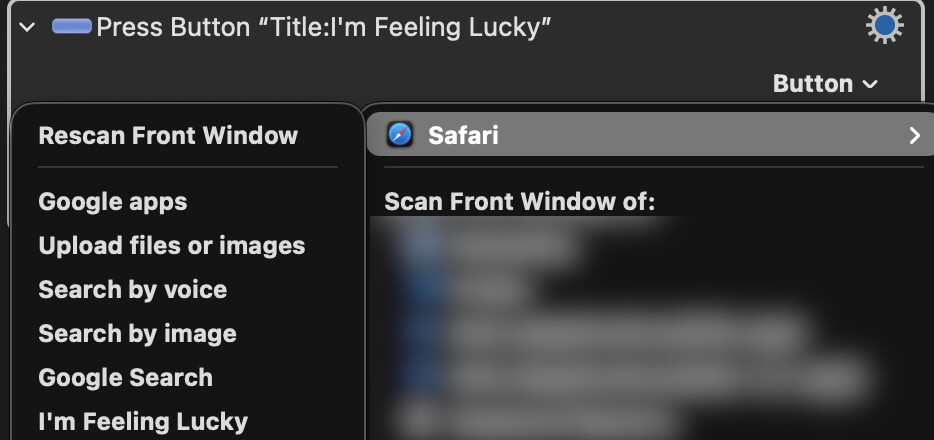
Press a button action:

[…] There is a popup menu (v11.0+) to scan the front window of a selected application. Ensure the window of interest is the front window in your target application, then select the application in the popup menu. Keyboard Maestro will scan the window. Then select the popup menu and there will be an additional menu of all the buttons in the front window of the target application:

or what I use the most:

JavaScript to simulate clicks:

Add the Execute a JavaScript in Browser action. Even a one-liner usually works:

  1. document.querySelector('button#login')?.click();
    
2 Likes

This is actually pretty close! I created something like this awhile back, but didn’t realized you could stack the image searches that way (mine was while → if → click → else if → click → else if → click…. very clunky).

This isn’t really something my wife could (or would) set up, but for me it’s good. I also appreciate the SECONDS() thing, I would’ve been looking for a timeout somewhere and probably not found it.

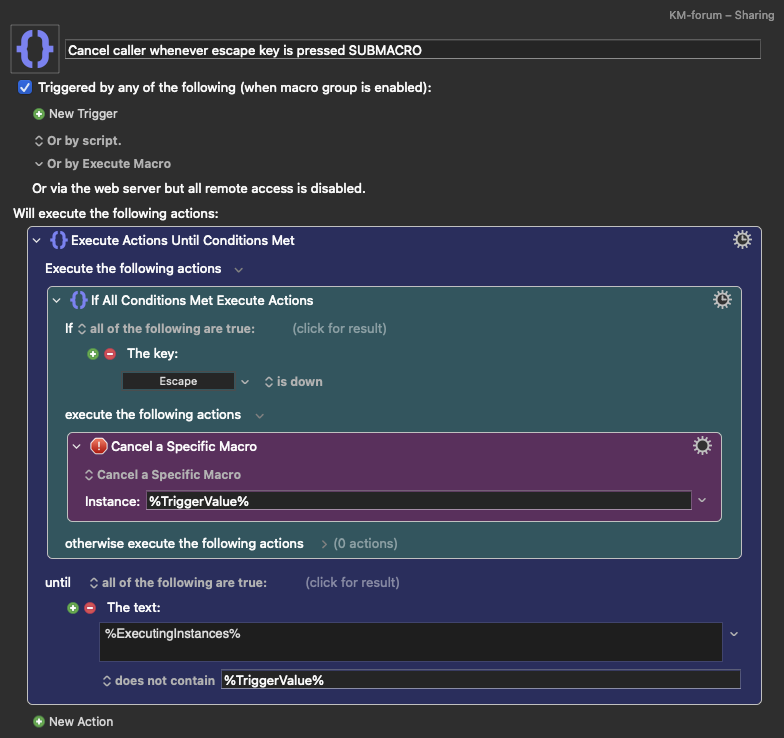
Is there a convenient way to force it to stop if the user presses Escape? I’m nervous about accidentally pasting in an image that is too generic and having it go nuts clicking all over the screen…

I still think the autoclick idea would be a good future idea for less-experienced (or less-invested) users, e.g. like my wife or daughters.

Have you tried changing the "Until" Conditions to "any of the following" and adding a "Key condition" for the ESC key?