Hello and thanks everyone in advance for your help.
KM has been recommended as a better solution to OSX “Shortcuts.”
I need to setup an automatic printing shortcut. ie the application on a Windows VM, Parallels, generates a PDF file to a desktop folder on the Mac that is then printed to a destination printer.
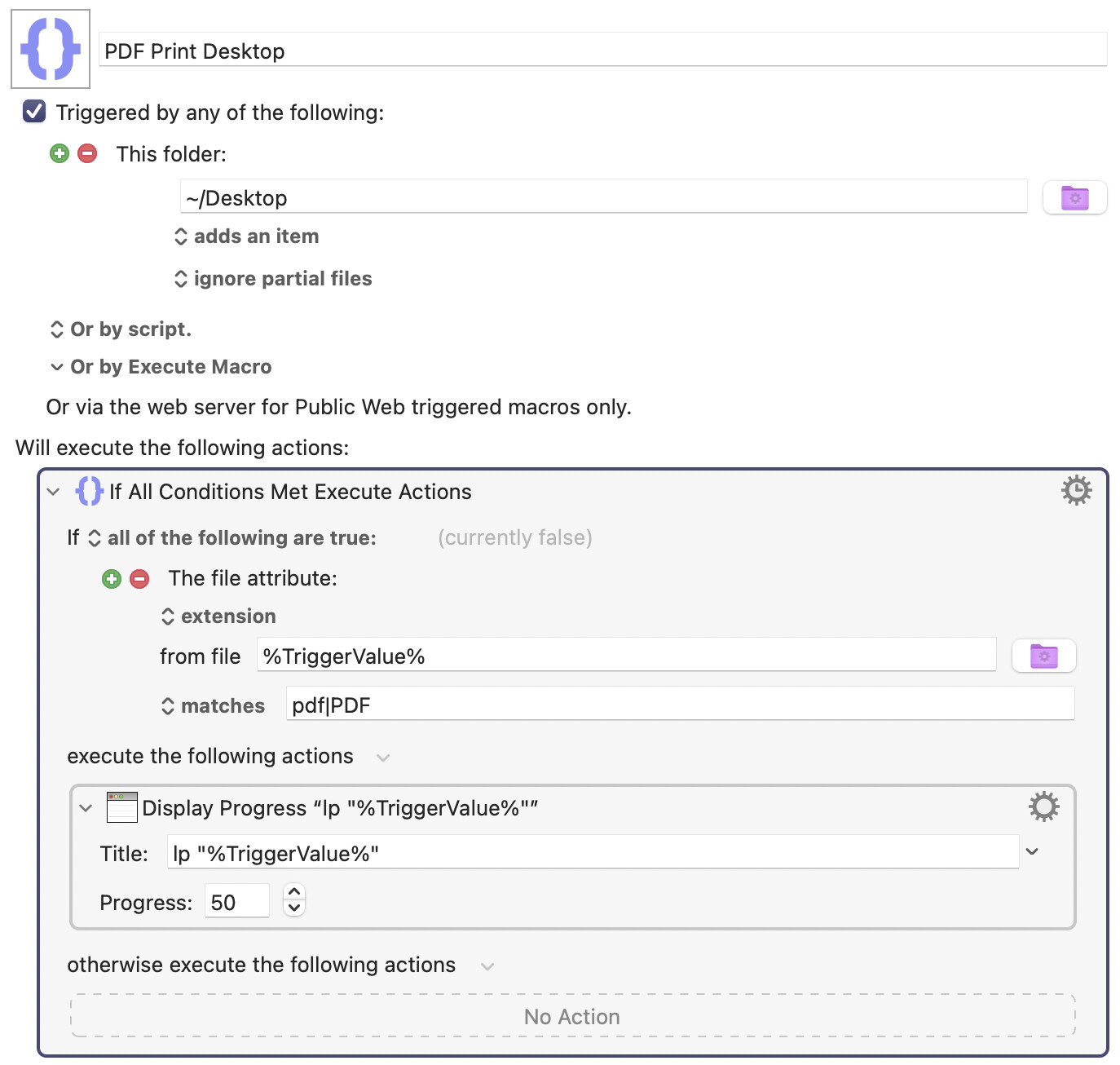
Try creating this simple macro. It may work. I don't have a printer right now, so I couldn't test it. I'm assuming you have only one printer installed.
OOPS, instead of Display Progress, I meant Execute Shell Script. I think someone will correct me before I do. That was how I tested it without a printer.
Thanks. We have 8 printers on our network, and I’m just trying to print from a Windows application on a VM (Parallels) on an M4 Mac Mini, (Tahoe 26.1). It seems no one wants to write drivers that support ARM (Apple Silicon) under this scenario.
I don't know much about VMs anymore, but you implied that you can write a file into the user's desktop folder. So try my solution. It may work. Tell me if it doesn't.