Over the years, the organization of Groups and macros in Keyboard Maestro Editor, and the organization of my palettes / conflict palettes, has become a bit messy. Too organic. I lose things.
So I’ve worked out a set of “principles” to organize things by. Some feedback, suggestions, and approaches used by others are welcome.
Here’s what I’m doing:
Organizing groups with naming conventions. Groups that become conflict palettes have a prefix conflict so they sort near the top of the Groups list. Groups that are ordinary palettes begin with a two-digit prefix of the form nn) so they sort under the conflict palettes and I can control the order these items appear in the global palette (if that’s where they appear). Groups that are defunct but I don’t want to delete have a prefix zz_ so they fall at the bottom of Groups. I have a few other emerging naming conventions – the basic point is to use prefixes as a proxy for folders (since there are no group folders) and make working with groups easier.
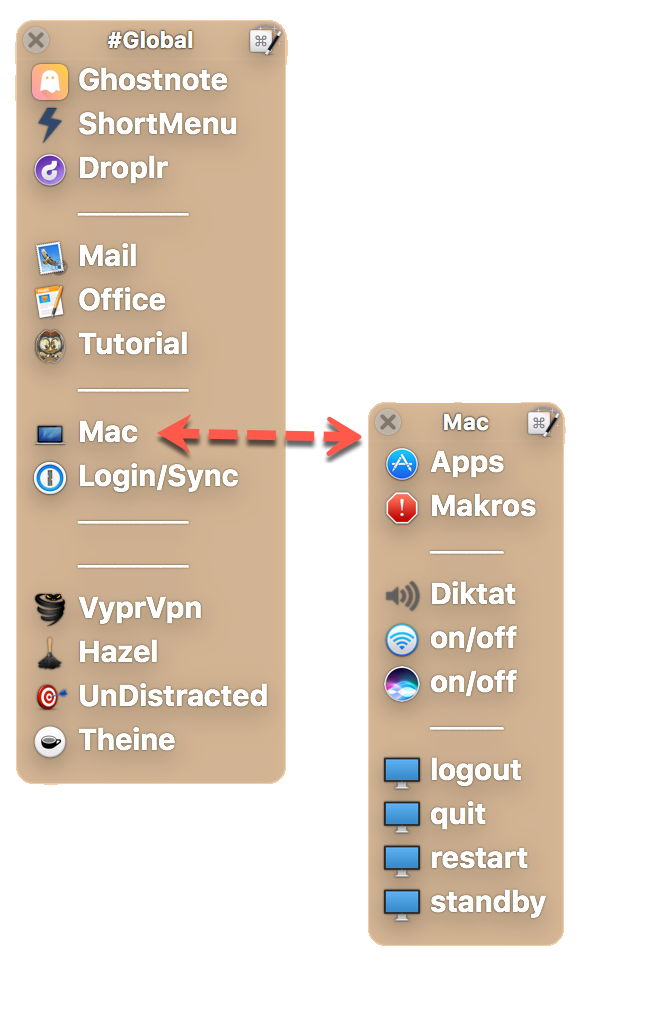
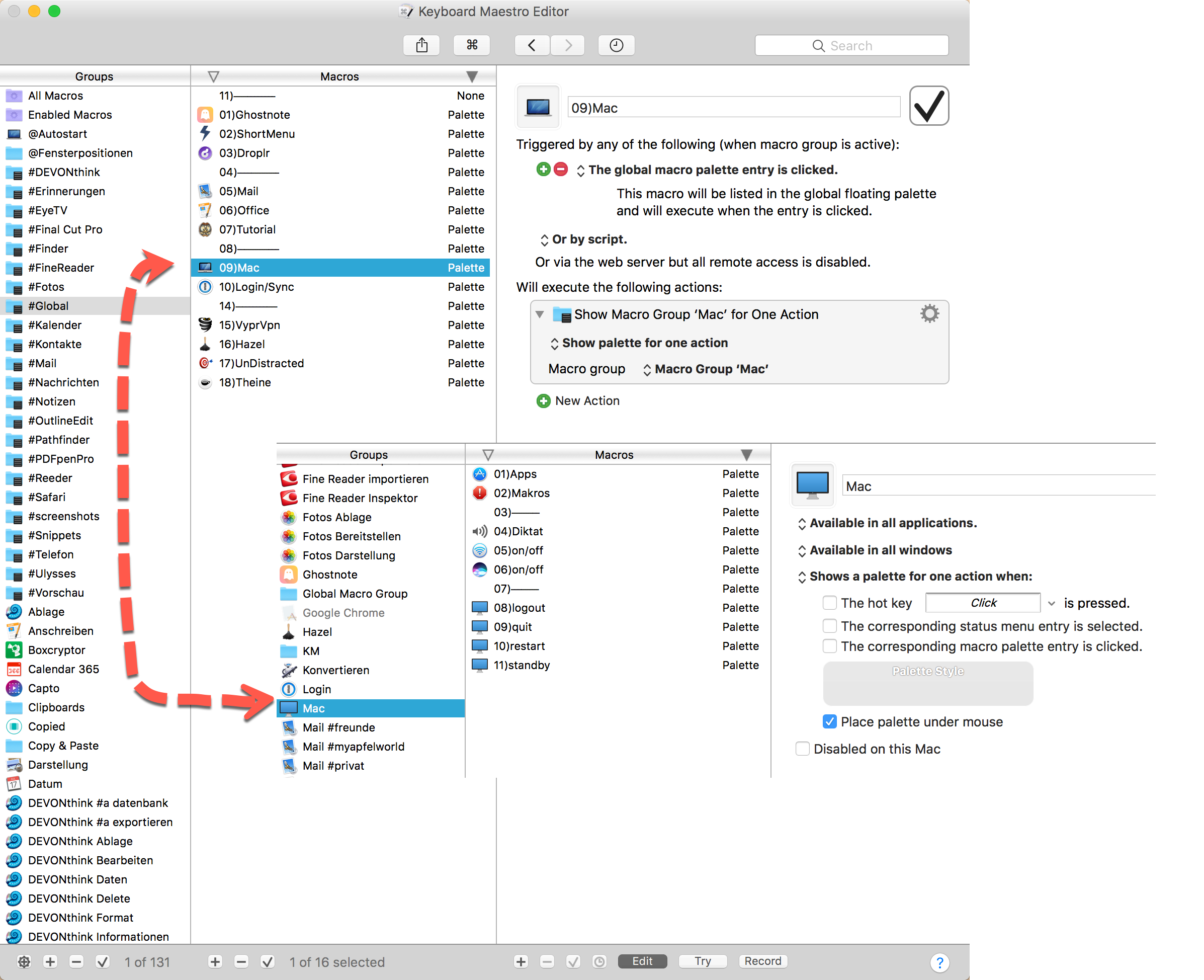
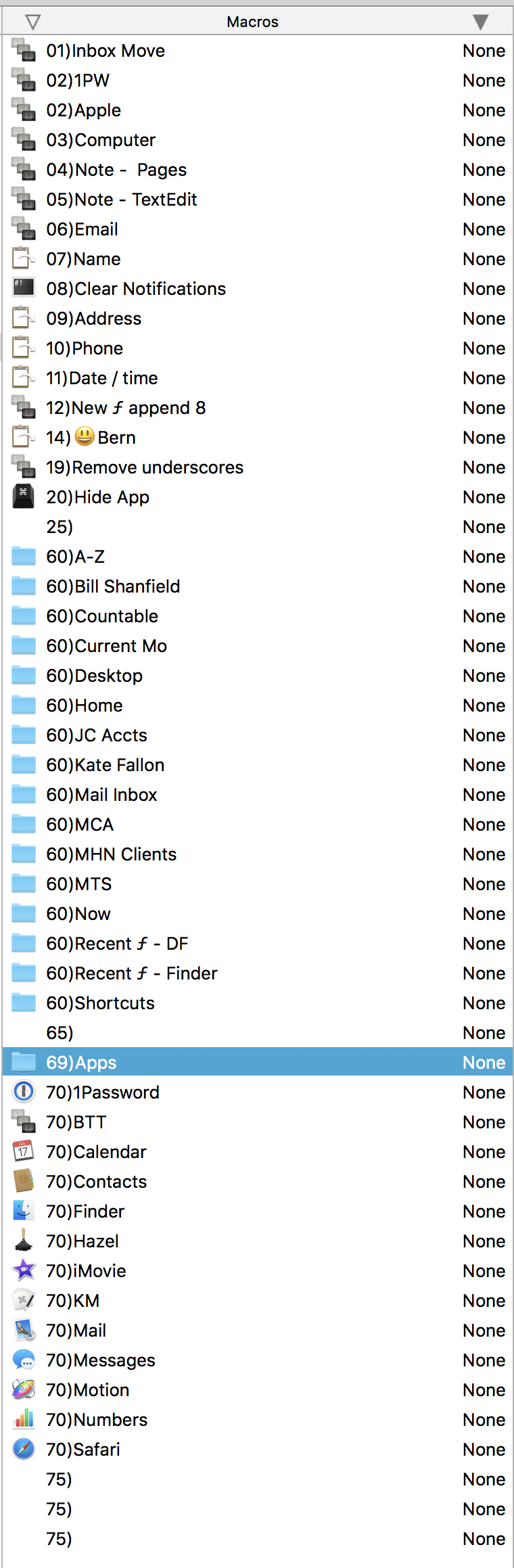
Organizing the Global PaletteThe catchall group that I use for Global Macro purposes is named 00)Global Macro Palette. The macros in that group are named sequentially from 01) onward. The group for the macro palette that appears under 00)Global Macro Palette begins with 50). The result of all these rules is that the global palette is nicely ordered. Since I have a separator macro at the end of the macros in the 00)Global Macro Palette group (it is named 49)⎯⎯⎯⎯⎯-⎯⎯⎯⎯⎯⎯⎯⎯⎯⎯⎯⎯⎯⎯⎯⎯⎯⎯⎯⎯⎯⎯⎯⎯⎯), I have a visual separation in the Global Palette between individual macros and the macro palettes that can be invoked from the Global group.
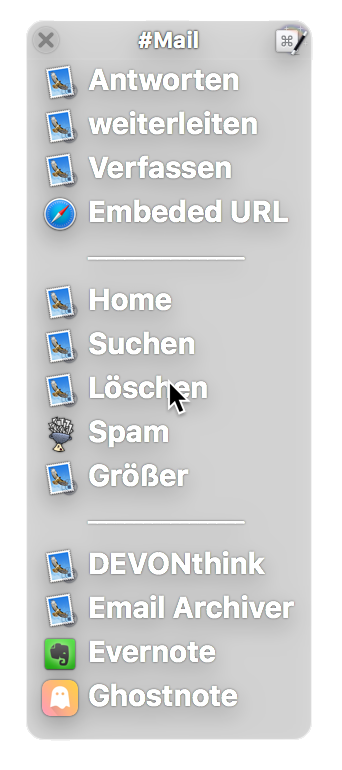
Standards for App-Specific Palettes The apps I use the most have sets of macros specific to working with that app. I use the palette setting Available in these applications… and i always assign the same hotkey – in my case the key is ^\ I don’t have to remember what the app’s hotkey is. It’s always the same and the palette is only for that app. Within these app palettes I name the macros with the number prefix nn) and the macros usually have hot keys 1, 2, 3, etc., to make selection easy.
Organization in progress I’m working out a scheme for hot keys for the macros in conflict palettes. Not sure yet what this will be, but I want to use hot keys that are mnemonic in nature so I can invoke the palette I need without having to search memory for the hotkey combo I had assigned. I use conflict palettes a lot, so it is a good idea to settle on some standards for the hot key.
As I use more app-specific and conflict palettes my dependency on a very long and ugly global palette has diminished. I have a lot of apps in my toolbar and so the Keyboard Maestro status menu is not used much. (Sorry, but Keyboard Maestro is usually a second-tier menu bar app in Bartender.)
Anyway – I hadn’t seen a thread like this so I thought I’d start one. If one of the admins sees this really belongs elsewhere please move it. I’d welcome links to related topics, too, if you want to play along.
Here’s the organization of a sample app palette – a Finder-only palette invoked with ^\
Here’s how the Global Palette has worked out thus far
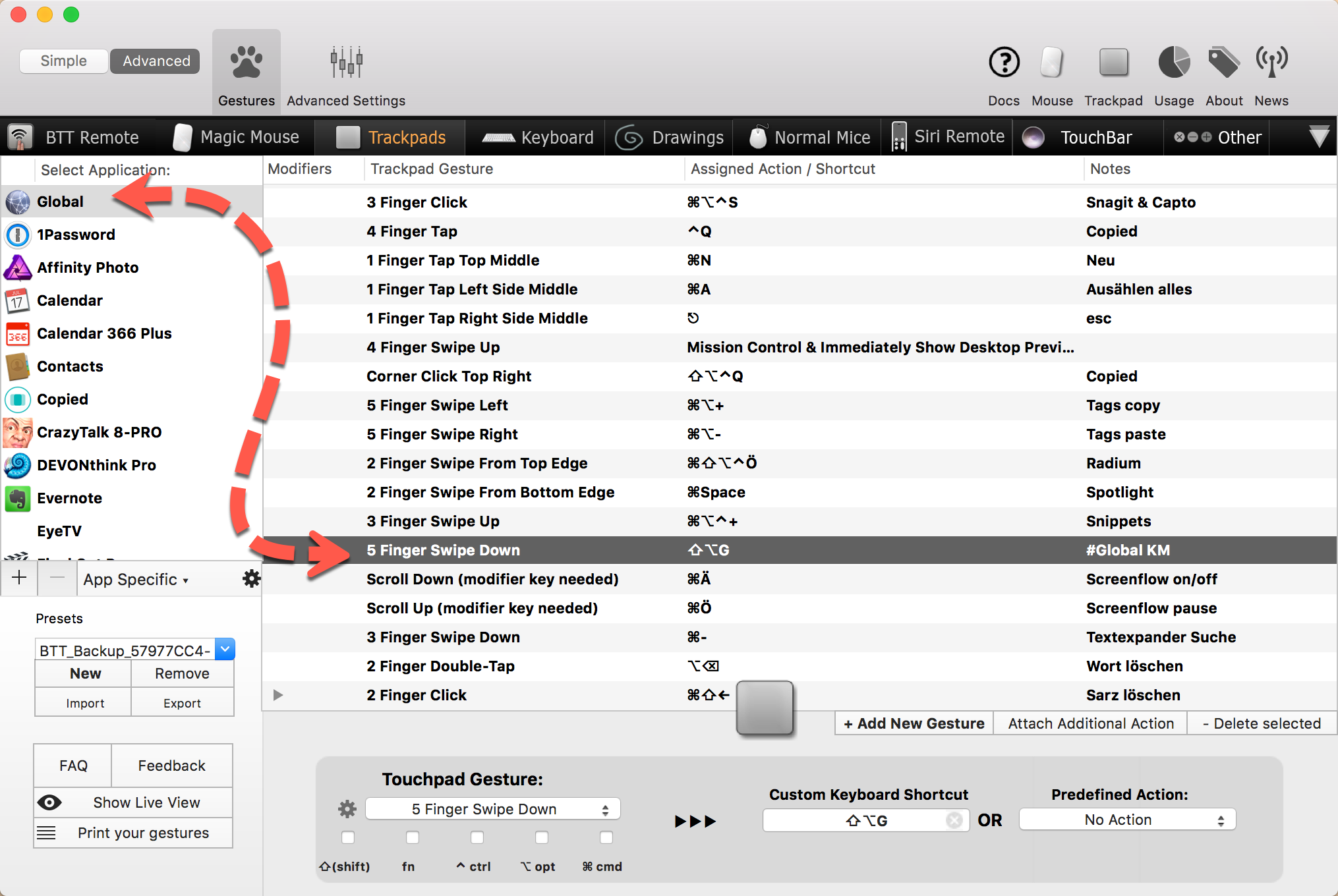
To view the palettes, I have created in BetterTouchTool a uniform touch gesture for the trackpad. So I do not have to remember any shortcuts for the pallets anymore.
Ran across this today: Rob Griffiths (@griffman) had posted a while back an in-depth explanation of his Keyboard Maestro organization practices on his The Robservatory blog.
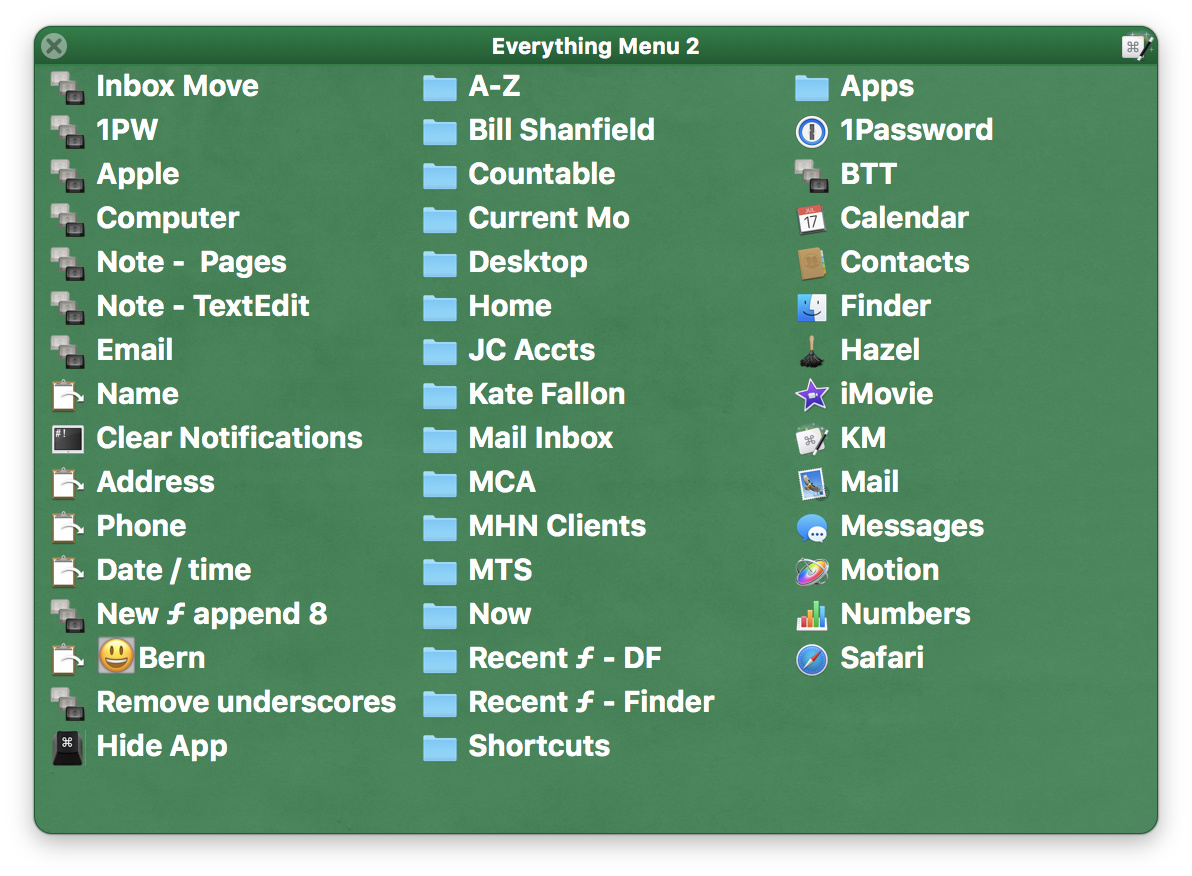
With simplification in mind, I've been playing with a trackpad gesture evoked Global Palette containing most used items. This has distilled to a few often used macros, location openers, and app switchers.
Working with three categories, a three column palette provides a visual shortcut and first sort of item location. I'm still playing with the order within these "fixed" columns sometimes ordering them alphabetically and sometimes moving top items to the top or bottom locations within their columns as those locations are easiest to visually locate.
Using blank spacers I've forced items into these three columns. This is a poor hack as it needs readjusting each time an item is added or deleted.
DanThomas' excellent Palette Organizer MACRO: Palette Organizer v1.1 (updated) taken a few steps further to organize items into columns would be very cool or Peter someday giving more love to Palette organization and appearance would make KM even more appealing and approachable.
for BTT triggered palettes, I make a point of using the most difficult to type shortcuts which are
⇧⌃ ⌘ followed by a letter, so I don't use up my stock of shortcuts that I may actually want to use (type) one day. In the example above, @appleianer is using shift-opt-G to trigger a palette via BTT. Since BTT → palette involves no actual typing of shortcut, I would have used a
in my opinion, there is one type of 'palette' or 'information display' missing in my macro/palette schemes, it is an easy to edit display only app specific palette which displays every time a specific app is activated and at the front. The purpose is to display app specific keyboard shortcuts which we sometimes forget, notes about the app (useful for complex apps like Scrivener). I experimented with different ideas pertaining to display, location, etc but have not yet found a satisfactory solution ⇧⌃ ⌘ followed by a letter shortcut and freeing Shift-Opt-G
I’ve got perhaps 1K macros. Biggest problem for me was trying to remember all the triggers. I realize there are several ways to accomplish this, but I came up with my own solution which I haven’t seen depicted, so I just thought, ‘Why not share.’ Here’s what I did:
I created a “Master Palette” that simply includes all my other dozen palettes. Now I only need remember one trigger. All the palettes are triggered by selection through the Show Macro Group action and proceeded with Hide Macro Group which hides the Master Palette. Also each sub-Palette includes as the first top most action that points back to the Master Palette. Within the various palettes there are some few macros that I use often enough to remember them, so I have those set with a hot key and just make sure the palette is set to be always activated and show for one action. All the sub-palettes have the same trigger which I never use, but I can if I want. It’s another way I could call them all with the Master Palette.
Hi, @Paxapunch, I do something very similar. I call my master palette Palette of Palettes. That palette is one of my many global palettes (segregated by category). I also have several application-specific palettes for use with the foreground application.
As I configured my palette system, I developed methods to efficiently launch and position/reposition (e.g., center-left, center-right, center, etc.) each with a single or double key tap (modifier keys for launch, other symbol keys for position/reposition). As an example, a single tap of Left Shift displays the primary application-specific palette for the foreground application. (A double tap of Left Shift displays the secondary application-specific palette.) Each palette has some common items at the bottom, for example, / can be used to display the sister palette (i.e., primary to secondary; secondary to primary).
Coincidentally I have recently been thinking of an effective method of sharing my palette system. As I'm sure you know, the sharing part is a bit challenging because the set up is not trivial and the entries are customized for specific workflows.
With that in mind, I'm working on a template that I plan to share in the Tips & Tutorials section of the forum.
Wonderful… I look forward to seeing your tutorial.
BTW, just yesterday I changed my Palette > Sub-Palette system just a bit. Now, instead of showing and hiding various palettes, I just use show with it set for one action. That then makes things simpler when I come to add or change stuff, and it works the same.
I like this idea. I have set the same shortcut palette trigger for most of my primary applications, so the same shortcut triggers the primary palette for whichever app is frontmost.