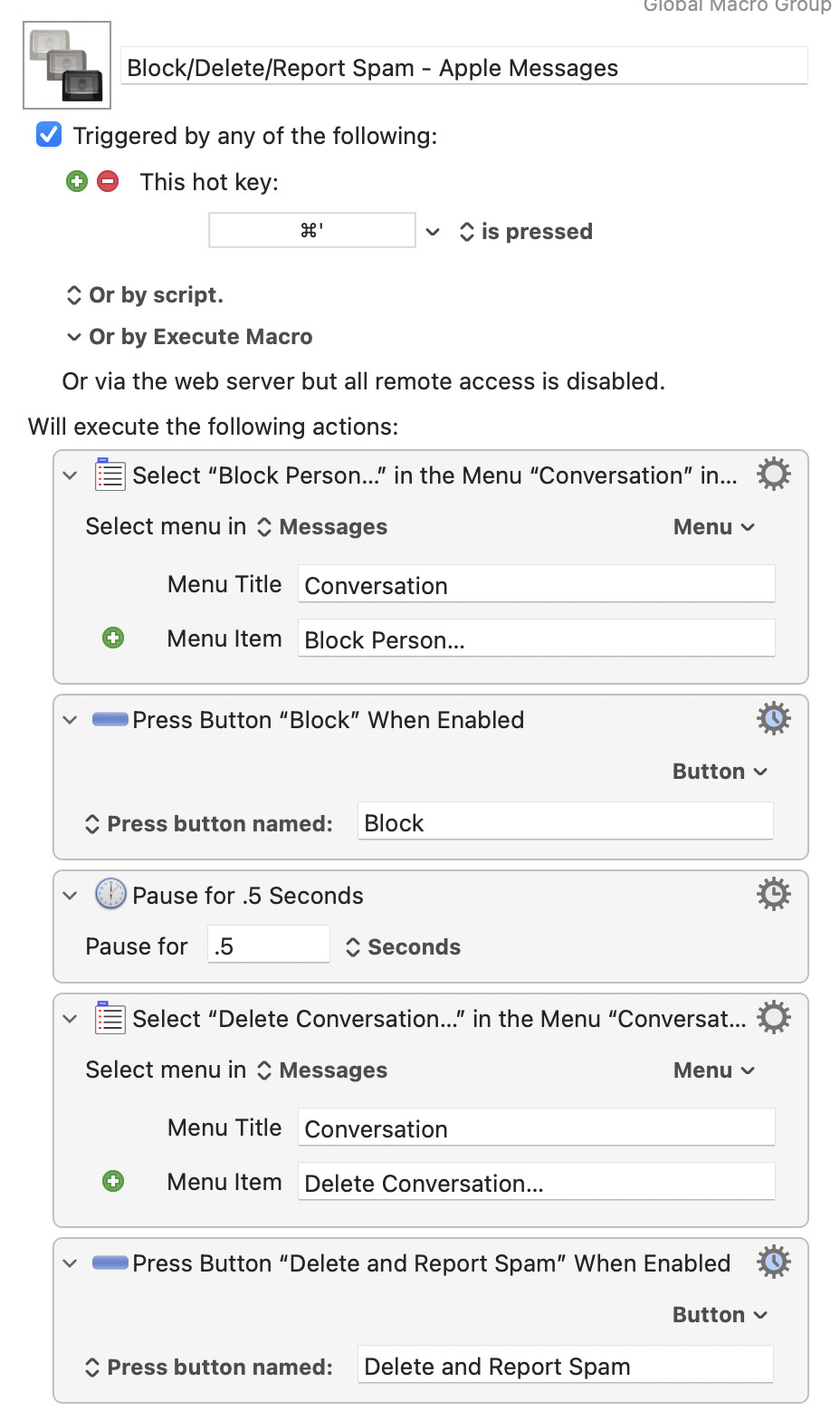
Is there a way to set up a keystroke to open “Conversation” in top menu bar of Apple Messages, then “Block Sender”, then “Delete.”
There's a "Select or Show a Menu Item" Action you can use to select the "Block Sender..." and "Delete..." menu items -- use the Action's "Menu" pop-up to select the application, menu, then menu item so you don't have to fill in the fields yourself.
There's a "Press a Button When Enabled" Action that will wait until a particular button is available and then press it for you -- open the dialog in Messages then switch back to the KM Editor and use the Action's "Button" pop-up to scan the front window of Messages. Click the pop-up again and, at the top of the menu, you can select which of the available buttons to press.
Try it yourself, see how you get on, ask if you get stuck.
1 Like
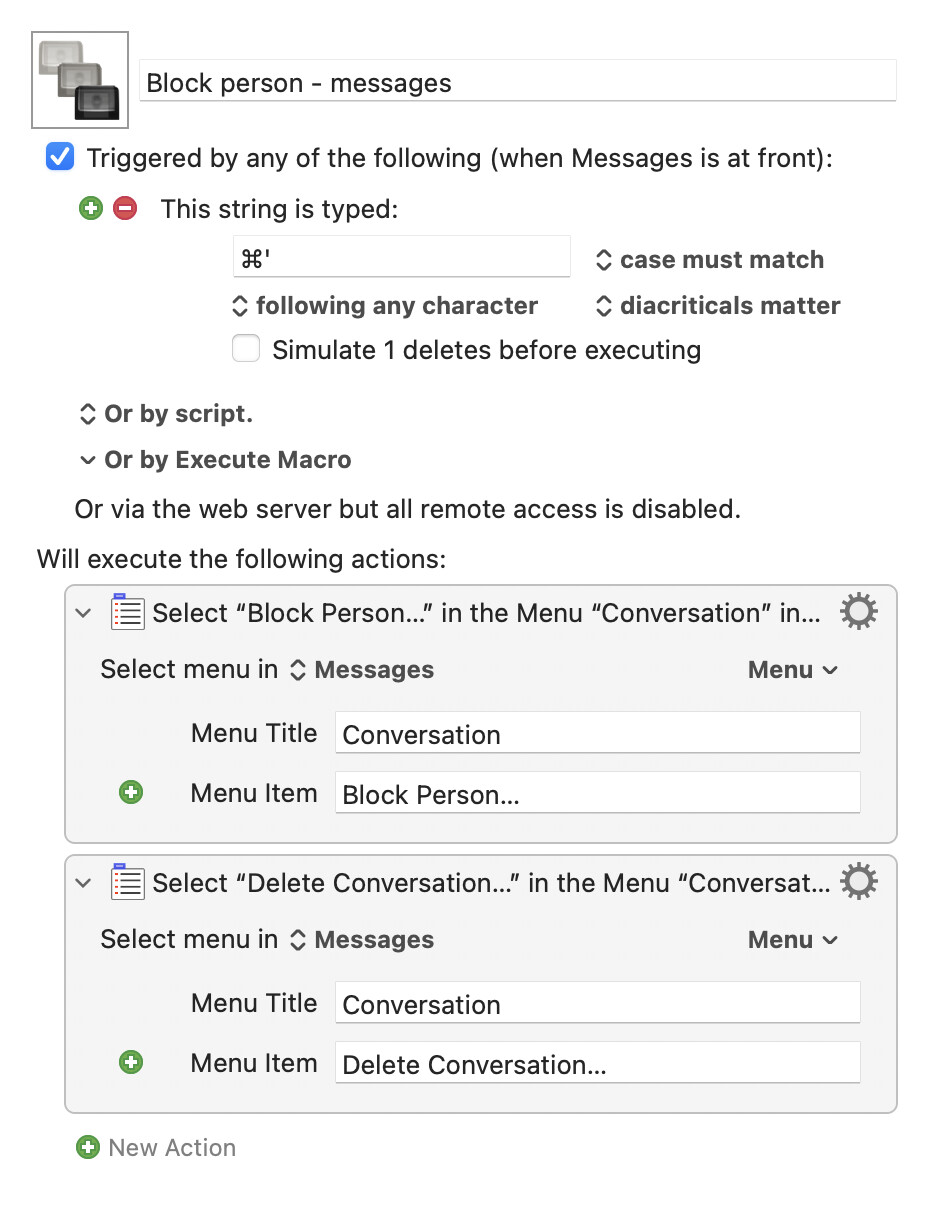
Unless you want to trigger this by literally typing ⌘', which is non-trivial to do, I think you want the trigger to be a hot key trigger, not a typed string trigger.
-rob.
As @griffman says, you'll want to use a "Hot Key" Trigger, not a typed string (those are generally for when you are typing in a text area and want to do text expansion/correction).
You'll also need to handle the confirmation dialogs that appear after each menu selection -- as things stand, your second Action will fail because access to the menus is blocked by the confirmation dialog for blocking a person. That's this bit:
...of my previous post.