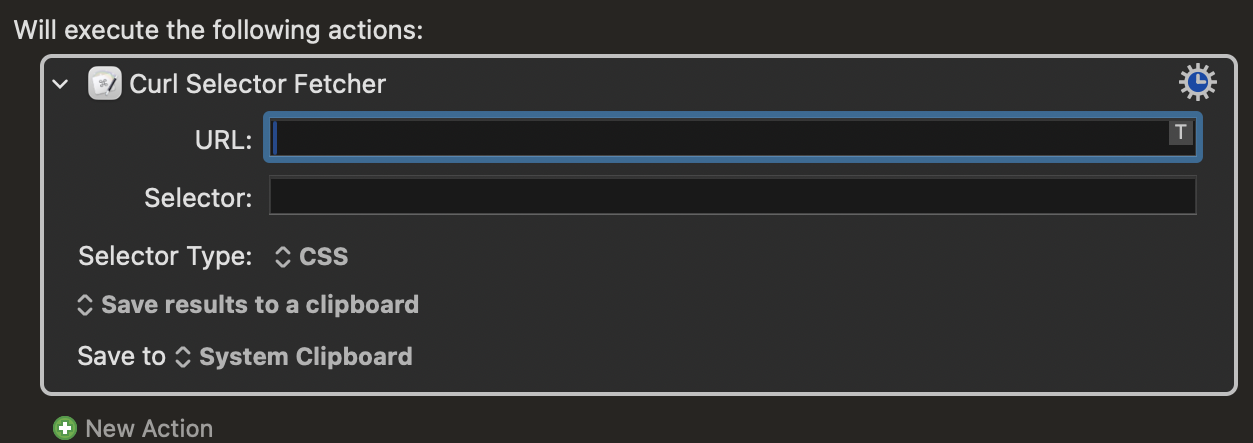
place an URL
place selector full xpath or css and choose type.
after that choose you destination ( clipboard, var etc)
usage doubts please let me know.
for css selectors its required to install pup [brew install pup]
doubts or bugs let me now.
if you know how to extract selector from browser inspect is very simple.
if someone needs aditional options let me now.
with updated permission.
the same as before but comprised correctly in order to preserve permissions.
after install if still having permission issues
After installation, run this to ensure correct permissions:
this plug-in captures values of specific elements on website. a piece of text or value.
to identity the element to capture it you can use an xpath or selector from inspect element on chrome .
to its very easy to caputre any value from any page. can be prices, names, status or anything you need to caputre from a page.
it does it via curl command, and uses xmlint for xpath ( requires no installation) but for css selectors require pup to be present on the machine.
it works perfect on my machine but cant make it to work on onther machines.
maybe is lack of pup maybe is permissions.
if samone can look on the code and tell me why it only work on my machine, i would realy helpfull. thanks
I recommend to readers of this thread that they remove the "&& killall ..." part of your command, and close the KM Engine manually instead. Killing the Engine can potentially cause corruption of the KM files where one's macros are stored.
Not additional options -- but a clear explanation of what the plugin is for, perhaps with a couple of examples, would probably increase people's interest levels.
Also, if your goal is to share this with others, if possible, consider packaging your logic in a subroutine macro rather than a plugin. The latter are generally more problematic when sharing with others.
Hi jims
i do this hundreds of times per day on my work.
given any URL (public, no login no paywall)
and given an xpath from google chrome ( what element to get)
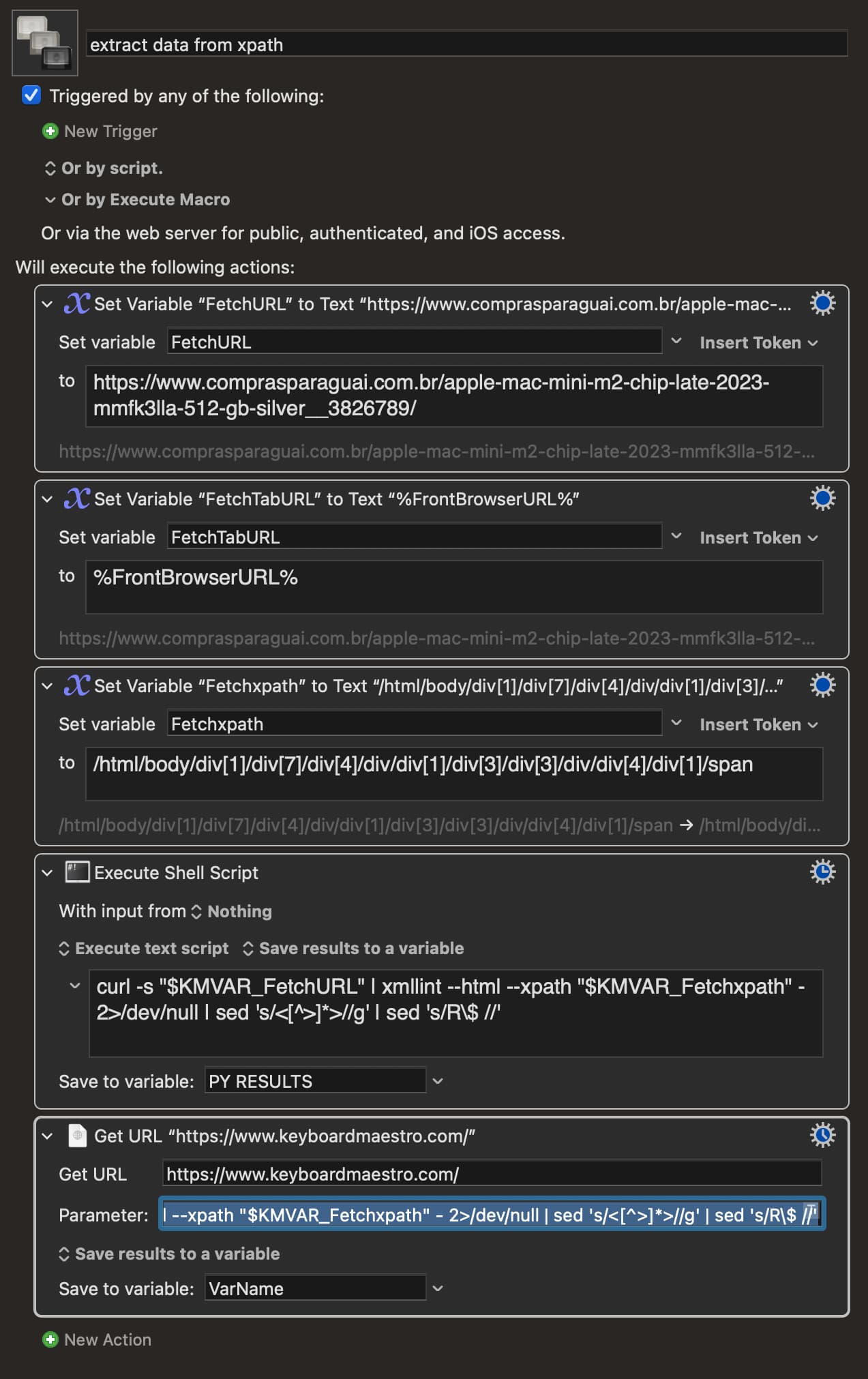
the script curls the adress and extract the data of a specific element on the page, be it text or numbers. and if needed regex filtering of the received data.
extract data from xpath.kmmacros (3.4 KB)
basic example of the pipeline .
but i still prefer all of it be a single action , cleaner and faster.
granted i might have a hard time explaining this to someone not familiar with xpath or web selectors. the idea is good, works ultra fast and super useful for someone that needs to grab data from public sites, lets say booking.com or any sites that updates prices or anything else constantly.