BUG: Trigger Macro by Name closes automatically after N seconds

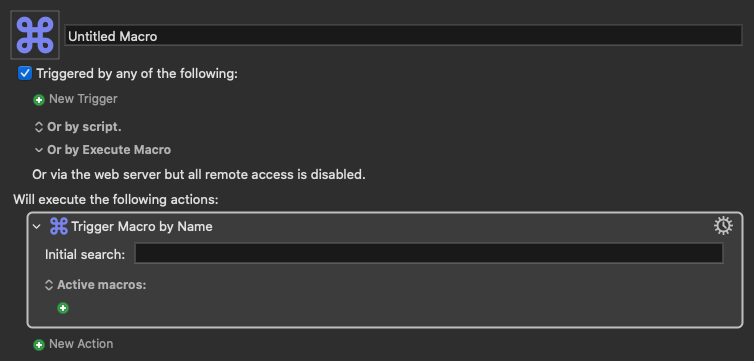
If I run this simple test macro by clicking the PLAY button, the pop up stays active for as long as I want, within the Timeout duration. If I right click the action itself and run TRY ACTION, the pop up closes right away.

I noticed this, because I have another macro and sub macro that is a more "complex" workflow and it happens very often that when I run the main macro, it stays open for like 3 or 4 seconds and then closes. Imagine opening macOS's Spotlight, start typing something and 3-4 seconds later, it closes...

Sometimes it works as expected, which is pretty unreliable (aka annoying). This seems to be the only macro with some sort of "pop up" window that behaves like this. Prompts, Alerts, etc, they all stay open until I click Cancel or Enter, or the Timeout duration ends. This "Trigger Macro by Name" seems to be more unreliable.

Any tips?

Trigger Macro by Name Action (v11.0.4)

Trigger Macro by Name.kmactions (364 B)

For example, I just ran my main macro by hitting PLAY, disabled the action to run the other async macro, it stayed open for like 15 seconds and it closed by itself. The Timeout is set to 1 minute, so that's not the issue. Testing it over and over again, it seems to always close around 15 seconds.
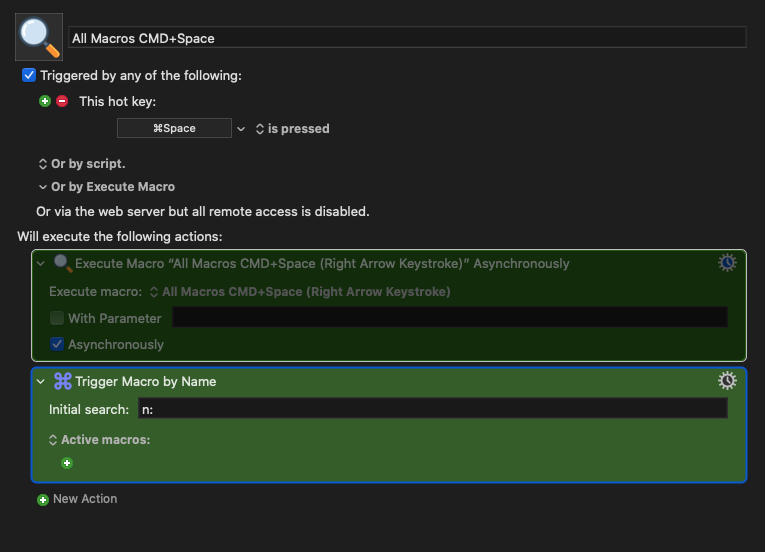
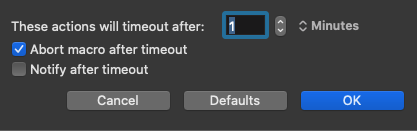
Another test with a brand new macro. The action is set to 3 minutes, which is the default when I add it. It also closes around that time, sometimes less.

Tried another thing, because I thought that maybe it was because I wasn't typing at all (which doesn't make sense anyway, if there's a Timeout duration...), so I started typing stuff, deleting, typing, etc, to keep it "busy". No luck. It always closes after a while... :confused:

Final test: created a brand new macro group, in case the issue was with the group itself. Brand new macro as well. Just the action inside. Same behavior.

@peternlewis are you aware of this? I'm on the latest version 11.0.4
Check your Engine log to see if any other macros are running and causing the "Trigger by Name" dialog to close. Activating an app, clicking somewhere on screen, and there's probably other actions that cause enough of a context change that the Spotlight-based prompt considers it to be a "cancelling act".

It does the same -- try running a macro that pauses for 5 seconds then activates a different app, and during that 5 seconds manually open Spotlight. App activates, Spotlight goes away...

I don't get your symptoms.

There's a 30% chance my ideas below are wrong, but it's worth checking.

First, check the KM Engine log to see which other macro might be triggering at the moment your Trigger Macro by Name window disappears. Look at your watch the moment the window disappears, and check for another macro starting up at that time (or even before that time.)

The Trigger Action by Name is "less reliable" than those windows because if you (or any macro) activates any window, including the frontmost window, the "TAbN" pop-up disappears. So your evidence is fitting my theory that it's one of your other macros that is activating a window or using the mouse in the background.

Second, I suppose it could also be other utility software besides KM. You might want to try disabling all other software to see if the problem disappears.

Question - is it every 15 seconds after the window opens, or is it on the quarter minute markers (0:00, 0:15, 0:30, 0:45)?

No other macros or anything else, like clicking somewhere else. I just run the macro, do nothing, and just wait. It closes automatically, no matter how many times I try. It would be a coincidence that every time I run that macro, something else runs at the same time.

But this is assuming that something else happens at the same time as Spotlight. In this case, you are saying that an app activates, which is not the case with my tests. When I'm using this "spotlight" macro, I'm just running this macro, nothing else. That's why it's weird.

No, I'm saying that because "Trigger Macro by Name" dialog uses the same Apple APIs as Spotlight they both get closed "unexpectedly" by the same context shifts.

Something must be causing this, and that something is particular to your setup otherwise we'd all be seeing it. Your OS will be more important than your KM version -- what are you running now?

Can you upload a macro that consistently displays this behaviour so we can all have a go?

There's nothing else happening like apps activating or any mouse movements, etc. I literally just press CMD+Space and sit waiting. It would be a hell of a coincidence that every time I run the macro something else happens at the same time. I can see how opening an app while the "spotlight" is open could make it go away. This is not the case here.

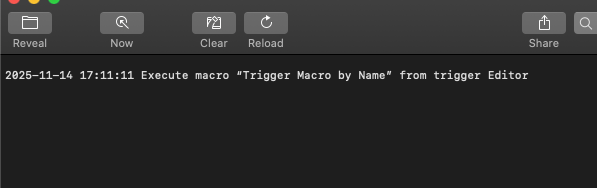
I cleared the Engine.log window and when I run it, all I see is this, even after the pop up closes:

It's not on the quarter minute markers. And it's not always 15 seconds. Sometimes it's like 3 or 4. Super random.

I quit all the other apps in the top menu bar, no luck. The only thing that runs every 20 seconds is a launchagent to check if all external volumes are mounted or not, but this doesn't seem to be the issue, because this was happening before I even had that LaunchAgent loaded.

Ok, but closing "just because", doesn't have any context other than a "bug", right? For example, I just clicked the Spotlight icon at the top. I didn't do anything else. It stayed there waiting for me to type. It didn't close automatically.

Catalina 10.15.7 (can't go above that with this computer). Everything else just works, that's why it's weird.

The macro I uploaded on my first post.
EDIT: Sorry, I always forget to click the macro itself. It just copied the action.

Here:
Trigger Macro by Name.kmmacros (1.2 KB)

I'm not closing "just because", I'm saying there's probably an explanation. If we dig around and can't find one and this is reproducible behaviour then it is probably a bug.

You beat me to it :wink:

I'll fire up a Catalina machine and let you know...

What I meant was that it's not closing based on the same context as Spotlight such as activating an app or something like that. You said they both get closed "unexpectedly" by the same context shifts. In this case, there's no real context, at least not something that we could think "yes, you are doing this, so it closes". I'm literally hitting the shortcut and I sit there, staring, and it closes automatically after a few seconds. Sometimes it's 3, sometimes it's almost immediately, sometimes it's 15 seconds.

Thank you. I hope there's a clear explanation and a solution for this... :raising_hands:

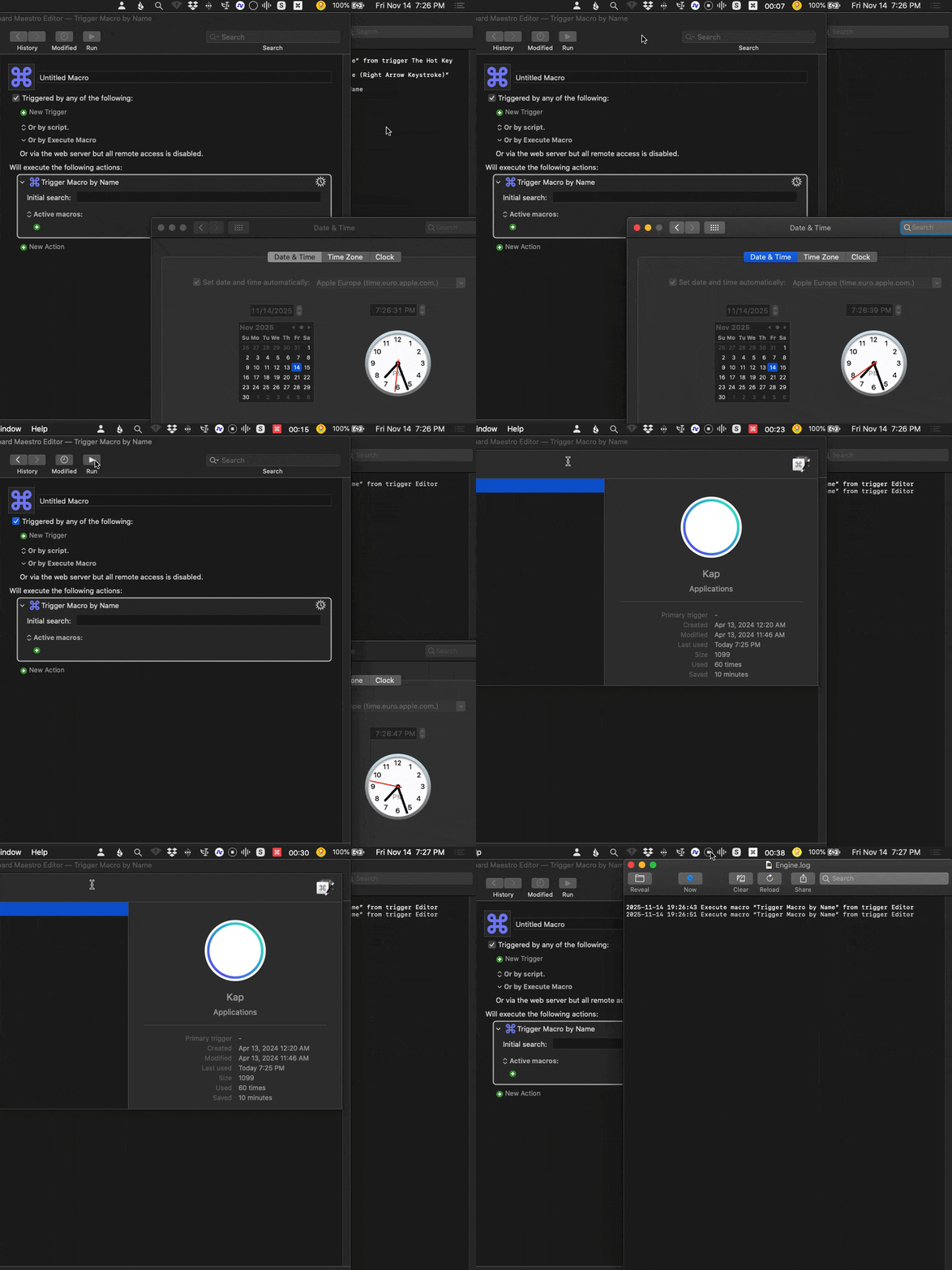
Here's a screen recording. I included the clock at the bottom. You can see I'm not doing anything else other that waiting:

Kapture 2025-11-14 at 17.37.32

I'm sorry my ideas didn't pan out. I see Nige is on your case now, his advice is always N times better than mine (2<N< :infinity:)

1 Like

No worries. I appreciate any input. :raising_hands:

Can you do another and include your menu bar, so we can see the KM menu bar item?

I'm afraid your macro does nothing weird for me -- the search box just sits there for 3 minutes until the action times out. Three tries, three times the same result (macOS 10.15.7 and freshly updated KM 11.0.4).

I included the Engine.log to show that no other macro runs at the same time:

Kapture 2025-11-14 at 19.27.10

Ok I found it. I have this LaunchAgent to check the state of my external disks state (mounted or unmounted). It runs every 20 seconds (so the 15 second makes sense, even the 3 seconds, depending on when I trigger the macro in relationship to the 20 second cycle).

When that LaunchAgent runs, it changes the state of 2 KM macros (disables them or enables them). So maybe that's what's triggering it, even though the engine's icon doesn't really change and the log file doesn't show it.

Now my issue is how to still have the LaunchAgent, without affecting the "spotlight"? I was thinking of using some script to check if there's any macro running, but ChatGPT says I can't get that information (if there's a macro running). Can it be done so I can add that to the .sh file? Something like "if there's any macro running, don't run the sections that enable/disable the macros"?

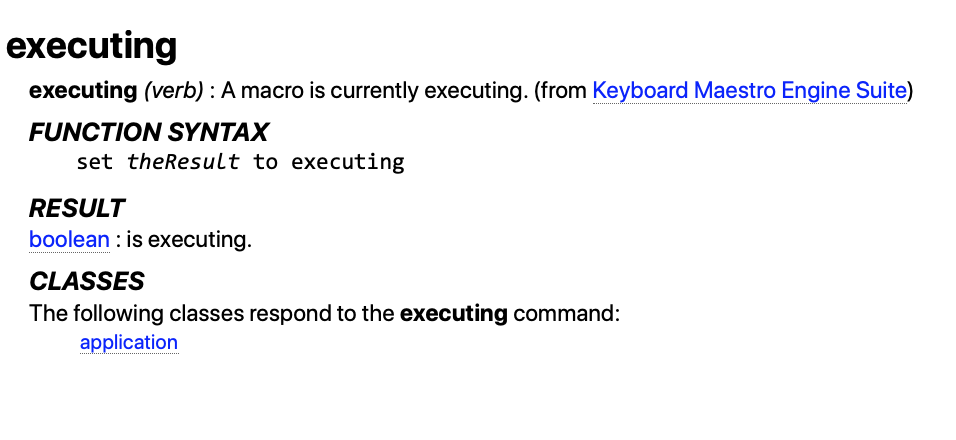
I've not used this, but it looks like it might fit the bill:

tell application "Keyboard Maestro Engine" 
	set result_Boolean to executing
end tell

1 Like

That was the intent behind my question about the 15 second marks. I was suspecting a regular process interfering, and collecting more data could have determined if that was the case. In any case, I'm glad you figured it out.

1 Like

Thank you. I just tested it and it works. Saved to my notes!

Well, if it wasn't for you guys saying that something could be triggering it, I wouldn't be able to get there, so it was more that we figured it out :wink:

Thank you all for helping and testing.

Meanwhile I changed the script to first check if there's any macro running and if so, exit. It will run every 20 seconds anyway. And depending on certain aspects of the mounted state and the macros being enabled or disabled, it will run something in Keyboard Maestro or just ignore it if the rules are all true.

Now everything is working!

One thing I noticed though is that if I enable/disable a macro and then I run the "spotlight" right away, it always closes automatically. When I run it the second time, no issue. If I wait like 5 seconds or so, no issue either.

So this now has nothing to do with the script I was running every 20 seconds. Can any of you test it? So that simple macro with just:

If you enable/disable any macro, in that same macro group or not, then use the shortcut to activate the spotlight right away, does it close automatically? It does for me.