I’m wondering if it’s possible to know if my camera is on or off using KM. I use an Insta 360 external webcam, macos Sequoia.
I don't know yet, but I need to ask some questions.
- How do you determine for yourself if the camera is on or off when you are using macOS? If you can tell, then KM should be able to copy your procedure.
- Do you require that KM determine this in the background without using your GUI, or is it okay if KM takes over your GUI for a short while to make the determination?
- Are you looking for some sort of continual monitoring (perhaps like a trigger), or are you just looking for a single determination that occurs on "rare occasions"?
I have a macro that moves a certain window to the front screen if the computer is idle for 5 minutes, that is the trigger. This usually never interferes with my work, but if I’m on a video call it’s annoying. I do video calls in browser so can’t make it dependent on the app that’s in front. So I’d like a condition where if the camera is on it doesn’t run.
I would prefer it doesn’t control my GUI since I’m on a call when this happens. As for telling if it’s on, I’m not sure this is the only way to tell but MacOS tells you in the control center/menu bar. Don’t know if there’s a way to feed that into KM, that’s what I’m hoping someone here knows.
Well, if you don't want it to run while you are on a video call, that's an extra step the macro has to determine. I think I remember how to detect if there's a FaceTime video call, but you are using a web browser. That may be possible to detect also, by having the macro detect the URL of the open web browser. (Although in theory a video call could be in a background browser app, which makes the test slightly trickier.)
If it's in the menu bar, then a simple Find Image will be able to detect it.
Since your trigger is 5 minutes of inactivity, this sounds like a simple problem.
- Modify your current macro which triggers after 5 minutes of inactivity to do the following.
- Add a Find Image test to detect if the System Menu shows the symbol that states that the camera is on.
That's about it. But now, you haven't stated WHY you want KM to detect this. So my solution above doesn't do anything, because you didn't say what you wanted to do.
You know what, I like this problem, and I think I may have a slightly better way to solve this. If I do, I'll let you know. My idea is actually more powerful than just a webcam detection macro, so this could take me a few days to solve.
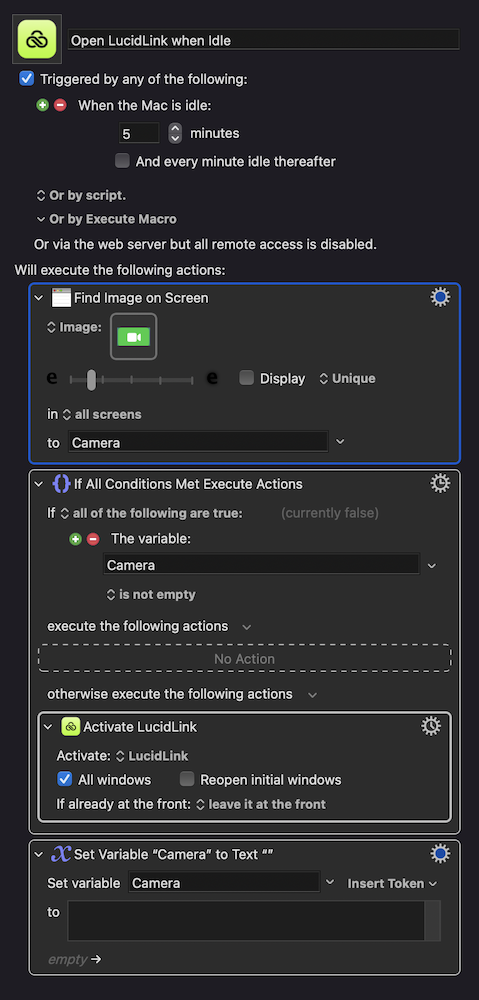
After a few hours I got my Menu Bar icon monitoring tool created. But I want to test it for a while before I upload it, because I might think of new features that I can add to it.
To be honest there aren't a lot of icons in the Menu Bar that need to be monitored, and one of the icons that "can be monitored" already has direct support in KM via a trigger.
Here's an AppleScript alternative to using image detection:
tell application "System Events"
	tell process "Control Centre"
		tell menu bar 1
			count of (get every menu bar item whose description is "Control Centre, Camera is in use")
		end tell
	end tell
end tell
...which will return 1 if the camera item is showing, 0 if not.
KM demo:
Check For Camera.kmmacros (5.3 KB)
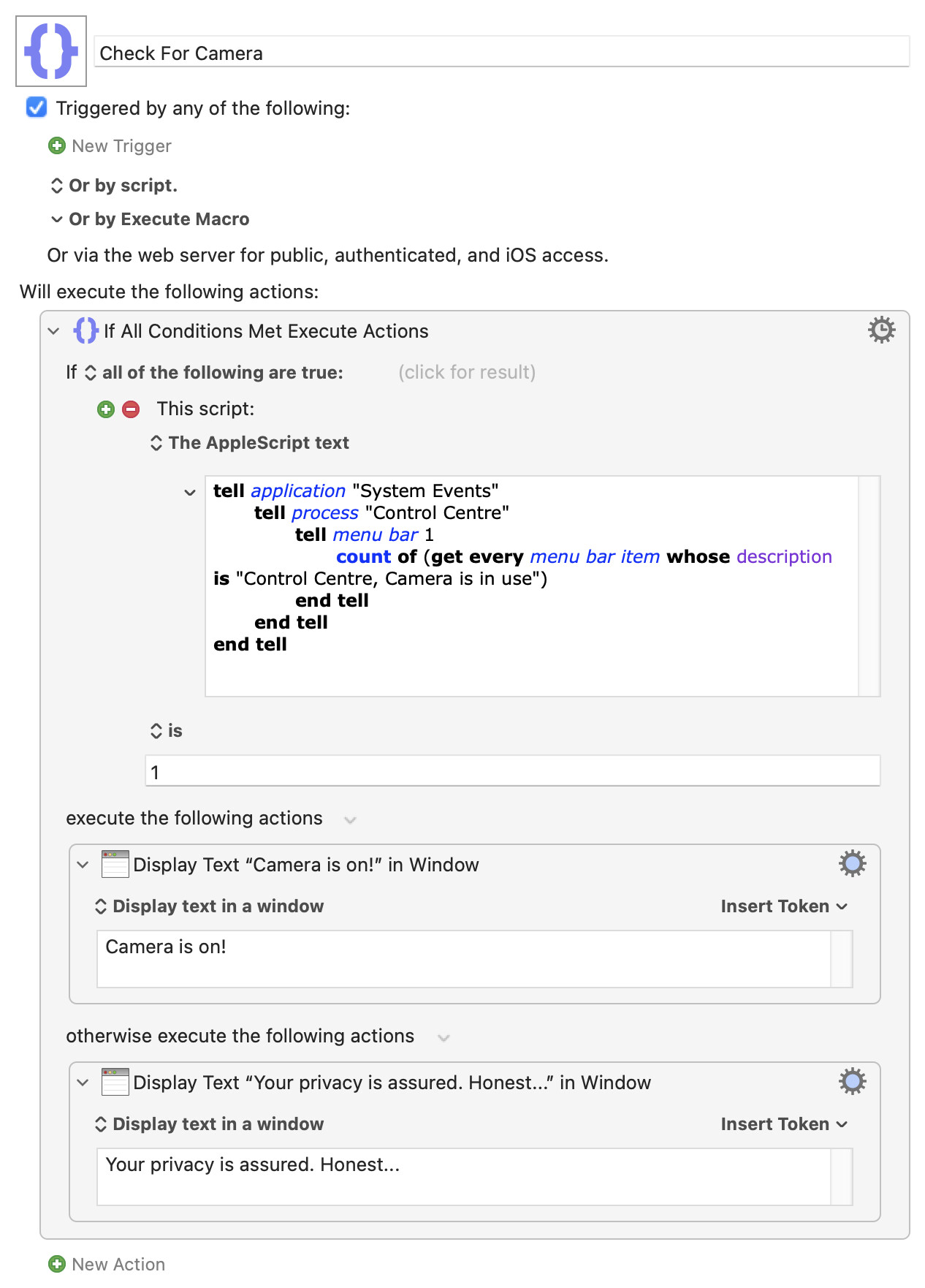
Tested with the built-in webcam, but should work with anything that triggers the OS "warning" menu bar item.
1 Like
That's nice code. And it diminishes the value of my new utility that I haven't uploaded yet, which does some fancy icon detection in the Menu Bar to achieve the same result.
I've a feeling that might be more generally useful -- everything outside of Control Centre's purview has it's own menu bar, for example for the KM Engine "Status" menu bar item:
tell application "System Events"
	tell process "Keyboard Maestro Engine"
		click menu bar item 1 of menu bar 2
	end tell
end tell
...which is a lot more digging around to get working than a simple screenshot and image detection.