Change brightness?

You didn't say how your were triggering the macros -- if it was by plugging in your display, note that in this version that's the trigger for both the "Load..." macros. But you've changed things since then, so this is more a reminder to include all relevant information.

Read the notification carefully and you'll have a clue -- the Action *could not find target application", that is it couldn't work out where to find the System Settings app. I usually see this after a machine lock-up and reboot when previously-open apps are auto-relaunched -- you can sometimes clear this by Quitting and re-opening the app normally, but sometimes you have to Quit everything, restart your machine, and start again.

Again, you haven't said how you are triggering these. But we can get one problem out of the way -- the triggers.

Assume that sunrise is 6:30am and your Mac wakes up at 4:55am.

At 5am, "Set Sunrise..." will be triggered, an instance of the macro will start to execute, will calculate the seconds until sunrise and pause.

At 6am, "Set Sunrise..." will be triggers, another instance of the macro will start to execute, will calculate the seconds until sunrise and pause. This new TimeToSunriseSeconds value will not be used by the first instance, even though this is a Global variable, because the first instance's "Pause" duration has already been set.

At 6:30am, both instances' "Pause"s will expire and "LoadSunrise..." will be executed twice -- the exact sequence of operations will vary, but a) you don't want it to run twice, and b) it may be that one executing instance has Quit System Settings before the other gets to its "Bring front window of System Settings to the Front" Action -- that would give the error you show above.

The solution is simple -- start both macros with a "Semaphore Lock", each with their own lock name, set up as described in the "Preventing Multiple Executions..." section.

Another possible problem is whatever macros you are calling from the "Load" era -- both have two calls to these unknown macros:
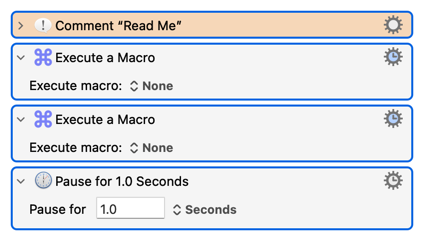
...but they're not being uploaded so we don't know what they do.

As a start and always, I GREATLY appreciate all the assistance. It is VERY HELPFUL.

I have was up late last night and very early this morning working on improving my skills and understanding.

I read up on global, instance and local variables and note that all variables other Sunset, SunsetSeconds, Sunrise and SunriseSeconds are either local or instance variables in all macros. In complete agreement with you.

It came to me that the cycling / looping was because i) the Set Sunrise / Sunset Load Time macros were calling the Load Sunrise / Sunset Presets (initiating the cycle) while ii) the Load Sunrise / Sunset Presets had a USB Device trigger (continuing the cycle) because each time the press changed the Studio Display disconnected and reconnected to the MacBook.

To fix this problem I have completely reworked the "Load Time" and "Load Preset" macros. The "Load Time" macros are now have a periodic trigger while the "Load Presets" i) have no trigger and ii) test for the presence of the Studio Display to avoid firing the macros when the Studio Display is not connected.

To take things to the next level I have also created a macro that calls the correct "Load Presets" macros when the Studio Display is first connected.

Ahhh, makes sense. Is it possible that this is because the Studio Display is reconnecting to the MacBook as a result of changing the preset and hence System Settings cannot be found?

Hmmm, kindly explain why the second instance won't reset / rewrite the TimeToSUnriseSecinds and pause time as it is the same variable?

I will read up on this and implement further changes.

That said, I still need to better understand why there are two instances running and changing / overwriting the pause time variable results in multiple instance (i.e., I would have thought that it reset it).

Possible further tweaks are required -- especially in respect of teh multiple instances -- but the below macros are greatly cleaned up (I hope you will agree). :slight_smile:

While it might be dumb luck. the current version / rewrite has eliminated the cycling.

PS. Although I truly want to understand the multiple instances, it occurs to me that I can simply change the Periodic trigger to a Time trigger (i.e., 5:00 AM for Sunrise) as 5:00 AM is before the earliest Sunrise, calculate the time to sunrise, set the pause time and call it day. There is no reason to constantly poll. Agree / disagree?

_JBC Display Presets Macros.kmmacros (528.5 KB)

No. It's the System Settings application itself that KM can't find. You'll have keep a note of what's been happening with your machine between the last successful execution and the first aborted one but, as I said, I usually only see this after a system crash/restart and automatic launch of the previously-open apps.

Google "macOS apps translocation" for more, remembering that most Apple pre-installed aren't actually in the /Applications folder, they only look like they are.

It does rewrite the variable, but the "Pause" is already in operation based on the old value -- the already-executed Action doesn't re-evaluate.

Compare that to a structure like (pseudocode):

set executeAt to ( NOW() + 300 )
repeat
   pause for 1 second
until NOW() == executeAt

The snippet sets executeAt for 5 minutes in the future, then loops for the next 5 minutes (doing nothing) before continuing. But it re-evaluates executeAt at the end of every loop, so if another macro changes that the new value will be used for the next loop test.

Every time a trigger fires the macro executes then runs until it completes. You are triggering every hour but your first instance then pauses for at least an hour, so is still running when the next hour's trigger fires.

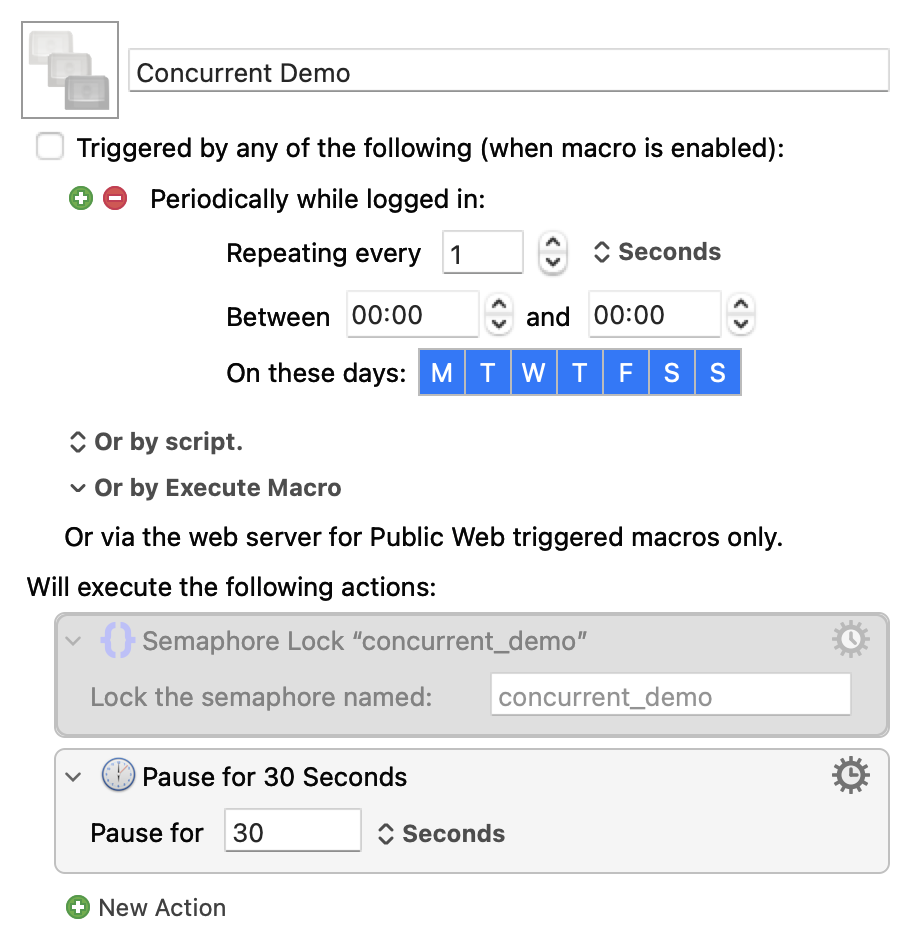
Demo time, for both the above and the Semaphore.

Concurrent Demo.kmmacros (2.3 KB)

Image

Enable the macro, count to 5, disable it, then click the KM Engine status icon in your menu bar, select "Cancel" and see how many macros are listed. Then enable the "Semaphore Lock" Action and do the same. See the difference?

You can, if you can guarantee your Mac will always be awake before 5am. I had assumed that was the reason for the Periodic trigger -- that there was no other single reliable trigger, so try it every hour in the hope that at least one instance of the macro will be executing by sunrise.

Appreciated and understood. I will take a look as well as monitor my monitor my MacBook.

I rebooted my MacBook and have tested this further. The action is no longer causing an issue which is consistent with your comment.

Got it! Thank you!

Cool! I need to read up on that!

I would say that 99.99% of the time the MacBook is awake at 5:00 AM (the exceptions being travel days.

I will also add that I built a new macro titled Load Sunrise / Sunset On Connection (100 / 300 Nits)(see the attached (it is short)) which triggers when the Studio Display is connected. I believe the scenario when the MacBook is not awake at 5:00 AM is covered off.

Two follow ups:

  1. I have set the SunriseSecondsLoad (the last time the sunrise preset was loaded) and the SunsetSecondsLoad (the last time the sunset preset was loaded) to global variables so that their values survive shut downs and restarts.

  2. Comments / thoughts on this approach and what else may be missing?

AS ALWAYS YOU HAVE BEEN A TREMENDOUS HELP! THANK YOU!

_JBC Display Presets Macros.kmmacros (539.7 KB)

I read up on Semaphore locks and I understand (and have used) them to further control the flow of the various macros; for example, I have added a Semaphore lock to the Load Sunset Preset When Connected macro and the Load Sunrise/ Sunset on Connection macro so that first macro completes execution before the second macro starts (which was not previously the case) (i.e., they were running concurrently). I proved / tested this by adding debug windows with time stamps which clearly demonstrated the change in flow.

One follow up, I do not understand how to use Semaphore Locks to stop multiple instances of the same macro as placing a Semaphore Lock at the start of the Set Sunrise Preset Load Time (which is the one that includes the pauses) and pressing run 3 times still results in 3 instances.

  1. How do I setup the Semaphore Lock in this case to have only 1 instance of the macro?

  2. Or, is the point that there will be 3 instances but they won't run simultaneously?

Thanks.

Nitpick: The second macro pauses at the "Semaphore" Action until the lock is released by the first macro -- so they are running simultaneously.

And you play on that to

So instance_1 of your macro is running and locks the semaphore. instance_2 is then triggered, gets to the "Semaphore" Action, and pauses until the semaphore is released.

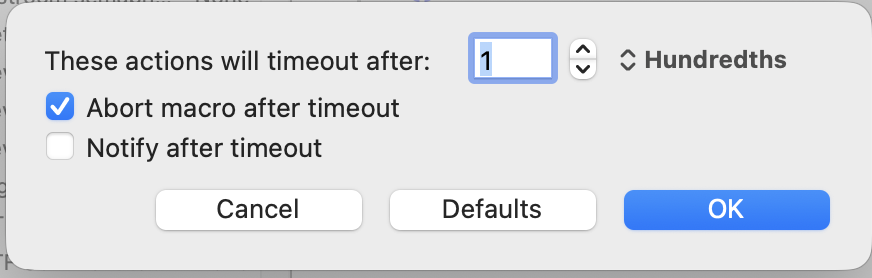
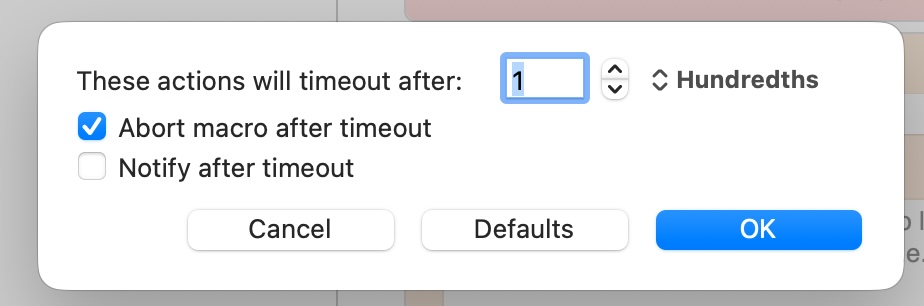
But the "Semaphore" Action also has timeout options. If you set those to:

...then instance_2 will reach the lock, wait 0.001s for it to be released, then abort without a Notification leaving only instance_1 running.

Like a prat, I promised a demo in an earlier post then didn't include it. I'll do that now, but also:

Concurrent Demo.kmmacros (2.3 KB)

Enable the macro, count to 5, disable it, then click the KM Engine status icon in your menu bar, select "Cancel" and see how many macros are listed. Then enable the "Semaphore Lock" Action and do the same. See the difference?

Agreed. I stand corrected. The second macro is initiated while the first macro is running but it will not running until the first macro is compacted. Got it!

Appreciated and will try it later this afternoon as I need t heard out for an hour two (woudl much rather be playing with KM).

Two quick follows ups in teh meantime:

  1. I understand setting the Semaphore Lock with a timeout but want to make sure that I understand the operation of the timeout. Is it correct that the second instance will timeout because the first instance will take more that 1/100th of a second to process therefore by the time the second second instance is reached the Semaphore Lock (and hence the instance) has expired (i.e., there is nothing to run).

  2. I will perform the test you suggest but want to be clear by what you mean by disabling the macro (i.e., do you mean unchecking the "Trigger by any of the following" at teh top of the macro and if not, then what)? Sorry for the dumb question.

Back in a bit and much thanks!

Not quite. The "Semaphore Lock" Action of instance_2 will timeout if the lock isn't released by instance_1 within the timeout period.

This is a special case. Semaphores are usually used to create a First In First Out (FIFO) queue for a contended resource. So if process A is using that resource, then process B wants to use it, then process C does also, B and C will wait until A has finished. B then takes the resource while C continues waiting. When B finishes, C finally gets a go.

But in this case we're saying "If you have to wait for the lock at all, abort".

Yep. It should import disabled. When you enable it the "every second" trigger will start firing, so disable it again after a few seconds.

A little more help needed.

If A, B and C macros that as a result of their design / structure would run simultaneously (for example, A triggers B and A or B then trigger C) then the result of the Semaphore Lock (i.e., same Semaphore Lock name on all macros and with no timeout) would be:

a) A runs in its entirety (and in so doing releases its Semaphore Lock)

b) B then runs in its entirety (and in so doing releases its Semaphore Lock)

c) C then runs in its entirety and clears / unlock the Semaphore Lock; and

d) the Semaphore lock relics when A, B or C, each of which have a Semaphore Lock with the same Semaphore Lock name are rerun.

Let's -- just for ease -- i) consider the macro I had with stacked pauses and ii) call that macro A and iii) place a Semaphore Lock with a timeout on A an A alone (i.e., there is no Semaphore Lock with the same Semaphore Lock name on any other macro) then:

a) On the first cycle / iteration the Semaphore Lock acquires the permit (i.e., the lock does not time out) and the pause is in effect

b) On the second and subsequent cycles / iterations the i) the first cycle / iteration has not completed because of the pause ii) the Semaphore Lock / permit from the first cycle / iteration is not released iii) the Semaphore Lock from the second and subsequent cycles timeout and, with them, so do the cycles / iterations

c) The first cycle / iteration is the only one that exists (i.e., teh subsequent ones have expired)

d) The Semaphore Lock is released when the first pause from the first cycle / iteration expires and the A completes.

What, if any, other purposes / situations would there be a Semaphore Lock on a single macro other than to prevent multiple instances as a result of periodic polling (as I had)? Worth noting, I can't think of one as you explained -- at least for KM -- that each actions completes before moving onto the next meaning there are sharing resource concerns within a macro!

I must have done something wrong because the results do not make sense:

  1. No Semaphore Lock
    a) I enabled the macro (i.e., I pressed run)
    b) I disabled the macro (i.e, unchecked "Triggered by any of the following (when the macro is enabled)")
    c) KM Engine > Cancel > Show 1 instance of the macro

  2. With Semaphore Lock
    a) I enabled the macro (i.e., I pressed) run
    b) I disabled the macro (i.e, unchecked Triggered by any of the following (when the macro is enabled))
    c) KM Engine > Cancel > Show 1 instance of the macro

Semaphore Lock configured as follows:

NOTE: No change with / without the Semaphore Lock

What am I doing wrong / missing?

There's no way to answer that -- it'll depend on the macros. You could easily have a situation where C never runs because A is waiting for B to complete but B is waiting for A to release the semaphore -- classic "deadlock".

Any time you want to prevent contention for resources. You might want multiple instances of the same macro to run concurrently but say, for example, the macro had a section that changed a file on disk -- you'd semaphore that bit so that instance_2 didn't error with a "File is locked" because instance_1 was still writing to it.

There are rarely shared resource concerns "within a macro" (though you can create them by using async Actions!) but remember you don't run a macro -- you execute an instance and can have multiple instances of the same macro executing concurrently.

Was this with my demo, or something you wrote yourself?

For my demo you don't press the Run button -- you enable the macro by ticking the "Triggered by..." box, count to 5 (or more if you've a slow machine) then disable it again (untick the box) and check the Status menu. Multiple instances will spawn because it has an "every second" periodic trigger.

If it's something you wrote yourself -- if you press the Run button once you'll only get one instance. Try pressing it multiple times.

I was providing the most basic of examples but fair enough and completely understood.

Got it! I will need to read up on how to apply a semaphore to a portion of a macro.

And yes, appreciate the correction on instances, won't make that mistake again!

Ahhh, got t working with both your macro and one I wrote.

No Semaphore lock → multiple instances to cancel; With Semaphore → one instance.

Very very cool, thank you for explaining it.

VERY MUCH APPRECIATE ALL YOUR HELP!