Well, I guess that makes the rest of us idiots too! I, perhaps, remain one, since I am still not totally in the picture here…
Favourites where? We still don’t know which application you are using, do we?
I finally managed to work out how to “favourite”[1] styles in TextEdit (I hadn’t used them before, and Apple’s interface decisions are as clunky as one would expect) but I think you must be using a different application—one that makes favourite styles available via a menu, and therefore, accessible via a shortcut defined under System Settings, in the way that you explained.
Edit: I now see that the dropdown list withing TextEdit’s styles box shows that the shortcut has been assigned! It’s just that (on my system at least) they don’t work. I’m going back to plain text, and you should probably ignore this reply…
If my thinking there is correct, then the menu would also be available via a Select or show a menu item action in KM, too, wouldn’t it? If so, there would be the option of assigning a key shortcut via KM instead of under System Settings.
Edit: I guess System Settings > Keyboard has its own method of accessing favourite styles.
(Under MacOS 15.7 (Sequoia), that translates as Keyboard > Keyboard shortcuts > App Shortcuts).
No personal criticism was intended; I was just giving my perspective.
That’s “favourite” or “favorite”, depending on one’s dialect of English. ↩︎
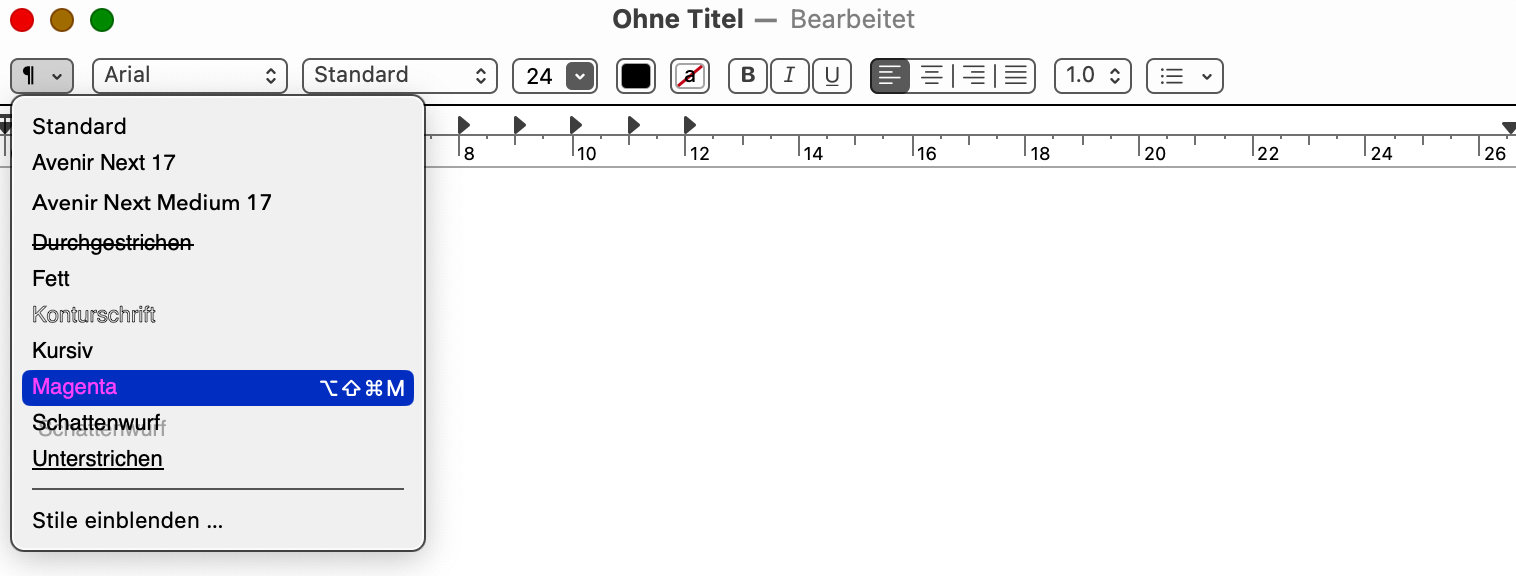
Under “Stile einblenden” /I don't know what this is called in English) you can add a style, save it as a favorite, and then assign a shortcut to it. You can also see this shortcut in the menu.
I think that this is very limited compared to your original solution -- maybe even to TextEdit (or whatever app you do this in) only, in which case you're back to
A style created in TextEdit doesn't seem to be available in Notes or Pages, for example.
So not an idiot -- you were anticipating future problems and creating a more versatile solution
Haha, thanks, @Nige_S , that’s kind of you, and you’re right. These styles aren’t available in all apps. Whereas my solution probably works in any RTF text field.
But styles have at least one advantage: the corresponding shortcut is applied to selected text, if any is selected. If no text is selected, the new style starts where the cursor is.
I could simply choose two different shortcuts for two different macros. But of course, it would be better to solve this with an if-condition, if possible.
So, if text is selected, apply the new style there; if not, apply the new style where the cursor is.
I found a few scripts on the forum that work with selected text, but I have no idea how to use them in this context.
I’ll mention this trick just in case it triggers any ideas… I doubt it will help but again it depends on the quirks of the software that you want to use.
I recently wrote a macro based on the Filter system clipboard with smart quotes action. The macro converts the quotation marks of selected text, if there is any, or else on the contents of the clipboard. It uses the copy action and then checking whether the clipboard matches \w+. This works for my use case because the various plain text editors that I use add an empty string to the clipboard if a copy operation is carried out when no text has been selected; only if text has been selected, will the match succeed.
With TextEdit, that trick doesn’t work, because the application doesn’t add anything to the clipboard if no text has been selected before an attempted copy. Perhaps some sort of hack like this might be possible when using other rich text editors..?
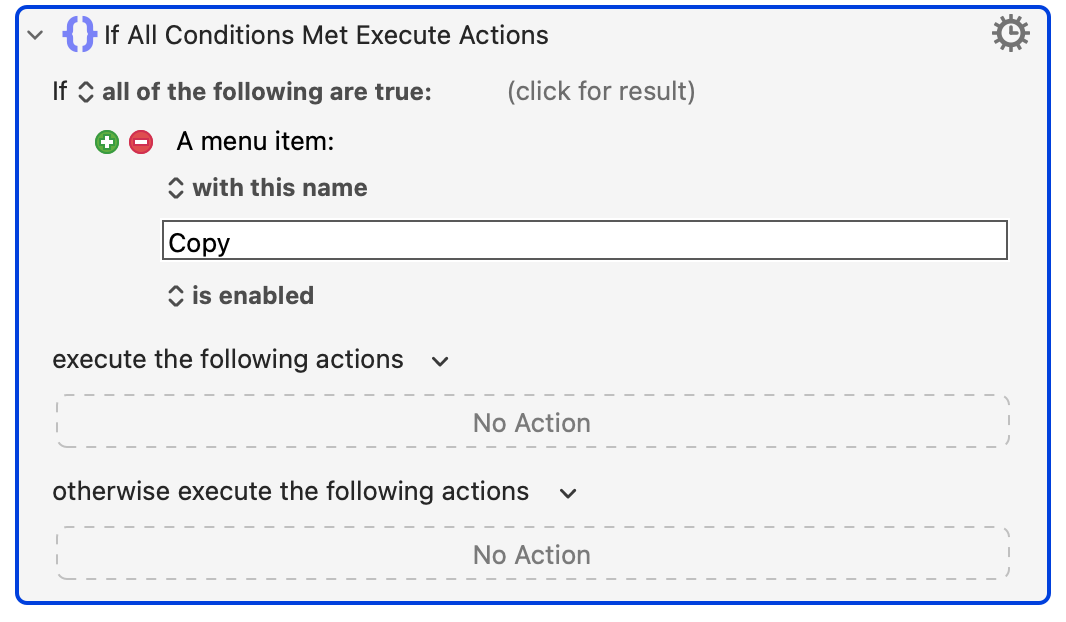
But TextEdit is sensible, and doesn't enable the "Copy" menu item if nothing is selected.
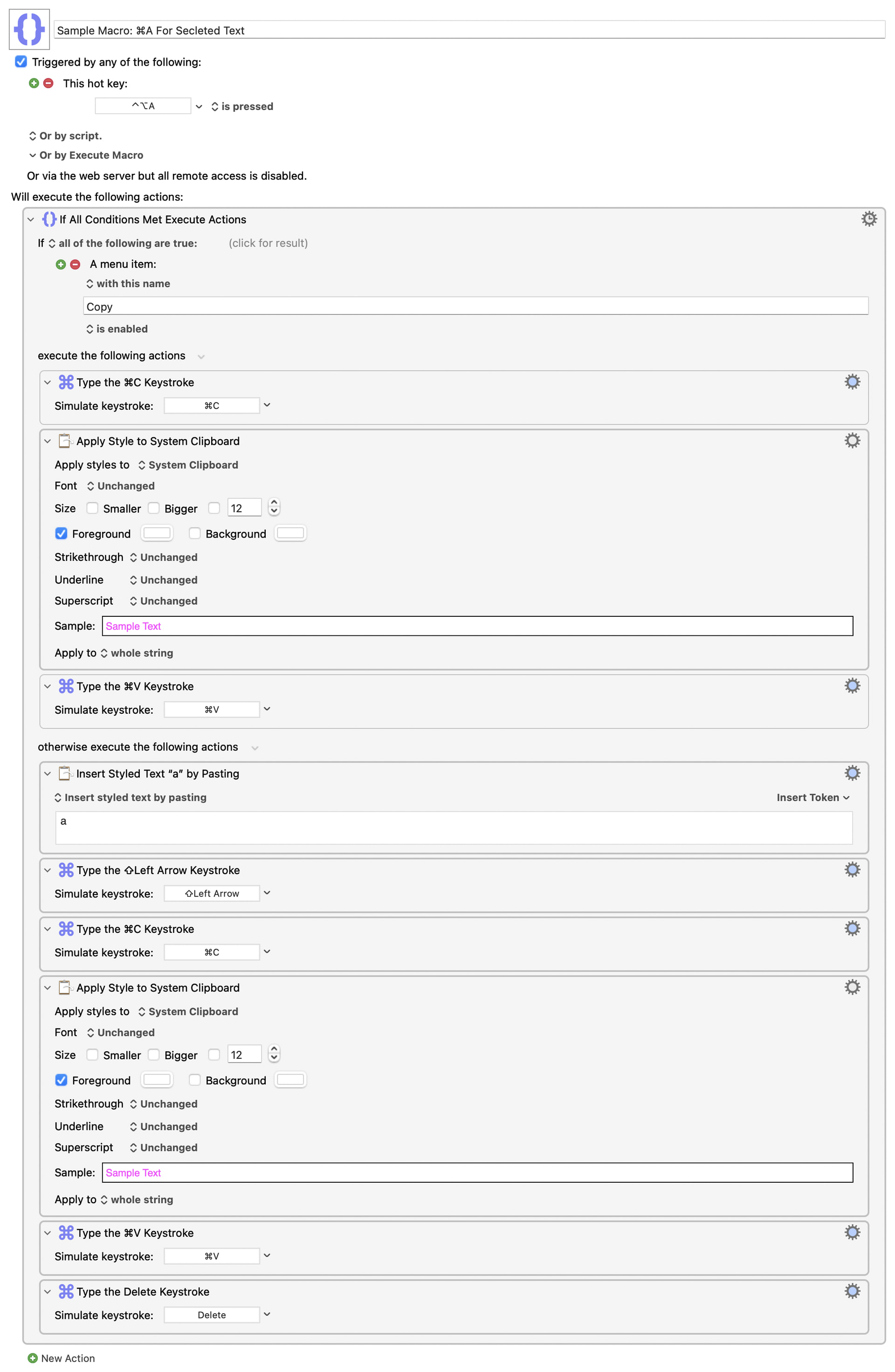
So maybe something like (pseudo code):
if the Copy menu item is not enabled
   set Local_noSelection to "1"
   add, select, and copy character
else
   do Copy
   if System Clipboard does not contain rich text
      exit macro -- it might have been a graphic or similar that was copied
   else
      -- do nothing
   end if
end if
format the Clipboard contents
Paste, replacing current selection
if Local_noSelection
   Delete
else
   do nothing -- we've pasted over previously-selected text, so don't delete!
end if
That's off the top of my head, so please please test thoroughly!
As the approach involves sending items to the clipboard, the easiest way is to count the length of the clipboard item.
The problem is that you need to stick something in the clipboard which in the case of "following text" would mean actually selecting empty space and sending it, which to me is worse! This is the point of @Nige_s previous post.
Wonderful, thank you so much. Then I, the dummy, won't have to do it myself.
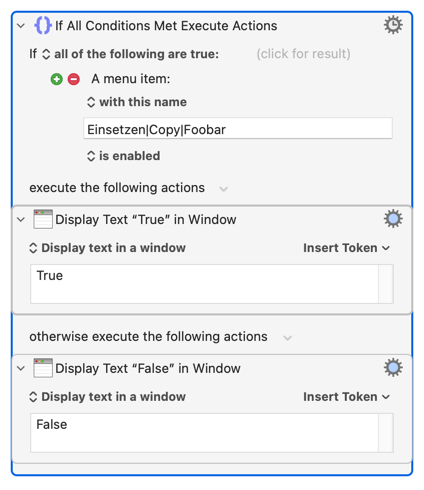
Just one more question: The macro is supposed to be global. But unfortunately, I use apps in different languages. Instead of “copy,” it might say “Einsetzen.” Is there a way to work around that?
No -- the point was that most apps are sensible and only enable the Copy menu item when something is selected, so you can use that as a proxy for "is there a selection?".
Sometimes the thing that's selected won't be text, which is why we want to Copy, check, and abort if it isn't.
The main reason the logic in your macro is different to my outline is that I was trying to only put in one "Apply Style" Action, so there's only one place to set our (easily fat-fingered) format settings.
Easy, change the "all of the following are true" to "any of the following are true" and add other languages. If you have problems let me know, I will do it for you.
The macro works exactly as intended … in every app I've tested it.
Am I the only one who needs something like this? I don't think so. For people who write a lot and often switch styles, this is a huge help. Since it's your macro, @Joel could you please add it to the KM library? Sometimes people don't realize what they need until they see it.
 I, perhaps, remain one, since I am still not totally in the picture here…

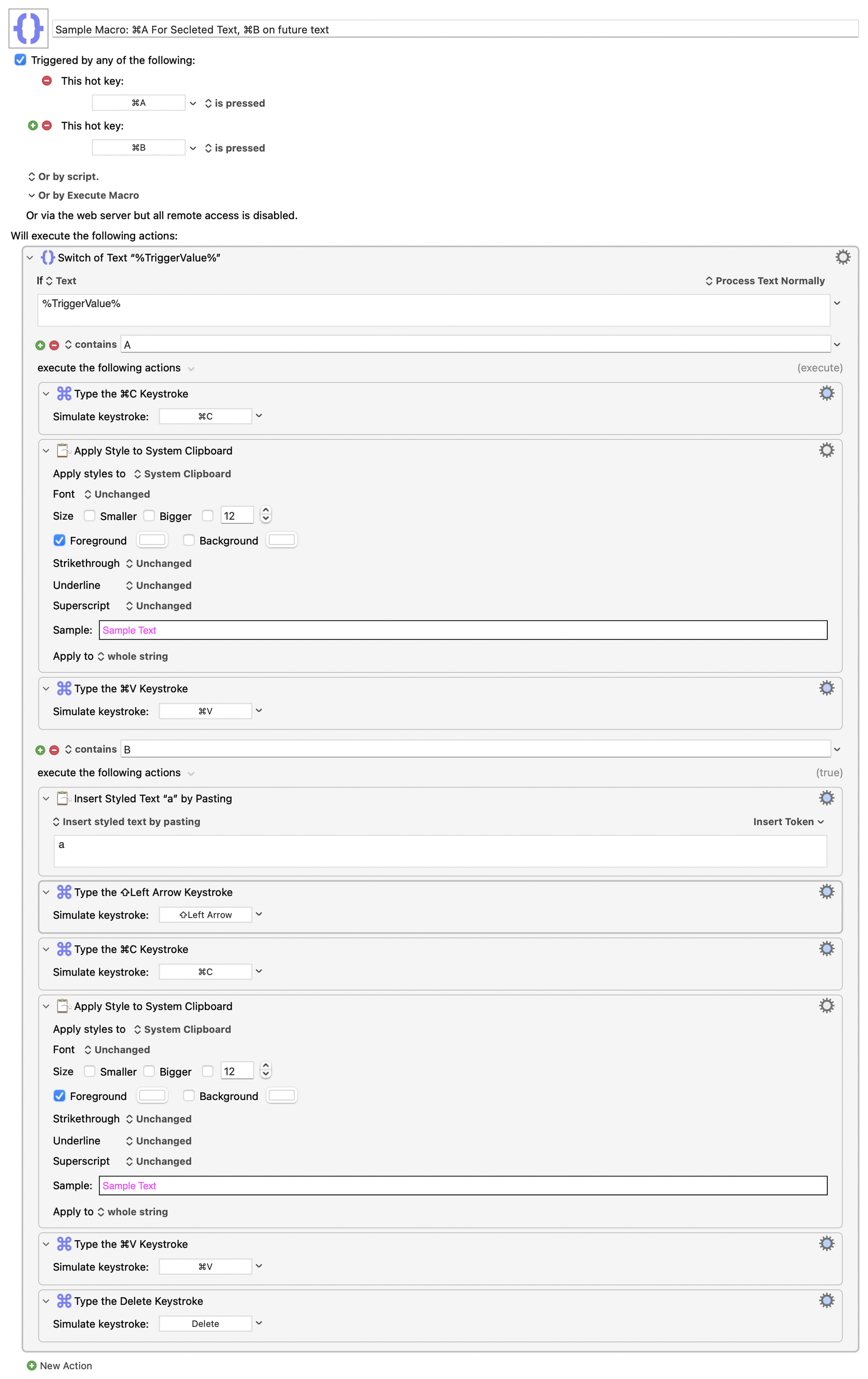
 . As for the rest, I'll have to take a closer look at it. Thanks a lot.