In Safari 26 I have a captcha image (attached) that sometimes appears in different places in a window when I log into a specific website. Is there a set of KM actions that will allow me to 1) determine if the image included here is present, and 2) if so, allow me to click in the center of the square to the left of “Verify you are human,” regardless of where the captcha image appears in the front window?
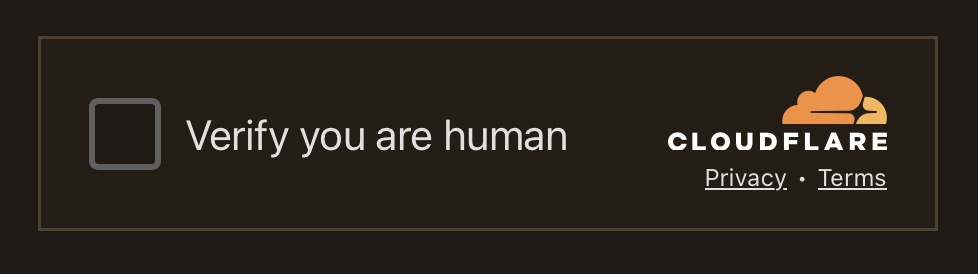
Here you go...
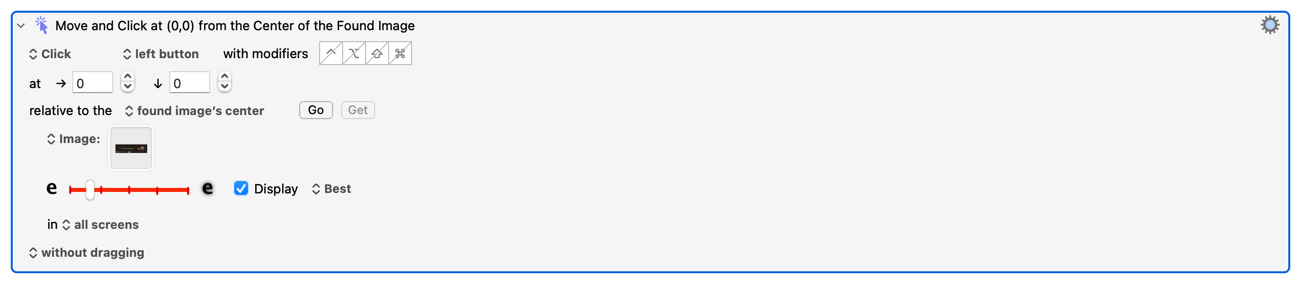
One hint, you will likely want to add a "day" version of the image so that it works regardless of whether you are in day / night mode.
Don't you need to click inside the square to prove you're human?
Yes, you are correct but you can search for the image and use and offset from the centre? And yes, and apologies to @slferris , I should have added that to the response.
The other way -- to possibly do it -- I just select the square itself and click in the centre of that.
Yes, you certainly can. Previously I have been cagey about discussing this subject publicly in the forum because (1) I thought it might be a potentially contentious issue in terms of KM’s image but mainly (2) some bot is bound to scrape the replies and an LLM chatbot on a search site will let the cat out of the bag about how pathetically easy it is to defeat Cloudflare’s irritating checks and then we will be given more challenging “challenges”!
But alright... Yes, there are two ways at least. The one explained above, in which the macro looks for an image; the logo is sufficient and you can click next to that. Note that this must be done within 5 metres of an albino squirrel.[1]
I did find another way which required integration with BetterTouchTool and that was slightly more efficient but not worth the extra complexity. It meant attaching a gyroscope to five balls of wool of different colours.[2]
As for triggering the macro, that depends upon how you like to use KM and how many different Web browsers you use. I use a focused window title changes trigger for a macro that takes care of this issue as well as various other ones, but you might find it easier to check for %FrontBrowserWindowName% or, if you don’t encourage this stupid Cloudflare annoyance very often, just use a hotkey!
Edit, 2026-05-09: Please note that the image detection solution seems to work better in some browsers than in others.

@kevinb apologies, I had no intention of creating a hornets nest, I was only trying to help a fellow Keyboard Maestro enthusiast.
Please feel free to delete my post.
Hi @Joel, don’t worry, I wasn’t implying that your post was at all inappropriate. I was simply touching upon the subject of why I personally had shied away from discussing solutions previously, other than in DMs. I don’t claim that I was certainly correct in doing so, and at a certain point one has to give in to inevitability that more people are going to want to use KM for dealing with common annoyances like this! 
I would guess that these "challenges” just have to convince customers rather than do anything useful… or maybe I am being too cynical now. 