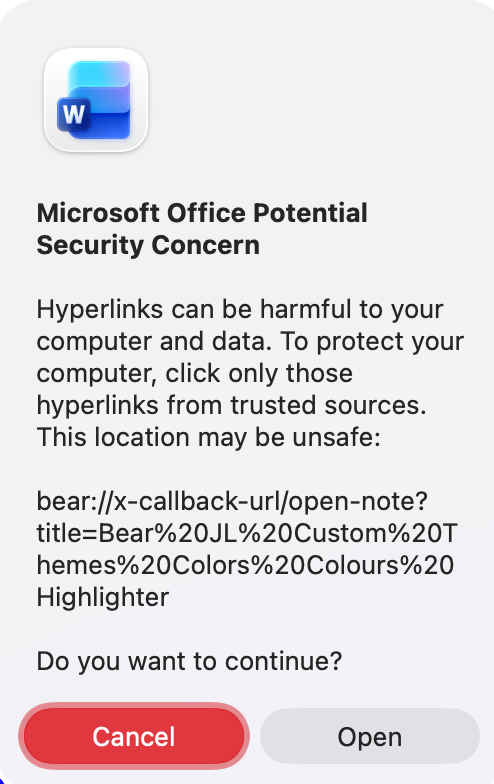
If I click on a link to a Bear Note (eg: bear://x-callback-url/open-note?id=B16BE3DB-0D61-4B45-AD77-5CA5B33AEBF7) in MS Word (16.110.1) for Mac (Tahoe) , the warning below appears and I have to click on Open. Is there a way to configure a macro to systematically automatically press the Open button when the warning is displayed ?
I investigated the matter and was told that there is no solution by configuring Word.
You could see if the Click a Button action sees the Open button in that dialog. If not, maybe find image on the big red Cancel button, and then click the mouse at +400 pixels (or whatever it is) right of that area?
From various posts in the forum, I gather that Word presents more than its fair share of problems! I do wonder if it is the best tool for the job that you have in mind, but I don’t know why you would want to link to a note in Bear from Word… so maybe it is!
thank you very much for your replies. My apologies for the delay.
@kevinb You are right. It’s not my choice. I work in Bear and am being forced to collaborate in word. In the process, within the word document, I have to refer to my notes in Bear to be able to navigate quickly.
@griffman I apologize for a poorly formulated question.
1- yes the "open" button action works perfectly.
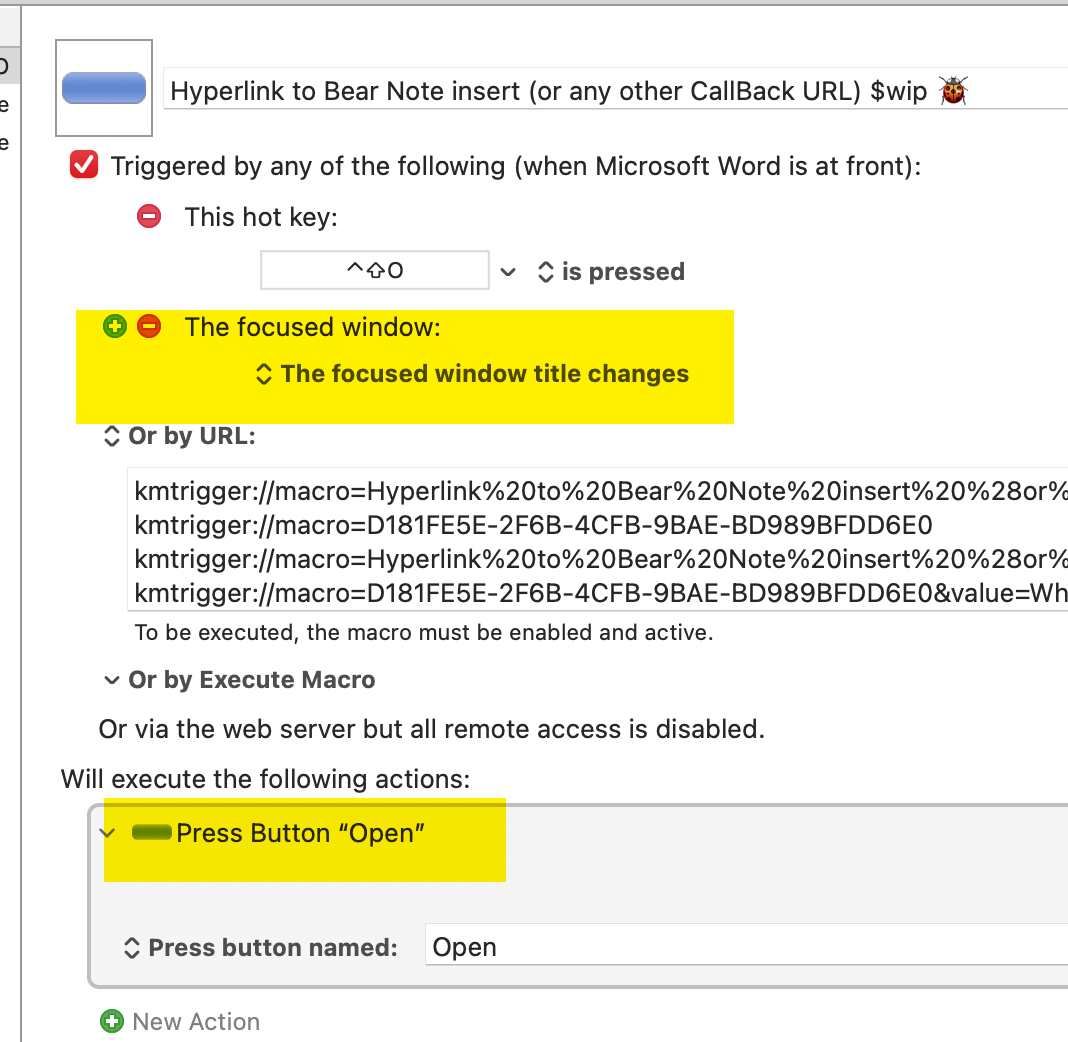
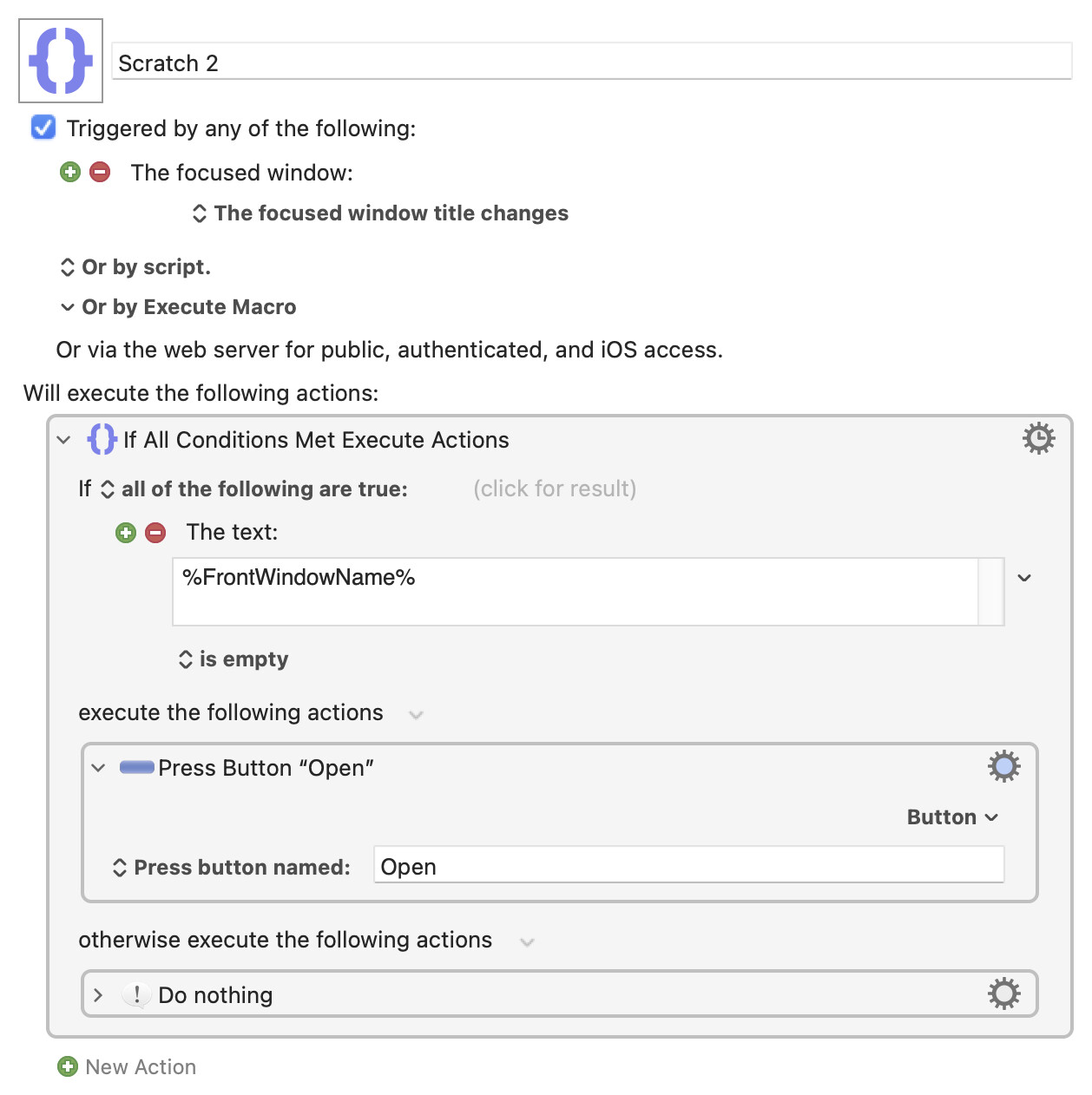
2- I can automatically trigger the macro if I use the focused window trigger. When I click on a link, the focused window changes and the OPEN button is automatically pressed. My problem is that the macro is triggered any time I change windows in Word, which does not make sense. I was wondering if there is a workaround.
Keep an eye on other Word dialogs though, in case they also both have no window name and an "Open" button -- I quickly checked a few (Print, Open, Save) and none met both conditions, but who knows what other dialogs are lurking!

 incredible, astounding, I fell off my chair. You are a genius