I am doing some cleanup and have a few questions in respect of the attached actions and macros.
The macros are here:
__Display Macros.kmmacros (313.3 KB)
The specific actions are here:
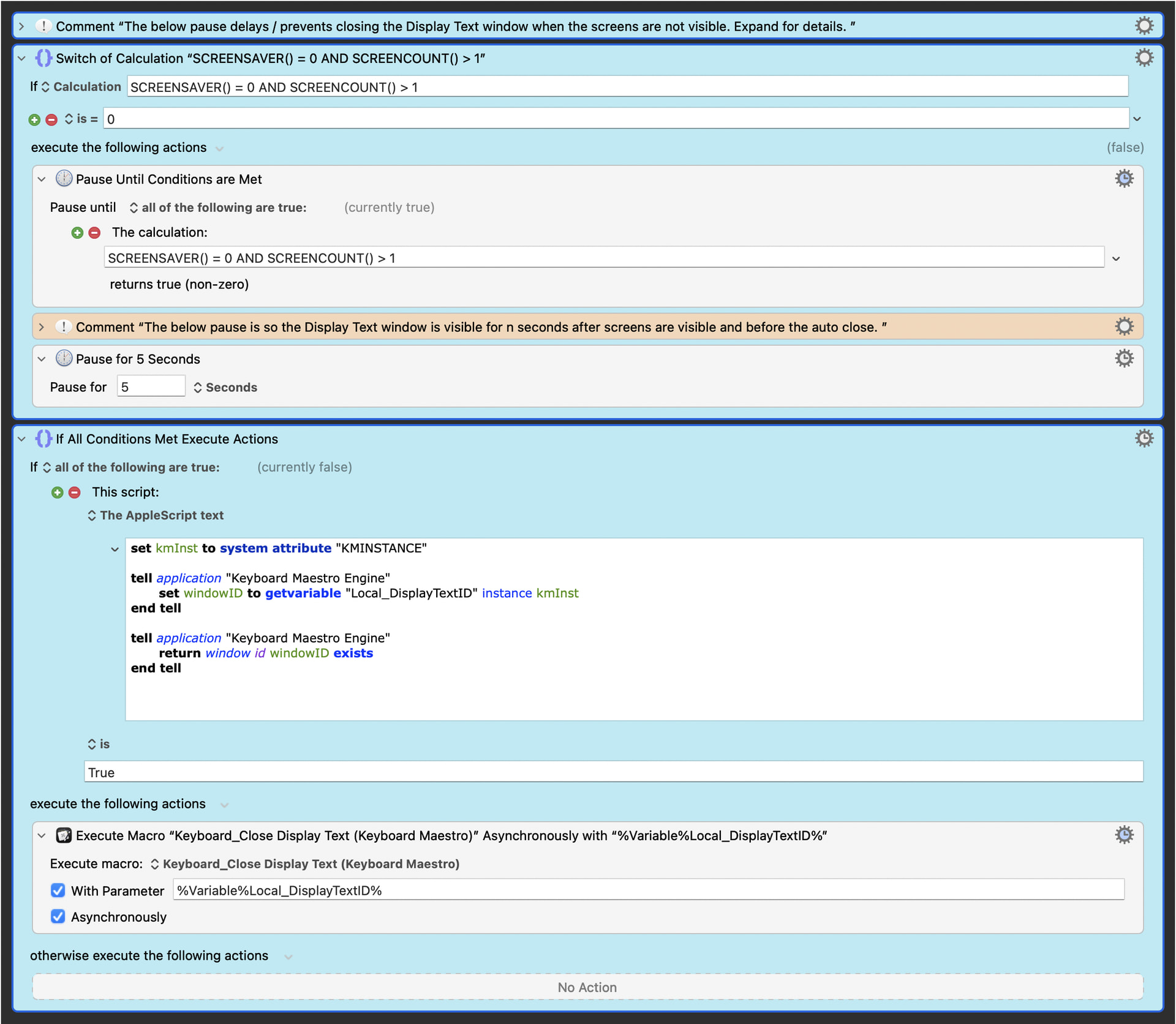
As a start:
-
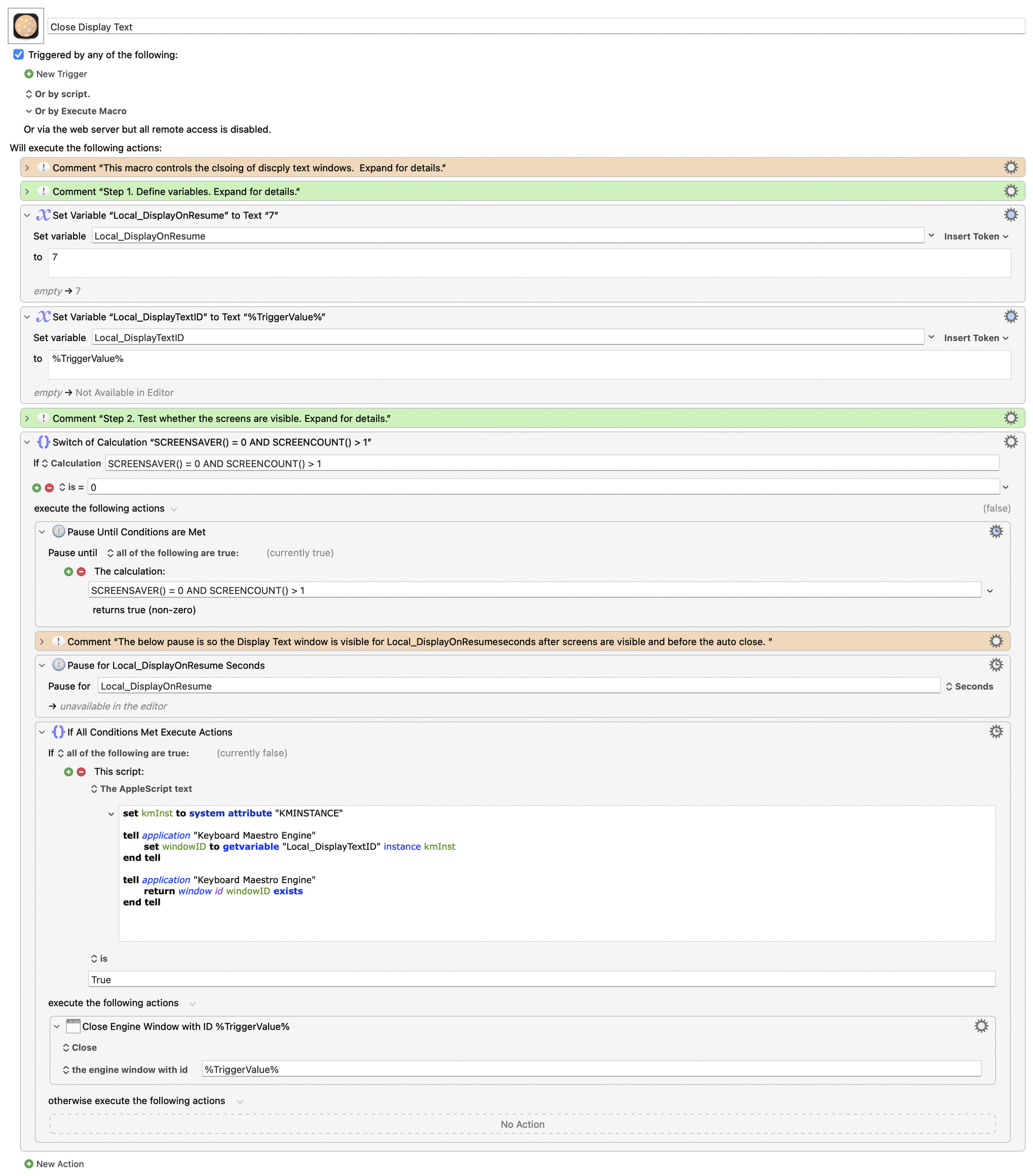
Attached actions appear 10 times in the macro group spread over 4 macros (as attached above).
-
I am thinking that the macros should be placed in a separate macro or subroutine to “improve maintenance”, "improve readability", shorten the impacted macros, etc.
-
The specific actions:
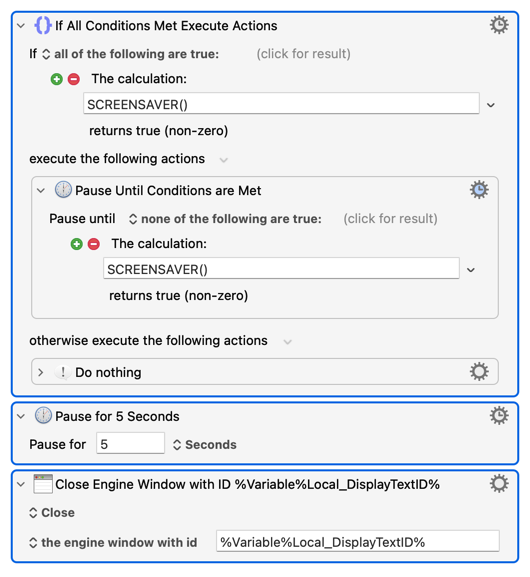
a. Check whether the screens are visible because Keyboard Maestro cannot close a display text window when the screens are not visible.
b. If the screen are not visible then i) pauses the macro until the screens are visible and ii) pause the macro for an additional 5 seconds so the display text window is visible to the user once the screens become visible.
c. Checks whether the display text window is open because Keyboard Maestro's i) macro call will fail to close an already closed display text window and ii) generate an error message when trying to close an already closed window.
d. If the window is open then call the close display text window macro.
Question 1:
Assuming you agree that the actions should be placed in a separate macro or subroutine, should it be a macro or subroutine?
I think it is correct that the separate macro or subroutine must run synchronously to pause the calling / parent macro to avoid the calling / parent macro from spawning / trying to spawn additional display text windows when the screens are not visible as the macro will run when the screen are not visible. Is this correct / true (what happens when the calling / parent macro tries to spawn display text windows when the screens are not visible noting my experience suggest that it spawns empty display text windows)?
If the above is correct / true, then both a macro and a subroutine are possible because both can run synchronously.
The decision then hinges on the whether the AppleScript which needs the parameter Local_DisplayTextID can use %TriggerValue% in its place (i.e., if yes, then either a macro or subroutine can be used and, if n, then a subroutine must be used). What is the answer?
With the above noted, what is the correct answer (i.e., macro or subroutine) and why?
Question 2:
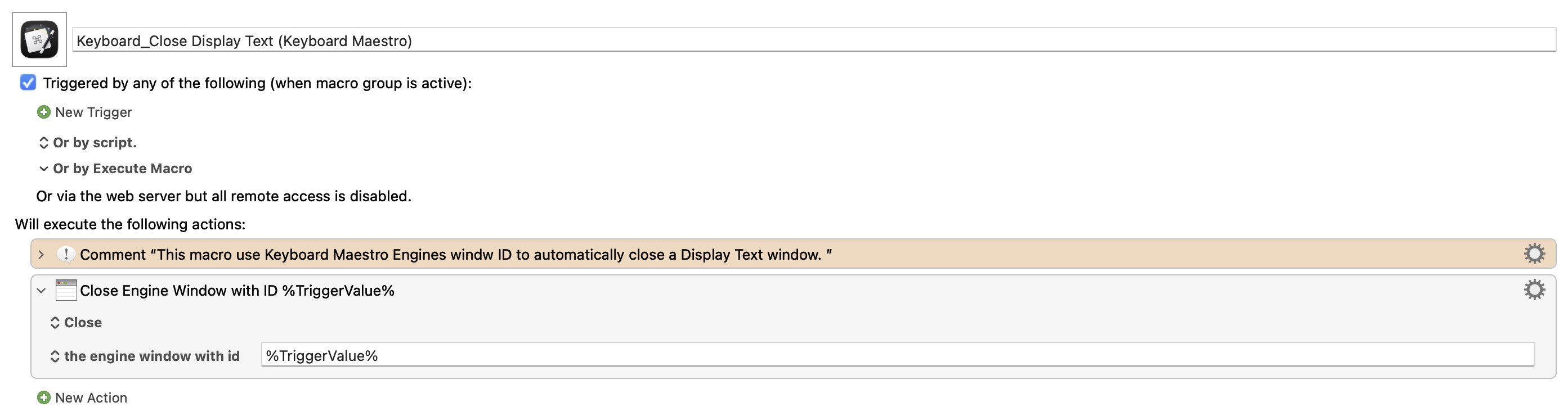
The last action in the group of action is an Asynchronous call to the closing macro.
When creating the new macro or subroutine, should the Asynchronous call to the closing macro be left in place or should it be replaced by the synchronous close display text window action.
With the Asynchronous call doing nothing other than closing the display text window, I am thinking it is fast, uses few resources and would not noticeably slow down the new macro / subroutine perhaps should be replaced by the close display text window action.
Would appreciate comments / thoughts as to what is best between i) leaving the Asynchronous call or ii) replacing the the Asynchronous call with the close display text window action.
Question 3:
Wondering whether there is a better way of doing this noting:
- I thought about replacing the multiple instances with a single pause at the start of the macros should the screen not be visible but this does not account for the situation where the screens become invisible after the macro has spawned a window.
The can happen in multiple scenarios:
a. At home: I am working at my desk, I get up to grab some food during which time a window has been spawned and the screen saver has engaged.
b, At work: I am working at my desk, a window is spawned, before its closes, I leave my desk to speak to a co-worker and look my screen when so doing.
What, if any, other ways are there?