Hey James,
Welcome to the forum! 
This job is not a walk in the park, because there are some fiddly details – but it's not ridiculously difficult either.
Here's a start:
Finder ⇢ Get Path Strings of Items in Windows 01 & 02 v1.00.kmmacros (12 KB)
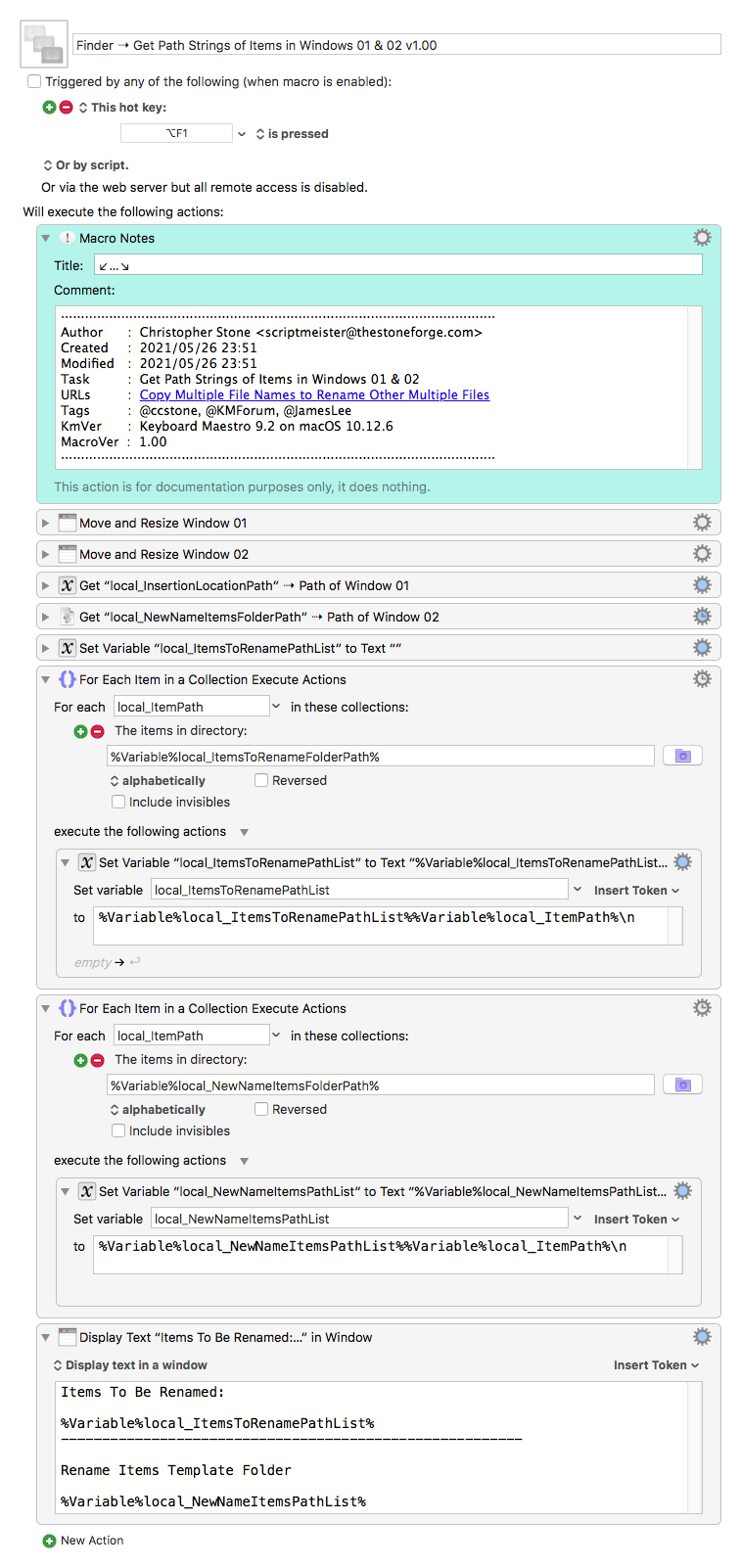
Presently it produces a pop-up window with the path strings of both the target folder and the rename templates folder.
Like so:
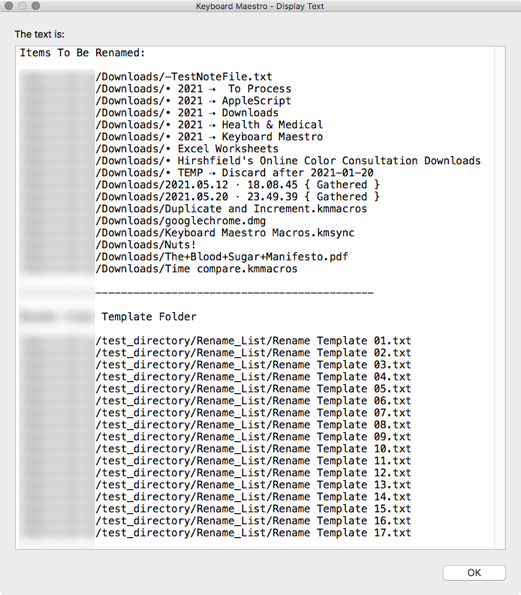
The macro take the first two windows open in the Finder (index 01 and index 02) and resizes them to be 50/50 on the main monitor.
I would not include this step in the main macro – I'd have a preparatory macro to do that for me when I was setting up the rename action.
Then again I wouldn't use the Finder for this task myself – I'd use BBEdit with two named windows side-by-side:
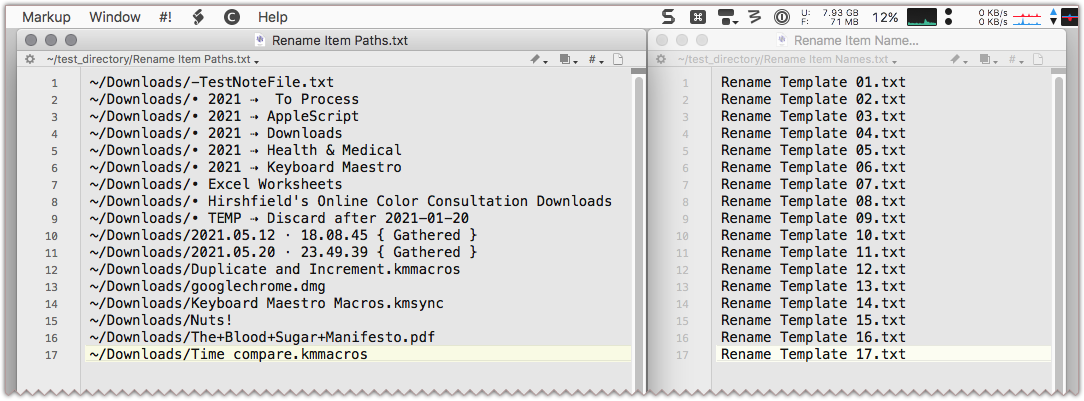
This would let me control the job more completely, give me access to find/replace, and other editing tools.
Then I'd use AppleScript to grab the lists out of each window and use the template items to rename the pathed items.
Thiis is about as far as I'll go on this task, although I'm happy to answer questions.
Here's a macro that does what you want using Microsoft Excel:
Rename Files Based on Excel File [Example]
I think it could be adapted to Numbers without too much trouble if you don't have access to Excel.
In any case – There's More Than One Way to Do It.
-Chris