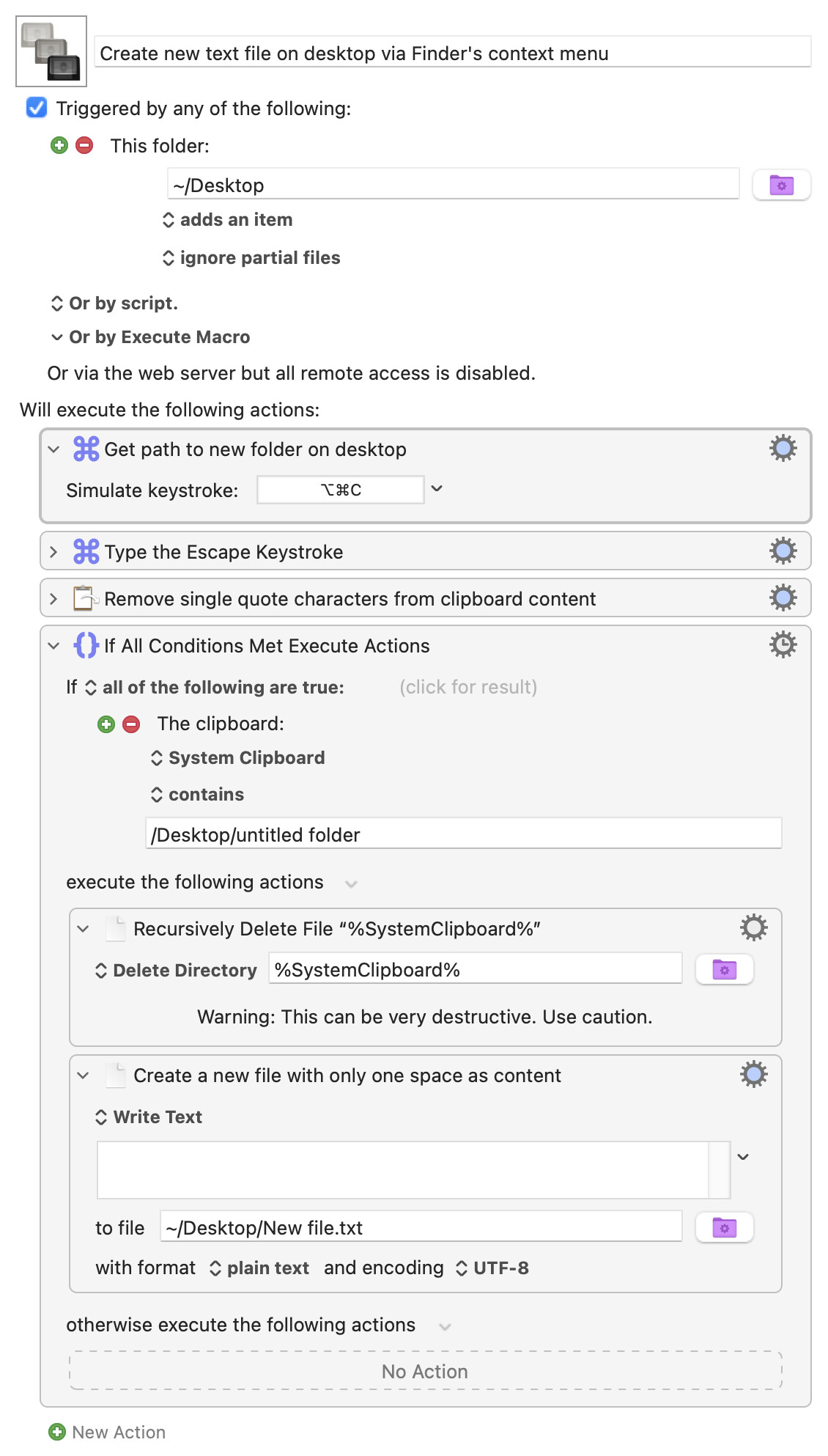
By clicking with the right mouse button on an empty space of your desktop and selecting “New Folder” you can create a new text file “New file.txt” on your desktop. You could modify this macro to copy a .docx template to create a new Ms Word document etc. on the desktop. (You could even add a small menu to select new LibreOffice, new Python script etc.)
Demo:
The downside of this approach is that it’s no longer possible to create … a new folder on the desktop.
Question: Is there a way to use a modifier (like the Option key) to have the finder create a New folder as usual?
Well, I suppose I didn’t answer your question. I’m pretty sure the answer is yes but I’ll leave the matter to those who also like to do things that way (I use the keyboard rather than a pointing device in most situations!).
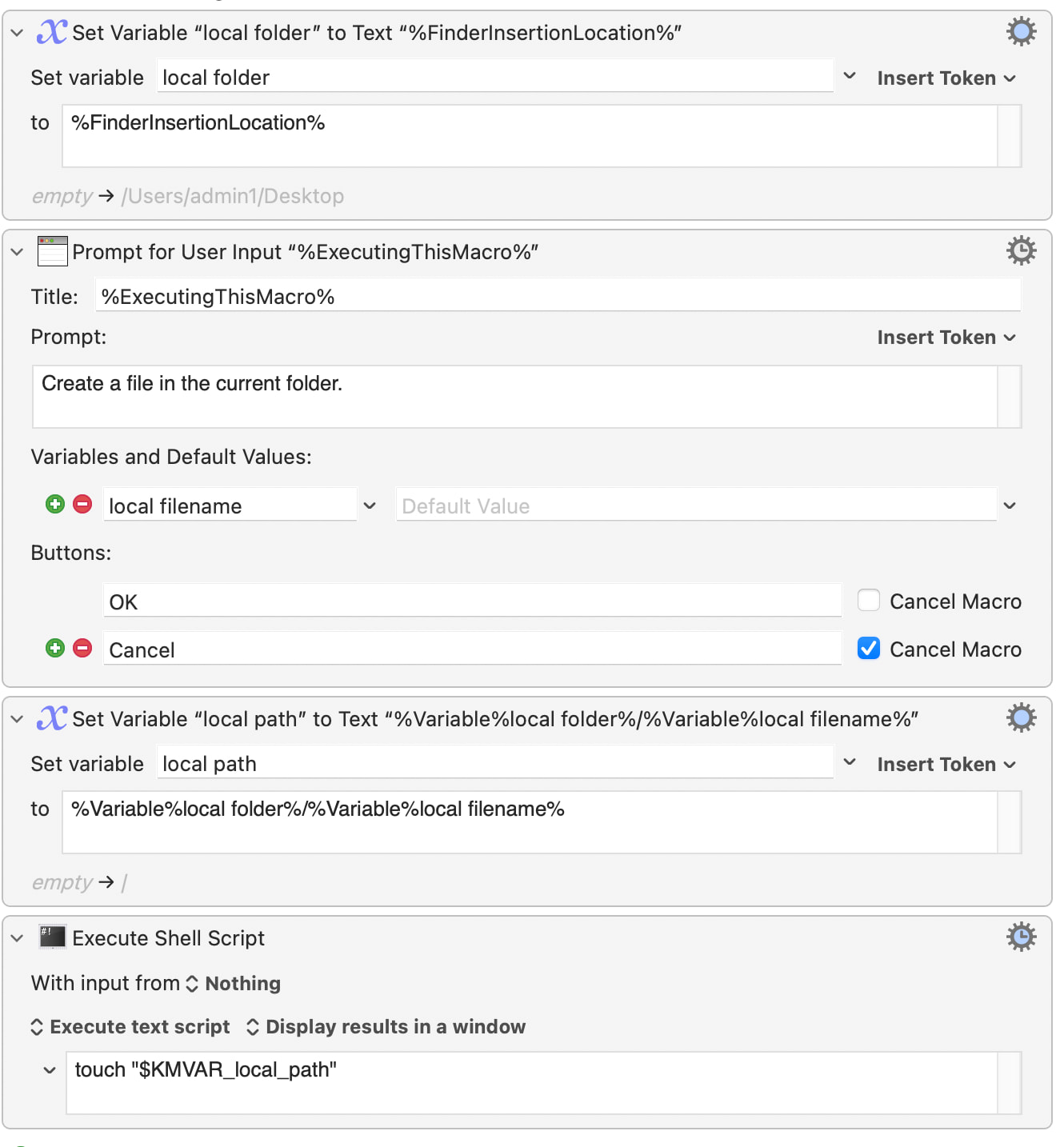
Just in case it’s of interest, here is a macro to create a new text file. Maybe it will give you some fresh ideas, even though it’s not quite what you asked for!
You might perhaps be interested by this Alfred workflow, which includes a way to use templates for new files. The workflow is ten years old but it still works. Its core is a Ruby script.
Your original macro could use the Modifiers condition to detect whether the Option key was down and disable it's normal behaviour and leave the folder unmodified (or vice versa).