I'm not entirely sure if this is possible. Firstly, Keyboard Maestro doesn't have the ability to intercept mouse clicks. Instead, KM can detect mouse clicks using the USB Device Key trigger, but that's not intercepting the click. Instead, it provides a way to trigger a macro in addition to whatever macOS does when you click the mouse.
That doesn't mean it's impossible. But you may have to make some big compromises/complexities to make this work.
But I don't think you are using the right tool here. Doesn't macOS's Automator application provide for "services" to be added to the "Finder" app? I think Automator calls them "Quick Actions." But it sounds like Automator is specifically designed to solve your problem. I recommend that you launch Automator and try creating a Quick Action.
I'm not the sharpest person on this website so I could be wrong. Hmm, I see that Juan just referred you to a long web page that shows that it is possible. Good luck. I still recommend that you look into Automator which seems to be designed to solve your problem. EDIT: I see an even more important comment from Peter himself, so I guess I was wrong.
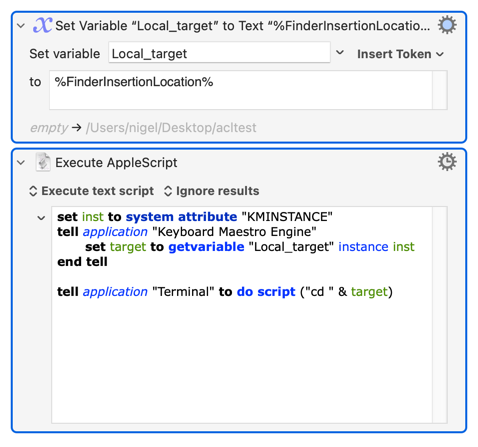
Note that if you go the Quick Action route you are going to have to right-click something in that folder -- empty space doesn't count. You can spoof it (some of the time) by using the %FinderInsertionLocation% token in your macro so that when you run it through Quick Actions via a right-click on something in a Finder window it will open a new Terminal at the target of that window:
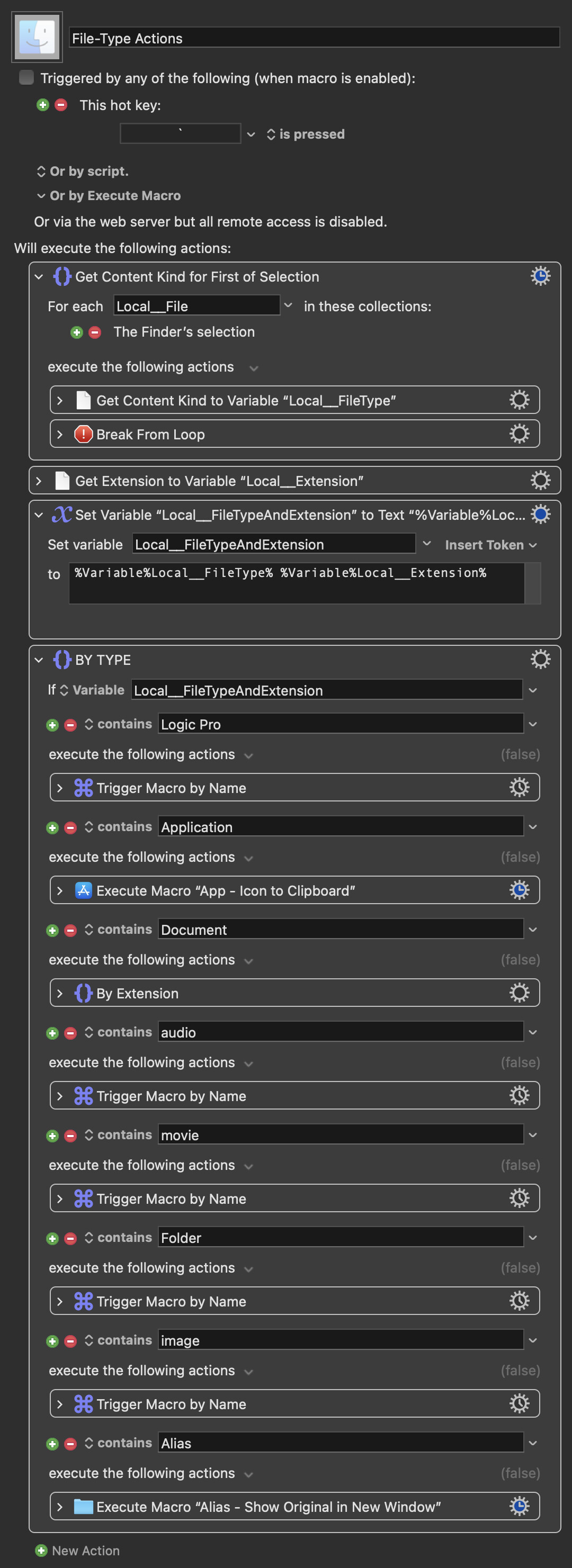
I don't use quick actions. Instead, I have a dedicated hotkey that presents a list of possible file actions, based on the type of file selected, and in some cases immediately processes the file (e.g. App - Icon to Clipboard). Same idea, no need for the mouse.
It's very particular to my needs, but here's the idea:
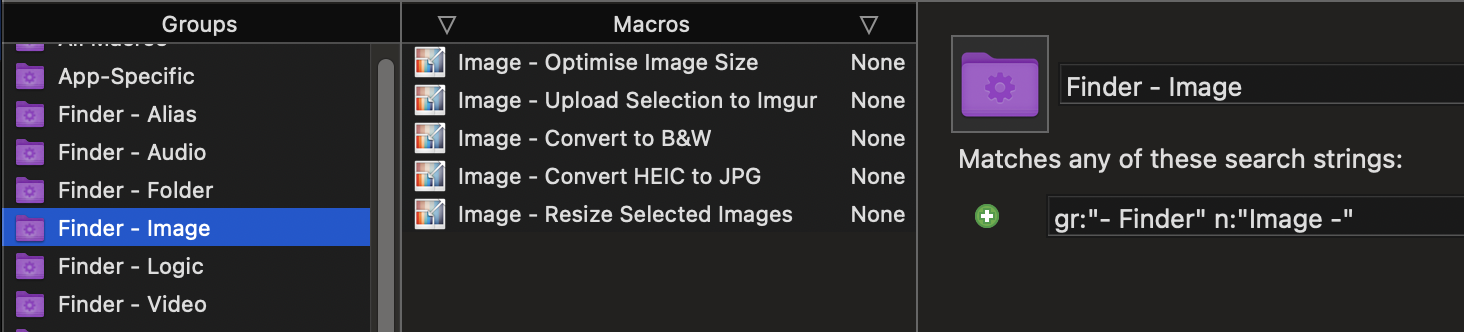
Each of the Trigger Macro By Name actions opens a list of macros from a Smart Group. As an example, all my image file-action macros are named with "Image -" as a prefix, and as such, appear in the Smart Group.