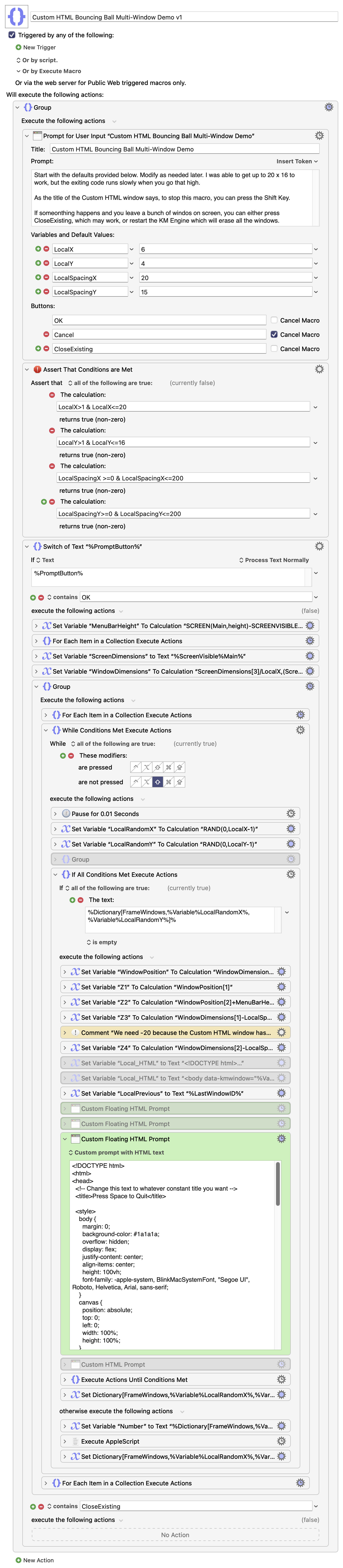
A couple of days ago I saw someone asking how to create, track and delete multiple Custom HTML windows on the screen. I didn’t read his solution because this was a wonderful coding exercise for myself and I wanted to make my own solution. This was a very fun task: creating and deleting a bunch of HTML windows on the screen, with bouncing balls in each window. (The bouncing ball Javascript code I got from Gemini, since I’m not good with that language.) It was very rewarding writing this code.
<EDIT: v2 is found further down this thread>
Custom HTML Bouncing Ball Multi-Window Demo v1 Macro (v11.1)
If you see a couple of disabled actions, they were from previous iterations of this code. You can ignore them.
It creates a few global variables which you may or may not want to keep. Local variables don’t always work with certain KM actions, so that’s why I start with Global variables and switch back to Local variables after the code works.
This is really just a demonstration of how to handle multiple Custom HTML windows. It’s fun to look at, but it doesn’t do much.
Oh, and I see I forgot to add the code for the CloseExisting button. Sorry. I’ll fix that after people try this macro and make comments on it. And the Prompt window tells you to press Shift to quit, while the Custom HTML window tells you to press Space to quit. The correct key is Shift. All these bugs are fixed for v2.
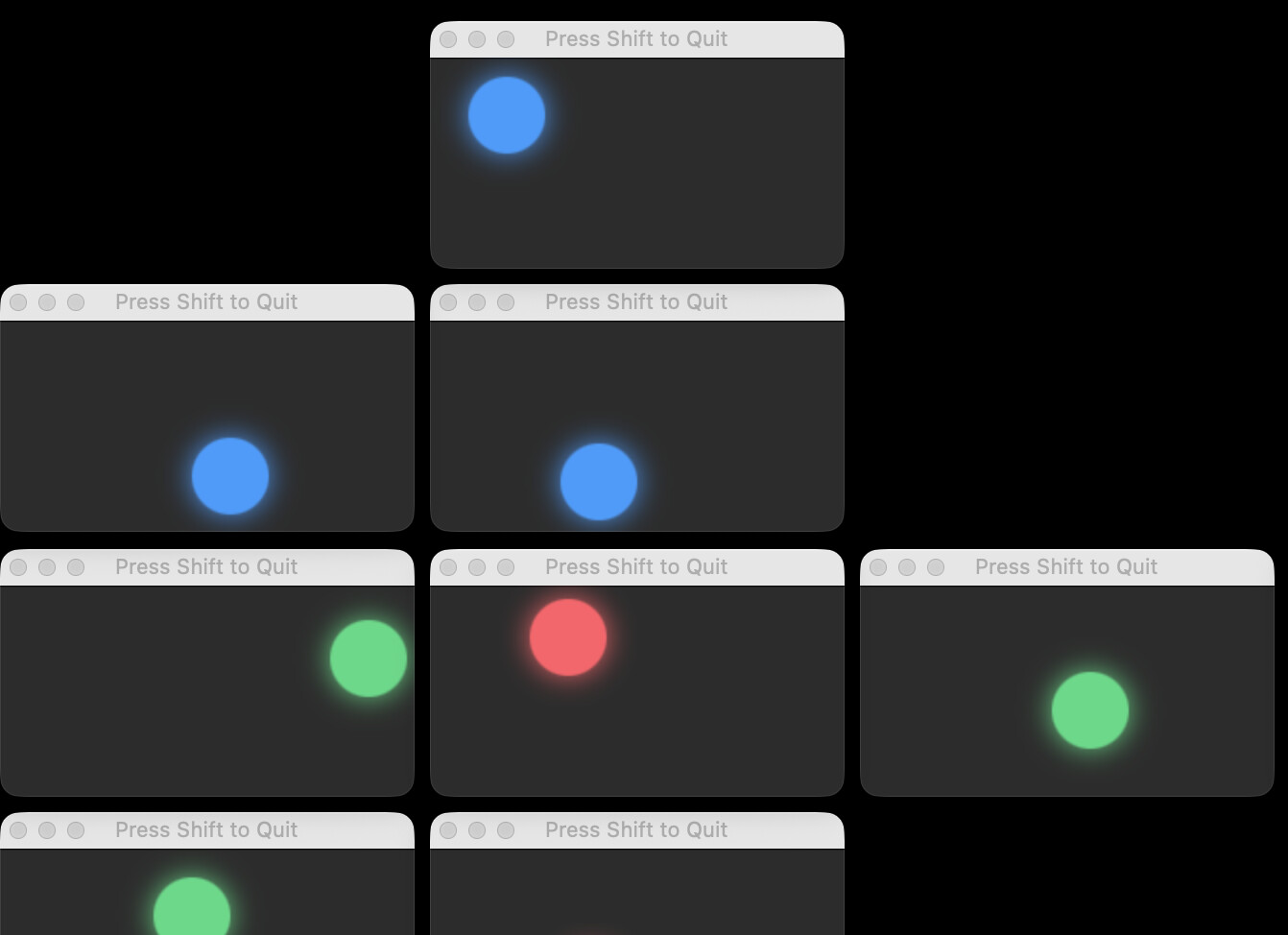
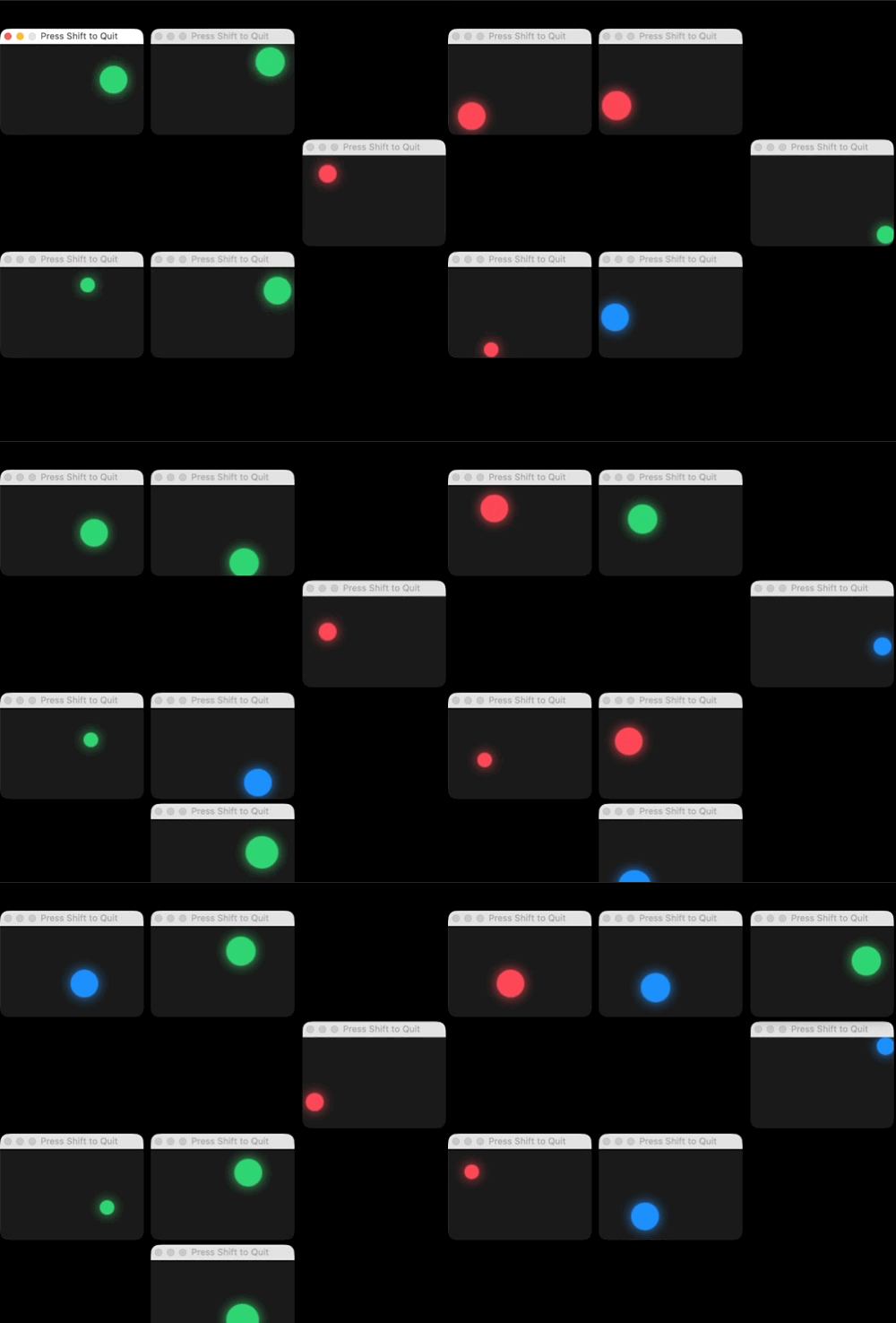
Here’s a screenshot for the curious. Notice how it is placing bouncing balls in Custom HTML windows in various places around the screen. It adds and removes windows randomly.
I wanted to see if I could show it in action, with an animated GIF. Let’s see if this works… well, I guess it works, as long as you press the PLAY button at the bottom of the image.
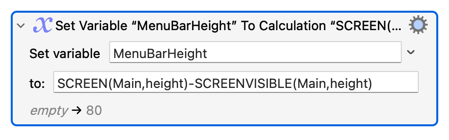
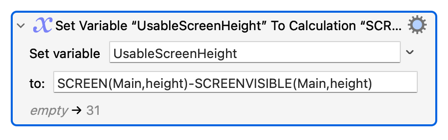
However it’s wrong, because the method I used takes into account the height of the Dock, if the dock is at the bottom of the screen. I guess the problem is that my variable is misnamed.
I spent a long time trying to get it to give me a wrong number, but was unable. The only bug I could find is when the Dock is on the left side of the screen, but even then the Custom HTML window on the left was just moved to the right a bit, which is only a cosmetic issue.
I will fix both of these things, however.
I think I fixed them all, however the case where the Dock is on the left is complicated because there are times when the dock is in autohide mode. When my dock is in autohide mode, my 30-line AppleScript reports that it still contains a width, but the width is four pixels less than when it is visible (not auto-hide.) I don’t think this edge case is worth my attention, since under 10% of users have the dock on the left.
I just wanted to calculate the usable screen area for my Custom HTML windows. So I renamed the variable to: UsableScreenHeight. And my calculations now work, taking into account the Apple system menu, and the existence, if any, of the Dock at the sides or bottom of the screen. I think everything is working “100%” now.
By “100%,” there is a slight oddity when the Dock is on the left AND in auto-hide mode. The windows remain somewhat indented from the left side, but not as much as when the Dock is always visible.
Anyway it’s just a demo for other people on how to create, track and delete multiple Custom HTML windows. So it doesn’t have to be perfect, but it seems perfect to me right now. I guess I should upload the new, perfect version. Here is the newest version:
Custom HTML Bouncing Ball Multi-Window Demo v2 Macro (v11.1)
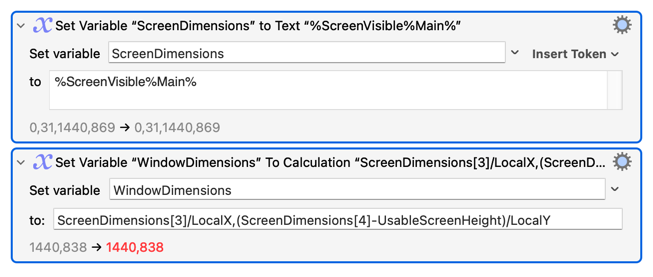
But isn't "usable screen area" exactly what %ScreenVisible% and SCREENVISIBLE() are for? (And yes, if you want to leave space for a hidden Dock to appear in you have to account for that separately.)
...where you get the screen-visible height (i.e. without menu bar or unhidden dock) and then subtract another menu bar height + 1 pixels before you divide -- which seems to be double-counting the menu bar.
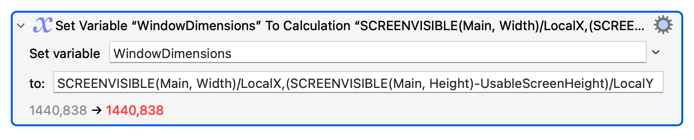
Also, you don't need to get the rectangle with that first Action and do the calculation in the second. While it does involve two API calls to the OS it's quicker to: